
 Web Development
 Data Science
 Python
 SQL
SQL JavaScript
 Artificial Intelligence
 IT & Software
 IT Certifications
 Hacking
 AWS
AWS Arduino
 DevOps
 3D Modeling
 Graphic Design
 Photoshop
 Drawing
 Digital Painting
 UX Design
 Business
 Data Analysis
 Communication Skills
 Project Management
 Leadership & Management
 Human Resources
 Digital Marketing
 Social Media Marketing
 Marketing
 SEO
SEO Google Analytics
 Branding
 Excel
Excel Office Productivity
 SAP
SAP PowerPoint
 Microsoft Access
 SharePoint
 Finance & Accounting
 Trading & Investing
 Accounting
 Bitcoin
 Personal Finance
 Video Editing & Animation
 Photography
 Adobe Premier Pro
 Adobe Lightroom
 Personal Development
 Productivity
 Career Development
 Life Coaching
 Health & Fitness
 Meditation & Mindfulness
 Yoga
Yoga Music
Music Music Production
 Guitar
 Piano
Piano Singing
 Language Learning
 Teaching & Academics
 Engineering
 Math
Math Lifestyle
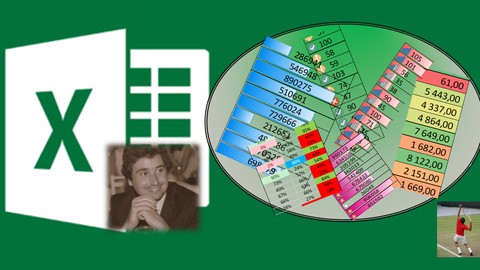
Excel Conditional Formatting from Basics to Formulas- SMASH! (Udemy.com)
Learn all about Conditional Formatting. From Beginner Level to Formula/Function Based Advanced Exercises
Created by: João Appleton Ribeiro
Last updated December 2020
 What you will learn
- Highlight Cells Greater/Smaller/Between a certain Value
- Data Bars, Color Scales, Icon Sets
- To Use Some functions to Format your data (includes AND, IF, SUM, SUMIF, COUNTIF, VLOOKUP, MATCH and more..)
- Highlight Top/Bottom Values & Above and below Average
- Formula base Formating
- Productivity
- Presenting Information
How it compares
Against the other 355 rated Udemy courses in Excel on CourseDuck:
- Rating4.5 out of 5higher than 39% of them
- Reviews143#323 of 356 by number of reviews
- Length1.8 hoursshorter than 87% of them
- Last updatedDecember 2020earlier than 71% of them
 Course Description
This course is about automatically formatting your Data with Colors, Icons, Bars (and more) using the Conditional Formatting feature of Excel.
The student will learn Conditional Formatting from the very basics to formula use within the tool. Most of the topics on conditional formatting are covered: basic formatting (Equal, Greater than, Smaller than etc.), formatting with text, etc. We also cover Data Bars, Icon Sets and Color Scales. Finally a good portion of the course is dedicated to formula use within the conditional formatting.

 Udemy Discount
The discount is applied through our link. Open the course from here and Udemy's current promotional price is applied at checkout on most courses, no code to type.
Some courses are excluded from Udemy's promotions. If the price does not drop, clear your browser cookies and use the button again.
Instructor Details

- 4.5 Rating
 143 Reviews
João Appleton Ribeiro
Joao is an IT Consultant and Project/Management Controller working currently for an IT Consulting Firm. His day to day work is around Excel, Power BI and MS Project.
Academically Joao obtained his Masters Degree in Civil Engineering and a Post-Graduation in Management Control
Loves to teach (was a privater teacher on Mathematics and Physics for a while) and is also a Tennis and Padel lover :)
 More Excel courses

Microsoft Excel Data Analysis - Learn How The Experts Use It (2026)
5.0 (5,696 Reviews)
 Provider: Udemy
 Time: 3h
$39.99


Microsoft Excel: Advanced Dashboard Design (Project-Based!) (2026)
4.9 (4,868 Reviews)
- Provider: Udemy
- Time: 6.4h
$99.99


Master NEW Excel Functions in Office 365 & Office 2021+
4.8 (5,262 Reviews)
- Provider: Udemy
- Time: 7.1h
$15.99

Microsoft Excel Certification Exam Prep: MO-201 Excel Expert (2026)
4.8 (3,239 Reviews)
- Provider: Udemy
- Time: 8.6h
$119.99
 Reviews

By Sergio Barboza on 7/26/2021
Excelente curso, muy bien detallado desde cero a avanzado, lo recomiendo.
By Mohd Haroon Khan on 7/19/2021
Very well explained, never though conditional formatting would be of so use. You made it look easy
By Anushri Boobna on 3/2/2021
It was great with good exercises and pace. Only thing missing was explaining the use of these formulas.
By Roshir Ann Go Poyaoan on 2/13/2021
Learning and happy
By Norzikry Bin Norzufry on 1/9/2021
This course deserves more than five stars. I gain a lot of knowledge from this course. Thank you for the quick responsive message.
By Joviano Silveira on 1/8/2021
João is my big friend and extremely focus on learning. In fact, I rate the course with a maximum note because he goes direct in the point. Good luck my friend!
By Nazibullah Hossain Shourov on 1/5/2021
Great experience. Learnt many things that every employee must know for good work performance.
By Yurika Silvia on 1/4/2021
It is really good lesson and perfect instroctures from the teacher. I can do it well. really great lessons!
By João Costa on 1/4/2021
Great content for those who want to level up their Excel skills! Good fluency and a lot of exercises to practice. Looking forward for more content like this. Keep the good job!
By Gulshan Kumar Mehta on 11/27/2020
Amazing!! Instructor has a great knowledge and explain it in great way.
 Quality Score
No CourseDuck member has rated this course yet. Taken it? Give each part a thumbs up or down.
Overall Score : 90 / 100
- Video Duration:
 1.8h
1.8h - Price: $34.99
- Provider: Udemy
- Updated:
 December 2020
 - Level:
 Beginner
 - Language:
 English
 - Certificate:
 Yes
Yes
30-day money-back guarantee on most paid courses
Udemy Coupon Price Tracker
