
 Web Development
 Data Science
 Python
 SQL
SQL JavaScript
 Artificial Intelligence
 IT & Software
 IT Certifications
 Hacking
 AWS
AWS Arduino
 DevOps
 3D Modeling
 Graphic Design
 Photoshop
 Drawing
 Digital Painting
 UX Design
 Business
 Data Analysis
 Communication Skills
 Project Management
 Leadership & Management
 Human Resources
 Digital Marketing
 Social Media Marketing
 Marketing
 SEO
SEO Google Analytics
 Branding
 Excel
Excel Office Productivity
 SAP
SAP PowerPoint
 Microsoft Access
 SharePoint
 Finance & Accounting
 Trading & Investing
 Accounting
 Bitcoin
 Personal Finance
 Video Editing & Animation
 Photography
 Adobe Premier Pro
 Adobe Lightroom
 Personal Development
 Productivity
 Career Development
 Life Coaching
 Health & Fitness
 Meditation & Mindfulness
 Yoga
Yoga Music
Music Music Production
 Guitar
 Piano
Piano Singing
 Language Learning
 Teaching & Academics
 Engineering
 Math
Math Lifestyle
Excel Crash Course: Dashboards, Data Analysis & Heatmaps (Udemy.com)
Learn core, business-focused Excel skills for data analysis, data visualisation and dashboard modelling in 3 hours
Created by: Tobi Williams
Last updated September 2020
 What you will learn
- Explore Microsoft Excel from a data science & data visualisation and data analysis perspective
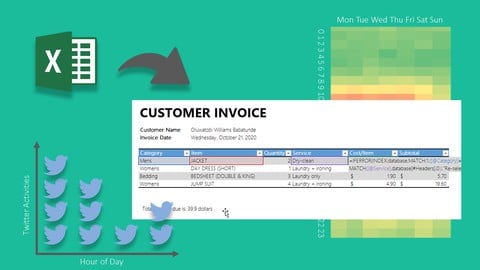
- Design three dashboard systems in Excel - Twitter Activity Heatmap, Advanced Currency Converter, Business Invoicing Dashboard
- Learn to use Excel dynamic arrays with other functions like a pro to build automated systems
- Manipulate pivot tables to design beautiful, custom charts and heatmap visuals
- Work with Excel time intelligence and text functions to extract HOUR of DAY, DAY of WEEK etc
- Tips and tricks to fine tune your Excel dashboards and visuals to supercharge your data visualisation skills
- Test your data analysis skills by working on data retrieved from Twitter API
- Learn HOW to maximize office productivity and potentially increase your pay
How it compares
Against the other 355 rated Udemy courses in Excel on CourseDuck:
- Rating4.2 out of 5higher than 8% of them
- Reviews297#264 of 356 by number of reviews
- Length3 hoursshorter than 74% of them
- Last updatedSeptember 2020earlier than 73% of them
 Course Description
This is a 100% project-based Microsoft Excel crash course with a special focus on data analysis, designing simple dashboards and creating heatmap visuals and other charts. Maximizing office productivity is a key skill to learn. By working with modern Excel tables and learning how to extract insights from data, you'll achieve a leap in your Excel skills in 3 hours.
Supercharge your Microsoft Excel skills rapidly in this Crash Course!
As a Business Intelligence consultant, I designed the curriculum based on some of the skills needed to get you powering through your daily business needs, and I’ve designed the courses to achieve specific objectives. This course is a hack to develop advanced power-user skills in Microsoft Excel on Office 365 in a very short period of time.
Students will work on two different datasets - Twitter data and fuel prices data - to design dashboards and extract insights using Pivot tables and beautiful heat maps.
In this course you will learn how to:
Explore Microsoft Excel from a data science, data visualisation and data analysis perspective
Design three dashboard systems in Excel - Twitter Activity Heatmap, Advanced Currency Converter, Business Invoicing Dashboard
Work with Excel time intelligence and text functions to extract HOUR of DAY, DAY of WEEK etc
Manipulate pivot tables to design effective and beautiful charts and heatmap visuals
Design and customise pivot charts by adding custom images
Use the Power Query tool to manipulate and mashup data
Use certain tips and tricks to fine-tune your Excel dashboards and visuals to supercharge your data visualisation skills
Test your data analysis skills by working on data retrieved from Twitter API
Learn HOW to maximize office productivity and increase your salary with automation skills
Why Excel skills matter
Advanced Microsoft Excel skills can open up a whole myriad of career opportunities in business analysis, product management, data analysis, operations and strategy roles. As a skilled Excel user that is able to extract insights from data, you will be comfortable in working in industries such as finance, consulting, manufacturing, pharmaceutical, analytics or other business roles. Excel is the primary spreadsheet application used in financial modelling and ad-hoc data analysis.
In this 100% example-based and project-based course, you’ll develop highly marketable business-focused Excel skills in data analysis and data visualisation to help you outperform competing candidates for promotions, job opportunities, and internships. You’ll learn what it means to be the Excel go-to person having an unfair advantage in analytical skills.
How is the course structured?
The course curriculum has been designed as a project-based, crash course. You will learn rapidly by working through the Twitter dataset to understand rudimentary data analysis and design novel heatmaps. Then in the latter half of the course, you will learn how to work with modern Excel tables and manipulate them using the Power Query tool, structured referencing, and using the functions available on Office 365 version of Excel to craft automated calculations and dashboards.
The course builds on itself, meaning that as we continue forward in the course we’ll re-use the concepts from previous sections to further reinforce them. All of the material is 100% example-based and we’ll use multiple real-life examples throughout the course.
The course is composed of 18 short lectures each of which covers one concept at a time, and 2 problem-solving sessions (data challenges). The full course length is 1.8 hours of well thought out, deliberate content to get you building and designing within Excel. You will also get over 1 hour of practice problems which are very detailed and cover real-life analytical scenarios.
I designed this course to be as practical and as relatable as possible by using sample data from real-life activities. The course is complete with working files, you’ll be able to follow along practising each concept and receive a verifiable certificate of completion when you finish the course!
It's a crash course so be ready to take a leap!
Are there any course requirements or prerequisites?
Preferably Excel on Office 365 for Windows. Microsoft Excel 2010-2019 (PC/Windows)
Mac users are welcome but note that the interface of Pivot Tables varies across platforms
Knowledge of Excel for basic reporting is an added advantage but not required
Be ready to make a leap. It's a crash course
Who this course is for:
Beginner in Excel interested in data analysis
More advanced users looking to learn how to improve office productivity
Business students curious about data visualization
Business professionals interested in data analysis and modelling
Crash course enthusiasts
Python developers and coders interested in data analysis and Excel

 Udemy Discount
The discount is applied through our link. Open the course from here and Udemy's current promotional price is applied at checkout on most courses, no code to type.
Some courses are excluded from Udemy's promotions. If the price does not drop, clear your browser cookies and use the button again.
Instructor Details

- 4.2 Rating
 297 Reviews
Tobi Williams
Tobi possesses a Bachelor’s degree in Electrical & Electronics Engineering from the University of Sheffield, and a Master’s degree from Loughborough University, UK, and Universidad de Zaragoza, Spain. He worked as a renewable energy researcher and data analyst in the UK shortly before joining KPMG Nigeria as an Audit Analyst.
He has 10+ years of experience working with Excel and programming in multiple languages. He has also worked as a project manager handling industrial - FMCGs, restaurants and banks - and residential energy projects.
Tobi is a data scientist with a passion for data analysis and modelling, data warehousing, data viz, and management. He's an avid fan of Open Analytics and loves to wrangle data and use data visualization to unravel never-seen-before insights.
He is the principal consultant at Resagratia and has consulted for many international companies.
He is currently an Analytics Product Manager for a German company leveraging digital platforms to positively transform the educational experience of millions of children all over the world.
 More Excel courses

Microsoft Excel Data Analysis - Learn How The Experts Use It (2026)
5.0 (5,696 Reviews)
 Provider: Udemy
 Time: 3h
$39.99


Microsoft Excel: Advanced Dashboard Design (Project-Based!) (2026)
4.9 (4,868 Reviews)
- Provider: Udemy
- Time: 6.4h
$99.99


Master NEW Excel Functions in Office 365 & Office 2021+
4.8 (5,262 Reviews)
- Provider: Udemy
- Time: 7.1h
$15.99

Microsoft Excel Certification Exam Prep: MO-201 Excel Expert (2026)
4.8 (3,239 Reviews)
- Provider: Udemy
- Time: 8.6h
$119.99
 Reviews

By Olawoyin Shuaib on 6/10/2021
Insightful and I am enjoying it. I appreciate the simplicity around the explanation devoid of any ambiguity.
By Onis Charles Emem on 1/21/2021
Amazing course, although I am not a beginner. In about 5 hours I was able to complete the course and gain valuable skills.
By Tony Akhigbe on 10/30/2020
It was a packed course, I learned so much in a short time. I never knew excel had so many capabilities. Instructor was very knowledgeable in this area
By Catherine on 9/2/2020
The pace of this one is good, given there is an expectation of basic Excel knowledge. I'm learning more useful tips and tricks more quickly than I expected. Thank you!
By Balaji S on 8/28/2020
This is very basics we require little advanced,Please share the videos with advanced analysis.
By Rahul krishna. D on 8/24/2020
It was definitely a good match for me.Also, I got to understand more concepts in a crystal clear way.Thank you for this wonderful course.This course benefits me for my career and personnel growth.Thank you once again.
By Jonathan Nwankwo on 8/22/2020
Thanks so much for putting this course together. The course is packed with so much practical tips and easy to follow guide. I enjoyed every bit of the time I spent on it and learnt so much also.
By Aravinth Subramanian on 8/19/2020
It was a helpful refresher - thank you! I'd have given 5 if the course had touched upon more features and/or complex use-cases.
By Monica Lafuente on 8/19/2020
Aunque hay algún contenido que está bien , la forma de explicar del enseñante no considero que sea buena. Demasiadas pausas para pensar y el discurso, la sonoridad , el ritmo empleados no considero sean atractivos
By Sulaiman Fawaz Kolapo on 7/15/2020
It's a no brainer that this course is top notch. I have a learnt a lot from watching just the first three videos/modules!. I'm really excited about this.
 Quality Score
No CourseDuck member has rated this course yet. Taken it? Give each part a thumbs up or down.
Overall Score : 84 / 100
- Video Duration:
 3h
3h - Price: $44.99
- Provider: Udemy
- Updated:
 September 2020
 - Level:
 All Levels
 - Language:
 English
 - Certificate:
 Yes
Yes
30-day money-back guarantee on most paid courses
Udemy Coupon Price Tracker
