
 Web Development
 Data Science
 Python
 SQL
SQL JavaScript
 Artificial Intelligence
 IT & Software
 IT Certifications
 Hacking
 AWS
AWS Arduino
 DevOps
 3D Modeling
 Graphic Design
 Photoshop
 Drawing
 Digital Painting
 UX Design
 Business
 Data Analysis
 Communication Skills
 Project Management
 Leadership & Management
 Human Resources
 Digital Marketing
 Social Media Marketing
 Marketing
 SEO
SEO Google Analytics
 Branding
 Excel
Excel Office Productivity
 SAP
SAP PowerPoint
 Microsoft Access
 SharePoint
 Finance & Accounting
 Trading & Investing
 Accounting
 Bitcoin
 Personal Finance
 Video Editing & Animation
 Photography
 Adobe Premier Pro
 Adobe Lightroom
 Personal Development
 Productivity
 Career Development
 Life Coaching
 Health & Fitness
 Meditation & Mindfulness
 Yoga
Yoga Music
Music Music Production
 Guitar
 Piano
Piano Singing
 Language Learning
 Teaching & Academics
 Engineering
 Math
Math Lifestyle
Excel Power Query Training - Beginners to Advanced level (Udemy.com)
Data modelling using get & transform for business intelligence and data analytics in Excel 2010 -2016 using Power Query
Created by: Abhay Gadiya
Last updated May 2025
 What you will learn
- At the end of this Power Query Training you would understand 80% of features available in Power Query
- You would be able to perform various complex data cleansing activities using Power Query
- You would be able to automate various task which would have taken long hours of work.
How it compares
Against the other 355 rated Udemy courses in Excel on CourseDuck:
- Rating4.3 out of 5higher than 13% of them
- Reviews391#243 of 356 by number of reviews
- Length4.9 hoursshorter than 55% of them
- Last updatedMay 2025more recently than 64% of them
 Course Description
What is POWER QUERY (PQ)?
It's a FREE tool provided by Microsoft for Excel users.
Yes you read it correctly. This tool is FREE !!!
And Power Query can make novice Excel user to PRO-Excel user very quickly & this training will make your journey easy and memorable.
Power Query is available for ALL users of Excel 2010 / 2013 / 2016 and PowerBI. In Excel 2016 it has been renamed as "Get & Transform".
This course topics can be applied for all versions of Power Query - Excel 2010 / 2013 / 2016 & Power BI.
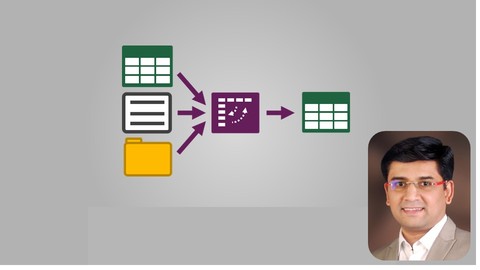
Power Query is a tool that can be used for data discovery, reshaping the data and combining data ( Merge / Blend / Consolidate, etc.) coming from different sources. Power Query can connect directly to Excel, Access, Text, CSV, Hadoop, Sales Force, Azure and many other different sources of data.
You can perform and automate all the Extract > Transform > Load (ETL) tasks required to clean the data and make it usable for further analysis in Tableau, Power BI, Excel, Access, etc.
Power Query is a tool...
- Tool that is very easy to learn even for novice excel users.
- A tool that can extract / connect to data from almost any source.
- Merge and shape data sourced to match your data analysis requirements
- Prepare your data for further analysis and modelling by tools like Power Pivot, etc.
- Keeps sequential record of all the steps performed from source till final output
- You can review your automation steps later and easily modify it.
Thus, you can focus on turning data into insight and adding true value to your company and to yourself as well.
The best part is that most of the automation features in Power Query are located within its ribbon so you have to just click it with mouse and start your automation in Excel. This GUI is one of the most intuitive interfaces I have found in any tool yet.
For learning about Power Query you do not need to learn or have prior knowledge about any programming languages like Excel VBA or SQL, etc.
If you are planning to implement Data Analytics or Business Intelligence solutions using Power Pivot, Power View, Power Map, Power BI, Tableau, Python or R, etc. then you must learn Power Query before all these other tools.
Why should you learn Power Query?
Now let's try to relate how Power Query can be useful to you. See if you answer positively to any one of the questions enumerated below:
- Do you work with data on daily basis?
- Do you regularly build multiple dashboards?
- Do you need to import data for above reporting from different sources?
- You have to perform extensive data cleansing before your perform analysis?
- Do you create Management Information Systems (MIS) reports regularly?
- Are you working as part of any Data Analytics Projects / Power BI / Tableau / Business Intelligence Projects?
- Do you use complex / advanced Excel formulas / Excel VBA coding (macros) / SQL?
You might need to perform any of the following activities before data becomes usable:
- Filtering out data you don't need
- Deleting / sorting rows, columns or blanks
- Transforming text, numeric, and date columns.
- Removing spaces and special characters from your data.
- Fixing the layout into tabular format so that it will work in Pivot Tables
- Renaming, adding / removing, Splitting / joining and reordering columns
- Creating calculating columns / fields which never existed in the source data.
- Merging / consolidating / appending data from Text files, CSV files or database tables.
- Incorporating the next month (or period) data to an existing report.
- Perform same steps again when receive new file or data in next month
If you have answered positive for any of the questions or your job looks similar then you have come to right place - Power Query Training. It does not matter if you are a novice Excel user, or Advanced Excel user, you regularly code VBA / macros to automate repetitive task in Excel, this Power Query Training course is must for you.
In this course as a beginners you will learn all the features from scratch. And after completing this course you would be proficient in using almost 80% of features in Power Query. This will guide to how convert dirty data into clean data which you can provide to your Data Analytics or Business Intelligence or Data Visualization Software.Thought process behind POWER QUERY and this training course:
I have noted at numerous occasions that people are not aware about these new amazing tools introduced by Microsoft. Also, few people who have heard about it but does find proper resource to learn about using this tool. Hence i thought of publishing this Power Query Training here so that you can learn in structured manner about how to perform various data cleansing task in Excel using Power Query.
You DO NOT need any programming, Excel VBA coding or SQL knowledge to start using Power Query. After completing this course you would be proficient in using Power Query and can immediately apply concepts to your work. You will move from Power Query newbie to proficient user after this course.
I can confidently tell you that your investment in this course will be paid off within a months by way of saving you lot of efforts and time while working on Excel. And if you are not satisfied from this Power Query Training you can get your money back within 30 days of enrolling into the course.
So Enroll quickly and start learning & using Power Query.

 Udemy Discount
The discount is applied through our link. Open the course from here and Udemy's current promotional price is applied at checkout on most courses, no code to type.
Some courses are excluded from Udemy's promotions. If the price does not drop, clear your browser cookies and use the button again.
Instructor Details

- 4.3 Rating
 391 Reviews
Abhay Gadiya
I am Chartered Accountant, Certified Fraud Examiner and have completed Diploma in Information System Audit (Indian equivalent exam for CISA).
I have circa 20+ years of experience into Data Analytics, Internal Audits, External (Statutory) Audits, SOX Compliance, Risk Assessment and Regulatory Compliance. I have audited various entities under BFSI, Automotive Manufacturing, ITES, Infrastructure and Pharmaceuticals sectors. I have worked circa 9 years with Big4 consultancy firms – Deloitte, Price Waterhouse, Bank of New York Mellon & Maersk.
I have conducted various workshops at Institute of Chartered Accountants of India. Approximately 1000+ people have attended these workshops and have given extremely positive feedback.
 More Excel courses

Microsoft Excel Data Analysis - Learn How The Experts Use It (2026)
5.0 (5,696 Reviews)
 Provider: Udemy
 Time: 3h
$39.99


Microsoft Excel: Advanced Dashboard Design (Project-Based!) (2026)
4.9 (4,868 Reviews)
- Provider: Udemy
- Time: 6.4h
$99.99


Master NEW Excel Functions in Office 365 & Office 2021+
4.8 (5,262 Reviews)
- Provider: Udemy
- Time: 7.1h
$15.99

Microsoft Excel Certification Exam Prep: MO-201 Excel Expert (2026)
4.8 (3,239 Reviews)
- Provider: Udemy
- Time: 8.6h
$119.99
 Reviews

By Charles Reynolds on 6/24/2024
Been using Excel for 20+ years but my company did not change from 2007 to Office 365 until just a few months ago so, I did not really know much about it Power Query. Recently was laid-off and during one of my interviews I was asked if I had experience with Power Query and had to day no. After the interview I did some research and learned I've been missing out on its advantages. Took this course and ready to take my skills to the next level.
By Eugene A Patton on 6/22/2024
Lots of useful knowledge about working Power Query, the content was clear and I enjoyed the course; however, I wished there was like a test or something both in between and at the end to confirm that a person has acquired the necessary skills to of the course. In that way, it one were to show this certificate to ie. an employer/client, one would have proof of these skills to show.
By Sami Rayes on 6/15/2023
The course materials are not the same as the files used in the course. I understand that this course is from 2016, but if you are going to charge for it, at least update the course supporting files to help us better follow the course. The instructor is great. I don't know anything about Power Query (this is my first experience with it). Given how old the course is, I wonder if the material covered is up to date (I have no way of knowing until I start using Power Query).
By Pam Harriman on 10/31/2018
It is a good match for me. I inherited reports using Power Query from someone who left the company. I had no prior experience with Power Query but learned enough on my own to understand most of it. However, I have not created any report from scratch and that is what I want to learn. I do a lot of reporting and believe this tool can save me loads of time.
By Daniel Lamarche on 9/30/2018
A bit fast so need to have a hand of the space bar or Left arrow to rewind. A number of Lecture use workbook folder that do not match the video. You may need to spend 15 minutes to create you own folder with files in it. Our tutor says that we should not depend of exact files structure to learn. However as an instructor myself I like to have participants follow exactly my tutorial .... then I get them to practice on an exercise that uses a different look and feel. Thanks for the hard work though...
By Bart W on 6/20/2018
Wow!!!! Starts out slow but ignore that as you can speed the video up if you are knowledgeable. In later chapters you may find yourself slowing to normal and in fact at times rewinding because you weren't aware of that functionality. There are quite a few neat little tricks to deal with real world examples in these chapters - I would bookmark these for reference. While viewing - work along with him and his examples - the course is well worth the money!
By William Tan on 5/3/2018
Excellent course, the instructor needs to slow down and speak slowly. The case studies were extremely useful in applying what we have learnt in real life situations, however, due to the complexity of the case studies, the instructor needs to explain why certain steps needed to perform. Overall, I have learnt how to use Power Query, thanks to Abhay Gadiya!
By Quoc Nghia Dao on 12/28/2017
Although I have used Power Query for a year in my daily work, I still learnt something new in this course. The topic is very comprehensive with real world examples (Import a range name to Power Query or cartesian product join...) compared with other PQ course in Udemy. I am looking to learn more advance PQ knowledge from Abhay in his new course. Thank you so much Abhay!
By Jigar Shah on 8/15/2017
This power query course is everthing I was looking for to get started on this powerful excel feature. The course is put together nicely covering a lot of power query functions along with case studies with step by step explanation. This is a great course and would recommend to anyone who wants to get started on power query. Thanks Abhay for creating this course on power query.
By Shrikant Zanwar on 2/13/2017
This Video training is really of great help and I feel it easiest way of learning the Power Query. Recap at the end of the every training video is of great help.Thanks for creating this training videos. looking forward for similar video training for Power Pivot/Power BI as well as there is no quality training available on this.
 Quality Score
No CourseDuck member has rated this course yet. Taken it? Give each part a thumbs up or down.
Overall Score : 86 / 100
- Video Duration:
 4.9h
4.9h - Price: $64.99
- Provider: Udemy
- Updated:
 May 2025
 - Level:
 All Levels
 - Language:
 English
 - Certificate:
 Yes
Yes
30-day money-back guarantee on most paid courses
Udemy Coupon Price Tracker
