
 Web Development
 Data Science
 Python
 SQL
SQL JavaScript
 Artificial Intelligence
 IT & Software
 IT Certifications
 Hacking
 AWS
AWS Arduino
 DevOps
 3D Modeling
 Graphic Design
 Photoshop
 Drawing
 Digital Painting
 UX Design
 Business
 Data Analysis
 Communication Skills
 Project Management
 Leadership & Management
 Human Resources
 Digital Marketing
 Social Media Marketing
 Marketing
 SEO
SEO Google Analytics
 Branding
 Excel
Excel Office Productivity
 SAP
SAP PowerPoint
 Microsoft Access
 SharePoint
 Finance & Accounting
 Trading & Investing
 Accounting
 Bitcoin
 Personal Finance
 Video Editing & Animation
 Photography
 Adobe Premier Pro
 Adobe Lightroom
 Personal Development
 Productivity
 Career Development
 Life Coaching
 Health & Fitness
 Meditation & Mindfulness
 Yoga
Yoga Music
Music Music Production
 Guitar
 Piano
Piano Singing
 Language Learning
 Teaching & Academics
 Engineering
 Math
Math Lifestyle
Excel VBA - Make Your Excel Look Like a Standalone Program (Udemy.com)
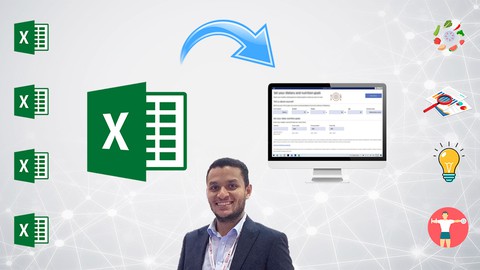
Use Excel VBA to Transform Excel Sheet Into a User-Friendly Interface in 30 Minutes Without ANY Programming Experience.
Created by: Hossam Magdy
Last updated May 2023
 What you will learn
- Change any Excel sheet to a user-friendly interface that looks like an independent computer program using Excel VBA.
- Learn how to write basic codes for certain functions in Excel VBA.
- Use Excel VBA to make automated changes to a specific Excel spreadsheet.
- Use existing Excel VBA modules to automate a complicated task in a few seconds.
- Create and customize Excel buttons and their functions using Excel VBA.
- Protect the formulas and contents of your Excel spreadsheet.
- Impress your colleagues by improving the interfaces of Excel sheets that you use on a daily basis.
How it compares
Against the other 355 rated Udemy courses in Excel on CourseDuck:
- Rating4.5 out of 5higher than 39% of them
- Reviews345#251 of 356 by number of reviews
- Length0.6 hoursshorter than 98% of them
- Last updatedMay 2023earlier than 54% of them
 Course Description
DID YOU KNOW THAT YOU CAN USE EXCEL VBA TO CHANGE THE INTERFACE OF YOUR EXCEL SHEET TO MAKE IT LOOK LIKE A NORMAL COMPUTER PROGRAM?
You may have needed to create your own program based on an idea that you had in mind or an existing Excel sheet, but the challenge has always been that learning a programming language can be a long process that consumes A LOT OF TIME!!
Using Excel VBA can make this process much simpler, especially when you can make your Excel spreadsheet have the interface of a Standalone Computer Program.
In this course, you will learn how to achieve this goal by applying all the steps you'll need to learn on an actual Excel sheet using Excel VBA. We made sure that every lecture is straight to the point to make this course as short as possible to save your time while still providing you with what you're looking for. So, you'll basically learn how to do this with your Excel sheet within about 30 MINUTES.
Student Reviews
★★★★★ "Honestly speaking, I first enrolled the course - as an advanced Excel user - not really curious to learn much in a very short course like this. My intention was just to see how other people still have to say about Excel that I don't know. Guess what! I was initially thrilled by how perfect the script and the pronunciation of the speaker are. I started the course while I was in my house car park aiming to just listen while I drive. Let me surprise you again! I didn't leave the car park until I finished the whole course. It was really amazing and informative and really really gave me something I was not sure if it really exists. BIG "thank you" to Mr. Hossam Magdy who obviously has a confident and competent tone and knowledge. I would highly recommend this course." -- Mohammed R.
★★★★★ "I am 71 and do a fair amount of computer playing. I normally do buy courses that are this short but something seem to jump out at me about the possibilities of the course. I listened to the previewed portions and found my instructor able to teach at a pace anyone could do. I am glad I took it and recommend it to all looking. If you are a dabbler in the market of product ,check it out. Excellent!! LD Wickline" -- Larry W.
★★★★★ "Wow, what an interesting course! I never knew that you could do this much with Excel. The instructor is fantastic, very cooperative, and explained everything clearly and concisely." -- Samiul I.
★★★★★ "The course is so interesting. I like the way it's presented with test questions after every module. It creates more understanding of the topic." -- Ssebuliba J.
★★★★★ "Very short and simple method to make Excel files as a standalone. The instructor was very clear in his explanations and very easy to follow. Further there was quizzes and assignments to reinforce our learning." -- Asif D.
★★★★★ "Great course. Quick and extremely easy to follow, especially for a total beginner. I would easily recommend to anyone looking to make their Excel workbook look like a standalone app." -- Sarah G.
★★★★★ "Straight to the point and very applicable to Excel projects to make it more professional as a Standalone program." -- Satrio Haryo P.
★★★★★ "Short, straight to the point and most-importantly, informative." -- Grant W.
★★★★★ "Awesome never knew we could do this, definitely a good boost at office, thanks!" -- Karthik B.
★★★★★ "Great info, learning something new and very useful" -- Gareth A.
★★★★★ "Wonderful Start and Attract Actions make you need more" -- Khalid A.
★★★★★ "This is really amazing and am grateful to you." -- Onyebuchi Chukwuma I.
★★★★★ "Unbelievable learning." -- Shadman S.
★★★★★ "Simple to follow." -- Immanuel T.
★★★★★ "Excelente. Meu muitíssimo obrigado!" -- Maik Júnior D.
★★★★★ "Excelente todo, agregaría en la descripción que no enseñan fórmulas. Muy recomendable, y el profesor tmb, enseguida responde todas las consultas." -- Paula R.
What will I learn when I take this course?
How to write Excel VBA codes that perform automated tasks.
Change the interface of any Excel sheet to a user-friendly interface that looks like an independent computer program using Excel VBA.
Create and customize Excel buttons and their functions using Excel VBA.
Change your Excel sheet icon to make it seem like a standalone program on the outside.
Now is your chance to learn how to do all of this within 30 minutes! In addition to this, you will get a 30-DAY MONEY BACK GUARANTEE in case the course does not meet your expectations! This means that you literally got NOTHING TO LOSE and SO MUCH TO GAIN! Add to Cart NOW to not miss this opportunity to impress your colleagues with your program interface!

 Udemy Discount
The discount is applied through our link. Open the course from here and Udemy's current promotional price is applied at checkout on most courses, no code to type.
Some courses are excluded from Udemy's promotions. If the price does not drop, clear your browser cookies and use the button again.
Instructor Details

- 4.5 Rating
 345 Reviews
Hossam Magdy
Hossam began his career early on as an Instructor before transitioning into engineering where he had a significant experience in creating and developing Excel programs by utilizing Excel Visual Basic for Applications (VBA). The programs he developed are currently being used for Project Management, Process Calculations, Equipment Design, and many other purposes.
 More Excel courses

Microsoft Excel Data Analysis - Learn How The Experts Use It (2026)
5.0 (5,696 Reviews)
 Provider: Udemy
 Time: 3h
$39.99


Microsoft Excel: Advanced Dashboard Design (Project-Based!) (2026)
4.9 (4,868 Reviews)
- Provider: Udemy
- Time: 6.4h
$99.99


Master NEW Excel Functions in Office 365 & Office 2021+
4.8 (5,262 Reviews)
- Provider: Udemy
- Time: 7.1h
$15.99

Microsoft Excel Certification Exam Prep: MO-201 Excel Expert (2026)
4.8 (3,239 Reviews)
- Provider: Udemy
- Time: 8.6h
$119.99
 Reviews

By Logesh Kumar on 10/30/2023
I didn't it was new thing or not. But this all the things is completely new for myself. Thank you very much Sir for the course. The Q&A section is really nice .
By Ntembeko Zifuku on 1/14/2023
Great course and could be better if certain basics are explaned or a reference for where one can get an better insite of some concepts, can be included.
By Tim Tyndall on 10/31/2022
Excellent!!! I thought there was going to be a little more VBA for Program Design, but then realized that this course was designed specifically for the Title of the course, which was GREAT!!! The course did exactly what it claimed and was presented very well.
By Emmanuel Ikechukwu on 10/3/2022
Its both informative and educative. I highly recommend it.
By Shwetank sawarn on 8/14/2022
All things the course are too relatable and easy to understand. The speaker voice is clear and loud which help to understand each and every line.
By Winthrop Morgan on 6/20/2022
This got to the point and delivered what the author promised. The only problems I had were with the examples. For example, in one lecture, the Range used was C2:U11, while in the next lecture, it changed to C2:T11, without the change being explained by the author.
By Valorie Thompson on 4/18/2022
Thank you for a good lesson. Learned more on how to tweak a project I am working on. Would have given 5 stars, but I wished that the workbook or a generic workbook to see all the actions of the other sheets was available for download to practice the lessons along with the video.
By Asif Dawood on 3/11/2022
Very short and simple method to make excel files as a standalone. The instructor was very clear in his explanations and very easy to follow. Further there was quizzes and assignments to reinforce our learning.
By Magdy Aly on 1/3/2022
Great course with a clear and precise explanation in a step by step approach that reflect clear knowledge from instructor about the main course subject. looking for more great courses.
By Mostafa on 12/25/2021
Very simple tips which can be memorized easily to reach the goal of the video What I really liked that each video is for specific purpose with maximum 5 mins duration which allowed me to apply immediately after each video And the amazing part that it takes only 30 mins to reach the goal, wow
 Quality Score
No CourseDuck member has rated this course yet. Taken it? Give each part a thumbs up or down.
Overall Score : 90 / 100
- Video Duration:
 36 mins
 - Price: $10.99
- Provider: Udemy
- Updated:
 May 2023
 - Level:
 All Levels
 - Language:
 English
 - Certificate:
 Yes
Yes
30-day money-back guarantee on most paid courses
Udemy Coupon Price Tracker
