
 Web Development
 Data Science
 Python
 SQL
SQL JavaScript
 Artificial Intelligence
 IT & Software
 IT Certifications
 Hacking
 AWS
AWS Arduino
 DevOps
 3D Modeling
 Graphic Design
 Photoshop
 Drawing
 Digital Painting
 UX Design
 Business
 Data Analysis
 Communication Skills
 Project Management
 Leadership & Management
 Human Resources
 Digital Marketing
 Social Media Marketing
 Marketing
 SEO
SEO Google Analytics
 Branding
 Excel
Excel Office Productivity
 SAP
SAP PowerPoint
 Microsoft Access
 SharePoint
 Finance & Accounting
 Trading & Investing
 Accounting
 Bitcoin
 Personal Finance
 Video Editing & Animation
 Photography
 Adobe Premier Pro
 Adobe Lightroom
 Personal Development
 Productivity
 Career Development
 Life Coaching
 Health & Fitness
 Meditation & Mindfulness
 Yoga
Yoga Music
Music Music Production
 Guitar
 Piano
Piano Singing
 Language Learning
 Teaching & Academics
 Engineering
 Math
Math Lifestyle
Final Cut Pro (FCP) X broadcast quality Editing Masterclass (Udemy.com)
Learn to edit like a Pro at broadcast quality standards
Created by: Dean Arnett
Last updated November 2020
 What you will learn
- Filmmakers
- Journalists
- Media Creators
How it compares
Against the other 293 rated Udemy courses in Video Editing & Animation on CourseDuck:
- Rating4.6 out of 5higher than 74% of them
- Reviews242#128 of 294 by number of reviews
- Length5.3 hourslonger than 66% of them
- Last updatedNovember 2020earlier than 70% of them
 Course Description
The definitive, broadcast standard, Final Cut Pro Masterclass from award winning editor and award winning media trainer, Dean Arnett.
This course will take you from the absolute basics all the way through to advanced levels, including lots of tips and tricks from inside the industry as well as a Grammar of Editing session, because editing isn't just about learning to use the software after all!
This masterclass is based on the course that Dean delivers all over the world to broadcasters and corporate clients such as the BBC, ITV, Media Corp, Press Association and many others.

 Udemy Discount
The discount is applied through our link. Open the course from here and Udemy's current promotional price is applied at checkout on most courses, no code to type.
Some courses are excluded from Udemy's promotions. If the price does not drop, clear your browser cookies and use the button again.
Instructor Details

- 4.6 Rating
 242 Reviews
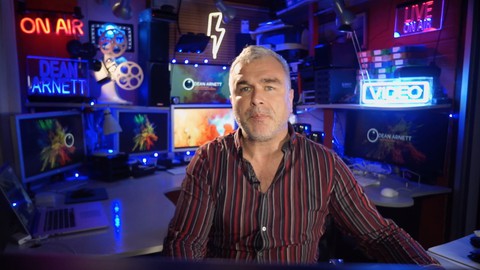
Dean Arnett
Dean Arnett has extensive broadcast and production experience. He travels the world sharing these skills through a variety of media training courses and workshops. He has a large portfolio of broadcast and corporate clients including; the BBC, ITV, STV, Facebook, MediaCorp, Financial Times, Press Association. Thomson Foundation, BBC Media Action, the Frontline Club and many others.
Dean Arnett particularly specialises in craft and story telling courses. He has been delivering camera and edit training for over 15 years, MoJo smartphone filming training for over 10 years and documentary and storytelling training for the last 8 years.
Dean Arnett has created ground breaking processes for helping producers find the essence and heart of a story that will compel and engaging audiences. This technique has demonstrated a day and night transformation for those newsrooms and broadcasters who have adopted it.
 More Video Editing & Animation courses

Learn to Storyboard for Film or Animation (2024)
4.8 (2,727 Reviews)
 Provider: Udemy
 Time: 2.2h
$12.99


Fire Starter Sessions Video Workshop with Danielle LaPorte (2017)
4.8 (1,205 Reviews)
- Provider: Udemy
- Time: 3.7h
$11.99

The Ultimate Color Grading Bootcamp in DaVinci Resolve (2026)
4.8 (947 Reviews)
- Provider: Udemy
- Time: 8.7h
$19.99

The Complete Talking Head Video Production Masterclass (2026)
4.8 (319 Reviews)
- Provider: Udemy
- Time: 17.6h
$59.99

The Complete iMovie Course - from Beginner to Advanced 2026!
4.7 (2,021 Reviews)
- Provider: Udemy
- Time: 11.1h
$10.99
 Reviews

By Dag Roslund on 3/28/2025
Very good presentation. It show that he knows his stuff, his experience shows. Good structure and red thread in the course from start to finish. He knows what is important and goes into detail and depth. Highly recommended for anyone serious about learning Final Cut Pro.
By David Alderson on 3/21/2024
Just replaced my iMovie set up on a old MacBook Pro to a used M2 max and now have FCP which wouldn't even load on the old machine. this is a very interesting course indeed. well worth the effort working and practicing as you go. learned a lot of the mechanics of making a movie, i had not appreciated the editing of the clips into favourites and did it all the wrong way round which was amazingly slow to do. I get it! edit the clips make favourites and join them neatly together in the project window.
By Stephen Scott on 3/16/2024
This course was head and shoulders above any other video editing courses that I have watched on Udemy. It contained a huge amount of information, very clearly presented. At times, the excessive hand movements of the presenter were distracting but the content was so comprehensive and well presented that I still gave the course five stars. This was truly a master class.
By Harlee M on 11/29/2023
The information is amazing. Better than anything I've seen and not found out YouTube. Didn't expect a history in editing, and didn't expect history to help understand and use the programme better. However there are some weird jumps and it looks like it could have used some quality control, but you get used to it and it's worth it.
By Tamara Smith on 9/1/2023
I was brand new to Final Cut when I started this course and I just finished editing a 10 minute slideshow of my granddaughter's wedding using the information in this course. Dean's presentation is engaging and the lessons are broken down in logical sequence. I'm sure I'll have to refer back to this course as I don't work in the industry on a day-to-day basis, but it's great to know the information will be there when I need it.
By Michael Connolly on 7/16/2023
This is all very well done. It's engaging. The pace is not too fast or slow and there are plenty of examples. It is obvious that the instructor is a long-time professional in the field and you get the sense that he is showing the most efficient way to edit video's with FCP. The one addition I would like to see is even more detailed discussion of sample videos including editing decisions that were made during the process.
By AnneMarie Azijn on 12/6/2022
I liked mr Arnett a lot as my teacher but I found myself left behind with a number of unfulfilled 'pro editing' expectations... Not to a degree of disappointment or 'I want my money back kind of call-outs' though. I learned a substantial amount of new things of which a number of unexpected ones as well. So that makes up for the content I missed. My mistake? I based myself on the introductory welcome videos that made me sign up for this course though... Those elevator pitches made me cherry pick him over the other instructors. So the question is... "Was that justified?" To start out, I missed the basics of setting up the software itself properly to get to broadcast quality (with everything I do) in the end. That's what the course was all about, wasn't it? I also missed how to prepare initial footage (to be imported) to turn it into the highest quality master clip component. The new source material in other words for initial input in the libraries and future editing towards that perfect broadcast quality. (Transcoding mp4 into ProRes prior to importing the clips in timelines, no? For there wouldn't be any loss of quality after re-rendering footage using those new master clips in final edits for broadcasters, I guess.) Also whether I should use optimized sequences exported first in ProRes and imported in the software libraries thereafter again. That approach instead of working with a large number of nested compound clips into one single timeline. Furthermore how to enable faster edits that don't require an insane amount of rendering time in final montages of previously optimized ProRes components. So yes, I missed a lot of good editing practice examples such as the Sky featured F1 trailer demo video to reflect a Master Class edit example from a pro such as Mr Arnett. And I had hoped to see the full process of our sample movie montage being used as the only canvas and discussed throughout the course to get to the final documentary. I also wanted to see THAT documentary put together onto the timeline as we moved through the course chapters. Now, we saw our prime example timeline changing from an initially good canvas to a cluttered piece of demo real estate. As the course progresses, completely losing the focus and value of the source material. That kind of approach most definitely would have revealed all the ins and outs, pros and cons of the magnetic timeline way better thereafter. (Changing connection points and moving those connected clips around for example.) An instructor isn't supposed to tell you there are a number of ways to add speed ramping to a clip while showing only one. Better is to dedicate a whole chapter to illustrate those options that really demo the topic way better than the example being used. And last but not least I mainly missed how to organize content professionally on the source disks themselves it all starts out with. Consequently I still don't know how to prepare best for easy import into the software libraries creating the source links to the originals all over the place. Thank you for the opportunity to learn from mr Arnett AnneMarie Azijn PS: Do I want my money back? No. Would I appreciate a compensation course of my choice (even by mr Arnett if I could find one) to make up for the elements missed? Would a personal way of getting in touch with the instructor make up for that? Absolutely yes.
By Guy HOFFMANN on 5/23/2022
Very good intro for comparing existing editing systems briefly. Excellent course, much better than anticipated. Good style, clear messages and the cherry on the cake is the editing grammar: FCP X is an editing tool that does not teach how to use it to produce a good film/ video. Here's where the 'editing grammar' comes in and is tremendously useful. All important aspects are taught: video, audio, colours, effects, texts, keying and many more. The course doesn't go into deep detailed explanations, but gets you started well enough to continue to learn and try by yourself. And I'm sure it will take years of experience and experimenting to become a competent professional editor. This masterclass is worth every cent.
By Steven Klein on 9/14/2021
Basically a really good course, especially as Dean covered a few areas like the grammar of editing that others don't. However the course feels like it wasn't QC'ed before it was released. A section on Titles was not included, the course content menu wasn't completed, there was no discernible sound when sample video clips ran, and some of the video when Dean was speaking needed editing to tighten up the presentation.
By Daniel Devlin on 1/23/2021
So far I am enjoying it. I have been using Final Cut Pro x since it came out but I never learned it properly and just went straight in and sometimes finding unconventional ways to do things. Since there is not much work at the moment, it's the perfect time to take this course. Although I have been using it professionally for years now, my aim is to pick up things that will enable me to work better and more efficiently and hopefully pick up a few gems along the way. Especially enjoying the section about the grammar of editing. So far it's all stuff I know already but am enjoying listening to Dean and I'm sure that by the end of this course I will have picked up many useful things.
 Quality Score
No CourseDuck member has rated this course yet. Taken it? Give each part a thumbs up or down.
Overall Score : 92 / 100
- Video Duration:
 5.3h
5.3h - Price: $59.99
- Provider: Udemy
- Updated:
 November 2020
 - Level:
 All Levels
 - Language:
 English
 - Certificate:
 Yes
Yes
30-day money-back guarantee on most paid courses
Udemy Coupon Price Tracker
