
 Web Development
 Data Science
 Python
 SQL
SQL JavaScript
 Artificial Intelligence
 IT & Software
 IT Certifications
 Hacking
 AWS
AWS Arduino
 DevOps
 3D Modeling
 Graphic Design
 Photoshop
 Drawing
 Digital Painting
 UX Design
 Business
 Data Analysis
 Communication Skills
 Project Management
 Leadership & Management
 Human Resources
 Digital Marketing
 Social Media Marketing
 Marketing
 SEO
SEO Google Analytics
 Branding
 Excel
Excel Office Productivity
 SAP
SAP PowerPoint
 Microsoft Access
 SharePoint
 Finance & Accounting
 Trading & Investing
 Accounting
 Bitcoin
 Personal Finance
 Video Editing & Animation
 Photography
 Adobe Premier Pro
 Adobe Lightroom
 Personal Development
 Productivity
 Career Development
 Life Coaching
 Health & Fitness
 Meditation & Mindfulness
 Yoga
Yoga Music
Music Music Production
 Guitar
 Piano
Piano Singing
 Language Learning
 Teaching & Academics
 Engineering
 Math
Math Lifestyle
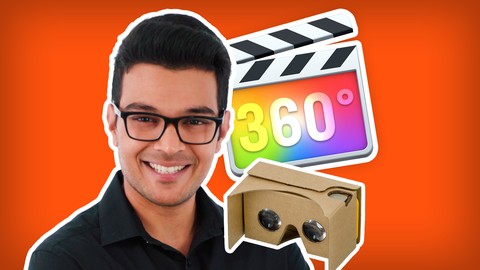
Final Cut Pro For Beginners: How To Edit 360 Video (Udemy.com)
The FAST and FUN way to edit your own short travel vlog and 360 video tour in Final Cut Pro. Files included. Enrol now.
Created by: Shanil Kawol
Last updated January 2024
 What you will learn
- How to prepare Insta360 360 camera footage to import into Final Cut Pro.
- How to prepare GoPro MAX 360 camera footage to import into Final Cut Pro.
- How to navigate the Final Cut Pro user interface
- How to make edits in the timeline
- How to make a short travel vlog by reframing 360 video.
- How to make a short Immersive 360 video tour for VR Headsets.
- How to organise your footage and files for your video project
- How to import your footage and files into Final Cut Pro
- How to create a Youtube 16 by 9 project
- How to create an Instagram Stories 9 by 16 project
- How to make a Reveal shot
- How to make a Pan shot
- How to make a Follow shot
- How to make a Dolly shot
- How to make a Tiny Planet shot
- How to make a Timeshift shot
- How to make a Barrel Roll shot
- How to make a Dronie Loop shot
- How to add music
- How to fade music in and out
How it compares
Against the other 293 rated Udemy courses in Video Editing & Animation on CourseDuck:
- Rating4.5 out of 5higher than 56% of them
- Reviews49#246 of 294 by number of reviews
- Length2.5 hoursshorter than 67% of them
- Last updatedJanuary 2024more recently than 53% of them
 Course Description
Transform your raw 360 footage into shareable videos for social media like Facebook, Instagram, Youtube, and Tiktok. You will be able to edit 2 types of 360 video in Final Cut Pro. The first one is a reframed 360 video, also known as FreeCapture or OverCapture, which is just like viewing a normal video. The second one is an immersive 360 video, for viewing in virtual reality headsets.
No previous editing experience is required. This Masterclass is designed for beginners who have never opened Final Cut Pro before.
All the 360 footage and files is provided as downloadable resources, so you can start learning straight away.
Learn quick shortcuts you cannot find anywhere else on the internet, so you can spend less time editing and more time filming.
Learn by doing, not watching
By the end of this Masterclass, you will have edited a short travel vlog with the supplied 360 footage. And you will have also edited a short immersive 360 video with the supplied 360 footage and files. After this experience, you will be able to edit 360 video the way you imagined it!
Content And Overview
This Masterclass will kick off with a guided tour of Final Cut Pro so you know what all the different sections and buttons are used for. Then you will learn a crucial time saving method to create new video projects quickly and easily, so you don't have to start again from scratch every time you make a new video.
Next, you will make your very own short travel vlog by reframing 360 video clips. You will make a wide variety of shots like a reveal shot, pan shot, follow shot, dolly shot, third person to first person view shot, tiny planet shot, inverted tiny planet shot, timeshift shot, and barrel roll shot. And then you will adapt your project from a Youtube 16 by 9 video to an Instagram Stories 9 by 16 video.
And finally, you will make an immersive 360 video for viewing on a VR headset. You will add text to the front, back, left and right of the immersive 360 video. Patch the monopod at the bottom of the 360 video to make your video spotless. Add a nadir logo at the bottom of the 360 video for a professional look. And export a high quality 4K 360 video for Youtube your audience will enjoy.
But this Masterclass does not finish here. Check out the Extra Lectures section for even more tutorial videos. Including how to apply basic colour correction, and how to prepare your Insta360 or GoPro 360 footage for Final Cut Pro. More lectures will be added in the future.
Hi there!
My name is Shanil, and I am your Masterclass instructor. I believe anyone can learn 360. Including you! I am best known for helping people learn about 360 cameras, and how to use them creatively on my Youtube channel called Best360. I have also taught hundreds of 10 year olds in primary schools across London how to make a video. So I need to make sure my classes are super fun and engaging. This Masterclass is no exception :)
The best way to edit 360 video
There are many benefits for editing 360 video in Final Cut Pro. You can edit high quality 360 video without paying for expensive monthly subscription fees. Final Cut Pro is a one off lifetime fee. You don't need to worry about losing your work because Final Cut Pro automatically saves your work every time you make an edit. It hardly ever crashes. You don't need to download any plugins because Final Cut Pro is an all in one solution. You can edit and export videos faster than any other video editor since Final Cut Pro is optimised for Mac OS. And the easy to use editing tools makes 360 video editing simple and fun!
Continuous Updates
As Final Cut Pro receives new features over time, this Masterclass will be kept up to date with the latest and best knowledge..
30 Day Money Back Guarantee
I am confident you will find this Masterclass to be worth every penny. Your satisfaction is extremely important to me. But if you don’t feel you received the value you paid for, simply apply within 30 days for a refund. No hard feelings!
FAQS
Does this Masterclass work for any 360 camera?
Yes. As long as you can export your 360 footage as .MP4 files, then you can import it into Final Cut Pro.
Does this Masterclass cover Insta360 cameras?
Yes. You will learn how to export .INSV video clips from any Insta360 360 camera so it's ready to import into Final Cut Pro.
Does this Masterclass cover GoPro MAX?
Yes. You will learn how to export .360 video clips from GoPro MAX so it's ready to import into Final Cut Pro.
Does this Masterclass cover Kandao Qoocam 8K?
Not yet. When Qoocam Studio is stable on Mac, a new tutorial video will become available.

 Udemy Discount
The discount is applied through our link. Open the course from here and Udemy's current promotional price is applied at checkout on most courses, no code to type.
Some courses are excluded from Udemy's promotions. If the price does not drop, clear your browser cookies and use the button again.
Instructor Details

- 4.5 Rating
 49 Reviews
Shanil Kawol
Hey! I’m Shanil. I am based in London, and best known for helping people create Insta360 videos they are truly proud of.
I love the freedom of using a 360 camera! When the Insta360 ONE X was introduced in October 2018, I knew this technology was going to change the way we capture stories and life moments forever.
I no longer need to worry about framing, I will never miss the moment again, I can capture shots which would otherwise require a camera crew or other expensive video equipment, and I can re-live a moment like never seen before.
My mission is to help you bridge the gap between the technology and your creativity. So you can independently film, edit, and publish your own Insta360 videos.
That’s why I created Best360 back in October 2018. I want to help you share your own memories and stories with the world beyond a fixed window :-)
 More Video Editing & Animation courses

Learn to Storyboard for Film or Animation (2024)
4.8 (2,727 Reviews)
 Provider: Udemy
 Time: 2.2h
$12.99


Fire Starter Sessions Video Workshop with Danielle LaPorte (2017)
4.8 (1,205 Reviews)
- Provider: Udemy
- Time: 3.7h
$11.99

The Ultimate Color Grading Bootcamp in DaVinci Resolve (2026)
4.8 (947 Reviews)
- Provider: Udemy
- Time: 8.7h
$19.99

The Complete Talking Head Video Production Masterclass (2026)
4.8 (319 Reviews)
- Provider: Udemy
- Time: 17.6h
$59.99

The Complete iMovie Course - from Beginner to Advanced 2026!
4.7 (2,021 Reviews)
- Provider: Udemy
- Time: 11.1h
$10.99
 Reviews

By Gordon Burnett on 8/26/2025
Great intro to working with 360 video in Final Cut Pro, covers all the essentials and shows how easy it can be to work with 360 video in FCP. Also like that it shows you how to create effects and shots that the Insta 360 mobile app creates, doing it in FCP gives you a lot more control over the look and style of the effects as you're creating them yourself. I'd love to see a follow up with some more advanced topics like working with stereoscopic 360 video.
By Sinan Ç on 11/23/2024
I thought you were using insta360 studio. But it wasn't. Not everyone has a Mac. Disappointment for Windows users.
By Aileen Hagert on 1/29/2022
I have tried learning from youtube videos, teaching style is effective, thorough.
By Marcelo Negreiros on 11/3/2021
It's very straight forward and step by step. I am learning not only how to edit 360 videos but an introduction on final cut pro as a beginner. Good job!
By Terry Jarrell on 7/8/2021
I am an intermediate Final Cut Pro and Insta360 user aiming to make both a much larger part of my cinematography work. I am finding some nice refreshers in this course so far, as well as explanations and clarifications on other points. Great course!
By Gavin on 2/25/2021
Very good match and I learnt alot
By Casey Allyn on 1/17/2021
Shanil explains everything in calm, clear, methodical manner. He makes learning enjoyable. Thank You
By Francisco Herrera on 1/7/2021
This has been great! The instructor knows the topic, is very good at explaining and following along with the provided materia assures that the knowledge is aquired.
By Richard Landor on 6/21/2020
Easy to understand, easy to follow up. Excellent short course for beginners.
By Jeffrey Scheithe on 5/7/2020
It is the kind of instruction I needed. One thing, we are being taught how to reframe the video for a Pan, First Person View, Follow Shot, Dolly, Tiny Planet, TimeShift and Dronie shots. We are told to use certain clips to do the particular edits however, I do not know how to shoot the original footage for use with each shot type. Please reference where we can learn the shooting techniques for each shot type.
 Quality Score
No CourseDuck member has rated this course yet. Taken it? Give each part a thumbs up or down.
Overall Score : 90 / 100
- Video Duration:
 2.5h
2.5h - Price: $34.99
- Provider: Udemy
- Updated:
 January 2024
 - Level:
 Beginner
 - Language:
 English
 - Certificate:
 Yes
Yes
30-day money-back guarantee on most paid courses
Udemy Coupon Price Tracker
