
 Web Development
 Data Science
 Python
 SQL
 JavaScript
 Artificial Intelligence
 IT & Software
 IT Certifications
 Hacking
 Microsoft Azure
 AWS
 Arduino
 3D Modeling
 Graphic Design
 Photoshop
 Drawing
 Digital Painting
 UX Design
 Business
 Data Analysis
 Communication Skills
 Project Management
 Leadership & Management
 Human Resources
 Digital Marketing
 Social Media Marketing
 Marketing
 SEO
 Google Analytics
 Branding
 Excel
 Office Productivity
 SAP
 PowerPoint
 Microsoft Copilot
 Microsoft Access
 Finance & Accounting
 Trading & Investing
 Accounting
 Bitcoin
 Personal Finance
 Video Editing & Animation
 Photography
 Adobe Premier Pro
 Adobe Lightroom
 Personal Development
 Productivity
 Career Development
 Life Coaching
 Health & Fitness
 Yoga
 Meditation & Mindfulness
 Music
 Music Production
 Guitar
 Piano
 Singing
 Teaching & Academics
 Engineering
 Language Learning
 English Language
 Math
 Lifestyle
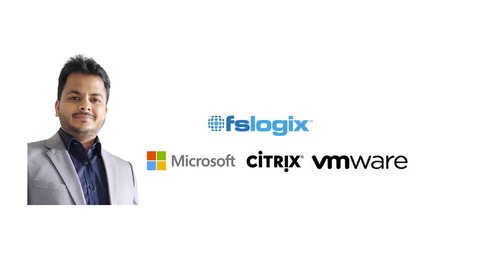
FSLogix for Virtual desktop (Citrix/AVD/VMware) (Udemy.com)
Ultimate profile solution for VDI
Created by: Mahammad Kubaib
Last updated August 2026
Our take
Based on the ratings of 423 students, a sample of their written reviews and the syllabus, as the course stood in August 2026. No course pays to be reviewed.
This is a focused, under five hour walkthrough of FSLogix profile management, taught by Mahammad Kubaib, a Microsoft MVP and Citrix CTP. The syllabus covers Profile and Office containers, Azure Premium Files storage locked down with private endpoints, Cloud Cache for disaster recovery, disk expansion, monitoring and troubleshooting. It runs 28 lectures in one long section and was refreshed in August 2026. Despite Citrix and VMware in the name, it leans heavily on Azure, so it really suits admins running or moving to Azure Virtual Desktop.
Reviewers like the real world scenarios and the side by side comparison of FSLogix with Citrix UPM and Microsoft roaming profiles. One says it made their day to day BAU work easier, and another that the configuration shown matches what their job uses. The complaints are consistent, though. Two students found the accent hard to follow, a couple call the audio unstable, and two noticed the mouse pointer is hidden during demos, which makes the clicks harder to track. The bigger gap is Citrix: more than one reviewer says there's little or nothing Citrix or VMware specific here.
With 423 ratings averaging 4.5 stars, most of them four or five, it's an inexpensive primer on a niche topic few courses cover at all. Still, 52 three star ratings show it doesn't win everyone over, and there are no quizzes or graded labs. We'd recommend it to AVD admins who want a guided build, and suggest Citrix shops look elsewhere for UPM integration depth.
Pros
- Covers the full Azure path: Premium Files, private endpoints, Key Vault, Cloud Cache and backup
- Clear comparison of FSLogix against Citrix UPM and Microsoft roaming profiles
- Real world troubleshooting and disk expansion with Diskpart and Group Policy
- Short at about 4.7 hours and updated in August 2026
Cons
- Little Citrix or VMware content despite the title, according to several reviewers
- Some find the accent hard to follow, and the audio drops in places
- Mouse pointer isn't shown in demos, and there are no quizzes or exercises
Great course with clear explanations of FSLogix concepts for Citrix, AVD, and VMware environments. The practical examples were useful, and adding more hands-on labs would make it even better.
Labeled All Levels and asks for little or no VDI knowledge, but some Windows and Azure admin experience helps a lot.
 What you will learn
- Understanding of Profile management solution in Virtual Desktop using FSlogix
- Plan, design and implement Profile solution using Fslogix
- Deployment of Azure premium file for FSlogix profile storage
- Plan,design and Implement FSlogix cloud cache for Disaster recovery for Profile
- Configuration of Backup for FSlogix Profile
- How to secure Azure Premium file using Service and Private Endpoint and Azure Key vault
- Best Practice to Deploy Azure Premium file and FSlogix solution
- Best Practice and Troubleshooting of FSLogx profile issues
- How to Expand Profile Disk using Diskpart and Group Policy
- Monitoring the FSlogix Profile solution
Course content
1 section · 28 lectures · 4.7 hours of video
- 1Introduction 4 free previews28 lectures · 4.7 hours
Who it is for
The instructor says it suits
- Beginer
What you need before you start
- Little or zero knowledge on Roaming proflile and VDI concept
How it compares
Against the other 806 rated Udemy courses in IT Certifications on CourseDuck:
- Rating4.5 out of 5higher than 44% of them
- Reviews423#371 of 807 by number of reviews
- Length4.7 hoursshorter than 66% of them
- Last updatedAugust 2026more recently than 77% of them
 Course Description
A user profile contains data elements about an user information like desktop settings, persistent network connections, and application settings.
Managing desktop documents, configurations, and pictures of people's cats that make up user profiles in the user's experience is no small task. Over the years, and decades, several generations of solutions to address this huge task have come and gone. In this course, Implementing FSLogix for Non-Persistent Virtual Desktops, you'll begin by looking at FSLogix from within the lens of historical profile management approaches. First, you'll explore the architcture and installation of FSLogix for profile and Office 365 containers. Next, you'll dig deeply into some of the special considerations you should understand for success in a production implementation.
FSLogix enhances and enables user profiles in Windows remote computing environments. FSLogix may also be used to create more portable computing sessions when using physical devices.
FSLogix includes:
Profile Container
Office Container
Application Masking
FSLogix allows you to:
Roam user data between remote computing session hosts
Minimize sign in times for virtual desktop environments
Optimize file IO between host/client and remote profile store
Provide a local profile experience, eliminating the need for roaming profiles.
Simplify the management of applications and 'Gold Images'
Specify the version of Java to be utilized by specific URL and applications
Learning objectives
After completing this module, you'll be able to:
Plan for FSLogix.
Install FXLogix.
Recommend best practices for FSLogix profile containers and Azure files.
Recommend storage options for FSLogix profile containers.
Configure Service and Private Endpoint for Stroage account
Configure Profile Containers.
Configure Cloud Cache.
Manage Rule Sets and application masking.
Expand Profile Disk using Diskpart and Group Policy
Monitoring the FSlogix Profile solution
Best Practice and Troubleshooting of FSLogx profile issues
Configure Backup

 Udemy Discount
The discount is applied through our link. Open the course from here and Udemy's current promotional price is applied at checkout on most courses, no code to type.
Some courses are excluded from Udemy's promotions. If the price does not drop, clear your browser cookies and use the button again.
Instructor Details

- 4.5 Rating
 423 Reviews
Mahammad Kubaib
Mahammad Kubaib is a Microsoft Most Valuable Professional (MVP) and Citrix CTP with over a decade of experience in the IT industry, primarily within the banking and IT services sectors.
He specializes in end-user computing and virtualization, with deep expertise across Microsoft, Citrix, VMware, Nutanix, and Dell technologies.
Throughout his career, he has led the design and implementation of large-scale Virtual Desktop Infrastructure (VDI) solutions, supporting environments from 100 to 10,000 users. Known for his hands-on approach and strategic insight, Kubaib continues to drive innovation and efficiency in enterprise IT deployments.
 More IT Certifications courses

Master Splunk Enterprise Administration: Certification Prep (2024)
5.0 (154 Reviews)
 Provider: Udemy
 Time: 1.8h
$11.99
Original price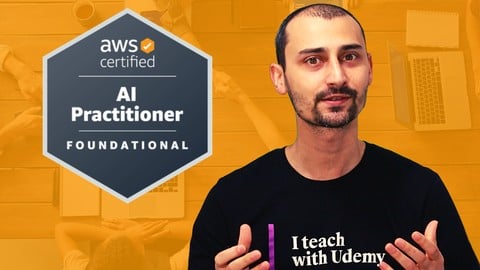
Comprehensive AWS Certified AI Practitioner AIF-C01 Bootcamp (2026)
4.9 (945 Reviews)
- Provider: Udemy
- Time: 17h
$11.99
Original price
Cisco Troubleshooting Labs For CCNA, CCNP, and CCIE Students (2026)
4.9 (819 Reviews)
- Provider: Udemy
- Time: 6.8h
$10.99
Original price
CCNA Cyber Ops Tools: Sec Onion, Wireshark, and Kali Linux (2025)
4.9 (292 Reviews)
- Provider: Udemy
- Time: 4.5h
$10.99
Original price
ISTQB Certified Tester - Foundation Level latest Version (2025)
4.9 (224 Reviews)
- Provider: Udemy
- Time: 9.5h
$11.99
Original price
CompTIA Tech+ FC0-U71 Prep Hands-on training, Practice Exam (2026)
4.9 (132 Reviews)
- Provider: Udemy
- Time: 7.6h
$11.99
Original price  Reviews

By Muhammad Maeiz B on 5/6/2026
Amazing course and really helped to manage my day to day BAU activities better now
By MohammedKABEERUDDIN on 5/5/2026
Great course with clear explanations of FSLogix concepts for Citrix, AVD, and VMware environments. The practical examples were useful, and adding more hands-on labs would make it even better.
By Carsten Renkewitz on 4/17/2026
Geschwindigkeit und die Ausführungen sind ganz gut, aber dem English in dieser Aussprache ist es nicht ganz so einfach zu folgen. Man muss sich eine Weile "reinhören". danke Für dem Beitrag.
By Deepak Kumar on 3/23/2026
It was good learning differentiating the difference between UPM, FSlogix and Microsoft roaming profile
By Anonymized User on 7/19/2025
5 out of 5 stars Excellent Introduction to FSLogix with Practical Labs I recently completed the Udemy course "FSLogix for Virtual Desktop (Citrix/AVD/VMware)" by Md Kubaib, and I must say it’s one of the most well-structured and beginner-friendly courses on the topic. Md Kubaib has done a fantastic job covering all the essential FSLogix concepts with clear explanations and real-world examples. The course is thoughtfully organized, starting from the basics and gradually moving into more practical scenarios. What really sets this course apart is the hands-on lab demonstrations—they make it much easier to understand how FSLogix works in actual virtual desktop environments like Citrix, AVD, and VMware. Whether you're just starting out or looking to strengthen your foundational knowledge, this course is a great resource. Kubaib’s teaching style is engaging and easy to follow, and he ensures that even complex topics are broken down into digestible parts. Highly recommended for IT professionals working in the VDI space or anyone curious about FSLogix!
By Anonymized User on 7/9/2025
It was fantastic, Now the all aspects are cleared about the FSLogix profile solution.
By Bibian Ayonote on 3/3/2024
I am watching it on mobile.. And configuration discussed is set as my job has it
By Michael Curtis on 11/30/2023
Would have like to hear more focus on Citrix or have the three categories separated in individual training sessions.
By Raymond Timber on 3/7/2023
I'm new to this subject matter. I took the course to get a better understanding.
By Apoorv Shivankar on 11/24/2022
Overall a good course. Many FSLogix topics covered in detail. Would be great if profile shrinking methods are also covered in future course updates. Also, would like to see how FSLogix can be integrated with OneDrive for Office data management (eg. word doc, xls sheets etc could directly get saved in Onedrive and would not consume space in FSLogix Profile/ODFC containers) if feasible.
 Quality Score
No CourseDuck member has rated this course yet. Taken it? Give each part a thumbs up or down.
Overall Score : 90 / 100
- Video Duration:
 4.7h
- Price: $9.99
- Provider: Udemy
- Updated:
 August 2026
- Level:
 All Levels
- Language:
 English
- Certificate:
 Yes
- Lectures:28 in 1 section
- Students:2,299
- Subtitles:1 language
30-day money-back guarantee on most paid courses
Udemy Coupon Price Tracker
