
 Web Development
 Data Science
 Python
 SQL
SQL JavaScript
 Artificial Intelligence
 IT & Software
 IT Certifications
 Hacking
 AWS
AWS Arduino
 DevOps
 3D Modeling
 Graphic Design
 Photoshop
 Drawing
 Digital Painting
 UX Design
 Business
 Data Analysis
 Communication Skills
 Project Management
 Leadership & Management
 Human Resources
 Digital Marketing
 Social Media Marketing
 Marketing
 SEO
SEO Google Analytics
 Branding
 Excel
Excel Office Productivity
 SAP
SAP PowerPoint
 Microsoft Access
 SharePoint
 Finance & Accounting
 Trading & Investing
 Accounting
 Bitcoin
 Personal Finance
 Video Editing & Animation
 Photography
 Adobe Premier Pro
 Adobe Lightroom
 Personal Development
 Productivity
 Career Development
 Life Coaching
 Health & Fitness
 Meditation & Mindfulness
 Yoga
Yoga Music
Music Music Production
 Guitar
 Piano
Piano Singing
 Language Learning
 Teaching & Academics
 Engineering
 Math
Math Lifestyle
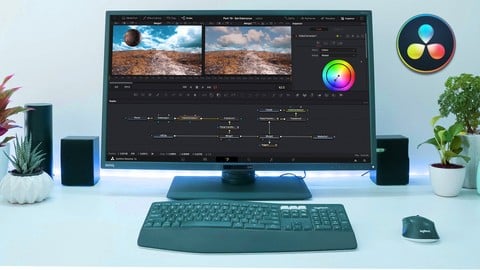
Fusion VFX in Davinci Resolve 16 (Udemy.com)
Go from Beginner to Expert
Created by: Nick Carter
Last updated August 2019
 What you will learn
- How to create VFX in Fusion inside of Davinci Resolve 16. Starting from Basic text animation to more advance Set Extensions.
How it compares
Against the other 293 rated Udemy courses in Video Editing & Animation on CourseDuck:
- Rating4.4 out of 5higher than 40% of them
- Reviews287#110 of 294 by number of reviews
- Length2.8 hoursshorter than 62% of them
- Last updatedAugust 2019earlier than 78% of them
 Course Description
This course has been designed from the ground up for beginners to Davinci Resolve, that being said even intermediate users will benefit from this course as the later classes tackle some more advanced VFX compositing techniques. As Fusion is a node based editor learning this software may require some rewiring of how we have learnt previously, the cost of entry is low and after a while it will feel second nature.
Covered in this Course
- Text Animations
- 3D Text and Objects
- Transitions
- Single Point Tracking
- Planar Tracking
- Green Screen Compositing
- VFX Set Extension

 Udemy Discount
The discount is applied through our link. Open the course from here and Udemy's current promotional price is applied at checkout on most courses, no code to type.
Some courses are excluded from Udemy's promotions. If the price does not drop, clear your browser cookies and use the button again.
Instructor Details

- 4.4 Rating
 287 Reviews
Nick Carter
After studying to be a VFX artist in 2012 I decided to diversify and enter the corporate space. This brought to me the skills of public speaking and coaching.
From there I decided to jump back into my passion for creating. Photography, Videography or VFX, you name it and ill have my hands on it.
But from teaching myself outside of my formal learning I have realised the lack of quality, easy to follow and useful Lessons online.
So I decided to step up to the plate.
 More Video Editing & Animation courses

Learn to Storyboard for Film or Animation (2024)
4.8 (2,727 Reviews)
 Provider: Udemy
 Time: 2.2h
$12.99


Fire Starter Sessions Video Workshop with Danielle LaPorte (2017)
4.8 (1,205 Reviews)
- Provider: Udemy
- Time: 3.7h
$11.99

The Ultimate Color Grading Bootcamp in DaVinci Resolve (2026)
4.8 (947 Reviews)
- Provider: Udemy
- Time: 8.7h
$19.99

The Complete Talking Head Video Production Masterclass (2026)
4.8 (319 Reviews)
- Provider: Udemy
- Time: 17.6h
$59.99

The Complete iMovie Course - from Beginner to Advanced 2026!
4.7 (2,021 Reviews)
- Provider: Udemy
- Time: 11.1h
$10.99
 Reviews

By Mark Taylor on 9/17/2025
Great set of information on how to use Fusion and Fusion tools. Some discussion of controls within certain tools seemed to be a distraction but then I realized that he was taking us through scenarios that showed more of what those tools did and how they worked. I had created some effects such as credit sequences by other means but l think using Fusion will be easier to create complicated effects. That particular example helped hammer home the effect of Transformer node location and multiple uses. It was a bit repetitious to show how to import media for every lesson but this is forgivable for the student that is using that media to follow along. Feels a little like a classroom experience. Some of what was taught was so complicated that the only way to really embed it in your brain is to open DaVinci Resolve and replicate the actions step by step, pausing the video as you go (see 3D Text and Objects). But this will make a great reference to come back to on a real project. Overall, I highly recommend this class. The teaching style was good and I found myself imagining projects to take advantage of what I learned.
By Ross Clement on 7/24/2025
I was a bit worried having bought the course and found it was from 2019. However, I worked through it with Resolve 19, and I didn't notice many differences. Everything used in the lessons was present, and the few differences were easy to work around. I'm a bit concerned about the lesson on Planar Tracking. The instructor makes an excuse for the position markers still being on the van at the end, saying that they are using a low powered computer, and it's glitching. However, I had the same glitches. A bit of playing around with the session made things work, but I'm not fully confident the actual lesson itself is correct. Generally this course doesn't go too deeply into resolve, and perhaps the three hours of content is a bit stingy. But, overall, this course does teach the basics of Fusion. Hence, my experience is overall, positive. But, at this stage I'm thinking I'm now ready for advanced courses. Rather than having already mastered what I need to know of Fusion.
By Louis Borrego on 2/4/2022
Fantastic. I wish there was more. So many amazing things done in such a little amount of time. You must be very precise with what you're doing. Every little detail makes a difference and the teacher is pretty quick but I can always rewind so it's not a big deal. Again I would love some advanced topics or watching him build and explain bigger projects for a more expansive view on skills but still an amazing experience and a great foundation for fundamental Fusion development.
By Stephan Hughes on 5/4/2021
This is probably the best Fusion course on Udemy (i have tried several). These are projects that have real world application. I just think there needs to be more content. More on motion graphics, working with 3d, etc. BUT if you are trying to learn fusion (or like me just have a better grasp on it), this course is a great start.
By Jack Richardson on 1/18/2021
Originally I was primarily interested in Green Screen correction in Fusion which was very well covered. The entire course was done very professionally. I really appreciated how quickly each chapter was covered in that each topic was covered completely without any wasted time. Very well done, highly recommend this course
By Bise on 8/10/2020
In the teaching, there are no corresponding instructions for some buttons when switching between different systems, which will cause students on different platforms to be unable to use this teaching, which is a pity. In addition, in the part of plane tracking, the stroke teaching of removing the tracking points has not been mentioned and has not updated the teaching. This must be noted.
By William MacTavish on 7/8/2020
This was a good course for me. I've been working with DV for about a year and Fusion is the weak skill that I've been wanting to improve upon. Lessons 1 thru 3 I had already figured out on my own so lessons 4 through 10 have all been new and very informative. Now it time to put this learning into practice. Thanks
By David Arico on 5/19/2020
The course is nice but very short! Pacing is quite fast but was fine for me. I could imagine that if someone has never heard of key frames, 3D compositing and generating effect (mattes, tracking, etc.) could be overwhelmed a little bit! So if you did some VFX in other programs the course is easy to follow! Otherwise I could imagine you will have a hard time to understand the fundamentals! Overall good explained, but as I said, very short!
By Ryan Taylor on 4/22/2020
Theres a lot of good information. I would say this should be labeled more as an intermediate course. I say that because the speed is pretty quick (which I happen to like,) but there isn't much description of what the terms are or how things actually function. The course will basically show you how to do a few major things, but won't be teaching you the "details about why" (if that makes sense.) The teacher answered my question very quickly. I was also very happy with his tone of voice and absolutely appreciate that there wasn't any BS to scroll forward through. I do recommend.
By Rob Rooney on 9/17/2019
The instructor was very knowledgeable. He spoke clearly with enthusiasm. I liked the way his lessons taught one part of Fusion leading up to final lesson which pulled all prior lessons together in final project. I will keep these as examples I can follow when doing real work. I must admit, Fusion is complex with all it's nodes and parameters within those nodes. I would be happy to take a class that just focused on the main nodes; say the twenty most used nodes, and go over them in minute detail.
 Quality Score
No CourseDuck member has rated this course yet. Taken it? Give each part a thumbs up or down.
Overall Score : 88 / 100
- Video Duration:
 2.8h
2.8h - Price: $44.99
- Provider: Udemy
- Updated:
 August 2019
 - Level:
 Beginner
 - Language:
 English
 - Certificate:
 Yes
Yes
30-day money-back guarantee on most paid courses
Udemy Coupon Price Tracker
