
 Web Development
 Python
 SQL
SQL JavaScript
 Data Science
 Artificial Intelligence
 IT & Software
 IT Certifications
 Hacking
 Arduino
 AWS
AWS 3D Modeling
 Graphic Design
 Photoshop
 Drawing
 Digital Painting
 UX Design
 Business
 Data Analysis
 Communication Skills
 Project Management
 Leadership & Management
 E-Commerce
 Digital Marketing
 Social Media Marketing
 Marketing
 SEO
SEO Google Analytics
 Branding
 Office Productivity
 Excel
Excel Finance & Accounting
 Bitcoin
 Video Editing & Animation
 Photography
 Adobe Premier Pro
 Adobe Lightroom
 Personal Development
 Health & Fitness
 Music
Music Guitar
 Teaching & Academics
 Language Learning
 Engineering
 Lifestyle
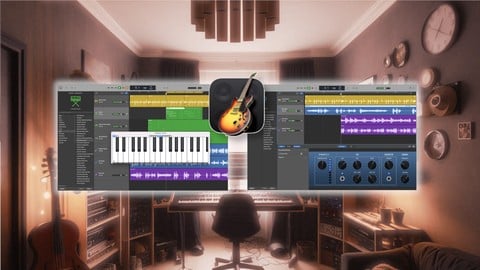
GarageBand Masterclass: Making Awesome Music on your Mac (Udemy.com)
Look over the shoulder of a professional producer as they create real music in GarageBand. Start your journey today!
Created by: J. Anthony Allen
Last updated May 2026
 What you will learn
- Create complete songs in GarageBand by watching a pro build tracks from scratch
- Navigate GarageBand's interface confidently through real-world production examples
- Record and mix vocals, instruments, and MIDI with professional techniques
- Harness GarageBand's powerful tools like the AI drummer and smart instruments
- Build tracks using Apple Loops, software instruments, and live recording
- Apply professional mixing techniques using EQ, compression, and effects
- Master the essential editing tools through hands-on demonstrations
- Export and share your music on platforms like Spotify and Apple Music
 Course Description
Welcome to your journey into music production with GarageBand! This isn't just another tutorial - you're about to look over the shoulder of a professional producer and composer as they create real music using the same tools you have access to right now.
Here's what makes this masterclass different: Instead of just telling you what buttons to push, you'll watch as professional tracks come together from the very first note. You'll see the creative process unfold naturally, including the real decisions producers make every day. When something doesn't work, you'll see exactly how to fix it. When there's a better way to do something, you'll learn why and how to apply it to your own music.
Throughout this comprehensive masterclass, you'll witness the complete production process as we build songs from scratch. You'll understand not just what decisions are made, but why they're made, learning professional workflows that save time and enhance creativity. We'll explore GarageBand's powerful interface, mastering everything from the AI drummer to software instruments, all while developing techniques that professional producers use every day.
Whether you're interested in recording live instruments, programming MIDI, or working with Apple Loops, you'll learn the essential skills through real-world examples. We'll cover professional mixing techniques, teaching you how to use effects, processing, and automation to create dynamic, engaging tracks. By the end of the course, you'll have the confidence to export and share your music on any platform.
Your instructor, Dr. J. Anthony Allen, brings a unique perspective to this masterclass. With a Ph.D. in music composition and extensive experience in both academic and professional music production, he breaks down complex concepts into accessible, practical techniques. Having taught over a million students worldwide, J. knows exactly where beginners get stuck - and more importantly, how to get them unstuck.
This course is perfect for complete beginners who want to start making music, Mac users curious about GarageBand's full potential, musicians wanting to record their first home demos, and content creators needing original music. If you learn best by watching real production in action and appreciate seeing the complete creative process, this course was designed with you in mind.
Whether you dream of producing your own songs, need music for your content, or just want to explore music creation, this masterclass gives you a professional's perspective while keeping everything accessible and practical. Join us, and let's start making awesome music together!

 Udemy Discount
The discount is applied through our link. Open the course from here and Udemy's current promotional price is applied at checkout on most courses, no code to type.
Some courses are excluded from Udemy's promotions. If the price does not drop, clear your browser cookies and use the button again.
Instructor Details
- 4.6 Rating
 37 Reviews
J. Anthony Allen
Dr. Allen is a 2026 Apple Distinguished Educator.
Dr. J. Anthony Allen is a distinguished composer, producer, educator, and innovator whose multifaceted career spans various musical disciplines. Born in Michigan and based in Minneapolis, Dr. Allen has composed orchestral works, produced acclaimed dance music, and, through his entrepreneurship projects, he has educated over a million students worldwide in music theory and electronic music production.
Dr. Allen's musical influence is global, with compositions performed across Europe, North America, and Asia. His versatility is evident in works ranging from Minnesota Orchestra performances to Netflix soundtracks. Beyond creation, Dr. Allen is committed to revolutionizing music education for the 21st century. In 2011, he founded Slam Academy, an electronic music school aimed at increasing accessibility to music production education. His innovative approach to academia was highlighted in 2024 when he received tenure and resigned from his university position on the same day.
As a composer, Dr. Allen is known for his unique synthesis of diverse musical influences, often blending acoustic music with electronic dance music elements. With a Ph.D. in Music Composition, multiple master's degrees, and numerous awards, Dr. Allen's academic and professional achievements are substantial.
 More courses by J. Anthony Allen
Music Theory Comprehensive Complete! (Parts 1, 2, & 3) (2025)
4.7 (23,763 Reviews)
 Provider: Udemy
 Time: 12.3h
$124.99
Music Theory for Electronic Music COMPLETE: Parts 1, 2, & 3 (2026)
4.7 (9,404 Reviews)
- Provider: Udemy
- Time: 12.6h
$149.99
Music Theory Comprehensive Complete: Part 4, 5, & 6 (2026)
4.8 (3,968 Reviews)
- Provider: Udemy
- Time: 10.2h
$19.99
Ultimate Ableton Live 10 COMPLETE: Parts 1, 2, and 3 (2023)
4.5 (3,508 Reviews)
- Provider: Udemy
- Time: 8.2h
$11.99
Ultimate Ableton Live 9 COMPLETE: Parts 1, 2, & 3 (2026)
4.7 (3,467 Reviews)
- Provider: Udemy
- Time: 8.5h
$12.99
More Music courses
Music Theory Comprehensive Complete: Parts 13, 14, & 15 (2026)
5.0 (315 Reviews)
- Provider: Udemy
- Time: 8.4h
$16.99

Electronic Music Production with Ableton Live (2025)
4.9 (2,479 Reviews)
- Provider: Udemy
- Time: 11.9h
$84.99
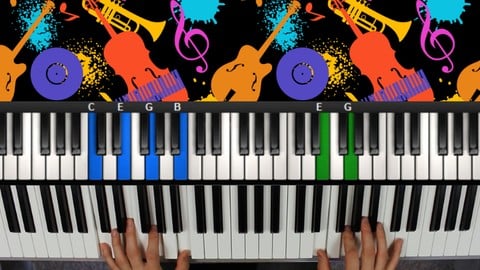
Jazz Piano - Ultimate Beginners Course for Piano & Keyboard (2025)
4.9 (2,224 Reviews)
- Provider: Udemy
- Time: 8.1h
$15.99
Music Composition with the Piano: Ultimate Keyboard Theory (2020)
4.9 (1,679 Reviews)
- Provider: Udemy
- Time: 7.8h
$16.99

Pianoforall - 'Classics By Ear' - Erik Satie (2018)
4.9 (1,303 Reviews)
- Provider: Udemy
- Time: 4.1h
$11.99
 Reviews

By Michael Binder on 9/9/2026
Really good, easy to understand explanations of everything. I would like a little more on the drummer track so I know how to place fills where I want them and stuff like that.
By Alfonso Benson on 9/9/2026
I was expecting more detailed explanation on the mixing and mastering process, also the EQ process for an instrument like the electric guitar, vocals, drums, bass, and to get professional quality sound out of that.
By Osmaní Ferrer Rubio on 3/25/2026
Apenas comienzo este Curso y ya me hace mucha ilucion, Un Exelente comienzo!
By Matthew Jones on 8/17/2025
I can understand wanting to put out a song so quickly but the "Let's Make a Song!" portion of it had next to no information that I'm thinking will be useful at this point. From the looks of the outline of the course what is going to make an impact is still upcoming.
By Oladapo Adenekan on 4/16/2025
Am really enjoying this course! Highly recommended!!!
By Sebastian Vera on 3/24/2025
Its good and its fun and its cool
By John Mavers on 3/22/2025
J. Allen is my go-to online music production guru. I learned to use Ableton based on his courses and have purchased many other courses, too. I decided I wanted to use Garage Band to replace my primitive method of "pull out phone and record a voice memo" when composing a new song and recording a scratch demo. I figured GB makes sense for this since it is a less involved DAW and I am on Mac and IOS, and it gives you some of the drummer built-ins of Logic, and for some songs, I want to start composing based on rhythm vs chord progressions (which I tend to do as a guitar player). This course was a great introduction to GB and easy to follow and understand.
By Judy Williams on 2/17/2025
Story is everything. Unless it’s not. So, yes!
By Daniele Pastore on 2/12/2025
Absolutely what i was looking for, a total explanation of what the program does in every single button and action that we make. I have still not finished the course but till now i reccommend the course to anyone who want to deeply discover the program (as a beginner like me or a pro that have missed something like a button or a shortcut to do things).
By Chris Van Beck on 1/15/2025
It was a good intro. I have been playing around with GarageBand for a while making background music for short videos. My knowledge of music theory is pretty basic and I'm thinking this course may encourage me to explore further. It is interesting that what I thought were intuitive fumblings did not seem so far away from the process demontrated in Lets Make a Song. It sort of made me more confident. Also I picked up on the Splice reference and use. Looking forward to finding out more. At halfway I am still enjoying the masterclass. There is stuff I know but J's presentation underpins and clarifies my understanding. I am learning a lot however and my enthusiasm is being energised. I quite like the semi-improvisation conversational style, and at many pointys I have laughed out loud. The comments about the utilty of piano roll were really interesting and will cause a change in the way I use GarageBand I suspect. But the editing comes rather unstuck at lesson 22(?) where the picture format changes and there are long pauses where he is working out what to say. It is rather usettling and clearly focus is lost. This lesson has to be re-editied or better still completely redone.
 Quality Score
No CourseDuck member has rated this course yet. Taken it? Give each part a thumbs up or down.
Overall Score : 92 / 100
- Video Duration:
 3.8h
3.8h - Price: $79.99
- Provider: Udemy
- Updated:
 May 2026
 - Level:
 Beginner
 - Language:
 English
 - Certificate:
 Yes
Yes
30-day money-back guarantee on most paid courses
Udemy Coupon Price Tracker
