
 Web Development
 Data Science
 Python
 SQL
SQL JavaScript
 Artificial Intelligence
 IT & Software
 IT Certifications
 Hacking
 AWS
AWS Arduino
 DevOps
 3D Modeling
 Graphic Design
 Photoshop
 Drawing
 Digital Painting
 UX Design
 Business
 Data Analysis
 Communication Skills
 Project Management
 Leadership & Management
 Human Resources
 Digital Marketing
 Social Media Marketing
 Marketing
 SEO
SEO Google Analytics
 Branding
 Excel
Excel Office Productivity
 SAP
SAP PowerPoint
 Microsoft Access
 SharePoint
 Finance & Accounting
 Trading & Investing
 Accounting
 Bitcoin
 Personal Finance
 Video Editing & Animation
 Photography
 Adobe Premier Pro
 Adobe Lightroom
 Personal Development
 Productivity
 Career Development
 Life Coaching
 Health & Fitness
 Meditation & Mindfulness
 Yoga
Yoga Music
Music Music Production
 Guitar
 Piano
Piano Singing
 Language Learning
 Teaching & Academics
 Engineering
 Math
Math Lifestyle
Learn Architectural Design & Animation With Blender (Udemy.com)
Master 3D Modelling, Texturing, Lighting, Rendering, Animation and Develop all the skills you need for Archviz
Created by: Edward Harding
Last updated September 2025
 What you will learn
- Learn efficient 3D modelling,
- Learn To Create Procedural Textures
- Learn To U,V map
- Learn How To Apply HDRI Lighting to Your Scene
- Learn How To Populate Your Scene By Importing Assets
- Learn How To Create Texture Node Maps
- Learn How To Render & Animate Your Final Scene
- Learn How To Use Blenders Video Editor
How it compares
Against the other 413 rated Udemy courses in Graphic Design on CourseDuck:
- Rating4.8 out of 5higher than 91% of them
- Reviews222#199 of 414 by number of reviews
- Length19.8 hourslonger than 87% of them
- Last updatedSeptember 2025more recently than 55% of them
 Course Description
Unlock Your Architectural Design Skills with Blender: A New Course for Beginners & Intermediates!
Hey everyone! Hope you're all doing great. I’m super excited to announce the launch of my brand new course: "Learn Architectural Design & Animation With Blender"—a comprehensive 20-hour course designed specifically for beginners and intermediates who are eager to level up their architectural visualization skills.
This course was created with one goal in mind: to help you create stunning architectural renders with ease! Whether you're just starting out or you've dabbled in Blender before, I've broken down the process to make it as simple and efficient as possible. In no time, you’ll be able to:
Master Blender: I’ll demystify this powerful tool and show you easy-to-follow techniques for beginners.
Perfect Lighting: Learn how to create realistic lighting that will make your renders pop.
Apply Textures: From basic textures to more advanced procedural textures that you can create yourself!
Animate Your Projects: Impress potential clients with smooth animations that showcase your design in action.
Throughout the course, I focus on actionable tips and tricks that will help you improve your projects quickly and effectively. Whether you’re looking to improve your workflow or create animations to stand out, this course has got you covered.
So, if you're ready to start creating renders that will make your work stand out, check it out! I can’t wait to see what you create.

 Udemy Discount
The discount is applied through our link. Open the course from here and Udemy's current promotional price is applied at checkout on most courses, no code to type.
Some courses are excluded from Udemy's promotions. If the price does not drop, clear your browser cookies and use the button again.
Instructor Details

- 4.8 Rating
 222 Reviews
Edward Harding
I'm a professional 3d modeler working in the super yacht industry for over ten years using software such as Blender, Rhino, Autocad, Substance Painter and Substance Sampler. I design furniture using 3d software and create realistic renders for clients to see what the interior off their super yachts will look like.
 More courses by Edward Harding
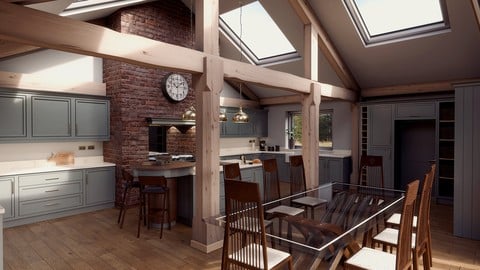
Master Interior 3D Design, Modelling & Rendering In Blender (2025)
4.7 (89 Reviews)
 Provider: Udemy
 Time: 22h
$19.99
More Graphic Design courses

Adobe InDesign - From Basics to Professional Level Designs (2024)
4.9 (320 Reviews)
- Provider: Udemy
- Time: 11.4h
$84.99

Shop Drawing & Details-Autodesk Revit 2025- for BIM Modelers
4.9 (300 Reviews)
- Provider: Udemy
- Time: 30.9h
$10.99

The Adobe Illustrator CC Mastery Course: Basics to Pro + AI (2026)
4.9 (268 Reviews)
- Provider: Udemy
- Time: 30.8h
$19.99


Software Architecture & System Design Practical Case Studies (2026)
4.8 (2,584 Reviews)
- Provider: Udemy
- Time: 4h
$15.99

Graphic Design Masterclass: Design 40+ Projects in Photoshop (2025)
4.8 (668 Reviews)
- Provider: Udemy
- Time: 16.5h
$109.99
 Reviews

By GUREBA YESAR on 4/25/2026
"First of all, thank you for this meticulously prepared course. It was a process that required patience, and I’ve learned a great deal about Blender. The instruction is clear, articulate, and well-paced. A great aspect for beginners is how it introduces information step-by-step without overwhelming you with an initial information dump. While there might be faster shortcuts for certain tasks, to each their own—everyone has their own unique approach."
By Dave Megarry on 4/3/2026
This is a good course for ArchViz, and you're sure to pick up a Blender trick or two. If you're experienced with Blender you'll likely find the pace much too slow, and wonder why basics are missed out (like the Snap Tools which make the model so much more accurate than lining everything up by eye). Recommended for anyone wanting an intro to ArchViz and going right through to animation and rendering without using external tools.
By Nkanyezi Ngcemu on 3/30/2026
it is a good match since i am working within the architectural and engineering sphere. it is always good to have plenty of software options. it is however, my first time hearing and working on the software. so far, it looks interesting.
By Flavia Locchi on 2/18/2026
Great course. Edward’s soft‑spoken, slower‑paced teaching style is exactly what I needed. I’m experienced in 3D but new to Blender for arch‑viz, and his simple, add‑on‑light workflow made everything easy to follow. Unlike other courses that move too fast or rely on tons of plugins, this one stays clear, practical, and achievable. The pacing is perfect and the explanations are excellent.
By Thomas Plancon on 12/10/2025
This has been a very good experience. The instructor, Edward, has a very easy pace in delivering the material and explains the steps very clearly. I would like to see a little bit of trouble shooting while modeling in Blender, i.e. ways to correct issues with problem meshes etc.. But, overall a very worthwhile course!
By Nathan Nash on 9/19/2025
Edward is soft spoken, enthusiastic and clearly articulates each step of the project. He's very easy to understand and I've had no problems following along with the course. I already feel prepared enough to try alternative approaches to the problems Edward walks us through in the course. I'm looking forward to completing my first arch vis project.
By Luis Morillo on 7/18/2025
Me encantó el curso. El profesor es muy detallista en la elaboración del proyecto, lo que me permitió aprender la utilidad de muchas herramientas para aplicar en estos y otros casos. Además, explica las cosas de forma muy clara y pausada, así que se entiende rápidamente lo que hay que hacer. Me alegro de haberlo elegido. I loved the course. The instructor is very detailed in the project development, which allowed me to learn the usefulness of many tools to apply in these and other cases. He also explains things very clearly and slowly, so you quickly understand what to do. I'm glad I chose it.
By Walter Curiel on 7/2/2025
I really loved this course, and the support by Eddy was great he responded the next day to all my inquiries and gave me some useful advise. As a suggestion to Eddy based on my personal experience with the course (and this is just me being picky lol), I found the texturing part in the shade editor somewhat overwhelming which slowed my learning pace and in fact discouraged me a bit to keep going. This part should be approached in a more comprehensive manner I think, because I felt that I was just pulling nodes and plugging wires following the lecture's instruction but without knowing why or what effects do some nodes produce. I think a side lecture on Texturizing Basics explaining elemental aspects of this as an intro before entering the texturizing tasks would make the course better. Other than that I enjoyed the course very much, thank you so much Eddy!
By Tad Crowson on 4/8/2025
I'm having a great time with this. I've dabbled with Blender in the past using sculpt mode but nothing of meaning ever came from it save for the experience of using it. His lessons are easy to understand. He's got a nice voice for teaching. Not boring but still relaxing and doesn't sound like he's in a rush. This has so far helped me understand more just by helping me understand the hotkey side of it. I'm looking forward to the rest. I've found more time to get back to this. Currently on lesson 47. Fantastic!
By Okpaku Madedor on 3/2/2025
This was a good course with new commands/tips learnt. The animation section was most valuable to me; didn't realise it was this easy. However, a few explanations as to why certain commands are used would help those new to Blender. I'd recommend the course for those with some knowledge of Blender.
 Quality Score
No CourseDuck member has rated this course yet. Taken it? Give each part a thumbs up or down.
Overall Score : 96 / 100
- Video Duration:
 19.8h
19.8h - Price: $10.99
- Provider: Udemy
- Updated:
 September 2025
 - Level:
 All Levels
 - Language:
 English
 - Certificate:
 Yes
Yes
30-day money-back guarantee on most paid courses
Udemy Coupon Price Tracker
