
 Web Development
 Data Science
 Python
 SQL
SQL JavaScript
 Artificial Intelligence
 IT & Software
 IT Certifications
 Hacking
 AWS
AWS Arduino
 DevOps
 3D Modeling
 Graphic Design
 Photoshop
 Drawing
 Digital Painting
 UX Design
 Business
 Data Analysis
 Communication Skills
 Project Management
 Leadership & Management
 Human Resources
 Digital Marketing
 Social Media Marketing
 Marketing
 SEO
SEO Google Analytics
 Branding
 Excel
Excel Office Productivity
 SAP
SAP PowerPoint
 Microsoft Access
 SharePoint
 Finance & Accounting
 Trading & Investing
 Accounting
 Bitcoin
 Personal Finance
 Video Editing & Animation
 Photography
 Adobe Premier Pro
 Adobe Lightroom
 Personal Development
 Productivity
 Career Development
 Life Coaching
 Health & Fitness
 Meditation & Mindfulness
 Yoga
Yoga Music
Music Music Production
 Guitar
 Piano
Piano Singing
 Language Learning
 Teaching & Academics
 Engineering
 Math
Math Lifestyle
Mastering QuickBooks Online (2026 Update) (Udemy.com)
Learn to set up, automate, and manage your accounting with QuickBooks Online for accurate reports and smarter decisions.
Created by: Simon Sez IT
Last updated February 2026
 What you will learn
- Set up a QuickBooks Online company file for a business.
- Customize the Chart of Accounts to match business needs.
- Configure tax settings to support accurate compliance.
- Connect bank and credit card accounts securely.
- Record income, expenses, and payments correctly.
- Create and send invoices to customers.
- Manage vendor and customer transactions efficiently.
- Use AI tools to automate bookkeeping tasks.
- Perform bank reconciliations to ensure accurate records.
- Track projects and inventory within QuickBooks Online.
- Generate and customize financial reports for decision making.
- Prepare accounts for tax filing and year-end review.
How it compares
Against the other 376 rated Udemy courses in Finance & Accounting on CourseDuck:
- Rating4.4 out of 5higher than 28% of them
- Reviews82#347 of 377 by number of reviews
- Length11 hourslonger than 77% of them
- Last updatedFebruary 2026more recently than 66% of them
 Course Description
This course includes downloadable course instructor files and exercise files to work with and follow along.
Mastering QuickBooks Online is a practical course designed to help you use QuickBooks Online confidently in a real-world business setting. It provides a clear overview of how the platform works, including its cloud-based tools and built-in AI features that support accurate and efficient financial management.
You begin by learning how to set up a company file the right way, customize the Chart of Accounts, and configure tax settings to meet business needs. The material then guides you through connecting bank accounts, automating workflows, and understanding the latest interface updates. You also learn how AI-powered tools such as Business Feed, Smart Search, and specialized agents support bookkeeping, payroll, tax tasks, and payments.
Throughout the learning experience, you practice everyday accounting activities such as creating invoices, recording expenses, tracking payments, and managing customers and vendors. You gain skills in bank reconciliation, inventory tracking, project monitoring, and real-time collaboration, helping you keep records accurate and up to date. Clear guidance is provided on generating and reviewing financial reports so you can better understand performance and make informed decisions.
By the end, you benefit from improved efficiency, assistance in compliance with accounting standards, and greater confidence in managing finances. You save time through automation, reduce errors with AI assistance, and gain reliable insights that support smarter business planning and long-term stability.
In this course, you will be able to:
Set up a QuickBooks Online company file for a business.
Customize the Chart of Accounts to match business needs.
Configure tax settings to support accurate compliance.
Connect bank and credit card accounts securely.
Record income, expenses, and payments correctly.
Create and send invoices to customers.
Manage vendor and customer transactions efficiently.
Use AI tools to automate bookkeeping tasks.
Perform bank reconciliations to ensure accurate records.
Track projects and inventory within QuickBooks Online.
Generate and customize financial reports for decision making.
Prepare accounts for tax filing and year-end review.
This course includes:
10+ hours of video tutorials
119 individual video lectures
Exercise Files to follow along
Certificate of completion

 Udemy Discount
The discount is applied through our link. Open the course from here and Udemy's current promotional price is applied at checkout on most courses, no code to type.
Some courses are excluded from Udemy's promotions. If the price does not drop, clear your browser cookies and use the button again.
Instructor Details

- 4.4 Rating
 82 Reviews
Simon Sez IT
Since 2008, individuals, small businesses, and Fortune 500 companies with thousands of employees have benefited from the easy and hands-on software training offered by Simon Sez IT. With over 12,000 video tutorials on a range of software programs, Simon Sez IT ensures stress-free eLearning and enhanced employee productivity - no matter whether you are implementing new software or a technological upgrade for your workplace. With over 1 million Udemy students in over 190 countries, Simon Sez IT is the preferred online learning choice for individuals and businesses everywhere.
 More courses by Simon Sez IT


Microsoft Excel 2016 for Beginners: Master the Essentials
4.7 (30,769 Reviews)
 Provider: Udemy
 Time: 15.7h
$14.99

Jira for Beginners - Detailed Course to Get Started in Jira (2025)
4.5 (30,730 Reviews)
- Provider: Udemy
- Time: 4.8h
$109.99

Ultimate Microsoft Office; Excel, Word, PowerPoint & Access (2024)
4.5 (17,065 Reviews)
- Provider: Udemy
- Time: 70.7h
$174.99

Mastering Microsoft 365 SharePoint Online: Essential Guide (2026)
4.5 (12,189 Reviews)
- Provider: Udemy
- Time: 9.2h
$84.99

Learn Microsoft Windows 11: Comprehensive Windows 11 Course (2025)
4.4 (6,330 Reviews)
- Provider: Udemy
- Time: 6h
$84.99
More Finance & Accounting courses

Investment Appraisal Mastery - NPV, IRR, Payback, PI, ARR (2026)
4.9 (811 Reviews)
- Provider: Udemy
- Time: 2.5h
$10.99

Beginner Binary Options Trading: The Bandit Strategy (2026)
4.9 (352 Reviews)
- Provider: Udemy
- Time: 1.7h
Free
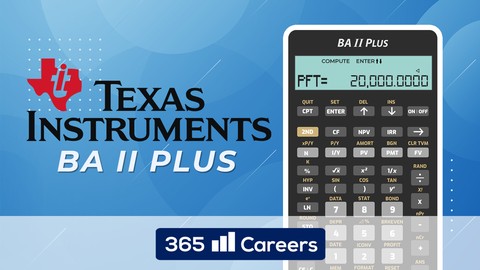
Texas Instruments BA II Financial Calculator for CFA and FRM (2021)
4.9 (321 Reviews)
- Provider: Udemy
- Time: 1.1h
Free

Economics 101 : Master the Basics of Business & Finance (2026)
4.9 (104 Reviews)
- Provider: Udemy
- Time: 1.5h
$19.99

Invest in Stocks Like a Pro Investor by a Pro Investor! (2026)
4.8 (2,368 Reviews)
- Provider: Udemy
- Time: 8.4h
$19.99

Fundamental Analysis. Understanding Financial Statements (2026)
4.8 (1,474 Reviews)
- Provider: Udemy
- Time: 9.5h
$11.99
 Reviews

By Tammy Vezina on 6/23/2026
Yes, I am just learning QBO
By Ifeanyi Ogala on 6/2/2026
The presentations are engaging
By Derek Goodwin on 4/29/2026
The instructor has clear ennunciation and a good cadence. The course will touch upon all important topics. I am taking this course to prepare for a QBO certification exam and I think it will be a great help.
By MESFIN MERSHA on 3/24/2026
Yes, it was a very good much for me.
By Jennifer Ramirez on 3/18/2026
a little slow and boring.
By Anonymized User on 1/17/2026
It give me more knowledge about a QuickBooks are being set up properly
By Jacob Kowrach on 8/14/2025
I like the teaching style. Language was engaging, not dry.
By Donna Marie LaRocca on 7/7/2025
okay, some stuff we do not use with our business.
By Samantha Reyes on 2/26/2025
The course was straight forward and detailed.
By Bridget Leal on 1/17/2025
It's easy to understand, it's been explained step by step how it can be used and efficient for the principal user.
 Quality Score
No CourseDuck member has rated this course yet. Taken it? Give each part a thumbs up or down.
Overall Score : 88 / 100

- Video Duration:
 11h
11h - Price: $29.99
- Provider: Udemy
- Updated:
 February 2026
 - Level:
 Beginner
 - Language:
 English
 - Certificate:
 Yes
Yes
30-day money-back guarantee on most paid courses
Udemy Coupon Price Tracker
