
 Web Development
 Data Science
 Python
 SQL
SQL JavaScript
 Artificial Intelligence
 IT & Software
 IT Certifications
 Hacking
 AWS
AWS Arduino
 DevOps
 3D Modeling
 Graphic Design
 Photoshop
 Drawing
 Digital Painting
 UX Design
 Business
 Data Analysis
 Communication Skills
 Project Management
 Leadership & Management
 Human Resources
 Digital Marketing
 Social Media Marketing
 Marketing
 SEO
SEO Google Analytics
 Branding
 Excel
Excel Office Productivity
 SAP
SAP PowerPoint
 Microsoft Access
 SharePoint
 Finance & Accounting
 Trading & Investing
 Accounting
 Bitcoin
 Personal Finance
 Video Editing & Animation
 Photography
 Adobe Premier Pro
 Adobe Lightroom
 Personal Development
 Productivity
 Career Development
 Life Coaching
 Health & Fitness
 Meditation & Mindfulness
 Yoga
Yoga Music
Music Music Production
 Guitar
 Piano
Piano Singing
 Language Learning
 Teaching & Academics
 Engineering
 Math
Math Lifestyle
Microsoft Intune Training | MDM MAM - Endpoint Manager Azure (Udemy.com)
Best Course at this price - Learn Microsoft Azure Intune (MAM & MDM Solution) with Endpoint Manager Admin Center - 2024
Created by: Ajeet Khan
Last updated January 2025
 What you will learn
- What is Microsoft Intune? What is MDM & MAM
- How to create Free Microsoft 365 Account
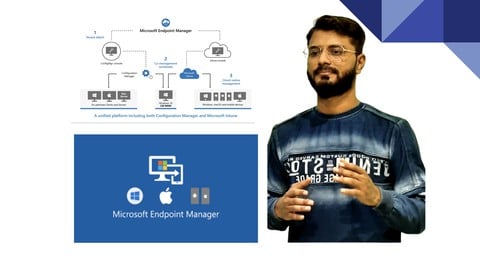
- Understanding Microsoft Endpoint Manager Dashboard
- How To Enroll Windows/iOS devices to Microsoft Intune
- Introduction to Autopilot
- Get Device ID & Importing it to Intune
- Creating and Implementing Autopilot Profile
- Device Enrollment Settings (Intune Prerequisites)
- Device Enrollment Restriction
- How to Enroll a Windows 10 Device
- Enrolling Windows 10 Device Using GPO (Group Policy Object)
- How to Enroll an Apple Device
- How to Enroll an Android Device
- Understanding Device Enrollment Manager
- Getting Device Inventory Reports
- Understanding Device Configuration Profiles
- Creating & Implementing Device Configuration profiles
- Running Windows Powershell Script or BASH Script on MAC Devices
- Understanding & Implementing Conditional Access Policies
How it compares
Against the other 523 rated Udemy courses in Hacking on CourseDuck:
- Rating4.4 out of 5higher than 33% of them
- Reviews1,926#116 of 524 by number of reviews
- Length4.1 hoursshorter than 58% of them
- Last updatedJanuary 2025earlier than 55% of them
 Course Description
Best Course at this Price - Microsoft Intune Training | MDM MAM - Endpoint Manager Azure
Bonus - Free CKA (Certified Kubernetes Administrator) Lab hands-on questions with solutions.
Microsoft Intune is a cloud-based service that focuses on mobile device management (MDM) and mobile application management (MAM). You control how your organization’s devices are used, including mobile phones, tablets, and laptops. You can also configure specific policies to control applications. For example, you can prevent emails from being sent to people outside your organization. Intune also allows people in your organization to use their personal devices for school or work. On personal devices, Intune helps make sure your organization's data stays protected and can isolate organization data from personal data.
Intune is part of Microsoft's Enterprise Mobility + Security (EMS) suite. Intune integrates with Azure Active Directory (Azure AD) to control who has access and what they can access. It also integrates with Azure Information Protection for data protection. It can be used with the Microsoft 365 suite of products. For example, you can deploy Microsoft Teams, OneNote, and other Microsoft 365 apps to devices. This feature enables people in your organization to be productive on all of their devices while keeping your organization’s information protected with the policies you create.
This course is designed for learners to pick up Microsoft Intune concepts from scratch. The course covers varieties of topics and learners will learn the following:
Introduction:
Course Introduction
Udemy Tips
Microsoft Intune Overview:
What is Microsoft Intune? What is MDM & MAM
How to create Free Microsoft 365 AccountDev
Understanding Microsoft Endpoint Manager Dashboard
Windows Autopilot Using Intune:
Introduction to Autopilot
Get Device ID & Importing it to Intune
Creating and Implementing Autopilot Profile
Working With Various Device Enrollments & Reporting:
Device Enrollment Settings (Intune Prerequisites)
Device Enrollment Restrictions
How to Enroll a Windows 10 Device
Enrolling Windows 10 Device Using GPO (Group Policy Object)
How to Enroll an Apple Device
How to Enroll an Android Device
Understanding Device Enrollment Manager
Getting Device Inventory Reports
Device Configuration Profiles:
Understanding Device Configuration Profiles
Creating & Implementing Device Configuration profiles
Running Windows Powershell Script or BASH Script on MAC Devices
Conditional Access & Compliance Policies:
Understanding & Implementing Conditional Access Policies
Understanding & Implementing Compliance Policies
MAM - Application Deployment:
Assign/Deploy Application using Intune - Part 1
Assign/Deploy Application using Intune - Part 2
Working with MAM App Protection Policies Using Intune
Working With OS Update Using Intune:
Understanding Windows Update
How to Deploy Feature Update on Windows 10 Device
Deploying Quality Update on Windows 10 Device
Understanding Update Policies for Apple Devices (iOS/iPad)
CKA - Certified Kubernetes Administrator Hands-on Lab With Solution
Question 1 - Create a new pod called web-pod with image busybox Allow the pod to be able to set system_time. The container should sleep for 3200 seconds
Question 2 - Create a new deployment called myproject, with image nginx:1.16 and 1 replica. Next upgrade the deployment to version 1.17 using rolling update. Make sure that the version upgrade is recorded in the resource annotation.
Question 3 - Create a new deployment called my-deployment. Scale the deployment to 3 replicas. Make sure desired number of pod always running.
Question 4 - Deploy a web-nginx pod using the nginx:1.17 image with the labels set to tier=web-app.
Question 5 - Create a static pod on node01 called static-pod with image nginx and you have to make sure that it is recreated/restarted automatically in case of any failure happens
Question 6 - Create a pod called pod-multi with two containers, as given below: Container 1 - name: container1, image: nginx Container2 - name: container2, image: busybox, command: sleep 4800
Question 7 - Create a pod called test-pod in "custom" namespace belonging to the test environment (env=test) and backend tier (tier=backend). image: nginx:1.17
Question 8 - Get the node node01 in JSON format and store it in a file at ./node-info.json
Question 9 - Use JSON PATH query to retrieve the oslmages of all the nodes and store it in a file “all-nodes-os-info.txt” at root location. Note: The osImage are under the nodeInfo section under status of each node.
Question 10 - Create a Persistent Volume with the given specification. Volume Name: pv-demo Storage:100Mi Access modes: ReadWriteMany Host Path: /pv/host-data
Question 11 - Worker Node “node01” not responding, Debug the issue and fix it.
Question 12 - Upgrade the Cluster (Master and worker Node) from 1.18.0 to 1.19.0. Make sure to first drain both Node and make it available after upgrade.
CKA Exam Tips & Tricks

 Udemy Discount
The discount is applied through our link. Open the course from here and Udemy's current promotional price is applied at checkout on most courses, no code to type.
Some courses are excluded from Udemy's promotions. If the price does not drop, clear your browser cookies and use the button again.
Instructor Details

- 4.4 Rating
 1,926 Reviews
Ajeet Khan
I am Ajeet Khan, Senior DevOps Engineer carrying 9 years of experience.
I love to share what I learn while doing my job. Teaching is my hobby and DevOps is something which I always enjoy doing.
I Run a YouTube Channel related to DevOps - Ajeet khan
I have worked with few renowned organisations.
 More courses by Ajeet Khan
Microsoft Azure DevOps :Automate App Deployment From Scratch (2025)
4.4 (2,242 Reviews)
 Provider: Udemy
 Time: 4.2h
$54.99
More Hacking courses

Getting Started with Wireshark: The Ultimate Hands-On Course (2025)
4.8 (12,167 Reviews)
- Provider: Udemy
- Time: 4.4h
$109.99

The Ultimate Dark Web, Anonymity, Privacy & Security Course (2025)
4.8 (9,329 Reviews)
- Provider: Udemy
- Time: 10.3h
$27.99

Computer Basics for Beginners: Understanding Computer Basics (2025)
4.8 (4,524 Reviews)
- Provider: Udemy
- Time: 5.8h
$14.99

Ultimate F5 LTM Training from Beginner to Expert 2026
4.8 (1,927 Reviews)
- Provider: Udemy
- Time: 13.5h
$84.99

IP Addressing and Subnetting - Hands-on Learning Approach (2020)
4.8 (1,522 Reviews)
- Provider: Udemy
- Time: 4.2h
$15.99

Cisco BGP Masterclass for Enterprise Network Engineers (2026)
4.8 (1,369 Reviews)
- Provider: Udemy
- Time: 16.4h
$11.99
 Reviews

By Jan Swinkels on 6/12/2026
I don't understand what the Copilot part in this course has to do with Intune I don't know why I receive only Certificate if I watch the Bonus CKA Stuff?? Training course is of 2024 and is outdated.
By Anonymized User on 10/15/2025
The course is amazing! Is quite great. I do not understand tho, why should there be a Kubernetes lab, while I appreciate the Bonus I was not looking for this and had to still take the information for one more hour. Other than that, great job
By Anuradha Bhake on 1/9/2025
Good information shared with short, quick videos. Thank you! I am accessing course from my company providing udemy site, so not able to take screenshot. Can you please provide the training notes as well. This will help to revise course quickly.
By Donald Dennison on 7/12/2023
Very professional and informative. Instructor really knows what he is talking about. I enjoyed this course for the most part. Things I didn't like... Having to see the opening video in every single Part. I can see doing it at the beginning but not every single time. Also the Kubernetes lab at the end, the bonus content was nice, however I didn't need it, yet had to watch it all to get credit. I wish that would have been a separate course as I did learn from it.
By Anonymized User on 12/28/2022
Great explanation about setting up Intune. Very useful for the deployment I want to edit and create in our environment for our users. A 10 out of 10. I probably ask you questions over slack about some deployments!
By Anurag Chopra on 11/24/2022
* Could have been a lot better. * Instructions could be more detailed.(Like when you said "when you click on Monitor) I was looking at your mouse pointer... did not know that we needed to go back and then again go to apps sections after reviewing the properties. * Could direct users for the next steps because the course is very basic
By Anmol Singh on 8/30/2022
The course clearly provides overview of all the features available in Intune portal and how you can use them. So this course can be used as the foundation course. The audio was slow so I used 1.25x.
By Anonymized User on 5/17/2022
this is tailored made for system admins who are just jumping from SCCM to MECM/Intune boat. Hope everyone find it helpful. only the prerequisites are little layman.
By Ujjwal Bharani on 1/12/2022
Amazing experience so far, keep up the good work. Keep making such videos, to me they are making good sense as you explaining it from layman's perspective which is best way to learn any new concept or topic.
By Yashraj singh solanki on 1/5/2022
Completed the course and find it precise and useful to get started with Intune. Wide variety of topics are covered in just 2.5 hours. Value for time and money. Thanks!
 Quality Score
No CourseDuck member has rated this course yet. Taken it? Give each part a thumbs up or down.
Overall Score : 88 / 100
- Video Duration:
 4.1h
4.1h - Price: $54.99
- Provider: Udemy
- Updated:
 January 2025
 - Level:
 Intermediate
 - Language:
 English
 - Certificate:
 Yes
Yes
30-day money-back guarantee on most paid courses
Udemy Coupon Price Tracker
