
 Web Development
 Data Science
 Python
 SQL
 JavaScript
 Artificial Intelligence
 IT & Software
 IT Certifications
 Hacking
 Microsoft Azure
 AWS
 Arduino
 3D Modeling
 Graphic Design
 Photoshop
 Drawing
 Digital Painting
 UX Design
 Business
 Data Analysis
 Communication Skills
 Project Management
 Leadership & Management
 Human Resources
 Digital Marketing
 Social Media Marketing
 Marketing
 SEO
 Google Analytics
 Branding
 Excel
 Office Productivity
 SAP
 PowerPoint
 Microsoft Copilot
 Microsoft Access
 Finance & Accounting
 Trading & Investing
 Accounting
 Bitcoin
 Personal Finance
 Video Editing & Animation
 Photography
 Adobe Premier Pro
 Adobe Lightroom
 Personal Development
 Productivity
 Career Development
 Life Coaching
 Health & Fitness
 Yoga
 Meditation & Mindfulness
 Music
 Music Production
 Guitar
 Piano
 Singing
 Teaching & Academics
 Engineering
 Language Learning
 English Language
 Math
 Lifestyle
Microsoft Windows Radius server (NPS) : Configure and Manage (Udemy.com)
Windows Server 2016 Edition - Learn on the latest version of windows to configure and manage the radius service (NPS).
Created by: Edward James
Last updated August 2020
Our take
Based on the ratings of 225 students, a sample of their written reviews and the syllabus, as the course stood in August 2020. No course pays to be reviewed.
Edward James's course is a short, focused look at Network Policy Server, the RADIUS role built into Windows Server. It runs about 3 hours across 43 lectures on Windows Server 2016, moving from RADIUS theory through installing NPS, basic configuration, reading logs and a troubleshooting section with practical scenarios. It suits Windows or network admins who need to stand up NPS and want a guided overview. It was last updated in August 2020.
Reviewers like the short lectures and Edward's clear, patient delivery, and one says it was easily done in a day. The complaints are consistent, though. A big chunk of the early material covers Active Directory and certificate setup rather than RADIUS, and some found the first half slow. Others wanted far more on connection request and network policies. One reviewer noted the demo authenticates an Android phone instead of domain-joined Windows clients configured through Group Policy.
With a 4.4 rating from 225 reviews and about 1,200 students, it's a small, niche course. Take it as an introduction or a refresher before building a lab. Engineers who need enterprise-depth policy and certificate work will outgrow it quickly and should plan to fill the gaps with Microsoft's documentation and their own test setup.
Pros
- Short lectures, mostly 5 to 12 minutes, that reviewers say are clear and to the point
- Covers NPS logging and troubleshooting, with a 50 minute practical scenarios section
- Can be finished in a day and works well as a refresher
- Lab needs only a PC with 4 GB RAM, with an optional RADIUS-capable home router
Cons
- Much of the first half is Active Directory and setup basics rather than RADIUS itself
- Light on connection request policies, network policies and certificate-based auth
- Last updated in 2020 and built on Windows Server 2016
A very nicely done introductory course to the NPS. Lots of information crammed into just a 3hr course. Highly recommended!
Labeled All Levels, but it assumes basic Windows Server knowledge and fits admins new to NPS, not RADIUS veterans.
 What you will learn
- What Radius is and what it is used for?
- Install NPS on a Windows server
- Manage and setup NPS for enterprise
- Troubleshoot Radius Errors on NPS
- Interpret NPS logs
Course content
8 sections · 43 lectures · 3.1 hours of video 7 quizzes, 17 articles
- 1Introduction: Radius - In all its glory 1 free preview7 lectures · 1 quiz · 19 min
- 2Basics of Active Directory 1 free preview5 lectures · 1 quiz · 14 min
- 3Microsoft NPS - Getting started5 lectures · 1 quiz · 8 min
- 4Microsoft NPS - Installation7 lectures · 1 quiz · 32 min
- 5Microsoft NPS - Configuration Basics7 lectures · 1 quiz · 34 min
- 6Microsoft NPS - Logging5 lectures · 1 quiz · 21 min
- 7Troubleshooting and Practical Scenarios6 lectures · 1 quiz · 50 min
- 8Bonus - Beyond the Course1 lecture · 4 min
Who it is for
The instructor says it suits
- Windows Administrators
- Radius Administrators
- Network Administrators
- Microsoft 70:411 aspirants
What you need before you start
- You should have a PC with 4 GB RAM
- You should have basic knowledge on Windows servers
How it compares
Against the other 127 rated Udemy courses in Windows Server on CourseDuck:
- Rating4.4 out of 5higher than 33% of them
- Reviews225#96 of 128 by number of reviews
- Length3.1 hoursshorter than 80% of them
- Last updatedAugust 2020earlier than 61% of them
 Course Description
NPS is one of most widely used Radius servers out there and no network is secure without the use of Radius.
You have a chance to learn how to Configure, Manage and Troubleshoot Radius on NPS, right here !
All you need is prior understanding of what a Windows server is and a passion to learn.
If you are already using or operating Windows servers in your organizations, this is the place for you.
This course is the first of it's kind on Udemy or on any other learning platform out there.
Most lectures are 5 - 12 minutes long, with almost no lecture being over 20 minutes in length. This is done to ensure that you can spare time out of your busy schedule and learn at a steady pace.
The content is tailor-made to include practical scenarios that you can try at home and with ZERO extra investment.
All you need is this course, a computer to watch and setup a test-bed on. A wireless soho router which supports radius can be an optional addition if you would love to do some interesting practicals.
There is more:
This course will get constant updates every quarter and you have ME to top it all.
Any questions related to the course are most welcome !
It's time to jump on the bandwagon with ME !
Learning is Fun !

 Udemy Discount
The discount is applied through our link. Open the course from here and Udemy's current promotional price is applied at checkout on most courses, no code to type.
Some courses are excluded from Udemy's promotions. If the price does not drop, clear your browser cookies and use the button again.
Instructor Details

- 4.4 Rating
 225 Reviews
Edward James
What I believe in, is that knowledge sharing is a way to reach immortality !
With CCNP Security, Network +, CWNA and ITIL Foundations under my belt I am a networking enthusiast with an experience of 7+ years on a wide variety of security and wireless products.
It all started, when I started to wonder why the LEDs on the switch ("box with a lot of holes" what I used to call it, back in the day) blink? What is inside this box? What does it do?
Till present, I have gained experience in the following fields and products:
9+ years of experience in networking.
> AAA - Radius and Tacacs+
> Cisco ACS 4.x-5.x, Cisco ISE, Microsoft IAS/NPS
> Basics of switching and routing
> Mojo WIPS and Access Points
> Core wireless concepts
> ASA firewall basics and Cisco VPN configuration
> Ironport WSA basics
> Wired and Wireless Dot1x Deployments
> Active Directory - DNS, AD DS Basics
> PKI
> LDAP
> Authentication integration with RSA, Microsoft AD, Novell LDAP
I have also trained/mentored many individuals throughout my tenure. Technical training is my expertise.
 More Windows Server courses

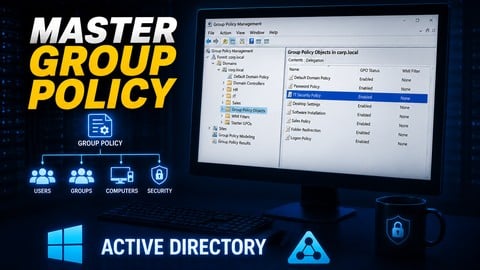
Active Directory & Group Policy Lab (2024)
4.7 (15,089 Reviews)
 Provider: Udemy
 Time: 7.2h
$17.99
Original price
Windows Server 2019 Administration
4.7 (12,627 Reviews)
- Provider: Udemy
- Time: 21.3h
$16.99
Original price
Automate Active Directory with PowerShell (Hands-On) (2026)
4.7 (2,001 Reviews)
- Provider: Udemy
- Time: 4.1h
$10.99
Original price
Installing and Configuring Windows Server 2012 (70-410)
4.7 (804 Reviews)
- Provider: Udemy
- Time: 15.9h
$159.99
Build an Active Directory & Group Policy Production Lab (2026)
4.7 (706 Reviews)
- Provider: Udemy
- Time: 5.8h
$11.99
Original price
Microsoft Windows Server 2012 Certification - Exam 70-411
4.7 (617 Reviews)
- Provider: Udemy
- Time: 8.8h
$59.99
 Reviews

By Paulo Ferreira on 1/26/2024
Well Structured and explained with enough (but not exhausting) detail. Easily done in a day. Could benefit from another course with hand-on practice in something like EVE-NG especially in depth discussion / practical examples of RADIUS.
By Konstantinos Konstantinou on 12/13/2020
Thanks very much for the lesson . It was good.You could gain some time removing the active directory and how to setup AD or CA and add more scenarios such as dialup conections and other scenarios. This could make the lesson much better. Additionally you could have add how to export the whole setting of the radius and import in a new vm (very usefull for backup). Thanks again. I am waiting for a more advanced and detailed version in the future.
By Steven D on 3/9/2020
I like the practical scenarios which he demonstrates how RADIUS and RADIUS Proxy work; also, he spent much time to configure Domain, ADDS, CA, IIS server which helps him to demonstrate the materials of RADIUS NPS, he should have credit for his effort to provide the additional information for the course.
By Hermann Saint-Fleur on 1/26/2020
Edward is a wonderful Teacher, the course is very details. I started from knowing nothing and now i feel different, with the practice and all the explanations. Thank you and i am looking forward for more class with you.
By Markus S. on 10/4/2019
I took this course needing to setup a RADIUS server in my company. I was about 85% completed with that when I started the course. I got stuck with certificates because our Certificate Server is in our parent company. After a long discussion with them, I ended up using an already installed RADIUS server and certificate at the parent company. I then went ahead and finished the course. I am glad that I did as the practical troubleshooting and logging videos actually helped me with some other technology fixes. While I won't be able to easily put into practice what I learned, and probably will forget a lot of is because of that, all of the content was useful and I am glad I went through the course. As far as presentation goes, I really enjoyed how the content was delivered and how the course is setup on Udemy.
By Marcus Hurst on 7/19/2019
I was really pleased with this course. It was definitely what I was looking for in needing to get my feet wet working with NPS. I really like how the presenter doesn't just provide the happy path scenario to the subject. I know that draws things out a little bit but for me it provided greater insight into basic troubleshooting of errors that you need when you inevitably run into issues. By all means it is not comprehensive, but what he does provide is a gateway into expanding how to troubleshoot when things don't always go to plan.
By José Nelson Guindo on 6/2/2019
Excellent course, I recommend, despite the lack of subtitles the intuitiveness and features presented greatly help those who need to deploy a radius for the most diverse purposes that it can perform.
By James Cenzon on 3/26/2019
Before taking this course, I have already configured a Certificate and NPS server roles but I was having trouble with authentication. By following along with the lecture, I was able to isolate the problem by using the NTRADPING software and checking Event Viewer to fix the problem. My wireless connection now works! At first, I was concerned when the instructor used a less secure authentication (PAP). I assume that this was just to test the RADIUS server if it was working and that the NRTADPING software does not support secure authentication methods. I was glad that he changed it to a more secure authentication when he configured for a wireless client. I would suggest that the instructor explain to his students that he selected PAP authentication in the early part of the lecture for testing purposes only and that he will be changing it in the later part of the course. BTW, a 4-star rating is very high for me. I seldom give a 5-star rating.
By Jimmy Liranzo on 2/10/2018
Throughout the course I felt there was more talk about something else than RADIUS, in the end it gets better and more related configuring clients for Wireless, Wired and proxy RADIUS clients. that section should be part of the main meat of your delivery, not at the end in some sort of troubleshooting\best practice scenario. i almost gave up midway, but again, the end is better than the first 60% of the course.
By M J on 8/14/2017
If there is someone who deserves the highest rating possible in Udemy, it should go to Edward, hands down!!! I mean, he is not just here to provide a course but literally help his students in figuring out ways that will make the students to understand the lessons better. Where can you find a lecturer who has the patience, passion, and dedication to what he is doing!! I can't even describe the right words to use for this guy!! Just really really amazing!!!! What I am writing here does not even compare to the quality of service he provided. I salute you sir!!!! keep it up!! Pls. continue to inspire students!! You are indeed a blessing to others!!! specially to me :p. Thank you so much!!!
 Quality Score
No CourseDuck member has rated this course yet. Taken it? Give each part a thumbs up or down.
Overall Score : 88 / 100
- Video Duration:
 3.1h
- Price: $11.99
- Provider: Udemy
- Updated:
 August 2020
- Level:
 All Levels
- Language:
 English
- Certificate:
 Yes
- Lectures:43 in 8 sections
- Practice:7 quizzes
- Students:1,209
- Subtitles:1 language
30-day money-back guarantee on most paid courses
Udemy Coupon Price Tracker
