
 Web Development
 Data Science
 Python
 SQL
SQL JavaScript
 Artificial Intelligence
 IT & Software
 IT Certifications
 Hacking
 AWS
AWS Arduino
 DevOps
 3D Modeling
 Graphic Design
 Photoshop
 Drawing
 Digital Painting
 UX Design
 Business
 Data Analysis
 Communication Skills
 Project Management
 Leadership & Management
 Human Resources
 Digital Marketing
 Social Media Marketing
 Marketing
 SEO
SEO Google Analytics
 Branding
 Excel
Excel Office Productivity
 SAP
SAP PowerPoint
 Microsoft Access
 SharePoint
 Finance & Accounting
 Trading & Investing
 Accounting
 Bitcoin
 Personal Finance
 Video Editing & Animation
 Photography
 Adobe Premier Pro
 Adobe Lightroom
 Personal Development
 Productivity
 Career Development
 Life Coaching
 Health & Fitness
 Meditation & Mindfulness
 Yoga
Yoga Music
Music Music Production
 Guitar
 Piano
Piano Singing
 Language Learning
 Teaching & Academics
 Engineering
 Math
Math Lifestyle
PCB Design in Cadence OrCAD/Allegro: Basics to Expert level (Udemy.com)
Learn Cadence OrCAD/Allegro PCB Design: Schematic (OrCAD Capture), Footprint (Package Editor) & Board Design(PCB Editor)
Created by: Pradeep Raj
Last updated March 2026
 What you will learn
- You will learn Basic Electronics Theory, Circuit Design and Analysis, Basics of Printed Circuit Board, Electronic Components and Instruments. Study notes given.
- You will work on Printed Circuit Board Layout Design such as Schematic creation, Library Creation: Electronic Symbol and Package (Footprint Creation) Designing.
- Switching schematic to Board Design (Netlist Creation), Thorough knowledge on Constraint Management Settings, Board Shape Creation (DXF import included) & DRC.
- Work on Single sided Board Design, Double sided Board Design, Via creation and application. Routing on Top and Bottom Layer includes enough practice modules.
- Plan Creation of Power and Ground. Also Split Plan Creation. Design Rule Checking and DRC updates. Work on Artwork. Setting up all required film layer setups.
How it compares
Against the other 413 rated Udemy courses in Graphic Design on CourseDuck:
- Rating4.3 out of 5higher than 21% of them
- Reviews1,399#39 of 414 by number of reviews
- Length36.8 hourslonger than 95% of them
- Last updatedMarch 2026more recently than 66% of them
 Course Description
Welcome to "PCB Design in Cadence OrCAD/Allegro: Basics to Expert level".
PCB Design and electronics circuits are basements for all type of electronics products. PCBs are derived from the analog and digital circuits which are prepared according to the application required. Printed circuit boards are the main pillars of the Electronics world. Every Electronics products has PCB inside it, from consumer gadgets like computers, smart phones and gaming consoles to industry and even high-tech products.
"Welcome to our comprehensive online PCB Design course, a journey that will take you from the basics to an expert level in PCB design using the powerful Cadence suite of tools - OrCAD and Allegro. This course is designed to equip you with the knowledge and skills needed to create professional-grade Printed Circuit Boards (PCBs).
The demand for PCB (Printed Circuit Board) design services in the market has been steadily increasing due to several factors:
Electronics Industry Growth: The proliferation of electronics in various sectors such as consumer electronics, automotive, aerospace, healthcare, and IoT has led to an increased demand for PCBs.
Miniaturization: As electronic devices become smaller and more compact, the need for intricate PCB designs to accommodate complex circuitry within limited space has risen.
Technology Advancements: Advancements in technology, such as the Internet of Things (IoT), 5G connectivity, and wearable devices, require innovative PCB designs to support their functionalities.
Rapid Prototyping: The trend towards rapid prototyping and shortening product development cycles necessitates efficient PCB design services to quickly iterate and test new designs.
Customization: Industries increasingly require customized PCBs tailored to their specific needs, which drives demand for PCB design services capable of delivering bespoke solutions.
Outsourcing Trends: Many companies prefer to outsource their PCB design requirements to specialized service providers to leverage expertise, reduce costs, and accelerate time-to-market.
Green Initiatives: There's a growing emphasis on environmentally friendly PCB designs, leading to demand for designers who can develop energy-efficient and recyclable PCBs.
Why Choose Our PCB Design Course?
Our course is the ultimate choice for individuals who are passionate about PCB design or wish to establish a career in this field. Here's what sets us apart:
In-Depth PCB Design Knowledge: We provide a deep and thorough understanding of PCB design principles, covering everything from the fundamental concepts to advanced techniques.
Comprehensive Tool Training: Gain mastery over the industry-standard OrCAD and Allegro tools by Cadence. Learn how to create schematics using OrCAD Capture, design footprints with Package Editor, and craft intricate board layouts with PCB Editor.
Online Education, Your Way: Experience the convenience of online learning. Our course is designed to be flexible, allowing you to learn at your own pace, at any time and from anywhere in the world.
Best-in-Class Instruction: Learn from experienced instructors with extensive expertise in PCB design. Benefit from their real-world industry insights and best practices.
Practical Projects: Apply your newly acquired knowledge to real-world projects, ensuring you develop the practical skills needed to excel in the industry.
Course Highlights:
PCB Design Fundamentals: Start with the basics of PCB design, including understanding components, schematics, and layout principles.
OrCAD Overview: Dive into OrCAD's capabilities through OrCAD Capture, and learn to create comprehensive schematics for your PCB projects.
Allegro Mastery: Transition to Allegro, delving into advanced features for complex PCB layouts, and create footprints with ease using Package Editor.
Professional-Grade Design: Progress to creating intricate PCB layouts with precision, while learning how to troubleshoot and optimize your designs for peak performance.
Hands-On Practice: Our course includes practical projects and exercises that reinforce your learning. This practical experience ensures you can confidently tackle real-world PCB design challenges.
Expert Guidance: Access guidance and support from our experienced instructors who are dedicated to your success.
Why PCB Design Matters:
PCB design is at the heart of the modern electronics industry. As technology advances, the demand for skilled PCB designers who can create efficient and compact circuit boards continues to grow. This course will empower you to meet this demand.
Start Your Journey Today:
Join us on your path to becoming a PCB design expert. This course equips you with the knowledge, tools, and hands-on experience to stand out in the field. Whether you aspire to work for top electronics companies, launch your PCB design business, or embark on a personal project, this course is your essential stepping stone.
Enroll Now:
Don't miss the opportunity to access the best PCB design education available online. Enroll now and take the first step toward mastering PCB design with OrCAD, Allegro, and Cadence. Your path to expertise in PCB design begins here!"
Required eligibility:
Diploma in Electrical or Electronics & Communication.
BE/BTech. in Electrical or Electronics & Communication.
BSc/MSc in Electronics & Communication.
ME/MTech. (E&CE) in Communication.
PCB Design Course Content is given below in brief:
Schematic Design:
Basic Electronics theory.

 Udemy Discount
The discount is applied through our link. Open the course from here and Udemy's current promotional price is applied at checkout on most courses, no code to type.
Some courses are excluded from Udemy's promotions. If the price does not drop, clear your browser cookies and use the button again.
Instructor Details

- 4.3 Rating
 1,399 Reviews
Pradeep Raj
"Hello, I'm Pradeep, a dedicated Electronics and Communication Engineer with a passion for teaching and a knack for bringing complex subjects to life. With degrees in Electronics and Communication Engineering, I've honed my expertise in circuit design, hardware design, PCB layout design, and PCB Manufacturing. I've shared my knowledge through numerous blogs, articles, and as an instructor at Swarna Institute of Technology, recognized by the Government of India.
What sets me apart is not just my technical prowess, but my empathy for learners. I understand the challenges you face, and I'm here to simplify the world of Electronics Engineering. I've been guiding students online and offline for years, making sure that you not only understand the subject but also enjoy the journey.
But my passion doesn't stop at Electronics. I'm also a versatile trainer in professional skills, from Microsoft Office to 3D design with Fusion 360, Website Design and Development, Digital Marketing, and 2D and 3D Animation. Currently, I'm proudly serving as the 'Training Head' at Swarna Institute of Technology in Bangalore, Karnataka, India.
Join me in exploring the exciting world of Electronics, and let's learn, grow, and innovate together. Your journey to mastering these skills starts here!"
 More courses by Pradeep Raj
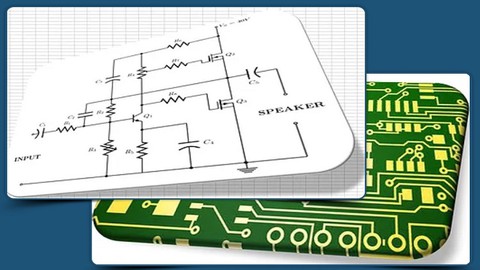
Eagle CAD PCB Design Course: Theory & Practical approach (2025)
4.3 (300 Reviews)
 Provider: Udemy
 Time: 9.6h
$54.99

Microsoft Excel for Beginners: Basics, Functions & Formulae. (2025)
4.4 (165 Reviews)
- Provider: Udemy
- Time: 3h
$54.99

PCB Design Course in Eagle CAD: Complete PCB Design Course (2025)
4.5 (164 Reviews)
- Provider: Udemy
- Time: 13.5h
$49.99
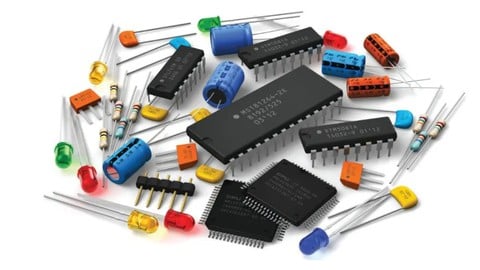
PCB Design Crash Course: Footprint, 3D model & Board Design. (2025)
4.3 (89 Reviews)
- Provider: Udemy
- Time: 3.5h
$54.99
More Graphic Design courses

Adobe InDesign - From Basics to Professional Level Designs (2024)
4.9 (320 Reviews)
- Provider: Udemy
- Time: 11.4h
$84.99

Shop Drawing & Details-Autodesk Revit 2025- for BIM Modelers
4.9 (300 Reviews)
- Provider: Udemy
- Time: 30.9h
$10.99

The Adobe Illustrator CC Mastery Course: Basics to Pro + AI (2026)
4.9 (268 Reviews)
- Provider: Udemy
- Time: 30.8h
$19.99


Software Architecture & System Design Practical Case Studies (2026)
4.8 (2,584 Reviews)
- Provider: Udemy
- Time: 4h
$15.99

Graphic Design Masterclass: Design 40+ Projects in Photoshop (2025)
4.8 (668 Reviews)
- Provider: Udemy
- Time: 16.5h
$109.99
 Reviews

By Kebeb on 9/2/2026
Well structured hardware course for core professionals. Its one of the best course in Electronics and PCB Design. Teaching wise, 100% efforts put on to understand the concepts. Outcome of teaching is excellent. If you have never used the software, you must practice everyday else it will be a difficult one. Thank you sir.
By Pavaninagesh Alishetty on 7/3/2026
Sir, could you please explain how to create the footprint for the 410-308-B module? The footprint has an irregular shape consisting of a rectangle with an arc on one side. I am facing difficulty in using the Trim option properly while creating the shape. Could you please guide me on how to create this footprint correctly?
By Rafael Madeira on 1/23/2025
Le cours rentre en détails dans l'explication d'Orcad bien que quelques fois la version du logiciel utilisé change. De plus des bruits de fonds et de l'ordinateur viennent perturber l'expérience d'apprentissage. Pour conclure je suis plutôt satisfait du cours.
By David Hughes on 8/8/2024
Excellent class! The instructor's method of teaching the material is very effective, building up from foundational concepts one small step at a time. At times the material is repetitious, but repetition drives home the concepts. A couple nitpicky things with the material: 1) the instructor uses three different versions of Allegro (16.6, 17.2, and 17.4), all with different looks, 2) the audio quality at times is degraded--during a few segments it was very difficult to hear the instruction. Other than that I can highly recommend this class for folks needing a good foundational buildup of Allegro concepts.
By Amol Gajare on 4/19/2024
Hi Pradeep, I appreciate your knowledge and thoughtfulness in Allegro tool. Strength of course: Language, Assignments, Basic of this EDA tool Weakness: Creation of Gerber(Artwork) & NC Drill creation, Assembly drawing creation, Fab drawing creation missing Suggestion: Remove Discussion on Via its repetitive & add Creation of Gerber (Artwork) & NC Drill, Assembly & Fab drawing creation. Adding suggested topic may can be called as EXPERT will reflect richness of this course !!
By Chad C Roberts on 3/6/2024
As an OrCAD/APD user who learned to use the tool on the job, this is an excellent supplement to getting a more complete understanding of these schematic and layout tools.
By Abhinash Nayak on 9/25/2023
please include thermal via creation and multi layer board design starting from symbol creation in capture to Gerber generation pcb editor in half an hour to a 45 minutes video in the last part so we can consider it as an summery so it would look complete. Thank you.
By Anonymized User on 9/25/2023
It is a good and comprehensive course covering all important aspects of a PCB design. Volume was quite low and not steady some times, the warning tone of Windows got too loud. The video could be good to edit to omit those correction actions etc. from showing to the audience.
By Mariniel Galvao Jr on 1/21/2023
The covered material is extensive and rather complete, the instructions are clear and the instructor is knowledgeable. However, the classes are often repetitive and I feel they lack a well selected and thought out set of assignments/exercises. Also the material being presented is not available on the resources folders, so the student cannot follow along exactly. Even if this is not a serious problem, since you can apply the concepts with other similar files, I feel this is not ideal and sometimes can become frustrating when the student needs to prepare some designs in order to test certain things. I also suggest is that the instructor fixes the sound volume. The voice is very low and you need headphones on the maximum volume to understand what he is saying. To make things worse, the operating system sound volume is high compared to the voice, so ocasional popup alerts end up hurting the listener's ears, and there are too many of those. Also, I think there could be a last section presenting a simple, but functional 4-layers board from start to finish, so the student can get a clear and broad view of the process. Overall I recommend this course after the student has done one or two tutorials on YouTube and after watching a video explaining the manufacturing process of a PCB, otherwise it can be a little confusing.
By Hickmat Abo Haya on 7/26/2022
1) the sound quality is not good enough 2) the course is elaborated very much and can be presented in less time, the lecturer do the best to present this compicated software 3) the staff is very responsive and gives fast help when needed 4) if the assignment sigment could be arranged properly it would be better
 Quality Score
No CourseDuck member has rated this course yet. Taken it? Give each part a thumbs up or down.
Overall Score : 86 / 100
- Video Duration:
 36.8h
36.8h - Price: $74.99
- Provider: Udemy
- Updated:
 March 2026
 - Level:
 All Levels
 - Language:
 English
 - Certificate:
 Yes
Yes
30-day money-back guarantee on most paid courses
Udemy Coupon Price Tracker
