
 Web Development
 Data Science
 Python
 SQL
SQL JavaScript
 Artificial Intelligence
 IT & Software
 IT Certifications
 Hacking
 AWS
AWS Arduino
 DevOps
 3D Modeling
 Graphic Design
 Photoshop
 Drawing
 Digital Painting
 UX Design
 Business
 Data Analysis
 Communication Skills
 Project Management
 Leadership & Management
 Human Resources
 Digital Marketing
 Social Media Marketing
 Marketing
 SEO
SEO Google Analytics
 Branding
 Excel
Excel Office Productivity
 SAP
SAP PowerPoint
 Microsoft Access
 SharePoint
 Finance & Accounting
 Trading & Investing
 Accounting
 Bitcoin
 Personal Finance
 Video Editing & Animation
 Photography
 Adobe Premier Pro
 Adobe Lightroom
 Personal Development
 Productivity
 Career Development
 Life Coaching
 Health & Fitness
 Meditation & Mindfulness
 Yoga
Yoga Music
Music Music Production
 Guitar
 Piano
Piano Singing
 Language Learning
 Teaching & Academics
 Engineering
 Math
Math Lifestyle
Pixlr Power: How to use the Pixlr Editor (Udemy.com)
Master photo editing of digital images to enhance your digital photography.
Created by: Michele Berner
Last updated September 2014
 What you will learn
- Course goal:
- By the end of this course, you will be able to understand the purpose, and function of each tool in the Pixlr Online Editor to create and edit great photos and images.
- Course Objectives
- In this course, you will learn:
- How to make adjustments and edits to an image
- How to save, resize, crop and rotate an image
- The basics of using layers to create, edit, manage and composite images
- A close study of the Pixlr Tools and menus
- How to use Pixlr's selection tools
- How to use Pixlr's editing tools
- How to use Pixlr's blending tools
- Adding filters and special effects to your photos and images
- How to use Pixlr's mobile apps - PixlrExpress and Pixlr-O-Matic
- How to retouch and restore a photo
How it compares
Against the other 413 rated Udemy courses in Graphic Design on CourseDuck:
- Rating4.2 out of 5higher than 13% of them
- Reviews43#380 of 414 by number of reviews
- Length8.2 hourslonger than 70% of them
- Last updatedSeptember 2014earlier than 99% of them
 Course Description
Create your digital masterpiece using Pixlr Editor
It has never been easier to take a picture. As well as printing your pictures, you can share them, tweak them, and create photographic masterpieces. Editing images and photos is an important part of that process. Most photo editing software packages are either too expensive or your computer is not available at the time you want to edit your photo.
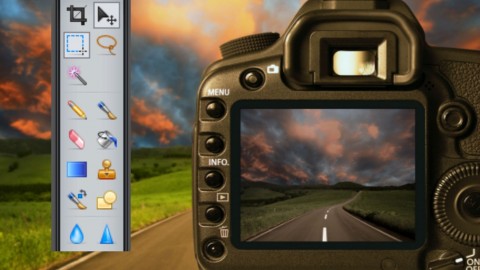
Pixlr is a free online image editor. It isn’t Photoshop but for a tool that works entirely within your browser, it replicates a remarkable percentage of Photoshop’s most important image-editing tools, and does it very, very well.
Pixlr combines paint tools with image design and works in your browser. You can also use it for several different purposes, including creating an image from scratch, as well as layering images over each other. You can also make use of a variety of effects, filters and level adjustments, define your own brushes, utilities such as resizing and cropping, drawing right onto a blank canvas and a host of other features. All this will help you to radically transform all your photographs.
Pixlr responds to practically the exact same keyboard shortcuts as Photoshop, and is very easy to use. You can use Pixlr to:
- Edit photos uploaded from a computer.
- Start with a blank canvas or upload from the Cloud (all you need is to paste in an image URL).
- No matter where your images are stored, you'll be able to edit them in Pixlr.
- Pixlr comes with complex layer support that allows for several blending modes and layer styles.
- If you don't have Photoshop handy and need to do some image editing in your browser, Pixlr is a really fantastic alternative.
What equipment do you need for this course?
Pixlr Editor is built in Flash and you need to have the Flash plug-in to get it to work, however, 98% of all computers have flash so you are probably set and it will work on any computer, MAC or Windows as long as the computer is running the Flash plugin. Since the Pixlr editor is Flash-based, how it runs depends on what kind of computer you have. If it is lagging you can try to shut down other web pages that might be running Flash ads or close other software on your computer that is taking a lot of CPU.
You also need an internet connection, and a browser - Internet Explorer, Firefox, Chrome or Safari.
Course Structure
Section 1:An exploration of the Pixlr menus, tools and user interface. A look, also at the diverse ways of getting images into the editor, saving them locally and to Cloud services like Facebook and Flickr.
Section 2:How to make adjustments to an image. This covers resizing, cropping, rotating images, using the menu options like colour balance, curves, levels to improve and edit an image. An introduction to layers in Pixlr and how to use layers and layer masks to manage, edit and composite an image.
Section 3:An exploration of Pixlr's selection tools. How to use the Lasso, Marquee, Magic Wand selection tools to edit an image.
Section 4:An exploration of Pixlr's editing tools. How to use the Pencil, Paint Bucket, Clone Stamp, Brush and Gradient tools to edit an image.
Section 5:An exploration of Pixlr's blending tools. How to use the Dodge, Burn, Smudge, Pinch and Bloat, Sharpen, Spot heal and Red Eye Reduction tools to edit an image.
Section 6: How to use special filters and effects to edit and enhance an image.
Section 7:All the rest of the tools - How to use text, text styles, drawing shapes and lines, Colour Replacement tool and how to remove the background from an image to make it transparent.
Section 8: Projects to test your skills.
Each section has a number of projects and exercises to consolidate the skills covered in that section. Projects such as creating a banner for a website using layers, blending images together, creating an artistic double exposure, creating custom brushes, restoring and retouching photographs - common tasks you need to do in editing photos and creating your own images.
Section 9: Pixlr and the Cloud
A look at the other Pixlr apps: Pixlr Express and Pixlr-O-Matic and how to connect Pixlr to Google Drive.
Materials included in the course
53 Lessons. Each lesson covers a tool or combination of tools and shows you how to use those tools to edit, enhance or create an image. The images used in the videos are provided as a Download so you can follow along with the video and reproduce the same result. The majority of lessons also have worksheets to assist in reproducing the task in the video. There are also projects to test your understanding of the tools and processes explored in that section.

 Udemy Discount
The discount is applied through our link. Open the course from here and Udemy's current promotional price is applied at checkout on most courses, no code to type.
Some courses are excluded from Udemy's promotions. If the price does not drop, clear your browser cookies and use the button again.
Instructor Details

- 4.2 Rating
 43 Reviews
Michele Berner
My name is Michele Berner and I’m a teacher of Information Technology. I have taught high school technology and computer networking courses for over 35 years. I am a Cisco Networking Academy Instructor and an examiner for the Information Technology subjects in the Victorian Certificate of Education in Australia. As an ICT Leader, I developed technology programs, provided assistance and support to teachers who were introducing technology into their teaching programs.
Although recently retired, I now teach beginner and advanced iPad and Tablet courses, moviemaking, and photo editing to senior citizens – bringing the world of technology to the elderly. My website offers support to those using the iPad and My YouTube channel has a growing assortment of videos on how to use the iPad for fun, entertainment and productivity.
 More Graphic Design courses

Adobe InDesign - From Basics to Professional Level Designs (2024)
4.9 (320 Reviews)
 Provider: Udemy
 Time: 11.4h
$84.99

Shop Drawing & Details-Autodesk Revit 2025- for BIM Modelers
4.9 (300 Reviews)
- Provider: Udemy
- Time: 30.9h
$10.99

The Adobe Illustrator CC Mastery Course: Basics to Pro + AI (2026)
4.9 (268 Reviews)
- Provider: Udemy
- Time: 30.8h
$19.99


Software Architecture & System Design Practical Case Studies (2026)
4.8 (2,584 Reviews)
- Provider: Udemy
- Time: 4h
$15.99

Graphic Design Masterclass: Design 40+ Projects in Photoshop (2025)
4.8 (668 Reviews)
- Provider: Udemy
- Time: 16.5h
$109.99
 Reviews

By Max Mannouch on 8/11/2021
a little dated / old however still relevant and learned lots
By Danielle Miles on 1/2/2020
Finding the videos useful and clear
By Robert tufo on 1/24/2018
very enjoyable and clear so far
By Patrick Dubock on 8/11/2017
1. Unable to understand what is being said 2. Cursor movement is too fast to follow 3. It doesn't look like the current PIXLR program
By Byron Oliver on 8/6/2017
Very informative for me so far
By Jimi Hurst on 6/8/2017
This was very instructive and easy to understand.
By Philip tooley on 11/18/2016
I want to make a logo. This course just teaches editing photos. Dont care about photos
By Lori Blevins on 9/3/2016
This instructor is doing a phenomenal job. Excellent pace and easy to understand and follow along with! Thank you for creating and offering this course.
By Bronwyn Wilson on 4/21/2014
This course is so professional in every aspect. Well laid out, easy to follow and full of useful and useable information.
By STELIOS NICOLAOU on 4/9/2014
The material is explained thoroughly with good examples and exercises. There is also a handout for doing the exercise by following the steps on it.
 Quality Score
No CourseDuck member has rated this course yet. Taken it? Give each part a thumbs up or down.
Overall Score : 84 / 100
- Video Duration:
 8.2h
8.2h - Price: $54.99
- Provider: Udemy
- Updated:
 September 2014
 - Level:
 All Levels
 - Language:
 English
 - Certificate:
 Yes
Yes
30-day money-back guarantee on most paid courses
Udemy Coupon Price Tracker
