
 Web Development
 Data Science
 Python
 SQL
 JavaScript
 Artificial Intelligence
 IT & Software
 IT Certifications
 Hacking
 Microsoft Azure
 AWS
 Arduino
 3D Modeling
 Graphic Design
 Photoshop
 Drawing
 Digital Painting
 UX Design
 Business
 Data Analysis
 Communication Skills
 Project Management
 Leadership & Management
 Human Resources
 Digital Marketing
 Social Media Marketing
 Marketing
 SEO
 Google Analytics
 Branding
 Excel
 Office Productivity
 SAP
 PowerPoint
 Microsoft Copilot
 Microsoft Access
 Finance & Accounting
 Trading & Investing
 Accounting
 Bitcoin
 Personal Finance
 Video Editing & Animation
 Photography
 Adobe Premier Pro
 Adobe Lightroom
 Personal Development
 Productivity
 Career Development
 Life Coaching
 Health & Fitness
 Yoga
 Meditation & Mindfulness
 Music
 Music Production
 Guitar
 Piano
 Singing
 Teaching & Academics
 Engineering
 Language Learning
 English Language
 Math
 Lifestyle
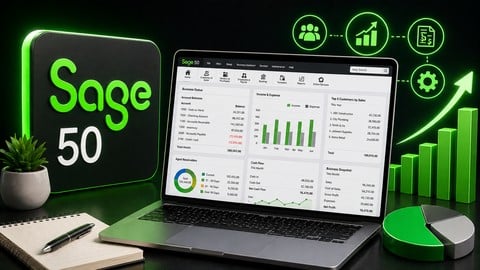
Sage 50 Accounting| Sageline 50 Basic to Advance Training (Udemy.com)
Master Sage 50 & Sage Line 50 with real-world accounting, bookkeeping, financial reporting, invoicing, inventory, and bu
Created by: Accountech Training & Solutions
Last updated November 2026
Our take
Based on the ratings of 642 students, a sample of their written reviews and the syllabus, as the course stood in November 2026. No course pays to be reviewed.
This is a compact Sage 50 (Sageline 50) class from Accountech Training & Solutions: 67 lectures in about 6 hours. The main training section takes around two hours, and nearly four more go to the Starlite assignment project. Listed topics run from installation and chart of accounts to invoices, prepayments, bad debts and Excel imports. It suits someone who already knows debits and credits and needs to learn where things live in Sage. The requirements list familiarity with accounting principles, and that's fair.
Reviewers mostly like the teaching. They describe short, precise videos, an unhurried pace and clear explanations, and one complete beginner to the software singled out the chart of accounts. The recurring complaint is age. A 2024 student said the version shown was from 2013, a May 2026 review says it doesn't match the 2026 release, and a November 2026 student found it very different from their own copy. One reviewer found the accounting explanations shallow, another wanted more on VAT, and a third had trouble with the accent. A 2021 reviewer called the listing misleading on bank reconciliation and VAT. Reconciliation is now on the stated outcomes, but check the curriculum if VAT is the reason to buy.
The listing was updated in November 2026, yet a review from that same month still reports a mismatch, so don't read the date as proof of new recordings. The 4.2 average from 642 ratings seems about right: 525 gave four or five stars, and 30 gave one or two. It's a decent starter for the logic of Sage 50 and for practice with transactions. For advanced work or the newest interface, watch the previews first and compare the screens with the version at work.
Pros
- The Starlite project fills 26 lectures and almost four hours, so there's plenty of worked practice
- Reviewers describe short, precise videos that explain things without rushing
- Covers Excel and CSV imports, prepayments, bad debts and inventory losses, not only invoices
- Small enough to finish in a few evenings at about 6 hours
Cons
- Students say the software shown is old (one cites 2013) and differs from the version they use
- Light on accounting concepts and UK VAT, according to reviewers who wanted more background
- Individual reviews mention a hard-to-follow accent, a small screen view and videos that keep pausing
the lectures are short and precise which makes learning easier.
Listed for all levels, but it fits Sage newcomers who already know accounting principles. Advanced users may want more.
 What you will learn
- Installation and Setup: How to install Sageline 50, configure company options, date settings, and create a new company
- Chart of Accounts and Ledgers: Creating, editing, and coding the Chart of Accounts, as well as entering and correcting ledger balances.
- Managing Transactions: Recording various transactions, including purchase and sales invoices, cash sales, customer advances, handling prepayments, bad debts
- Inventory and Fixed Assets: Entering opening inventory balances and managing cash purchases of fixed assets
- Importing and Reconciling Data: Importing customers, suppliers, and batch invoices from Excel and CSV files, and performing bank reconciliations.
- Using the ledger creation wizard, adjusting journal entries, Converting sales and purchase orders to invoices, and handling inventory loss and returns
Course content
3 sections · 67 lectures · 6 hours of video 1 article
- 1Sageline 50 Training Course 4 free previews37 lectures · 2 hours
- 2Starlite Assignment Project26 lectures · 3.8 hours
- 3FAQs4 lectures · 15 min
Who it is for
The instructor says it suits
- Accounting professionals seeking to enhance their skills with Sageline 50 software
- Business owners or managers responsible for financial management and accounting tasks
- Students or beginners in accounting looking to gain practical experience with Sageline 50
- Anyone interested in learning how to use Sageline 50 for managing company finances and transactions
What you need before you start
- Access to a computer with an internet connection.
- Familiarity with accounting principles.
- Willingness to learn and apply practical accounting tasks using Sageline 50 software.
How it compares
Against the other 422 rated Udemy courses in Finance & Accounting on CourseDuck:
- Rating4.2 out of 5higher than 12% of them
- Reviews642#164 of 423 by number of reviews
- Length6 hourslonger than 55% of them
- Last updatedNovember 2026more recently than 97% of them
 Course Description
Want to master Sage 50 Accounting (Sage Line 50) and confidently manage real-world bookkeeping, business finances, and accounting workflows? This complete Basic-to-Advanced Sage 50 training course is designed to take beginners, business owners, accountants, and aspiring finance professionals from the fundamentals to expert-level skills using practical, step-by-step examples.
In this comprehensive training, you will learn everything from setting up your Sage 50 company file, managing chart of accounts, recording daily transactions, handling sales and purchase cycles, managing suppliers and customers, bank reconciliation, VAT setup, inventory management, payroll basics, and generating accurate financial statements. You’ll also explore accounting controls, error fixing, reporting tools, audit trails, budgeting, departmental reporting, and real-world workflow automation inside Sage 50.
This course follows a highly practical approach—every topic is demonstrated using real business scenarios so you clearly understand how Sage 50 is used in day-to-day accounting. You will learn key skills like creating invoices, recording bills, reconciling bank accounts, generating management reports, adjusting entries, handling credit notes, monitoring stock movement, and preparing year-end financial summaries with complete accuracy.
You’ll also discover advanced techniques such as customizing layouts, VAT return processing, financial analysis tools, payroll essentials, accountant-level adjustments, and essential problem-solving tips for common Sage 50 errors. These real-world workflows help you build confidence to work professionally with Sage 50 in any business environment.
Whether you want to improve your job prospects, enhance your accounting skills, support your business finances, or switch to a professional bookkeeping role, this course gives you all the practical knowledge you need to master Sage 50 quickly and effectively.
By the end of this course, you’ll be able to manage complete accounts independently, prepare accurate financial reports, streamline bookkeeping tasks, and confidently use Sage 50 Accounting like a skilled professional.

 Udemy Discount
The discount is applied through our link. Open the course from here and Udemy's current promotional price is applied at checkout on most courses, no code to type.
Some courses are excluded from Udemy's promotions. If the price does not drop, clear your browser cookies and use the button again.
Instructor Details

- 4.2 Rating
 642 Reviews
Accountech Training & Solutions
Saad Nadeem is the founder and Director of Accountech Training & Solutions, an Associate Chartered Certified Accountant (ACCA), trainer and ERP consultant with 9+ years of experience. He has trained 60,000+ students on Udemy and other platforms, including 58,000+ learners and 9,600+ reviews on Udemy alone.
His 50+ hands-on courses cover accounting software such as QuickBooks Online and Desktop, Xero, Zoho Books, Odoo, Tally Prime, Sage 50, MYOB, Peachtree and SAP Business One. They also cover Microsoft Excel (formulas, Power Query, macros, financial modeling), Word, UAE VAT and Claude AI automation for accountants. Several of his courses are Udemy Bestsellers.
Whether you are an accountant, bookkeeper, student or business owner, you will learn step by step with real examples you can use at work right away. Accountech Training & Solutions has also helped companies with thousands of employees learn and implement accounting and ERP software.
 More courses by Accountech Training & Solutions
SAP Business One B1 Complete Training With Implementation (2026)
4.4 (1,131 Reviews)
 Provider: Udemy
 Time: 5.8h
$11.99
Original price
Excel Advanced Basic to Advance Training Course Hindi (2026)
4.4 (975 Reviews)
- Provider: Udemy
- Time: 20h
$11.99
Original price
UAE VAT Complete Training + Claude AI for Automated VAT (2026)
4.4 (529 Reviews)
- Provider: Udemy
- Time: 3.9h
$11.99
Original price
QuickBooks Online Basic to Advance Training 2026
4.5 (366 Reviews)
- Provider: Udemy
- Time: 3.8h
$11.99
Original price
Tally Prime Accounting Masterclass with Claude AI (2026)
4.4 (357 Reviews)
- Provider: Udemy
- Time: 9.4h
$11.99
Original price
QuickBooks Desktop Enterprise 2026 Masterclass: Basic to Adv
4.5 (332 Reviews)
- Provider: Udemy
- Time: 8.9h
$11.99
Original price More Finance & Accounting courses

Investment Appraisal Mastery - NPV, IRR, Payback, PI, ARR (2026)
4.9 (811 Reviews)
- Provider: Udemy
- Time: 2.5h
$10.99
Original price
Beginner Binary Options Trading: The Bandit Strategy (2026)
4.9 (352 Reviews)
- Provider: Udemy
- Time: 1.7h
Free
Texas Instruments BA II Financial Calculator for CFA and FRM (2021)
4.9 (321 Reviews)
- Provider: Udemy
- Time: 1.1h
Free

Economics 101 : Master the Basics of Business & Finance (2026)
4.9 (104 Reviews)
- Provider: Udemy
- Time: 1.5h
$11.99
Original price
Invest in Stocks Like a Pro Investor by a Pro Investor! (2026)
4.8 (2,368 Reviews)
- Provider: Udemy
- Time: 8.4h
$19.99
Original price
Fundamental Analysis. Understanding Financial Statements (2026)
4.8 (1,474 Reviews)
- Provider: Udemy
- Time: 9.5h
$11.99
Original price  Reviews

By Ishita Saxena on 5/8/2026
I really am enjoying the lectures so far. it's well explained and detailed. not rushing into anything which I really appreciate. Just I would like to know more in detail about the vat and the accounting system of UK as well while I am learning sage 50.
By Deepak Deepak on 5/6/2026
So Far it was not to good not to bad course but the instructor needs to update the software cause this software none related to 2026 version, In 2026 most of the things is new. It also needs to add some new real world scenarios in a business could happen. Also explain each and every option of the software about what it does and how its applicable in real world. In the end, this is course is ok for a starter but need serious updating for advance level.
By Jennifer Dowling on 7/29/2025
This course was a great match as I wanted to learn how to use sage accounts software. The tutor was very good and explained everything really well. I really enjoyed this course and learned a lot.
By Neeta Samant on 2/22/2024
I was looking forward to learning the Sage 50 2024 version... the latest version when i signed up for this course. This 2013 version is very different and is difficult for me to co-relate as I am not an accounts student, but have to learn this accounting software quickly for my job.
By Abhilasha Lal on 7/18/2022
Content is really good and easily understandable. Videos are in appropriate amount of time , not at all boring everything is precisely detailed and taught.
By Tracy on 2/13/2022
Course was ok. I'm a bit of perfectionist so the misspelled words jumped out at me. I just figure if you're doing training everything should be spelled correctly. This is also a UK business example and not American...just so you are aware. Instructor was knowledgeable about the topic.
By Syed Muhammad Faizan on 9/21/2021
Because it’s left unfinished. What was the summary of all the work we did? There should be slide added to see at-least our trail balance is good to go or not.
By Ololo Faith Okiemute on 9/14/2021
Well, up to this point, I liked the video and the simple way it was presented. I have not downloaded any of the resources yet. So i do not know if I would encounter any challenges once i get to start using the software
By Duarte Cunha on 8/28/2021
Overall the examples shown are good. Despite this, there are modules not referred in the course as taxes or reconciliations. Also please organize the lectures by topic (AP,AR, Cash and Banks,etc) in order to allow for easy referral, as the current setup following a list of random events is confusing.
By Meera Patel on 6/4/2020
Yes, course is exactly what was looking for. I would like to see journal entries for car depreciation, purchase of cars etc... Plus after doing first year accounts, how to do roll over for next year. Learned quite a few short cuts. Thanks.
 Quality Score
No CourseDuck member has rated this course yet. Taken it? Give each part a thumbs up or down.
Overall Score : 84 / 100
- Video Duration:
 6h
- Price: $11.99
- Provider: Udemy
- Updated:
 November 2026
- Level:
 All Levels
- Language:
 English
- Certificate:
 Yes
- Lectures:67 in 3 sections
- Students:3,905
- Subtitles:1 language
30-day money-back guarantee on most paid courses
Udemy Coupon Price Tracker
