
 Web Development
 Data Science
 Python
 SQL
SQL JavaScript
 Artificial Intelligence
 IT & Software
 IT Certifications
 Hacking
 AWS
AWS Arduino
 DevOps
 3D Modeling
 Graphic Design
 Photoshop
 Drawing
 Digital Painting
 UX Design
 Business
 Data Analysis
 Communication Skills
 Project Management
 Leadership & Management
 Human Resources
 Digital Marketing
 Social Media Marketing
 Marketing
 SEO
SEO Google Analytics
 Branding
 Excel
Excel Office Productivity
 SAP
SAP PowerPoint
 Microsoft Access
 SharePoint
 Finance & Accounting
 Trading & Investing
 Accounting
 Bitcoin
 Personal Finance
 Video Editing & Animation
 Photography
 Adobe Premier Pro
 Adobe Lightroom
 Personal Development
 Productivity
 Career Development
 Life Coaching
 Health & Fitness
 Meditation & Mindfulness
 Yoga
Yoga Music
Music Music Production
 Guitar
 Piano
Piano Singing
 Language Learning
 Teaching & Academics
 Engineering
 Math
Math Lifestyle
The Complete Data Analytics Course in Excel (Udemy.com)
A complete data analysis course using the tools you already have.
Created by: Michael Parent
Last updated May 2024
 What you will learn
- Data Analytics
- Data Visualization
- Hypothesis Testing
- Statistics
- Forecasting
- Excel
- Regression
- Monte Carlo Simulation
- Linear Programming
- Pivot Tables
- Business Intelligence
- Excel Analytics
How it compares
Against the other 355 rated Udemy courses in Excel on CourseDuck:
- Rating4.5 out of 5higher than 39% of them
- Reviews1,109#164 of 356 by number of reviews
- Length15.1 hourslonger than 83% of them
- Last updatedMay 2024more recently than 54% of them
 Course Description
Do you think you need to learn new software to perform data analysis, statistics, simulations? You don't! Everything you need to get started in the world of data analytics is already on your computer in the wonderful application called Excel.
This course will first acquaint you with the Excel environment including how to use simple and complex functions, hot-key shortcuts and navigation tips to make sure you work efficiently and effectively. From there, I lead you in lectures and practice exercises on the fundamental topics of data analytics.
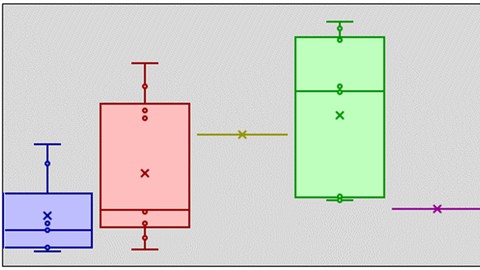
Data Visualizations - Visualizing data is an important part in analyzing data as well as presenting and explaining what it means. Lectures in this course Included how to craft and use bar charts, line charts, radial charts, histograms, box and whisker charts, pie charts, conditional formatting and Sparklines.
Pivot Tables - Pivot Tables are very powerful, simple to use tools built into excel. The lectures will include how to structure data to get the most out of pivot tables, and then a few use cases including root cause analysis, comparative analysis, along with other visualization tools specific to pivot tables.
Statistics - The Statistics module is by far the most densely packed module in this course. As a statistician by training, I present a deep dive into the data behind the statistics and how to use different statistical tests based on different circumstances. The module is filled with different lectures and exercises involving ANOVA tests, T Tests, Chi-Squared Tests, Tests for Normality, Regression Analysis and more.
Forecasting - Organizations have to be able to anticipate the future. The forecasting tools presented in this course help us accomplish this feat. Forecasting is presented in two different ways - Factor forecasting and Time Series forecasting. For each approach to forecasting, many tools and techniques are introduced and reviewed including Regression analysis, Monte Carlo Simulation, Simple Moving Averages, and Auto-Regressive techniques.
Excel Tools - Excel has a lot of useful tools that don't quite fit neatly into any of the other modules. The last module of this course explores the use cases of using these tools. In particular, several archetypal problems are introduced and solved using the miscellaneous data analysis tools found in excel, including Excel Solver.

 Udemy Discount
The discount is applied through our link. Open the course from here and Udemy's current promotional price is applied at checkout on most courses, no code to type.
Some courses are excluded from Udemy's promotions. If the price does not drop, clear your browser cookies and use the button again.
Instructor Details

- 4.5 Rating
 1,109 Reviews
Michael Parent
Michael Parent is a Lean Six Sigma Black belt and Principal at Michael Parent Consulting Company, a Management Consulting Firm. He has consulted in many functions and industries including manufacturing, HR, insurance, sales, and logistics/supply chain. Additionally, Michael is the author of the forthcoming book “The Lean Innovation Cycle” to be published by Taylor & Francis.
Michael holds a degree in Industrial & Operations Engineering from the University of Michigan, Ann Arbor, an MBA from William & Mary in Williamsburg Virginia, and is received his Lean Six Sigma Master Black Belt from Lawrence Tech University in Southfield, MI.
 More Excel courses

Microsoft Excel Data Analysis - Learn How The Experts Use It (2026)
5.0 (5,696 Reviews)
 Provider: Udemy
 Time: 3h
$39.99


Microsoft Excel: Advanced Dashboard Design (Project-Based!) (2026)
4.9 (4,868 Reviews)
- Provider: Udemy
- Time: 6.4h
$99.99


Master NEW Excel Functions in Office 365 & Office 2021+
4.8 (5,262 Reviews)
- Provider: Udemy
- Time: 7.1h
$15.99

Microsoft Excel Certification Exam Prep: MO-201 Excel Expert (2026)
4.8 (3,239 Reviews)
- Provider: Udemy
- Time: 8.6h
$119.99
 Reviews

By Lavell Bryant on 8/5/2025
This is a great class for Data Analytics in Excel. Most courses focus on Python, but I work in hospital finance and no one uses Python, but everyone uses Excel. I have taken multiple Python courses and replicated the steps in Excel using techniques from this course and Power Query for feature engineering. Being really good at the basics is often more useful advanced machine learning that is rarely used.
By Nikolaos Georgiadis on 11/13/2024
It was a good learning experience about data analysis and basic applications of related concepts in excel. However, it could be better if: 1. More statistical debth was introduced, in order to understand some concepts better 2. Some Excel sheets related to the lectures were up to date 3. More attention was payed in some tasks where they may be applied wrong
By David Miller on 11/28/2023
I am nearing retirement. I am exploring doing things in retirement and data science is one I am exploring. I worked with Excel in the past. The first 2 modules gave me a nice review of Excel. I am grateful for the examples and explanations on pivot tables, especially the comparison section. In addition, I thank Michael for introducing statistics concepts in working with data analysis. He does a nice job of involving new material without overwhelming me. Also, he does a good job of bringing clarity to the subject matter and bringing about a conclusion without confusion. I would recommend this class to anyone.
By Cat Sweeney on 7/21/2023
the ctrl shortcuts were not working for me at first because it was not in edit mode, which I didn't know until I closed out and reopened. It may also be helpful to add that the CTRL + Page up/down will work only if num lock is not on (that also was not working and confused me a bit).
By Nekha Senthil on 6/23/2023
The course is the best choice I have made to kick-start my career in data analysis. The lecturer perfectly explains even the smallest of details, ensuring everyone understands all the aspects of the course. I would like to thank the lecturer for putting up such amazing content that is crystal clear and sufficient for anyone learning Excel.
By Ashwathy Prem on 6/13/2023
The material was great. Good concepts but could have been explained better. The professor could use voice modulation to keep the lecture active. Apart from that great concepts and shown well practically.
By Pratik Dave on 5/23/2023
Many thanks to the tutor, I've learned a lot of new topics and there is good effort in preparing the resources to practice the topics as well. If you keep updating this course with more knowledgeable insights, that would be just awesome (Of course pertaining to topics you have covered). Happy to learn other courses from this tutor. Thanks a lot.
By Dr. Fahad Mansoor Pasha on 2/28/2023
Wonderful course! I think it would be more useful if the Monte Carlo simulation has more explanations. Generally, more explanations for concepts (e.g. forecasting, ARMA) can help. But a very wonderful course!!!
By Andrea Lueders on 9/28/2022
yes, it is a good match. So far a lot of review, but a lot of new info as well. I will be reviewing several of the statistical modules (mod 4) to get a better grasp.
By Arun. S on 9/24/2021
I am very much satisfied with the quality of this course. Modules on Hypothesis Testing and Forecasting were by itself worth the time and money I spent on the course. Questions left were quickly answered by the creator of the course.
 Quality Score
No CourseDuck member has rated this course yet. Taken it? Give each part a thumbs up or down.
Overall Score : 90 / 100
- Video Duration:
 15.1h
15.1h - Price: $79.99
- Provider: Udemy
- Updated:
 May 2024
 - Level:
 Intermediate
 - Language:
 English
 - Certificate:
 Yes
Yes
30-day money-back guarantee on most paid courses
Udemy Coupon Price Tracker
