
 Web Development
 Data Science
 Python
 SQL
SQL JavaScript
 Artificial Intelligence
 IT & Software
 IT Certifications
 Hacking
 AWS
AWS Arduino
 DevOps
 3D Modeling
 Graphic Design
 Photoshop
 Drawing
 Digital Painting
 UX Design
 Business
 Data Analysis
 Communication Skills
 Project Management
 Leadership & Management
 Human Resources
 Digital Marketing
 Social Media Marketing
 Marketing
 SEO
SEO Google Analytics
 Branding
 Excel
Excel Office Productivity
 SAP
SAP PowerPoint
 Microsoft Access
 SharePoint
 Finance & Accounting
 Trading & Investing
 Accounting
 Bitcoin
 Personal Finance
 Video Editing & Animation
 Photography
 Adobe Premier Pro
 Adobe Lightroom
 Personal Development
 Productivity
 Career Development
 Life Coaching
 Health & Fitness
 Meditation & Mindfulness
 Yoga
Yoga Music
Music Music Production
 Guitar
 Piano
Piano Singing
 Language Learning
 Teaching & Academics
 Engineering
 Math
Math Lifestyle
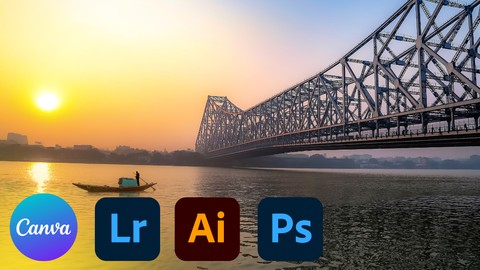
The Complete Photo Editing Masterclass With Adobe and Canva (Udemy.com)
Elevate Your Social Media Presence with Photoshop, Illustrator, Lightroom & Canva for Eye-Catching Content
Created by: Learnify IT
Last updated April 2026
 What you will learn
- Adobe Photoshop: Master essential tools for exposure correction, color adjustments, retouching, and creative compositing.
- Adobe Illustrator: Expert essential tools for exposure correction, color adjustments, retouching, and creative compositing.
- Adobe Lightroom: Organize your photos, streamline your workflow, and apply beautiful presets and adjustments with ease.
- Canva: Design stunning graphics, text overlays, and social media templates to elevate your photos and create a cohesive brand identity.
How it compares
Against the other 413 rated Udemy courses in Graphic Design on CourseDuck:
- Rating4.3 out of 5higher than 21% of them
- Reviews169#244 of 414 by number of reviews
- Length5.7 hourslonger than 58% of them
- Last updatedApril 2026more recently than 75% of them
 Course Description
Transform Your Photos from Ordinary to Extraordinary in This Comprehensive Editing Course!
Master the Industry-Standard Tools (Adobe) & Unleash Your Creativity (Canva)
Whether you're a photographer, hobbyist, or social media enthusiast, this course equips you with everything you need to edit photos like a pro. We'll combine the power of Adobe Photoshop and Lightroom for professional-level editing with the user-friendly design capabilities of Canva to take your photo editing skills to the next level.
Here's what you'll learn:
Adobe Photoshop: Master essential tools for exposure correction, color adjustments, retouching, and creative compositing.
Adobe Illustrator: Expert essential tools for exposure correction, color adjustments, retouching, and creative compositing.
Adobe Lightroom: Organize your photos, streamline your workflow, and apply beautiful presets and adjustments with ease.
Canva: Design stunning graphics, text overlays, and social media templates to elevate your photos and create a cohesive brand identity.
This course is perfect for you if:
You're looking to enhance your social media presence with eye-catching and professional-looking photos.
You want to unlock your creative potential and explore new possibilities in photo editing.
By the end of this course, you'll be able to:
Edit your photos with confidence using powerful tools and proven techniques.
Enhance exposure, correct colors, and retouch photos for a polished look.
Create stunning compositions and add creative effects to your photos.
Design custom graphics and text overlays to complement your photos.
Effectively utilize both Adobe Photoshop & Lightroom for a streamlined workflow.
Leverage the user-friendly interface of Canva to create beautiful social media content.
Enroll now and take your photo editing skills to the next level!

 Udemy Discount
The discount is applied through our link. Open the course from here and Udemy's current promotional price is applied at checkout on most courses, no code to type.
Some courses are excluded from Udemy's promotions. If the price does not drop, clear your browser cookies and use the button again.
Instructor Details

- 4.3 Rating
 169 Reviews
Learnify IT
I am expert in Microsoft Office and a professional with a deep understanding of the various applications and features of the Microsoft Office suite, including Word, Excel, PowerPoint, Outlook, and Access. I have a degree in a related field such as computer science, information technology. I have extensive experience working with these applications in a professional setting.
 More courses by Learnify IT
Figma Essential for User Interface and User Experience UI UX (2026)
4.3 (1,183 Reviews)
 Provider: Udemy
 Time: 4h
$19.99

Python Programming for Beginners: Learn Python from Scratch (2026)
4.5 (980 Reviews)
- Provider: Udemy
- Time: 6.1h
$11.99
Mastering Microsoft Excel A Comprehensive Guide to Boost You (2026)
4.3 (883 Reviews)
- Provider: Udemy
- Time: 4h
$19.99

Python Machine Learning: From Beginner to Pro (2026)
3.9 (811 Reviews)
- Provider: Udemy
- Time: 5.6h
$11.99

AWS Essentials: A Complete Beginner's Guide (2026)
4.1 (678 Reviews)
- Provider: Udemy
- Time: 5.5h
$11.99
Complete MS Office Course Masterclass: Beginner to Advanced (2026)
4.3 (663 Reviews)
- Provider: Udemy
- Time: 11.3h
$11.99
More Graphic Design courses

Adobe InDesign - From Basics to Professional Level Designs (2024)
4.9 (320 Reviews)
- Provider: Udemy
- Time: 11.4h
$84.99

Shop Drawing & Details-Autodesk Revit 2025- for BIM Modelers
4.9 (300 Reviews)
- Provider: Udemy
- Time: 30.9h
$10.99

The Adobe Illustrator CC Mastery Course: Basics to Pro + AI (2026)
4.9 (268 Reviews)
- Provider: Udemy
- Time: 30.8h
$19.99


Software Architecture & System Design Practical Case Studies (2026)
4.8 (2,584 Reviews)
- Provider: Udemy
- Time: 4h
$15.99

Graphic Design Masterclass: Design 40+ Projects in Photoshop (2025)
4.8 (668 Reviews)
- Provider: Udemy
- Time: 16.5h
$109.99
 Reviews

By Prarabdha Kalyanrao Aware on 3/19/2026
amazing teaching and conceptual learning
By Meshawn Decoteau Ed.D, MBA on 12/31/2025
I appreciate how the initial introductory classes were organized to make the learning process easier. I have already recommended this class to others who may enjoy photography but may not be tech savvy.
By Tahmeed Akon on 7/31/2025
The audio is little cranky in whole video
By Victor Joel Campos Altamirano on 5/23/2025
That was a great time learning
By Rohit Soni on 5/12/2025
we can only try and learn canva because it's free version is available but what about lightroom, photoshop, illustrator they all are paid ones
By Tanmoy Mallick on 4/11/2025
audeo is breaking through the course, too short video.
By Eyob Sisay on 4/8/2025
Good, The content is useful, but I would have liked more in-depth explanations and examples for certain features. Overall, it's a good starting point
By Olayinka Ogunmade on 2/28/2025
The facilitator has broad knowledge of this course, making it very informative.
By Adebayo Ayomikun Daniel on 9/7/2024
The instructor's explanations were clear and simple, it makes it easy to understand.
By Sehrish on 8/24/2024
Your course is a very good course informative advanced type of training which gives us a lot of information and benefit
 Quality Score
No CourseDuck member has rated this course yet. Taken it? Give each part a thumbs up or down.
Overall Score : 86 / 100
- Video Duration:
 5.7h
5.7h - Price: $39.99
- Provider: Udemy
- Updated:
 April 2026
 - Level:
 All Levels
 - Language:
 English
 - Certificate:
 Yes
Yes
30-day money-back guarantee on most paid courses
Udemy Coupon Price Tracker
