
 Web Development
 Data Science
 Python
 SQL
SQL JavaScript
 Artificial Intelligence
 IT & Software
 IT Certifications
 Hacking
 AWS
AWS Arduino
 DevOps
 3D Modeling
 Graphic Design
 Photoshop
 Drawing
 Digital Painting
 UX Design
 Business
 Data Analysis
 Communication Skills
 Project Management
 Leadership & Management
 Human Resources
 Digital Marketing
 Social Media Marketing
 Marketing
 SEO
SEO Google Analytics
 Branding
 Excel
Excel Office Productivity
 SAP
SAP PowerPoint
 Microsoft Access
 SharePoint
 Finance & Accounting
 Trading & Investing
 Accounting
 Bitcoin
 Personal Finance
 Video Editing & Animation
 Photography
 Adobe Premier Pro
 Adobe Lightroom
 Personal Development
 Productivity
 Career Development
 Life Coaching
 Health & Fitness
 Meditation & Mindfulness
 Yoga
Yoga Music
Music Music Production
 Guitar
 Piano
Piano Singing
 Language Learning
 Teaching & Academics
 Engineering
 Math
Math Lifestyle
The Complete Social Media Video Editing Masterclass (Udemy.com)
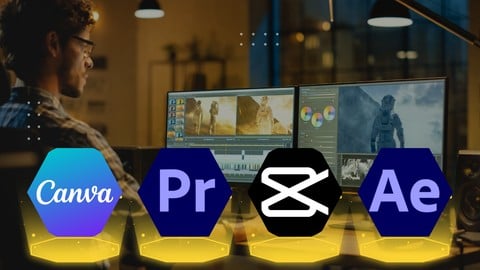
Social Media Video Edit With Adobe Premiere Pro, After Effect, Canva, Capcut
Created by: Sayman Creative Institute
Last updated March 2026
 What you will learn
- Import, edit, and organize your video clips with confidence.
- Apply stunning visual effects, transitions, and motion graphics.
- Incorporate captivating text, animations, and lower thirds.
- Add high-quality sound effects and royalty-free music.
- Export your videos in various formats for different platforms.
How it compares
Against the other 413 rated Udemy courses in Graphic Design on CourseDuck:
- Rating4.1 out of 5higher than 6% of them
- Reviews494#105 of 414 by number of reviews
- Length5.5 hourslonger than 55% of them
- Last updatedMarch 2026more recently than 69% of them
 Course Description
Dominate Social Media: Video Editing Masterclass with Premiere Pro, After Effects, Canva & CapCut
Stop Scrolling, Start Creating!
This action-packed course equips you to become a social media video editing pro. We'll explore a powerhouse combo: industry-standard Adobe Premiere Pro and After Effects for advanced editing and motion graphics, alongside the user-friendly Canva and mobile app CapCut for quick edits and on-the-go creation.
No Experience Needed!
Whether you're a complete beginner or have some editing experience, this course is designed for you. We'll break down each platform step-by-step, so you'll be editing like a pro in no time.
Here's What You'll Master:
Adobe Premiere Pro: Conquer the fundamentals of video editing, from cutting clips and adding transitions to color correction and audio mixing.
After Effects Essentials: Breathe life into your videos with captivating motion graphics, text animations, and special effects.
Canva for Visuals: Design stunning social media graphics, intros, and outros with ease using Canva's intuitive interface.
CapCut on the Go: Learn to edit captivating videos for Instagram Reels, TikTok, and other platforms directly from your mobile device.
Go Beyond the Basics:
This course doesn't just teach you the tools; it teaches you how to use them effectively. You'll learn:
Social Media Storytelling: Craft engaging narratives that grab attention and keep viewers hooked.
Platform Optimization: Tailor your video content for specific social media platforms to maximize reach and engagement.
Trending Video Styles: Learn the latest editing techniques and effects used by top creators to make your videos stand out.
Project-Based Learning:
Sharpen your skills with real-world projects like creating a social media ad, a product explainer video, and a stunning Instagram Reel.
By the end of this course, you'll be able to:
Edit professional-quality social media videos from start to finish.
Add captivating motion graphics and special effects using After Effects.
Design stunning visuals for your videos with Canva.
Create engaging content on-the-go with CapCut.
Stand out on social media with unique and effective video content.
This course is perfect for:
Anyone who wants to create captivating videos for social media
Enroll today and become a social media video editing master!

 Udemy Discount
The discount is applied through our link. Open the course from here and Udemy's current promotional price is applied at checkout on most courses, no code to type.
Some courses are excluded from Udemy's promotions. If the price does not drop, clear your browser cookies and use the button again.
Instructor Details
- 4.1 Rating
 494 Reviews
Sayman Creative Institute
Hello there! Welcome to Sayman Creative Institute and we are excited to be your mentor on this exciting journey into the realms of Graphics Design and Video Editing. With a decade-long adventure in these dynamic fields, I'm here to share insights, techniques, and creative processes that will empower you to bring your ideas to life.
Unleash Your Creative Superpowers: Join us as we dive headfirst into the exhilarating world of graphics design. From understanding design fundamentals to conquering advanced techniques in Adobe Creative Suite, we'll traverse a spectrum of artistic expression. Let's unlock your ability to create stunning visuals that leave a lasting impact.
Craft Visual Stories That Resonate: Lights, camera, creativity Together, we'll explore the art of video editing, where every frame holds a piece of the narrative puzzle. From slicing and dicing footage to seamlessly blending visual effects, We are here to guide you through Adobe Premiere Pro, After Effects, and other tools that professionals use.
Why Learn With Me? Having worked with global brands and independent creators, our journey has equipped us with a treasure trove of practical insights. Our goal is to demystify complex concepts and equip you with actionable skills. Whether you're a curious beginner or a seasoned creator seeking to refine your abilities, our courses are tailored to all skill levels.
 More courses by Sayman Creative Institute

Figma for User Interface and User Experience UIUX Design (2026)
4.5 (839 Reviews)
 Provider: Udemy
 Time: 5h
$19.99

Python for Everyone Master the Basics of Programming (2026)
4.4 (781 Reviews)
- Provider: Udemy
- Time: 6.5h
$39.99
Learn UI UX Design Adobe XD : Learn User Experience Design (2026)
4.4 (713 Reviews)
- Provider: Udemy
- Time: 4.2h
$19.99
JavaScript Fundamentals to Advanced: Full Stack Development (2026)
4.4 (708 Reviews)
- Provider: Udemy
- Time: 5.7h
$19.99

The Ultimate Microsoft Excel: Essential Comprehensive Guide (2026)
4.3 (706 Reviews)
- Provider: Udemy
- Time: 4.5h
$19.99
Microsoft Office Mastery Learn Word Excel and PowerPoint (2026)
4.5 (600 Reviews)
- Provider: Udemy
- Time: 12.6h
$59.99
More Graphic Design courses

Adobe InDesign - From Basics to Professional Level Designs (2024)
4.9 (320 Reviews)
- Provider: Udemy
- Time: 11.4h
$84.99

Shop Drawing & Details-Autodesk Revit 2025- for BIM Modelers
4.9 (300 Reviews)
- Provider: Udemy
- Time: 30.9h
$10.99

The Adobe Illustrator CC Mastery Course: Basics to Pro + AI (2026)
4.9 (268 Reviews)
- Provider: Udemy
- Time: 30.8h
$19.99


Software Architecture & System Design Practical Case Studies (2026)
4.8 (2,584 Reviews)
- Provider: Udemy
- Time: 4h
$15.99

Graphic Design Masterclass: Design 40+ Projects in Photoshop (2025)
4.8 (668 Reviews)
- Provider: Udemy
- Time: 16.5h
$109.99
 Reviews

By Keegan Sharp on 4/8/2026
I expected a little more out of this course it was basically just a course that showed how to use very limited tool in each of the apps. i would have liked more explanations on the tool that are available for doing different things, basically did the same edits for all 3 demonstrations of the apps with no variety in different tools used for YT shorts, Reels, TikTocks, Facebook. The end result of all the videos was the pretty much same no matter what app you used. It was a easy course to follow and learn and a good demonstration of how to use each app
By Isha Gawas on 10/22/2025
its in simple language,I can easily understand and apply all steps.
By Mikiyas Seyoum Kostir on 8/6/2025
I am just a beginner and so far, it is very engaging, and I want to know all what I need to know.
By Easha Yasin on 7/29/2025
just a few things i faced difficulty with is that the tutor never responds to the queries, moreover, if the softwares are paid, then their crack links should be mentioned.
By Melanie Field on 7/2/2025
Seems like he can say outloud exactly what he is clicking on bec the curser is moving so fast its hard to know what he is clicking on. He can also explain WHY is doing things. and I would like to know HOW to post to the canva reel to instagram. He stopped at downloading it.
By Japhet Vincent Ramirez on 6/19/2025
I Think each chapter is a little bit compressed, but all in all i learned a lot , thank instructor, Keep on Sharing your Skills with others!
By Oluwafemi Kings Boluwatife on 6/3/2025
I'm halfway into the course right now and it's really very nice. Maybe I'd drop a review after the video but for now I'll give it a 4.5/5
By Shane Dolleris on 5/14/2025
He repeats the same words 100's of time. "Over here" x 1000. The course could be 2.5 hours if he didnt repeat the same words over and over and over again. Very difficult to listen to. Very annoy to sit and watch.
By Mukeshkumar K on 1/31/2025
This is good what I expected to this video I got my feel this is so useful for me keep going
By Ruth Gacheru on 10/11/2024
Great and detailed course. I can now call myself a social media video editing guru!
 Quality Score
No CourseDuck member has rated this course yet. Taken it? Give each part a thumbs up or down.
Overall Score : 82 / 100
- Video Duration:
 5.5h
5.5h - Price: $19.99
- Provider: Udemy
- Updated:
 March 2026
 - Level:
 All Levels
 - Language:
 English
 - Certificate:
 Yes
Yes
30-day money-back guarantee on most paid courses
Udemy Coupon Price Tracker
