
 Web Development
 Python
 SQL
SQL JavaScript
 Data Science
 Artificial Intelligence
 IT & Software
 IT Certifications
 Hacking
 Arduino
 AWS
AWS 3D Modeling
 Graphic Design
 Photoshop
 Drawing
 Digital Painting
 UX Design
 Business
 Data Analysis
 Communication Skills
 Project Management
 Leadership & Management
 E-Commerce
 Digital Marketing
 Social Media Marketing
 Marketing
 SEO
SEO Google Analytics
 Branding
 Office Productivity
 Excel
Excel Finance & Accounting
 Bitcoin
 Video Editing & Animation
 Photography
 Adobe Premier Pro
 Adobe Lightroom
 Personal Development
 Health & Fitness
 Music
Music Guitar
 Teaching & Academics
 Language Learning
 Engineering
 Lifestyle
The Ultimate Cisco CCNA Packet Tracer Project (Udemy.com)
Master your CCNA studies, knowledge, and practical skills using this full packet tracer project course.
Created by: Bassam Alkaff
Last updated September 2024
 What you will learn
- The only complete CCNA project course using packet tracer on Udemy.
- Refresh CCNA knowledge and practical skills.
- Understand and apply CCNA technologies in a full project environment.
- Use techniques that speed up and ease tasks configuration, and minimize mistakes.
 Course Description
***The only complete CCNA project course using packet tracer on Udemy.***
Whenever I finished teaching CCNA in a classroom, my students ask me to give them a full project to apply their knowledge and master their practical skills. And from there, the idea of this course came. Usually, when students study CCNA, they practice technologies in separate labs for each technology. Therefore, they feel that they are lacking practicing labs where multiple technologies interact, and depend on each other. For example, if your layer 2 technologies such as trunking and EtherChannel do not work, then your layer 3 technologies such as routing will not work. Furthermore, students want to practice labs that simulates real networks in production as much as possible. For these mentioned reasons, I have created this course so that students:
- Refresh, strengthen, and master CCNA knowledge and practical skills.
- Apply CCNA knowledge in a full project that simulates real networks in production.
- Feel how the configuration section in the CCIE lab looks like , with many required tasks, and where multiple technologies interact and depend on each other , but at the CCNA level.
- Learn how to use techniques that speed up and ease configuration, and minimize mistakes such as using history command and notepad. These techniques are useful even when working with real projects in production.
You can use this course to refresh or complement your CCNA studies. Please do not depend on it alone for your CCNA studies. It is assumed that you are either finished CCNA currently or long ago, or are studying for it currently.
This course contains articles, videos, the network topology in packet tracer, files of the required tasks and complete solutions. Each task is solved in a separated video that is preceded by an article that contains a brief explanation of technology in the task, its configuration and verification. I strongly recommend reading each article before watching the companion video. Also, try to solve each task yourself first before watching the solution in the video or reading it in the solution file.
This course consists of six sections:
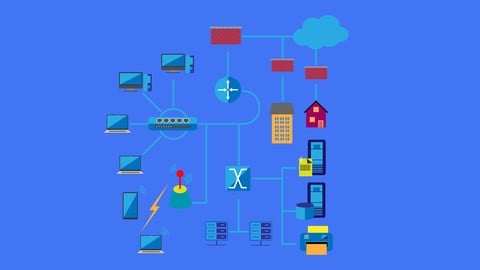
- Course Introduction and overview: where I explain the network design and topology, and you will find the packet tracer topology, and the tasks required to be configured.
- Configuring the Main Site: where Layer 2 and Layer 3 technologies are configured to achieve full connectivity within the main site.
- Configuring the Branches: where the branches are configured so that we achieve full connectivity within the whole network.
- Configuring Additional Features and Security: where features that enhances the performance and security of the network are implemented.
- Configuring Internet Connectivity: where connectivity to and from the Internet is configured securely.
- Final Verification and Full Solutions: where final & full verification of our configuration is done and a file of the full solutions is provided.

 Udemy Discount
The discount is applied through our link. Open the course from here and Udemy's current promotional price is applied at checkout on most courses, no code to type.
Some courses are excluded from Udemy's promotions. If the price does not drop, clear your browser cookies and use the button again.
Instructor Details

- 5.0 Rating
 210 Reviews
Bassam Alkaff
Hello, My name is Bassam Faisal Alkaff and I am here to help YOU become a better network engineer in the right way by learning through a hands-on approach.
I have worked in the field of IT for more than 20 years. I specialize in networking and information security and hold several certifications such as CCDP, CCNPx3 (R&S, Sec, SP), VCPx2 (DC & NV), ITILv3.
I have trained in IT training centers like APTECH, New Horizons, and ExecuTrain. Currently I work as Remote Author @ INE (Authored the following courses: CCNA Cyber Ops Labs - Create Your Labs and MTA : Networking Fundamentals (Exam 98-366) ) & publish Cisco courses on Udemy platform.
I was the Top IEOC Contributor in July 2012 ( Internetwork Expert Online Community from INE).
Beside technology, I like reading, creative writing, learning new languages, playing chess, and watching soccer games.
 More courses by Bassam Alkaff

Cisco Troubleshooting Labs For CCNA, CCNP, and CCIE Students (2026)
4.9 (819 Reviews)
 Provider: Udemy
 Time: 6.8h
$10.99

CCNA Cyber Ops Tools: Sec Onion, Wireshark, and Kali Linux (2025)
4.9 (292 Reviews)
- Provider: Udemy
- Time: 4.5h
$10.99
More IT Certifications courses

Master Splunk Enterprise Administration: Certification Prep (2024)
5.0 (154 Reviews)
- Provider: Udemy
- Time: 1.8h
$59.99
Cisco Troubleshooting Labs For CCNA, CCNP, and CCIE Students (2026)
4.9 (819 Reviews)
- Provider: Udemy
- Time: 6.8h
$10.99
CCNA OSPF troubleshooting: Cisco CCNA and ICND2 exam prep (2020)
4.9 (424 Reviews)
- Provider: Udemy
- Time: 2h
Free
CCNA Cyber Ops Tools: Sec Onion, Wireshark, and Kali Linux (2025)
4.9 (292 Reviews)
- Provider: Udemy
- Time: 4.5h
$10.99

ISTQB Certified Tester - Foundation Level latest Version (2025)
4.9 (224 Reviews)
- Provider: Udemy
- Time: 9.5h
$19.99

Cisco CCNA 200-301 – The Complete Guide to Getting Certified (2026)
4.8 (90,672 Reviews)
- Provider: Udemy
- Time: 42.7h
$19.99
 Reviews

By Isaac Henry on 5/19/2026
This course was exactly what I needed to refresh and strengthen my networking skills through real hands-on practice. The instructor explains everything clearly while building a complete network step by step in Cisco Packet Tracer. I especially liked how multiple CCNA technologies were combined into one practical project instead of isolated labs. Another thing I really appreciated was the use of useful techniques and shortcuts that helped speed up the configuration process without making things confusing. The instructor also included verification after each major configuration step, which made troubleshooting and understanding the network behavior much easier. Overall, this is an excellent practical course for anyone preparing for CCNA, revising old concepts, or looking to gain more confidence with real-world Cisco configurations.
By Giovanni L on 2/11/2025
Great practical course!!! Thanks to the instructor, you can create a complete network step by step by applying the technologies studied during the CCNA preparation I hope you can implement this lab by inserting other technologies (VPN, WLC, DAI, DHCP Snooping and more) Thanks!!!!
By Andy Nicolson on 2/6/2025
A very good project. It is similar to the CCIE lab exam, but with technologies covered in the CCNA curriculum. Furthermore, it simulates a network similar to real ones (HQ, branches, servers, Internet connectivity, etc.).
By Ferdinand Austin on 9/10/2024
This is a great review of the CCNA commands and concepts and acts as an excellent warm-up for my CCNP studies. The course is very practical and unique in its attempt to demonstrate how to configure a full network that contains multiple related technologies, not just individual ones. This makes the course somehow challenging, but the methods used in configuration, alongside the explanation ways, make everything understandable and easy to follow. I would recommend it as a CCNA graduation project, a refresh of CCNA, and/or as a CCNP starting point.
By KAZUYA AIHARA on 9/4/2022
I learned various commands systematically through this course. The instructor was knowledgeable and answered my questions promptly. I highly recommend this course if you want practical learning after obtaining your CCNA. If possible, the final section of the course. We think it would be perfect if a completed .pkt was provided.
By Mike Yasinski on 6/13/2020
Brilliant and complete. Everything you need to practice with this project is included: Docs, solution videos, and very useful techniques for configuration and verification. Suitable to be a CCNA graduation project.
By Tim Berry on 12/4/2019
This project combines most technologies used in the CCNA curriculum in a practical manner and as one whole unit, not as separated labs, so that was a great and awesome experience. The availability of pre-task documents was nice for refreshing knowledge and preparing for practicing with the tasks. There is project topology in packet tracer ready to download and start working with, and I do see a full solutions document at the end of the course, so one can copy and paste commands if something went wrong or if one doesn't figure out the right solution.
By Mazen Dumba3 on 5/4/2019
The best way to learn configuring Cisco devices is by practicing, especially with a complete project, or a multi-technology lab, which is what this course provides. I am very happy that I got the chance to learn from such an amazing instructor, and to refresh my old knowledge of networking with this course.
By Abdulaziz on 11/15/2017
It is really a great project which gathers all topics in CCNA course. Thank you Dear Eng. Bassam for the amazing project which helps us so much as it touches the real life use.
By Dylan Cassidy on 9/23/2017
So far so good, I have a job interview coming up in a few days and I wanted to brush up on my cisco config which I haven't done in a few years. I wasn't sure where to start and this course was exactly what I was looking for, very happy that I found it
 Quality Score
No CourseDuck member has rated this course yet. Taken it? Give each part a thumbs up or down.
Overall Score : 100 / 100
- Video Duration:
 3.2h
3.2h - Price: $89.99
- Provider: Udemy
- Updated:
 September 2024
 - Level:
 Intermediate
 - Language:
 English
 - Certificate:
 Yes
Yes
30-day money-back guarantee on most paid courses
Udemy Coupon Price Tracker
