
 Web Development
 Data Science
 Python
 SQL
SQL JavaScript
 Artificial Intelligence
 IT & Software
 IT Certifications
 Hacking
 AWS
AWS Arduino
 DevOps
 3D Modeling
 Graphic Design
 Photoshop
 Drawing
 Digital Painting
 UX Design
 Business
 Data Analysis
 Communication Skills
 Project Management
 Leadership & Management
 Human Resources
 Digital Marketing
 Social Media Marketing
 Marketing
 SEO
SEO Google Analytics
 Branding
 Excel
Excel Office Productivity
 SAP
SAP PowerPoint
 Microsoft Access
 SharePoint
 Finance & Accounting
 Trading & Investing
 Accounting
 Bitcoin
 Personal Finance
 Video Editing & Animation
 Photography
 Adobe Premier Pro
 Adobe Lightroom
 Personal Development
 Productivity
 Career Development
 Life Coaching
 Health & Fitness
 Meditation & Mindfulness
 Yoga
Yoga Music
Music Music Production
 Guitar
 Piano
Piano Singing
 Language Learning
 Teaching & Academics
 Engineering
 Math
Math Lifestyle
UI UX Design Essentials: Create a Design System in Sketch (Udemy.com)
UI/UX course where we'll be designing a Design System in Sketch App from scratch
Created by: Pierluigi Giglio
Last updated July 2020
Our take
Based on the ratings of 133 students, a sample of their written reviews and the syllabus, as the course stood in July 2020. No course pays to be reviewed.
This is a short, free course on one narrow job: setting up a design system in Sketch from a blank canvas. Across 6 lectures and about 100 minutes, Pierluigi Giglio sets up color styles, text styles and icons, touches on symbols and nested symbols, and talks through when a design system helps and when it gets in the way. It ends with a list of outside resources, including some well-known brand design systems. It is pitched at intermediate designers, and that fits. The syllabus assumes existing Sketch and Mac skills, so total beginners will feel lost quickly.
Reviewers mostly like the pace. They call it clear, practical and not too long, and one student singled out the time-saving plugins Giglio shows. The rating breakdown backs that up: 111 of 133 reviews are four or five stars. The complaints are about depth. A four-star reviewer wanted more on why one font size was chosen over another, and the handful of one and two-star reviews say the content is thin. That is fair criticism for a single-section course. The bigger caveat is age. It was last updated in July 2020, so expect an older Sketch interface, and there are no exercises or projects to practice on.
Since it costs nothing and takes an evening, the risk is low. In our Sketch list it sits alongside courses such as Sketch from A to Z; treat this one as a single-topic add-on, not a full Sketch course. Take it if you already use Sketch and want the design system idea explained in one sitting. If you have moved to Figma, the concepts carry over but the clicks won't.
Pros
- Free and under two hours, so it fits in a single sitting
- Reviewers call the explanations clear and practical, with real-life examples
- Covers when a design system is a bad idea, not just how to build one
- Shows time-saving Sketch plugins, which one reviewer singled out as a highlight
Cons
- Last updated July 2020, so the Sketch interface shown is several versions old
- Only 6 lectures in one section, and the low-star reviews call the content thin
- No exercises, quizzes or projects, and it requires Sketch on a Mac
I thought this course would go into more detail on particular details like why this font size instead of another, but overall I can't complain. I learned a lot!
Listed as intermediate, and that's right: it assumes basic Sketch and Mac skills, despite the audience list also naming beginners.
 What you will learn
- Create a Design System in Sketch
- Use Text and Color Styles in Sketch
- How to Create Scalable Design Projects
- Pros and Cons of a Design System
- Advanced Sketch Design Workflows
- Tips and Tricks for Design Systems
Course content
1 section · 6 lectures · 1.7 hours of video 1 article
- 1Introduction 2 free previews6 lectures · 1.7 hours
Who it is for
The instructor says it suits
- Beginner, Intermediate and Expert Designer
- Design Students
- Design Hobbyist
What you need before you start
- Basic Knowledge of Sketch
- Basic Understanding of a Mac
 Course Description
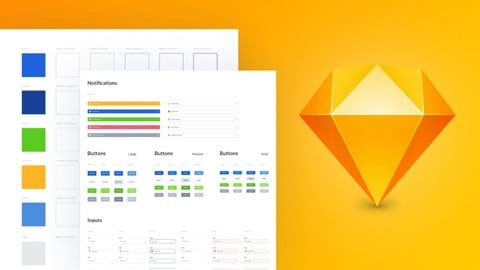
In this Sketch UI/UX course we will create a Design System in Sketch App starting from scratch.
We will open up Sketch and using a blank canvas we will set up a document using color styles, text styles, icons and briefly touch on symbols and nested symbols. We will also discuss why and when to use a design system, as well as talking through when it’s not a good idea to set up a design system.
We will end the course with mentioning some important resources (such as blog posts and famous brand’s design systems) related to design systems and discuss best practices and thing to avoid.
We will doing this while working for the most part on Sketch App for Mac.
To follow along this design system tutorial you should ideally have a basic understanding of Sketch App and have some basic design knowledge (optional).
This course is aimed at people interested in UI/UX Design and if you already have some UI UX Design experience and want to get up to speed using design systems in Sketch App then this course is perfect for you too!
Here’s some testimonials from some of my previous students:
Pierluigi gave me lots of useful advice that had a positive impact on my freelance design business. He carefully listened to my needs and leveraged his many years of experience to point me in the right direction with a very clear and professional approach. I highly recommend him.
- Shahin
Pierluigi is an amazing detailed designer and that's not all, he is also a great design coach that has a lot of useful advice to give from his many years of experience.
- Leotrim
Pierluigi’s UI/UX advice and consultation was very useful for improving and organising my design workflow and he demonstrated great knowledge on both UI/UX Design as well as Personal Branding and Marketing. I highly recommend him!
-Andrea
Don’t wait, if you’re serous about learning about design systems in Sketch get started now!

 Udemy Discount
The discount is applied through our link. Open the course from here and Udemy's current promotional price is applied at checkout on most courses, no code to type.
Some courses are excluded from Udemy's promotions. If the price does not drop, clear your browser cookies and use the button again.
Instructor Details

- 4.2 Rating
 133 Reviews
Pierluigi Giglio
I am a Sr. UI/UX Designer and Consultant with over 8+ years of experience working with Fortune 500, large enterprises and funded startups. I have been working remotely and recently earning six figures in a year as a designer and entrepreneur while occasionally traveling to different countries.
Design has been my main passion and focus since I was 14 years old and since this field gave soo much to me I believe it’s now my turn to give back and share my knowledge (plus shortcuts/secrets) to become a successful designer who can craft the life and vision that they desire.
Having worked on hundreds upon hundreds of design projects, collaborated with 40+ clients from all around the world and taught design to thousands of students I am very grateful that I have the opportunity to give back to the design community ad help You become a better designer - one step at a time.
 More courses by Pierluigi Giglio

Learn Figma for UI UX Design (with a Design Project) (2021)
4.0 (3,562 Reviews)
 Provider: Udemy
 Time: 30 mins
Free



Learn Canva in Under 2 Hours - Canva for Beginners (2021)
4.0 (229 Reviews)
- Provider: Udemy
- Time: 2h
$59.99

Learn Adobe XD essentials for UI/UX Design (2023)
4.4 (174 Reviews)
- Provider: Udemy
- Time: 4.1h
$49.99

Graphic Design Theory for Beginners 101 (Essentials) (2021)
4.1 (78 Reviews)
- Provider: Udemy
- Time: 5.8h
$39.99
More Sketch courses

Sketch from A to Z: Become an app designer (2025)
4.6 (10,354 Reviews)
- Provider: Udemy
- Time: 4.6h
$119.99

UI Animation using Sketch 3, Principle App, and Flinto (2018)
4.6 (1,105 Reviews)
- Provider: Udemy
- Time: 8.7h
$54.99

The Complete Sketch 5 Course - Design Apps & Websites 2021
4.5 (4,128 Reviews)
- Provider: Udemy
- Time: 15.3h
$84.99

Hands on Sketch Training - Learn Mobile App Design (2020)
4.5 (109 Reviews)
- Provider: Udemy
- Time: 17.1h
$19.99

Mastering Mobile App Design With Sketch 3 (2018)
4.4 (710 Reviews)
- Provider: Udemy
- Time: 5.1h
$39.99

From Sketch Design to iOS App with Swift and Xcode (2020)
4.4 (270 Reviews)
- Provider: Udemy
- Time: 4.1h
$59.99
 Reviews

By Myrt Monroe on 5/19/2025
This course is really well-structured. The teacher goes in deep with clear explanations and shares some real-life examples. It’s great for getting a feel for practical and user-friendly workflows.
By Muhammad Tauseef on 5/17/2025
Yes, Little bit. but I want more advance level course.
By Kowsika Devi on 2/28/2025
Overall Experience is nice and I learnt lot from this course Thankyou!
By Alexander on 1/24/2025
Very good and practical course that isnt to long and very clear
By Shankar Kalluraya on 12/17/2023
nothing is there in this course
By Katerina Matzourani on 10/24/2023
Great course and I loved the plugins that saved time
By Yasmin Sarıkaya on 8/17/2022
So far so good. I have only watched a few clips, but I feel like it’s very informing.
By Katarzyna Mielczarek on 3/19/2022
Bardzo dużo praktycznej wiedzy. Polecę znajomym!
By Yolanda Jasso on 11/9/2021
Great course and I loved the plugins that saved time. This course made it easy to build from scratch.
By Md.Ali Hossain on 1/22/2021
Great Course. Love this. Thanks for your amazing course its help me to improve my skills.
 Quality Score
No CourseDuck member has rated this course yet. Taken it? Give each part a thumbs up or down.
Overall Score : 84 / 100
- Video Duration:
 1.7h
1.7h - Price: Free
- Provider: Udemy
- Updated:
 July 2020
 - Level:
 Intermediate
 - Language:
 English
 - Certificate:
 No
No - Lectures:6 in 1 section
- Students:14,700
- Subtitles:1 language
Udemy Coupon Price Tracker
