
 Web Development
 Data Science
 Python
 SQL
SQL JavaScript
 Artificial Intelligence
 IT & Software
 IT Certifications
 Hacking
 AWS
AWS Arduino
 DevOps
 3D Modeling
 Graphic Design
 Photoshop
 Drawing
 Digital Painting
 UX Design
 Business
 Data Analysis
 Communication Skills
 Project Management
 Leadership & Management
 Human Resources
 Digital Marketing
 Social Media Marketing
 Marketing
 SEO
SEO Google Analytics
 Branding
 Excel
Excel Office Productivity
 SAP
SAP PowerPoint
 Microsoft Access
 SharePoint
 Finance & Accounting
 Trading & Investing
 Accounting
 Bitcoin
 Personal Finance
 Video Editing & Animation
 Photography
 Adobe Premier Pro
 Adobe Lightroom
 Personal Development
 Productivity
 Career Development
 Life Coaching
 Health & Fitness
 Meditation & Mindfulness
 Yoga
Yoga Music
Music Music Production
 Guitar
 Piano
Piano Singing
 Language Learning
 Teaching & Academics
 Engineering
 Math
Math Lifestyle
Unreal Engine 5 - Create Professional Cinematics & Trailers! (Udemy.com)
Master Cinematic Creation in UE5 with free assets, covering Animation, VFX, Lighting, Rendering and more step-by-step.
Created by: 3D College
Last updated July 2026
 What you will learn
- How to Install UE5, Download Marketplace Assets, and Navigate the Engine.
- How to Edit Levels, Add and Control Static Meshes, Use Quixel Megascans, and Foliage.
- Create Scenes in UE5 and Use All the Fundamental Cinematic Tools in the Engine, such as Camera Rig Rail & Rig Crane.
- How to Animate a Full Cutscene, Industry Standard Rules, How to Add Characters with Animations.
- How to Add Extra Effects Like Camera Shake, Particle VFX, Niagara VFX, Sounds, and Transitions.
- Create Lighting for Your Scenes from Scratch, Detailed Explanation, and Control of Post Process Volume.
- Professional Camera Settings and Rendering Features.
- Bonus Chapter - Creating and Color Grading Your Rendering in Da Vinci Resolve.
How it compares
Against the other 293 rated Udemy courses in Video Editing & Animation on CourseDuck:
- Rating4.6 out of 5higher than 74% of them
- Reviews251#123 of 294 by number of reviews
- Length4.8 hourslonger than 60% of them
- Last updatedJuly 2026more recently than 93% of them
 Course Description
Are you a game developer looking to enhance your Cinematics or an animator eager to master real-time animation in Unreal Engine? You're in the right place! In this course, I'll walk you through everything you need to know about creating Cinematics in Unreal Engine. We'll harness the Engine's powerful toolset and go through the entire process of crafting impressive cutscenes. It is the top-rated UE5 Cinematic Course available on Udemy!
This course is run by an Authorized Unreal Engine Instructor.
If you're new to Unreal Engine, don't worry, I've got you covered. This course includes essential basics, from installing the engine to setting up projects and navigating level editing. We'll exclusively use free assets and create a complete video together, step by step, covering character animation, Niagara VFX, Lighting systems, and Post Process workflows.
Once you've mastered the fundamentals or if you already have experience, we'll explore UE5's cinematic tools. You'll learn to use the Cinematic Camera for realistic movie simulations and delve into tools like the Rail Rig and Crane Rig for professional camera movements, based on my years of experience and daily workflow.
Here’s what makes this course stand out:
Always Updated: Regularly refreshed to include the latest UE5 updates, so you’re always learning with the most current tools and techniques.
Beginner-Friendly Structure: Start with no prior knowledge. Each lesson builds on the last, ensuring you gain confidence with every step.
Cinematic System: You will learn how to use Cinematic tools in Unreal Engine 5, create scenes, and build complex sequences for video games and your video productions.
VFX System: You will discover how to use Niagara VFX and the Particle system in your Cinematics, control VFX inside the Sequencer, and customize them to fit your needs.
Landscape: You will learn how to edit your Landscape for Cinematic production, using Megascans and Foliage System.
Thorough Fundamentals: Gain a solid understanding of Unreal Engine 5’s core features, fully preparing you for more advanced topics.
Rendering: You will learn how to set up the Da Vinci video editing process, manage color space, and select the correct settings. I will cover the most essential Unreal Engine 5’s Rendering options.
I've had the pleasure of creating and leading projects for many companies, including brands like EA, Plarium, Konami, and Square Enix. The extensive experience I've gained, I aim to pass on to aspiring artists in my courses, who find themselves in the same place where I once started my journey.

 Udemy Discount
The discount is applied through our link. Open the course from here and Udemy's current promotional price is applied at checkout on most courses, no code to type.
Some courses are excluded from Udemy's promotions. If the price does not drop, clear your browser cookies and use the button again.
Instructor Details

- 4.6 Rating
 251 Reviews
3D College
3D College was created with beginner artists in mind, those who want to start their journey with Unreal Engine or become indie developers. We design courses that have helped thousands of students gain new knowledge and skills. As 3D artists with years of professional experience, we strive to share the expertise we've gained while working on professional productions. In the coming months, new artists will join our team of instructors, currently preparing courses for both beginner and intermediate level students.
My name is Martin, and I am the founder of 3D College. I have been involved in photography, 2D, and 3D graphics for many years. I specialize in working with Unreal Engine 5 and, over the years, have had the privilege of creating and leading projects for numerous companies, primarily in the video game industry, including brands like EA, Plarium, Konami, and Square Enix. The extensive experience I’ve gained (often through sleepless nights) I aim to pass on to aspiring artists in my courses, helping them in the same place where I once began my own journey.
If you'd like to learn more about our mission and connect directly with our instructors, you're always welcome to join our community - Unreal Engine 5 Community, an ideal place for rapid growth.
 More courses by 3D College
Unreal Engine 5 - Beginner Course for Game Development (2026)
4.5 (62 Reviews)
 Provider: Udemy
 Time: 11.4h
$84.99
More Video Editing & Animation courses

Learn to Storyboard for Film or Animation (2024)
4.8 (2,727 Reviews)
- Provider: Udemy
- Time: 2.2h
$12.99


Fire Starter Sessions Video Workshop with Danielle LaPorte (2017)
4.8 (1,205 Reviews)
- Provider: Udemy
- Time: 3.7h
$11.99

The Ultimate Color Grading Bootcamp in DaVinci Resolve (2026)
4.8 (947 Reviews)
- Provider: Udemy
- Time: 8.7h
$19.99

The Complete Talking Head Video Production Masterclass (2026)
4.8 (319 Reviews)
- Provider: Udemy
- Time: 17.6h
$59.99

The Complete iMovie Course - from Beginner to Advanced 2026!
4.7 (2,021 Reviews)
- Provider: Udemy
- Time: 11.1h
$10.99
 Reviews

By Sergey on 4/5/2026
I really enjoyed this course! I’m a complete beginner in this field, but thanks to this course, I was able to easily create my first scene. I especially appreciated how the instructor went into great detail regarding the many tools necessary for a thorough understanding of the fundamentals. I think this is an excellent start to a long journey into the world of cinematics!
By nadine sephton on 3/19/2026
Taking this course was a powerful step in leveling up my cinematic creation skills in Unreal Engine 5. It was a perfect match for my interests, especially with its focus on real-time storytelling using animation, VFX, lighting, and rendering. What stood out most was the hands-on, step-by-step approach using free assets, which made it easy to follow while still producing high-quality, professional-looking results. I was able to build complete cinematic scenes, experiment with lighting for mood and atmosphere, and integrate VFX to enhance visual impact. The course didn’t just teach tools — it helped me think like a cinematic creator, understanding how all elements work together to create immersive experiences. It directly improved my workflow, confidence, and ability to bring ideas to life inside Unreal Engine. Overall, it was highly practical, creatively inspiring, and a great fit for anyone serious about real-time cinematics and game-ready visuals.
By Noshpash Chaturongkagul on 3/10/2026
The content focuses on the steps and processes involved in a particular aspect of the story. It presents only a portion of the techniques relevant to the story; however, further application and development may be necessary for other aspects of the story.
By Eric on 6/20/2025
Brilliant course This one deserves 5/5 if not for the outdated asset packs that were a bit bugged and took a long time to fix. I contacted the course instructor. The replies were fast, he could recognize the problems were and his solutions worked. In that sense the instructor gets 5/5 UE5 gets multiple updates a year and the relations with Quixel is ended hence its hard and not to be expected from an instructor to keep up with a totally updated course.
By Flywheel Games on 6/5/2025
It's exactly what's needed for a person who is familiar with Unreal Engine, but has little to no idea about cinematic tools. I encourage next students to follow all the steps in the videos - it gives a really good practical experience of creating cinematics.
By Tomasz Kobus on 4/1/2025
I can see on lesson 2:4 many details unpopular in other Unreal Engine courses and I very like it. Some educators focus too much on teaching only those Unreal Engine tools and features that are relevant to the course being taught, rather than covering the full set.
By Nikola Tofilovski on 2/20/2025
The only reason for 2.5 stars rating is that the narrator spends most of the course explaining one thing while simultaneously clicking on something completely different. What he says doesn’t match what he’s doing on screen—it's just unbelievable! This is very inconvenient for beginners. That being said, the level of knowledge that can be gained from this course is quite good.
By Gary Redel on 1/25/2025
EDIT: I gave the course itself a 5 star because the creator makes a good job to dive into all categories deep enough to create really good cutscenes without to get overwhelming for newbies. Also like the record function to play the car yourself and add it to the cutscene. Just one thing: It would be a nice addition if one chapter shows via blueprints to trigger a cutscene and make a dynamic binding. That helps game devs very much to use the own player character in the cutscene. Support is awesome as well. I had a problem (not related to the course but with cutscenes) and the creator took me into a privat call with a professional friend to fix my problem. Big thumbs up for this!
By Nicklas Farmer on 10/22/2024
Very easy to follow along with! Great course to take. I’m brand new at this and this course taught me how to create a full film. It’s 4.5 hrs long but it should take you longer because you need to take notes there’s a lot that goes into this stuff.
By Ganesh Tiwari on 7/5/2024
I recently completed an Unreal Engine course, and I can’t recommend it enough. The instructor’s expertise and clear explanations made the learning process enjoyable. From creating stunning cinematics to implementing vfx to make yours shot appealing, this course covered it all. if you’re a beginner and looking to level up your skills, give this course a shot—you won’t be disappointed! Happy learning!
 Quality Score
No CourseDuck member has rated this course yet. Taken it? Give each part a thumbs up or down.
Overall Score : 92 / 100
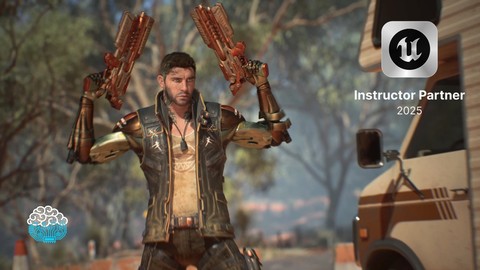
- Video Duration:
 4.8h
4.8h - Price: $89.99
- Provider: Udemy
- Updated:
 July 2026
 - Level:
 All Levels
 - Language:
 English
 - Certificate:
 Yes
Yes
30-day money-back guarantee on most paid courses
Udemy Coupon Price Tracker
