
 Web Development
 Data Science
 Python
 SQL
 JavaScript
 Artificial Intelligence
 IT & Software
 IT Certifications
 Hacking
 Microsoft Azure
 AWS
 Arduino
 3D Modeling
 Graphic Design
 Photoshop
 Drawing
 Digital Painting
 UX Design
 Business
 Data Analysis
 Communication Skills
 Project Management
 Leadership & Management
 Human Resources
 Digital Marketing
 Social Media Marketing
 Marketing
 SEO
 Google Analytics
 Branding
 Excel
 Office Productivity
 SAP
 PowerPoint
 Microsoft Copilot
 Microsoft Access
 Finance & Accounting
 Trading & Investing
 Accounting
 Bitcoin
 Personal Finance
 Video Editing & Animation
 Photography
 Adobe Premier Pro
 Adobe Lightroom
 Personal Development
 Productivity
 Career Development
 Life Coaching
 Health & Fitness
 Yoga
 Meditation & Mindfulness
 Music
 Music Production
 Guitar
 Piano
 Singing
 Teaching & Academics
 Engineering
 Language Learning
 English Language
 Math
 Lifestyle
Windows Server 2022 a Swift and In-Depth Introduction (Udemy.com)
Learn how to setup and administrate your own network using the newest version of Windows Server and much more!
Created by: Julian Wildemast
Last updated September 2022
Our take
Based on the ratings of 368 students, a sample of their written reviews and the syllabus, as the course stood in September 2022. No course pays to be reviewed.
Julian Wildemast set out to make a short Windows Server course, and he did. It runs about 130 minutes over 17 lectures. In that time you set up VirtualBox, install Server 2022, promote a domain controller, and configure DNS, DHCP, OUs and group policies, with a workstation joined to the domain. It's billed as All Levels, but reviewers keep saying it's really for beginners, and the syllabus backs them up. The only requirements are a computer with at least 4GB of RAM (more is better) and an internet connection.
Students like how easy it is to follow. They describe the step-by-step setup as clear and well paced, and several say they learned a lot in very little time. The most common complaint is dead air. Long reboots and installs were left in the videos instead of being cut. A few reviewers expected more about the server OS itself and found a course that's mostly an Active Directory overview. One wanted more explanation of why certain steps matter.
With a 4.7 average from 368 ratings, it's a solid, low-commitment starting point. The last update was September 2022, and there are no quizzes or practice tests. Treat it as a guided first lab, not a full admin course, and plan on a longer course afterward if this is headed toward a job.
Pros
- Short: about 2.2 hours in total, and you finish with a working domain lab
- Clear, hands-on setup of AD, DNS and DHCP that reviewers found easy to follow
- Each chapter opens with a short explainer of why the role matters
- Needs only a computer with 4GB of RAM and an internet connection
Cons
- Long waits for reboots and installs were left in the videos instead of being cut
- Mostly an Active Directory overview, with little on what's new in Server 2022
- No quizzes or exercises, and the last update was in September 2022
Excellent pacing and covered a lot of information in a short amount of time, clearly and concisely.
Labeled All Levels, but it really suits beginners. Experienced admins will find only a quick refresher.
 What you will learn
- Set up a virtual environment using VirtualBox
- Install Windows Server 2022
- Configure Windows Server 2022
- Learn about Active Directory, DNS and DHCP
- Install a wide variety of roles and feature on Windows Server 2022
- Promote a server to a Domain Controller
- Learn about OU's (Organizational Units) and GPO's (Group Policies)
Course content
6 sections · 17 lectures · 2.2 hours of video
- 1Introduction 2 free previews4 lectures · 22 min
- 2Active Directory 1 free preview4 lectures · 33 min
- 3DNS3 lectures · 20 min
- 4The Workstation2 lectures · 23 min
- 5DHCP2 lectures · 17 min
- 6Active Directory Continued2 lectures · 15 min
Who it is for
The instructor says it suits
- Anyone who would like to broaden their knowledge about IT
- Students that want to have an advantage in the office
- IT Experts who want to refresh their knowledge
What you need before you start
- An active internet connection
- A computer (laptop or desktop) with at least 4GB RAM. Preferably more
How it compares
Against the other 127 rated Udemy courses in Windows Server on CourseDuck:
- Rating4.7 out of 5higher than 88% of them
- Reviews368#78 of 128 by number of reviews
- Length2.2 hoursshorter than 90% of them
- Last updatedSeptember 2022more recently than 52% of them
 Course Description
Hey guys! This course will introduce you to Windows Server 2022! My goal during the creation of this course was to be different from other courses. These other courses sometimes contain hundreds of lectures with too much information which isn't even useful most of the time. With that in mind I tried to create a course that explains all the necesarry information while still keeping the amount of lectures pleasant! This course is suited for people that are completely new to IT but also for professionals who are looking to refresh their knowledge! Unfortunately a lot of people think IT is difficult and complex. I made it my task to prove to you that the opposite is true!
My advice would be to follow the steps I perform on your own computer. The only thing you need to follow this course is a computer and an internet connection! The course will be available at any time through your browser. I will explain everything into detail. At the beginning of each chapter, there will be a short presentation about the main topic of the chapter. During this presentation I will explain how certain things work and why we are implementing them.
You'll learn all you need to know in order to get an IT job! After you've completed this course you have created you own IT environment, installed and configured the newest version of Windows Server, build an entire Windows domain with servers and a workstation, installed and configured Active Directory, learned about, installed and configured the DNS and DHCP roles and you have even created an entire organizational structure! This course will provide you with useful skills which will look excellent on your resume when you're going to apply for that IT job!

 Udemy Discount
The discount is applied through our link. Open the course from here and Udemy's current promotional price is applied at checkout on most courses, no code to type.
Some courses are excluded from Udemy's promotions. If the price does not drop, clear your browser cookies and use the button again.
Instructor Details

- 4.7 Rating
 368 Reviews
Julian Wildemast
I am a young IT professional. I have been interested in IT from an early age and it has become a major part of my life. During my college years, I noticed that I was explaining the topics to my fellow students better than some of our professors. I discovered that I liked the idea of teaching people things that I am passionate about. My goal is to teach my students to the best of my ability so that you can bring the knowledge gained from my courses into practice.
 More Windows Server courses

Active Directory & Group Policy Lab (2024)
4.7 (15,089 Reviews)
 Provider: Udemy
 Time: 7.2h
$17.99
Original price
Windows Server 2019 Administration
4.7 (12,627 Reviews)
- Provider: Udemy
- Time: 21.3h
$16.99
Original price
Automate Active Directory with PowerShell (Hands-On) (2026)
4.7 (2,001 Reviews)
- Provider: Udemy
- Time: 4.1h
$10.99
Original price
Installing and Configuring Windows Server 2012 (70-410)
4.7 (804 Reviews)
- Provider: Udemy
- Time: 15.9h
$159.99
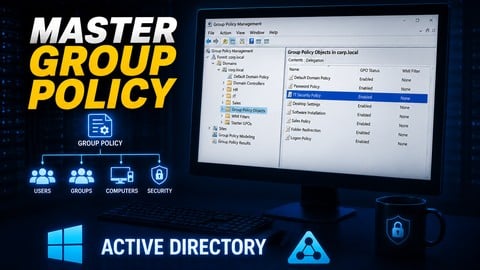
Build an Active Directory & Group Policy Production Lab (2026)
4.7 (706 Reviews)
- Provider: Udemy
- Time: 5.8h
$11.99
Original price
Microsoft Windows Server 2012 Certification - Exam 70-411
4.7 (617 Reviews)
- Provider: Udemy
- Time: 8.8h
$59.99
 Reviews

By Errol Isaac on 5/10/2025
This course is well-designed and easy to follow, making it easier to retain knowledge. It provides an excellent step-by-step guide to configuring Windows Server 2022 and installing primary services like AD, DHCP and DNS. I highly recommend it for anyone with no prior experience in Active Directory (AD) who wants to understand what Windows Server 2022 offers.
By Jermaine White on 12/27/2024
This course is designed very well, easy to follow-along with which I think is key in retaining knowledge. I highly recommend this course for someone that has experience with prior AD versions and is trying to wrap their head around what 2022 offers this is the course for you.
By Lori JH Blier on 11/15/2022
This was more an Active Directory overview. I thought it would be more about the server OS capabilities and differences. I would list this as a beginner's course.
By Kevin Hoo Sheh Li on 10/6/2022
A simple to understand course to server administration for Windows server.
By Anonymized User on 7/25/2022
This course was very informative and comprehensive. Excellent presentation.
By George Olah on 3/20/2022
Took a few re-readngs to completely follow the course. Still not sure of the reasons for loading the extra stuff from the external source.
By Chris C on 12/14/2021
This has been a great course. This has lectured me more than my school's course and will definitely help me on my way!! Well worth the money!
By Bernie Andersson on 12/11/2021
Just enrolled in this course and I am already learning a lot! I am pausing the videos when it's going too fast but the explanations are brilliant!
By Borge Olsen on 12/11/2021
Best guide on windows server 2022. Did not know I could already get it, thumbs up from Sweden
By Mark on 12/11/2021
First of all, wow amazing course.. There is so much information going on on this course whilst it being really short. The course took me like 3 and a half hours to complete but man was it worth my time. I was looking for a course that would teach me the basics but wouldn't be obsolete after a year. This course did just that because it uses the new version of win server. Excellent choice for anyone wanting to learn about win server..
 Quality Score
No CourseDuck member has rated this course yet. Taken it? Give each part a thumbs up or down.
Overall Score : 94 / 100

- Video Duration:
 2.2h
- Price: $11.99
- Provider: Udemy
- Updated:
 September 2022
- Level:
 All Levels
- Language:
 English
- Certificate:
 Yes
- Lectures:17 in 6 sections
- Students:1,285
- Subtitles:1 language
30-day money-back guarantee on most paid courses
Udemy Coupon Price Tracker
