
 Web Development
 Data Science
 Python
 SQL
SQL JavaScript
 Artificial Intelligence
 IT & Software
 IT Certifications
 Hacking
 AWS
AWS Arduino
 DevOps
 3D Modeling
 Graphic Design
 Photoshop
 Drawing
 Digital Painting
 UX Design
 Business
 Data Analysis
 Communication Skills
 Project Management
 Leadership & Management
 Human Resources
 Digital Marketing
 Social Media Marketing
 Marketing
 SEO
SEO Google Analytics
 Branding
 Excel
Excel Office Productivity
 SAP
SAP PowerPoint
 Microsoft Access
 SharePoint
 Finance & Accounting
 Trading & Investing
 Accounting
 Bitcoin
 Personal Finance
 Video Editing & Animation
 Photography
 Adobe Premier Pro
 Adobe Lightroom
 Personal Development
 Productivity
 Career Development
 Life Coaching
 Health & Fitness
 Meditation & Mindfulness
 Yoga
Yoga Music
Music Music Production
 Guitar
 Piano
Piano Singing
 Language Learning
 Teaching & Academics
 Engineering
 Math
Math Lifestyle
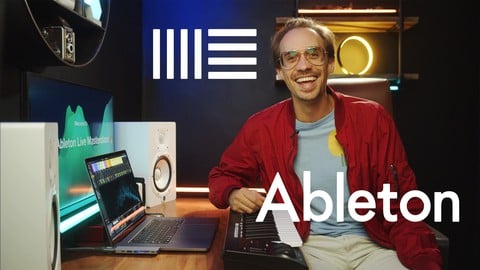
Ableton Live 12 Masterclass: Complete Music Production Guide (Udemy.com)
Complete Guide To: Music Production, Music Mixing, Electronic Music, Sound Design, Audio Engineering / Production
Created by: Benza Maman
Last updated August 2024
 What you will learn
- Setup and Navigate Ableton Live
- Learn Ableton's Features and Functions
- Learn Ableton's Synths
- Learn to Record Audio
- Learn how to Warp and Edit Audio
- Learn how to Record MIDI
- Learn how Program and Edit MIDI
- Learn Ableton's Audio and MIDI Effects
- Learn Sound Design
- Learn Sampling
- Optimize your Workflow with Tips, Templates, and Hot keys
- Improve Your Music Production Skills
- Learn the Basics of Mixing
- Make Your Very Own Song!
- Setup Your Audio Interface, MIDI Controller, and Microphone
How it compares
Against the other 241 rated Udemy courses in Music Production on CourseDuck:
- Rating4.6 out of 5higher than 60% of them
- Reviews721#48 of 242 by number of reviews
- Length14 hourslonger than 94% of them
- Last updatedAugust 2024more recently than 55% of them
 Course Description
Do you want to Unleash Your Creativity, Learn Music Production, and Make Music?
Perfect! You’ve made it to the right course!
Music production software like Ableton Live might seem overwhelming. But after this masterclass, your musical ideas will flow seamlessly without any technical hurdles!
Make Your Own Music in Ableton Live 11 and 12
This course teaches you how to master Ableton Live 11 and 12, a DAW (Digital Audio Workstation) for Mac and Windows.
ABLETON 12 UPDATE: Ableton 12 has just been released! Naturally we've updated this course to include all the latest updates in Ableton 12!
NOTE: This course is for Ableton Live 11 and 12 Suite. Some of the features discussed in this course will only be available for Ableton Live 11 and 12 Suite, but many of the features can still be used with all versions of Ableton Live 11 and 12 (Lite, Intro, and Standard).
You will also be able to follow along with the majority of this course if you are using previous versions of Ableton Live, such as Ableton Live 9 or 10.
By the end of this course, you’ll have mastery over Ableton’s layout, features, and functions so you can make your very own song from start to finish!
You’ll work right alongside me to learn these main steps:
1. Ableton's Fundamentals and Workflow
To begin, we start with mastering the basics. How to navigate Ableton’s layout, and learn what all the buttons and tabs do. These essential techniques are a perfect starter for beginners and a great place for more advanced producers to learn how to optimize production workflow.
Develop an in-depth understanding of Ableton’s immense interface (session and arrangement view)
Deep dive into the system preferences to optimize and customize your production experience
Master all the hotkeys to streamline your creativity
Decode the secrets of audio, MIDI, Group, Sends, and Master tracks!
Properly set up your sessions with gain staging, signal flow, and track routing!
2. Ableton’s Sounds, Synths, and Samples
Whatever your knowledge base, musical skill, or whichever version of Ableton Live you have, I've got you covered! In this chapter, I walk you through Ableton’s Most Powerful Sounds that professionals use in hit songs and how you can apply those techniques to your own projects. Get ready to:
In-depth understanding of loops and Samples
Make fire drumbeats with Ableton’s: Impulse, Drum Rack, and Drum Synth
Understand the essential synths and samplers including Operator, Simpler, Sampler, Instrument Rack
Learn how and when to use Ableton’s more niche synths including Analog, Collision, Electric, Tension, Wavetable
Dive into Sound Design to create your own custom sounds!
3. How to Play, Program, and Edit MIDI notes
Now that we've explored Ableton’s synths and sounds it's time to learn how to edit the MIDI notes that play them! Here's where we really start to set your productions apart with next-level techniques! These hands-on lessons will give you the exact step-by-step process to move from intermediate to advanced-level Producing. Together we'll:
Build a solid foundation by playing, programming, or recording Midi notes
Tweak to perfection using Ableton’s Quantizing, Velocity, & Change features
Make your music move with Ableton’s Groove pool
Learn in-depth MIDI editing using Automation
Do it how the pros do it with Plugins
Get set up and jammin' with you're Midi Keyboard (optional)
Get your beats crackin' with your Beat pad (optional)
4. All About Audio
From recording to sampling to editing, in this chapter, we’re going to cover all things audio! So you get all the tools, tips, and tricks under your belt to make the music in your head into reality!
We’ll be covering Preparing your Room for Recording, Mic Placement, How to Connect an Audio Interface (optional)
Customize the Metronome, Recording Workflow, and Speaker Setup
Learn Audio Editing, Warping, Resampling
Effectively use Freezing and Flattening Tracks, Optimize your CPU
We’ll dive deep into Audio Automation, Automation Layers, Fades, Sample Packs, and Organization
And the "Dos" and "Don'ts" of the new Audio to Midi Feature
5. Audio / MIDI Effects, Sauce It Up!
Now that you’re done cooking up the audio and MIDI tracks it’s time for some seasoning. This is where you take your tracks to the next level to get a pro-sounding mix
We’ll explore the dynamic effects: Compressors, Multi-band Compressor, Limiters, and Side-chains
Get technical with EQs, Filters, and Utilities
Blast off into space with Reverbs, Delays, Modulators, and Resonance
Dial in your sound with Drive, Distortion, Saturation, and Color
Learn the world of midi effects Arpeggiators, Chords, Scales, and More
Pull back the curtain on Autotune and Pitch Correction
6. Course Bonus and Progressing Beyond These Lessons
You've made it! We worked together to grow from beginners (or where ever you came in) to advanced and confident Music producers. In this last step, we take a look back on the journey we're been through and how you can continue to progress beyond this course!
Analyze and deconstruct different Songs & Song Structures
Learn the basics of Mixing and Master

 Udemy Discount
The discount is applied through our link. Open the course from here and Udemy's current promotional price is applied at checkout on most courses, no code to type.
Some courses are excluded from Udemy's promotions. If the price does not drop, clear your browser cookies and use the button again.
Instructor Details

- 4.6 Rating
 721 Reviews
Benza Maman
Hi, I'm Benza. I co-founded Leap Year Learning, where my team and I have taught over 500,000 students how to 10x your creativity and productivity with AI in your life, work, and business.
Most people learn a tool, get excited, then never touch it again. My approach is the opposite. I teach AI the way you'd teach someone to drive: hands on the wheel from day one, building real things you'll keep using long after the lesson ends.
I've helped complete beginners write their first prompt, and I've trained teams at Fortune 500 companies to build agents and automations that quietly run parts of their business. The same simple frameworks work for both.
My courses and community cover the tools that matter right now: ChatGPT, Claude, prompt engineering, vibe coding, AI agents, and end-to-end automations. Taught in plain language, with screen-share walkthroughs you can follow step by step. No jargon, no hype, no assuming you already know how any of this works.
If AI feels like it's moving too fast to keep up with, you're exactly who I make these programs for. We go at a pace that builds real confidence, and you walk away with workflows that save you hours every week.
Want to go deeper? I run a hands-on community where students get live workshops, a vault of done-for-you workflows, and direct help turning what they learn into results. Come build with us.
 More courses by Benza Maman

Music Production Boot Camp 2025: Create Music in Ableton
4.7 (184 Reviews)
 Provider: Udemy
 Time: 25.2h
$10.99
More Music Production courses

Electronic Music Production with Ableton Live (2025)
4.9 (2,479 Reviews)
- Provider: Udemy
- Time: 11.9h
$84.99

Garageband IOS (iPhone/iPad): The Complete Beginners Guide (2021)
4.9 (535 Reviews)
- Provider: Udemy
- Time: 3.5h
$10.99

How to Become a DJ - Learn How to Start DJing Online Today (2021)
4.8 (5,221 Reviews)
- Provider: Udemy
- Time: 10.8h
$17.99

Ultimate Sound Design: Mastering Sound Design (2026)
4.8 (1,998 Reviews)
- Provider: Udemy
- Time: 7.3h
$109.99


Ultimate Ableton Live 9 Complete: Parts 4, 5, & 6 (2026)
4.8 (512 Reviews)
- Provider: Udemy
- Time: 11.8h
$89.99
 Reviews

By JUST US on 7/13/2026
Yes! However, one of the files in the learning activities does not have the instrument files accessible, I had to dig through and find the other Ableton session that actually allowed you to play the sounds. Would've saved more time, so I wanted to let you know so you can delete any excess/inaccessible content in the course that could be hindering the flow. Bless!
By PHOENESSE MUSIC on 3/16/2026
key guidance missing for example we're told to download the chapter 1 prpject but not taken through how to properly input the samples so we know how to do it. some audio level issues between lesson clips, minor detail. would have liked a quicke example of how to use the pen tool included instead of just saying what it is. Still early so im sure its going to be good and covered by the end.
By William Johnson on 12/15/2025
I give this course 5 stars because it did exactly what I needed: provide a clear guide to everything in Ableton and make it easy to navigate. I would have appreciated a slightly slower pace for the Perform Live section and a more in-depth discussion on mastering, especially regarding exporting and the referencing process—perhaps even including a brief tutorial using a third-party plugin as a practical example.
By Marcin Dzierżanowski on 6/9/2025
I bought piano keyboard with Ableton Lite and decided to learn this program. So I started looking for course and after few previews decided to buy this. It was good choice - Benza Maman introduced me to the program and showed step by step hou to use it. During the course I upgraded from Lite version to Intro and then to Standard... and preparing for Suite because I know what I can do with this tool and know what I need. Going through entire course took me almost two years, during this time I made lot of recordings, arrangement and saved tons of material... now Ableton, after 15 years of using Sonar/Cakewalk, is my main DAW. Good Job, thank you!
By Lance Laflam on 10/10/2024
I felt the course was comprehensive and did a great job of speed running through broad topics with concise summaries. Working along side Benza in Ableton as he guides the way through the course was fun and engaging, Benza is a likable dude who's personality speaks well to newbies. This course has given me a grasp on what Ableton can do and the ability to go back and review the course is great, I can continue reviewing and practice along. I enjoyed the course and will recommend it to friends who jump into Ableton.
By Alyssa Bell on 4/14/2024
After 3 years of using Ableton... I finally filled all the gaps in my knowledge with this course. very well done. this is the ULTIMATE course that covers everything you need to know. and it's done CONCISELY in 14 hours. with follow along exercises and fully integrate what you learn. take the time to do them and you will succeed much quicker than learning on your own like i did at first
By Outi Lehtinen on 12/29/2023
I should have taken this course earlier because some of it was quite familiar, but it was always nice to make sure I get the most out of my DAW. The course was very well planned and examples were great. Thank you!
By Elijah N on 4/23/2023
Good things: the instructor is knowledgeable and really passionate about the explained topics. He doesn't press you with lots of technical terms and these kind of things, it's more like you're exploring the program together, covering all the basics. The sound quality is very good as well. Not so good: 1) The UI is very small and you can hardly see small text (however it's actually possible to increase the size in Ableton's settings). It really kills your eyes. 2) While there's lot of material, many lessons are like "hey, there's that switch, and that switch, and also you can adjust this parameter - let's try that - huh, cool - well, let's move on". It could be a good start for absolute beginners who have no experience with the program but I was looking for some more tips, suggestions, and examples from a professional's perspective (as I'm very far from being a pro). So, while I know that there's a switch here and a parameter there, it would be cool to apply this knowledge to create something that actually makes sense. When would I use this parameter? What are some recommended values for this parameter? Yes, of course it will highly depend on the actual scenario but giving at least some tips would be nice. Unfortunately, I just don't have enough time to watch all the videos on all the synths and effects that end up being "hey, let's try tweaking that parameter" because basically I can experiment with them myself. In any case, thank you for your work. As a bottom line, if you ever plan to update this course, it will be very useful to show how to actually create something with these synths and effects, even if this something is a simple thing. People will benefit a lot from watching how a professional puts his skills into practice.
By Maiya Jensen on 3/10/2023
This course was not only incredibly informative, but so much fun to complete! I was a complete beginner to producing music, and Benza took out all the intimidation of understanding Ableton Live, helping me fast-track my journey from curiosity to actually diving in and making music. I especially appreciated the focus on keeping the spirit of making music fun, while still highlighting useful and important details and best practices. Thank you so much for sharing your knowledge with everyone Benza!
By Jamie Mason on 1/5/2023
Great!! I don't normally leave reviews, but I've always wanted to get into music, but the programs always seemed so intimidating. A couple years ago I decided to buy Ableton to force myself to learn, but it was just too overwhelming, and I was getting lost in youtube. I saw this course and I thought I'd give it a try, and HONESTLY I'M SO HAPPY THAT I DID! Like I'm actually making beats now and I can navigate the interface and understand what everything does. If you want to learn Ableton this is it!
 Quality Score
No CourseDuck member has rated this course yet. Taken it? Give each part a thumbs up or down.
Overall Score : 92 / 100
- Video Duration:
 14h
14h - Price: $84.99
- Provider: Udemy
- Updated:
 August 2024
 - Level:
 All Levels
 - Language:
 English
 - Certificate:
 Yes
Yes
30-day money-back guarantee on most paid courses
Udemy Coupon Price Tracker
