
 Web Development
 Data Science
 Python
 SQL
SQL JavaScript
 Artificial Intelligence
 IT & Software
 IT Certifications
 Hacking
 AWS
AWS Arduino
 DevOps
 3D Modeling
 Graphic Design
 Photoshop
 Drawing
 Digital Painting
 UX Design
 Business
 Data Analysis
 Communication Skills
 Project Management
 Leadership & Management
 Human Resources
 Digital Marketing
 Social Media Marketing
 Marketing
 SEO
SEO Google Analytics
 Branding
 Excel
Excel Office Productivity
 SAP
SAP PowerPoint
 Microsoft Access
 SharePoint
 Finance & Accounting
 Trading & Investing
 Accounting
 Bitcoin
 Personal Finance
 Video Editing & Animation
 Photography
 Adobe Premier Pro
 Adobe Lightroom
 Personal Development
 Productivity
 Career Development
 Life Coaching
 Health & Fitness
 Meditation & Mindfulness
 Yoga
Yoga Music
Music Music Production
 Guitar
 Piano
Piano Singing
 Language Learning
 Teaching & Academics
 Engineering
 Math
Math Lifestyle
Accounting And QuickBooks Online Comprehensive Course (Udemy.com)
Most Important Accounting And QuickBooks Online Topics That Everybody Needs
Created by: Mark Smolen
Last updated September 2026
Our take
Based on the ratings of 363 students, a sample of their written reviews and the syllabus, as the course stood in September 2026. No course pays to be reviewed.
Mark Smolen has built this as two courses in one. The first block, about seven hours, is Accounting 101: debits and credits, the accounting cycle, adjustments and closing entries. The rest is QuickBooks Online, covering setup, bank reconciliation, bank feeds and imports, inventory, and credit card registers with journal entries. It runs 25 hours across 124 lectures, with quizzes and assignments along the way. Reviewers who call themselves total beginners are the clearest fit, and the only requirement is basic comfort with a computer.
Praise centers on clarity. One reviewer says debits and credits finally clicked from zero knowledge, and another liked the examples of owner money moving in and out of a small business. Complaints are more mixed. Several low ratings object to the cat intro clip and the segments presented by the instructor's niece, calling them distracting or unprofessional. One reviewer finds the narration very slow. Another thought some diagrams and content were wrong, a third could not get the section 7 trial balance to match after resetting the file between sessions, and one said a question got a rude reply.
The course was updated at the end of September 2026, and 239 of its 363 ratings are five stars, so most students leave happy. About 1,371 students are enrolled. Treat the quizzes as a check, not gospel, and keep one QuickBooks file for the whole run. Worth a look for beginners who can live with the quirks. Anyone after a brisk, polished style should look elsewhere.
Pros
- Starts from zero with debits, credits and the accounting cycle before touching any software
- Dedicated sections on bank reconciliation, bank feeds and inventory in QuickBooks Online
- Small-business examples, like personal money moving in and out of the business
- Six quizzes and four assignments to check progress as the sections go on
Cons
- The cat intro clip and child-presented segments read as distracting or unprofessional to some
- Very slow narration that one reviewer found robotic and boring
- Reports of possibly incorrect content, and a section 7 trial balance that would not match
Really simplifies debits and credits and wish i had found this course years ago. Although adorable, I do find the child a bit distracting.
Marked All Levels, but it really suits beginners. Basic computer skills are the only stated prerequisite.
 What you will learn
- Define Each Item Of Accounting Vocabulary
- Be Able To Make Debits And Credits
- Identify Each Step In The Accounting Cycle
- Be Able To Record Transactions In The Fundamental Accounting Equation
- Be Able To Record Inventory Transactions
- Be Able To Make End-Of-Month Accounting Adjustments
- Be Able To Make End-Of-Month Closing Entries
- Be Able To Record Distributing Partnership Income
- Be Able To Record Transactions In The Perpetual Inventory System
- Be Able To Record Journal Entries In QuickBooks Online And QuickBooks Desktop
- Be Able To Calculate Mortgage Interest
- Be Able To Find The "Discount Date" and Discount Amount For An Early Pay Discount
- Be Able To Get Correct Numbers On The Accounting Projects And Tests And Quiz
- Master Accounting Theory, Concepts And Ideas
- Complete Accounting Projects, Bookkeeping Tests And Quizzes
- Understand What Your Accountant Is Doing or You Each Fiscal Month, Quarter Or Year
- Calculate Ending Inventory Value With The "Weighted Average" Method
- Calculate Ending Inventory Value With The "First-In-First-Out" (F.I.F.O) Method
- Adjust Ending Inventory To Find Cost Of Goods Sold And Gross Profit
- Apply Several Inventory Valuation Methods For Ending Inventory
- How To Complete Any Challenging Bank Reconciliation In QuickBooks Online
- How To Prove An Entire Set Of Company Financial Records Are Correct To The Last Detail; Regardless Of Accounting Software Or Company Type
- How To Manage Every Possible "Real-Life" , "On The Job" Challenge Or Issue That May Occur When Doing Bank Reconciliation
- How To Do The Special Steps For A "First Month's" Bank Reconciliation
- How To Reconcile With Customers And Vendors Statements When Working With Receivables And Payables
- How To Re-classify Transactions To The Correct Expense Category
- How To Find And Fix Mistaken Expense Category Classifications
- Navigate Through And Identify Everything On The QuickBooks Desktop Screen
- Enter / Record Every Type Of Transaction That Every Company Could Need In To QuickBooks Desktop
- Utilize And Customize The Most Important Reports In QuickBooks Desktop
- Find And Fix Any QuickBooks Desktop Data Entry Mistake
- Find Anything Ever Entered In To The QuickBooks Desktop Account, Who Did It, And When
- Use Problem Solving And Reasoning Skills To Overcome Real Life "On The Job" Challanges, When Using QuickBooks Desktop
- Create A Quickbooks Desktop Company File
- How To Set The Defaults And Settings In The Preferences Window
- How To Set Up And Manage The Chart Of Accounts
- Input And Manage Customer And Vendor Data
- How To Set Up And Customize QuickBooks Reports And The Icon Bar
- Input And Manage The QuickBooks Items List Of Services
- How To Record Invoices
- How To Record Receiving Invoice Payments From Customers
- How To Use The Journal Report To Find And Fix QuickBooks Mistakes
- How To Customize, Memorize And Manage QuickBooks Desktop Reports
- How To Delete A Transaction From Your QuickBooks Desktop File
- How To Record And Manage Sales Receipt
- What Is Accounts Payable?
- How To Enter Bills From Vendors
- How To Pay Bills In QuickBooks Desktop
- How To Record Checks In QuickBooks Desktop
- How To Use The Find Window
- How To Record Petty Cash Transactions
- How To Record Complex Deposits With Cash Back For Expenses
- How To Manage Undeposited Funds
- How To Use The "Audit Trail" Report To Find And Fix Anything Ever Entered In To A Desktop File
- Use Every Feature Of Quickbooks Online Bank Feeds
- Navigate Transactions And Add, Match Or Remove Transactions From The QBO Review List
- Set Up "Rules" In Quickbooks Online To Save Lots Of Time Doing Bank Feeds
- Import Web Connect Files In To Quickbooks Online Like "qbo" or "csv" files
- Match Transactions To Prevent Duplicate Data Entry
- Apply Downloaded Transactions To Customer's Invoices
- Use 2 Different Methods To Import Transactions From Quickbooks Desktop
- Apply downloaded Transactions To vendor's Bills
- Every possible transaction and situation that could arise when managing inventory in quickbooks online
- How to guarantee that your inventory records are always correct
- Interpret Inventory Reports For Optimization
- Find And Fix Mistakes Related To Inventory
- Use Different Inventory Item Types In The Right Situation
- Find The Accounts In The Chart Of Accounts That Change When Inventory Changes
- Adjust Inventory For Unusual Situations
- Track Inventory Quantity After Each Purchase, Sale Or Return
- Record Purchase And Sales Returns
- Understand How Quickbooks Online Calculates Cost Of Goods Sold
- Understand The "First-In_First_Out" (F.I.F.O.) Costing Method
- Record Advanced Payments And Prepaid Inventory
- Use The Periodic Inventory System With Quickbooks
- Make Inventory Monthly Adjustments
- Calculate Monthly Cost Of Goods And Gross Profit Periodic Adjustment
Course content
7 sections · 124 lectures · 25 hours of video 6 quizzes, 4 assignments
- 1Welcome To This Special, Comprehensive Course 1 free preview1 lecture · 3 min
- 2Accounting 101 made Easy And Fun 6 free previews36 lectures · 2 quizzes · 6.9 hours
- 3Mastering QuickBooks Online Beginner To Advanced 4 free previews30 lectures · 5 quizzes · 4.9 hours
- 4Bank Reconciliation And Proving Correctness 3 free previews14 lectures · 1 quiz · 3.8 hours
- 5Importing Transactions With Bank Feeds And Other Options 2 free previews16 lectures · 1 quiz · 3.5 hours
- 6Master Inventory Management In QuickBooks Online 4 free previews19 lectures · 1 quiz · 3.8 hours
- 7Register Window For Credit Cards And Journal Entries 2 free previews8 lectures · 1.4 hours
Who it is for
The instructor says it suits
- Those Who Wish To Learn Both Accounting And QuickBooks Online All Together
- People Needing To Imprive Their QuckBooks Online And Accounting Skills
- People Starting A New Career In Accounting Or Using QuickBooks Online
- Accountants And Bookkeepers Using QuickBooks Online In A Large Company
- Self-Employed Bookkeepers Needing QuickBooks Online
- Anyone Who Wants To Easily Master QuickBooks Online When Starting This Course As A Complete Beginner
- Anyone Who Likes To Have Fun As They Learn
- Anyone Who Needs To Be Able To Fins And Fix Mistakes When Using QuickBooks Online
What you need before you start
- MIddle School (Or More) General Academic Skills
- Average Middle School Knowledge Of General Computer Usage (Mouse, Keyboard, windows ...ect)
- The Desire To Enjoy Learning
How it compares
Against the other 376 rated Udemy courses in Finance & Accounting on CourseDuck:
- Rating4.5 out of 5higher than 47% of them
- Reviews363#215 of 377 by number of reviews
- Length24.6 hourslonger than 91% of them
- Last updatedSeptember 2026more recently than 96% of them
 Course Description
Accounting And QuickBooks Online can be learned and mastered at the same time!!
This comprehensive accounting and QuickBooks Online complete course training will make anyone with any amount of knowledge, or none at all, an expert in QuickBooks Online very quickly. It is guaranteed to give you all the accounting concepts and ideas you will need to manage QuickBooks Online Bookkeeping in any company. See how Accounting concepts apply to QuickBooks and come together perfectly!
This is a special course that teaches the most important topics and the most likely topics that you will need to know when using QuickBooks Online to manage your small business or get a job as in-house bookkeeper. Even self-employed independent bookkeepers and accountants can gain important knowledge and skill from this very special comprehensive course. When you finish, you will have complete mastery over all important Accounting ideas and QuickBooks Online Skills.
You will ENJOY learning the accounting concepts and Ideas rom the 7-year-old Serina May Jackson. The accounting lessons are designed for new accounting students and make learning easy and fun!! You will immediately see how these accounting ideas apply to practical, day-to-day bookkeeping when using QuickBooks Online.
Each section in this course will take you on an enjoyable journey when learning each necessary feature of the lates version of QuickBooks Online. Each section has its own practice exercises and real-life, hands-on practical projects for you to improve your skills slowly while building to an expert level. These will be the things that best prepare you for what you do at your job or in your own company. Then there’s a multiple-choice test at the end of each section to help you check what you learned and remembered.
It’s really the best way to learn these skills and all lessons have been modeled after the proven effective lessons here on udemy that make accounting and QuickBooks Online easy and fun!!
Any stress you have; you can contact me immediately through the Udemy message center or Question page. I get back to all my students immediately. Anyone who needs something, for some reason, will be guided to what you need to do so it’s a beautiful learning experience in every way.
Thank you my friends! I hope to see you all there!!
-Mark

 Udemy Discount
The discount is applied through our link. Open the course from here and Udemy's current promotional price is applied at checkout on most courses, no code to type.
Some courses are excluded from Udemy's promotions. If the price does not drop, clear your browser cookies and use the button again.
Instructor Details

- 4.5 Rating
 363 Reviews
Mark Smolen
I have 3 decades of experience teaching Computerized Accounting. I have taught QuickBooks at A.S.A college in Manhattan New York. I have made my lessons available to certified job training schools for adult education and have helped place hundreds of students in good paying jobs using QuickBooks and other software that they learned in my class. Now, I've helped thousands of students from Udemy get great jobs or run their own business.
I am a permanently licensed teacher by the New York State Education Department. I am also a Certified QuickBooks Pro adviser for 2 decades. I have made these videos by determining what my clients needed.
I wanted to help anyone using QuickBooks be prepared for the real-life, hands-on challenges that come with mastering the bookkeeping function of any company. I will prepare you for real life QuickBooks situations that can be challenging or frustrating if nobody shows the tips and tricks that will make using QuickBooks a fun task
I enjoy helping students turn frustration in to a feeling of comfort and satisfaction with QuickBooks. I'm always available to my students when they need me.
 More courses by Mark Smolen


QuickBooks Online Complex Issues And Advanced Techniques (2026)
4.6 (911 Reviews)
 Provider: Udemy
 Time: 15.9h
$99.99

Mastering QuickBooks Desktop Beginner To Advanced (2022)
4.7 (594 Reviews)
- Provider: Udemy
- Time: 4.3h
$74.99
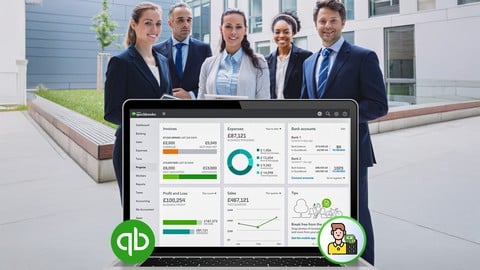
QuickBooks Online Freelance, Self-Employed Bookkeeper (2026)
4.7 (576 Reviews)
- Provider: Udemy
- Time: 12.4h
$89.99
QuickBooks Online Certification Course: Master Every Feature (2026)
4.7 (292 Reviews)
- Provider: Udemy
- Time: 41.9h
$19.99
More Finance & Accounting courses

Investment Appraisal Mastery - NPV, IRR, Payback, PI, ARR (2026)
4.9 (811 Reviews)
- Provider: Udemy
- Time: 2.5h
$10.99
Beginner Binary Options Trading: The Bandit Strategy (2026)
4.9 (352 Reviews)
- Provider: Udemy
- Time: 1.7h
Free
Texas Instruments BA II Financial Calculator for CFA and FRM (2021)
4.9 (321 Reviews)
- Provider: Udemy
- Time: 1.1h
Free

Economics 101 : Master the Basics of Business & Finance (2026)
4.9 (104 Reviews)
- Provider: Udemy
- Time: 1.5h
$19.99

Invest in Stocks Like a Pro Investor by a Pro Investor! (2026)
4.8 (2,368 Reviews)
- Provider: Udemy
- Time: 8.4h
$19.99

Fundamental Analysis. Understanding Financial Statements (2026)
4.8 (1,474 Reviews)
- Provider: Udemy
- Time: 9.5h
$11.99
 Reviews

By SD Morgan on 9/16/2026
This is a very informative course. I enjoyed the lesson content. I got annoyed with the intro musical video with the cat on the majority of the lessons. Also the video sequencing seemed contradictory. I used one QB account and deleted everything when starting new sessions, then when i got down to the last section (section7) my trial balance and other reports did not even come close to matching. It appeared as though these numbers originated from the beginning of the course ( which I had already deleted). I was satisfied that I was able to complete the course within the 30 day trial period so I was not charged by QB and the cancelation of the account was easy. There were some items in the trial balance shown within the course that was not covered by the course content. Such as uncollectible debt, refunds, discounts, and other such unusual circumstances. Overall this was fairly in depth and covered a lot of good material. I would have liked to see how to distribute profits out to multiple owners in QB online. Thank you.
By Monic Daub on 6/11/2026
Dear Marc Smolen! I have to admit: I love your course and it really brings me to my goal: to become a QuickBooks Online Bookkeeper! Thank you very much and greetings from Germany
By Sam Faust on 3/28/2026
Yes. It's been a while since I dealt with accounting concepts. I had a difficult time understanding them in college. I'm excited to see where this course will take me. I want to get jobs with accounting roles so I can have a better job.
By Karen Patterson on 3/12/2026
I really like how he breaks down the concept and uses a variety of examples (real examples) of how a small business may shift around items , cash etc from their personal life into and out of the business
By Mantsha R Nkambule on 1/22/2026
I got more than I expected because everything is explained beautifully, step by step making it so easy to understand. I also love the fact that the course indicates that it's about quick books, but it starts with the accounting basics which we need in order to thoroughly understand the quick books later which is a "plus" for me.
By Sherrie Tullsen-Chin on 1/5/2026
Great course. Comprehensive content. Went step by step at a reasonable pace so I could follow along. Changing back and forth between companies (Vaunda's, Holder the Fruit Guy, etc) made it little harder than it needed to be to do the hands on exercises as I needed to keep signing up for new Quickbooks Online accounts with different emails. Overall I'm pleased and learned a lot. I will probably take other courses from Mark.
By Angie Redway on 10/20/2025
I have questions that the Ai can't answer and I can't figure out how to contact the teacher. I think some of his diagrams are incorrect but there is no one I can ask. The cat slides are a waste of time and makes the course seem unprofessional. I didn't pay money to see how smart his child is; its nice, but I and I really don't care. The singing and clapping is off-putting.
By Jean Ebert on 9/29/2025
This course is very effective at offering the learner a chance to truly understand the fundamentals needed for both accounting and QBO. With these tools, you can actually work things out for yourself when a problem arises which is exactly what is needed. If you stick with it and go through the lessons and do the exercises, you can really get a good grasp of how to use QBO.
By Jeeva devaraj on 9/7/2025
This lecture explained step by step procedure to get expert in quickbook. This couse is very useful for those students, expereinced professional. I can see that trainer really worked hard to give his best.
By Qian Chen on 8/15/2025
I have taken another QuickBooks course from Mark Smolen. His speech is slow, but the reasoning and idea expression are well-structured. The course gives me a clearer idea of the process of bookkeeping.
 Quality Score
No CourseDuck member has rated this course yet. Taken it? Give each part a thumbs up or down.
Overall Score : 90 / 100
- Video Duration:
 24.6h
24.6h - Price: $19.99
- Provider: Udemy
- Updated:
 September 2026
 - Level:
 All Levels
 - Language:
 English
 - Certificate:
 Yes
Yes - Lectures:124 in 7 sections
- Practice:6 quizzes
- Students:1,371
- Subtitles:1 language
30-day money-back guarantee on most paid courses
Udemy Coupon Price Tracker
