
 Web Development
 Python
 SQL
SQL JavaScript
 Data Science
 Artificial Intelligence
 IT & Software
 IT Certifications
 Hacking
 Arduino
 AWS
AWS 3D Modeling
 Graphic Design
 Photoshop
 Drawing
 Digital Painting
 UX Design
 Business
 Data Analysis
 Communication Skills
 Project Management
 Leadership & Management
 E-Commerce
 Digital Marketing
 Social Media Marketing
 Marketing
 SEO
SEO Google Analytics
 Branding
 Office Productivity
 Excel
Excel Finance & Accounting
 Bitcoin
 Video Editing & Animation
 Photography
 Adobe Premier Pro
 Adobe Lightroom
 Personal Development
 Health & Fitness
 Music
Music Guitar
 Teaching & Academics
 Language Learning
 Engineering
 Lifestyle
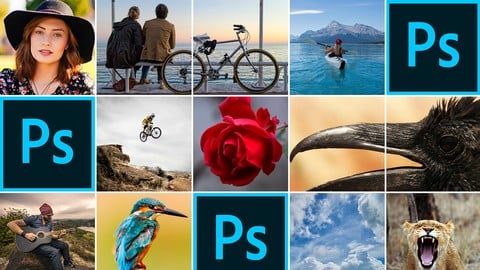
Adobe Photoshop Complete Mastery Course Beginner to Advanced (Udemy.com)
Learn Photoshop quickly & easily. Master beginning Adobe Photoshop - from basics to advanced levels (PC, Mac, CS6, CC)
Created by: Steve McDonald
Last updated October 2021
 What you will learn
- Beginners will learn how to use Photoshop from scratch.
- This is a very easy to follow course that goes at just the right pace so you don't miss any steps.
- You'll learn all of the most important tools, plus how to edit photos, do touch-ups, whiten teeth, crop social media pics, change backgrounds and more.
- Learn about the interface, including where the tools are and how to customize your workspace.
 Course Description
Welcome to The Complete Adobe Photoshop Mastery Course for Beginners, where you'll learn the basics of Adobe Photoshop in a fun, hands-on way. This course is designed to teach you the most important elements of beginning Photoshop without the frustration or stress that often comes with learning new software.
If you are brand new to Photoshop or have tried to learn Photoshop and struggled with it, this course is for you. The course starts at the very beginning with how to purchase Photoshop and get it on your computer. It moves forward in an easy-to-follow, logical way, building your skills up until you feel confident using Photoshop for your photo editing. Within an hour you'll be using Photoshop to crop, fix blemishes, and cut out and move parts of your images. And from there, your knowledge will keep rapidly growing through the rest of the course.
I promise you'll enjoy learning to master Photoshop.
The course is recorded using Photoshop CC on a PC, but it works fine if you have an older CS version of Photoshop, too. I also include tips for using a Mac.
Here's how the course is broken down:
First, we get familiar with the Photoshop program and interface. We learn to open and save images, and learn where the most frequently used tools are located.
Second, we start using the most important tools, like the move tool, the crop tool, the brush tool, and the healing brush tool. We also learn how to use layers so that we can work non-destructively on our photos. (In the course, I'll explain what that means and why it makes your life easier).
Finally, we do a bunch of hands-on projects in Photoshop.
Whiten a subjects teeth.
Crop an image bigger (did you know you could do that? It's pretty cool).
Create a square social media profile picture that would work on YouTube, Instagram or Facebook.
Brighten up dull, dark images.
Learn how to add or reduce redness in a subject's face (so they don't look like a ghost or a cherry).
Make an image black and white.
Switch out the sky in a mountain scene (we can choose clouds, blue sky, or even the northern lights).
Combine two images into one (we take a cappuccino mug and set it in a field of flowers, just for fun!).
So much more.
When you are finished with this course, I promise you'll feel confident using Photoshop and the many tools and options that it offers. You'll be able to do valuable work in Photoshop, and have fun while doing it.
Here's my challenge to you. Jump in and watch 20 minutes of this course. If you're not excited to learn Photoshop at the end of that 20 minutes, then go back to watching funny cat videos on YouTube. Once you see what you can accomplish with this course, I know you'll be hooked on Photoshop for life.
I promise that I can teach you how to master Photoshop. If that sounds good to you, then I look forward to seeing you in the course.

 Udemy Discount
The discount is applied through our link. Open the course from here and Udemy's current promotional price is applied at checkout on most courses, no code to type.
Some courses are excluded from Udemy's promotions. If the price does not drop, clear your browser cookies and use the button again.
Instructor Details
- 4.5 Rating
 6,395 Reviews
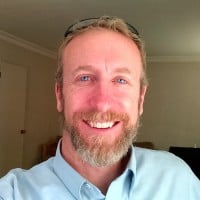
Steve McDonald
Learning is easier with the right tools and instruction. In every one of my courses I take you step-by-step through the tools and knowledge you need to accomplish your goals.
My talent is taking complex subjects (like Excel, Access and Photoshop) and making them simple to learn. I wasn't always good at technology. There was a time when I didn't even know how to correctly turn a computer on and off. But over the past 20 years I've dedicated myself to mastering technology. Now I'm proud to call myself a self-taught tech geek.
I'm a geek who still speaks the language of normal human beings. I don't use a lot of jargon and fancy words that the average person doesn't understand.
I understand how frustrating it can be when the instructor goes too fast or leaves out critical steps in the learning process. That's why I make sure to clearly demonstrate each step for you visually, so you can follow along starting from the very beginning and going along until you've reached mastery.
I am here to guide you on your way to success. You can contact me at any step of the way for assistance. Let me know when you're struggling with a concept and I'll get right back to you to keep you moving in the right direction.
I'm always happy to help. I believe in you, and I'm here to support you in your learning process.
 More courses by Steve McDonald
EXCEL at Work - Complete MS Excel Mastery Beginner to Pro (2021)
4.6 (14,293 Reviews)
 Provider: Udemy
 Time: 6.9h
$24.99
Excel Formulas & Functions - Find Answers in Your Excel Data (2021)
4.5 (10,102 Reviews)
- Provider: Udemy
- Time: 1.4h
$12.99
Easy Excel Basics for Beginners - Get Started with Excel (2019)
4.5 (4,299 Reviews)
- Provider: Udemy
- Time: 42 mins
Free
Intro to Access - Microsoft Access Basics for Beginners (2019)
4.6 (4,291 Reviews)
- Provider: Udemy
- Time: 36 mins
Free

Microsoft Access: Complete MS Access Mastery for Beginners (2021)
4.5 (2,325 Reviews)
- Provider: Udemy
- Time: 7.2h
$10.99

English Speaking Course. Speak English Slang & Idioms. ESL. (2021)
4.5 (1,997 Reviews)
- Provider: Udemy
- Time: 4.9h
$64.99
More Photoshop courses


Adobe Photoshop CC: For Complete Beginner (Sinhala Medium) (2026)
4.9 (110 Reviews)
- Provider: Udemy
- Time: 8.4h
$59.99

Adobe Photoshop CC – Essentials Training Course (2025)
4.8 (36,753 Reviews)
- Provider: Udemy
- Time: 11.6h
$189.99


47 Graphic Design Projects for Photoshop Beginners (2025)
4.8 (466 Reviews)
- Provider: Udemy
- Time: 7.9h
$99.99

Photoshop Efficiency - Techniques For Consistent Marketing (2025)
4.8 (144 Reviews)
- Provider: Udemy
- Time: 1.4h
$49.99
 Reviews

By Ronald Buckner on 11/2/2024
I have purchased many Adobe Photoshop classes and each one is very different and some of them even though they say it is for the beginner to advanced some of them assume that you know something about Photoshop. I this I feel has been my best purchased course. Repeating shortcut keys information and repeating the commands are very helpful. I have listened to additional lessons while I am working to get a head start on what I am going to be working on and then when I get home I do the actual course work and repeat the sections. WELL DONE AND I RECOMMEND THIS COURSE HIGHLY
By Treasa Davidson on 1/14/2022
Steve is an amazing teacher, I learned so much in this class! From this course it has made me want to take more courses, and I will look into some of his courses in the future. This course was more than worth the money for it! Thank you Steve, And thank you for giving me your feed back!
By Carol A Vernon on 7/10/2021
The course was great. As a Mac user, I found that I was always having to figure out myself some of the commands. Additionally, I had a more recent version of photoshop, so my screen didn't always look like the videos. All in all I learned a lot and have plenty of practicing to do to continue learning. Thank you!!
By Anthony Balaton on 8/7/2020
should be charging for the course to be honest, thank you for giving it away. I was looking at others to buy but thought I would give this a try and I'm glad I did, no real accent to deal with so clear and easy to understand, and you are covering the things i was trying to work out on my own so very happy. just finished the course and yeah well worth the time, and again i think you should probably put a charge on this course as its so clear and easy to understand, you teach at a perfect pace.
By Robert Fakelmann on 6/5/2020
I had previously taken another course about this same topic in Photoshop and sadly didn't learn very much because of the teaching style. Steve fully explained how to use many of the tools and provided me with the opportunity to learn how to achieve various different effects and skills with them to dramatically improve my photography editing.
By Alexandra Yzabelle L. Cerezo on 5/23/2020
Super thankful to have stumbled this course! I started the lecture with ZERO experience in Photoshop and ended the course having a strong foundation on Photoshop! When I took on other Photoshop tutorials after this, I can easily understand them, all thanks to this course!! Kudos to Steve for being so comprehensive with this lecture!!
By Mahmoud on 3/26/2020
This course by far the best course on Photoshop I could find on the internet. I was struggling with some basic actions to make into photoshop and couldn't find a real course earlier. Everything was perfect, the exercice, the structure, the well explanation. Many thanks for this course. Looking forward to learning from you soon.
By Stacy Johnston on 3/23/2020
This was an excellent course for me. I have been wanting to learn how to use Photoshop for many years. Steve actually made learning it such a pleasure by presenting us with information steadily, in bite sized lessons that were concise, without being complicated. Thank you so much for this wonderful experience. Stacy Johnston
By Dean Pham on 2/1/2020
Wow and thanks for making it easy! I finished this course using my old CS3 photoshop. About ten years ago, I wanted to learn photoshop, but that hope was hammered by boring torturous Linda.com CD lessons that came with the CS3 software some 10 years ago. Steve method is a direct approach pass on his experience so you can use photoshop with confidence. I wish I could have known this course many years ago. Thanks again for not making this so simple to learn.
By Taha Brahim on 12/5/2019
course entitled beginner to advanced, but when you finish this course you will still be a beginner, don't raise your hopes up, you will learn some tools that's all, I don't recommend this course waste of my money
 Quality Score
No CourseDuck member has rated this course yet. Taken it? Give each part a thumbs up or down.
Overall Score : 90 / 100
- Video Duration:
 5.8h
5.8h - Price: $79.99
- Provider: Udemy
- Updated:
 October 2021
 - Level:
 Beginner
 - Language:
 English
 - Certificate:
 Yes
Yes
30-day money-back guarantee on most paid courses
Udemy Coupon Price Tracker
