
 Web Development
 Data Science
 Python
 SQL
SQL JavaScript
 Artificial Intelligence
 IT & Software
 IT Certifications
 Hacking
 AWS
AWS Arduino
 DevOps
 3D Modeling
 Graphic Design
 Photoshop
 Drawing
 Digital Painting
 UX Design
 Business
 Data Analysis
 Communication Skills
 Project Management
 Leadership & Management
 Human Resources
 Digital Marketing
 Social Media Marketing
 Marketing
 SEO
SEO Google Analytics
 Branding
 Excel
Excel Office Productivity
 SAP
SAP PowerPoint
 Microsoft Access
 SharePoint
 Finance & Accounting
 Trading & Investing
 Accounting
 Bitcoin
 Personal Finance
 Video Editing & Animation
 Photography
 Adobe Premier Pro
 Adobe Lightroom
 Personal Development
 Productivity
 Career Development
 Life Coaching
 Health & Fitness
 Meditation & Mindfulness
 Yoga
Yoga Music
Music Music Production
 Guitar
 Piano
Piano Singing
 Language Learning
 Teaching & Academics
 Engineering
 Math
Math Lifestyle
Photoshop CC for Web Design Beginners (Udemy.com)
Learning the basics of Photoshop CC for Web Design Beginners
Created by: Carl Heaton
Last updated December 2015
 What you will learn
- use the Photoshop to create graphics for the web
- create a simple web page design to be used in creating a nice minimal site
How it compares
Against the other 188 rated Udemy courses in Photoshop on CourseDuck:
- Rating4.8 out of 5higher than 97% of them
- Reviews3,731#13 of 189 by number of reviews
- Length2.1 hoursshorter than 83% of them
- Last updatedDecember 2015earlier than 93% of them
 Course Description
Do you Want to Learn Photoshop in a Fun Way Taught by a Friendly Education Expert?
After the huge success of the first version we had to do another to help more people like you create designs for the web. This course is IDEAL for total beginners who want to know why behind each of the tools, why behind the methods and why even use Photoshop for web design in the first place.
The course is very well explained, gives you lots of nice files to practice with and you will be able to create a web page design at the end of it!
Course Description
This course is designed to teach you the basics of Photoshop, even if you have little to no experience with it, to create profitable web designs that help you stand out from the competition.
Over 20,000 Students has been taking the old course already, this is the new version of Photoshop (cc)
Are you new to Photoshop (cc) or Need a refresher? Then this course will help you learn the basics of Photoshop.
Why Choose This Course?
Have you ever noticed how beautiful some websites look? That's because of the perfect design that have been made in Photoshop. Also you can definitely make a substantial income once you learn more about Photoshop.
“I created this course to teach you the knowledge that will help you with Photoshop since I was in your shoes some years ago. If you need support, my company Web Courses Bangkok will be just a message or an email away, feel free to visit our website. I love when my students succeed and that for me is priceless. You success depends on yours and I will make sure with that you get all the help you need when you need it." – Carl Heaton, Senior Instructor
We take our courses very seriously but at the same time we try to make it fun since we know how difficult it can be learning from an instructor over the web. This course is fun, and when you need some energy to keep going, you will get it from me. Also the courses are well illustrated and easy to understand.
The Approach
Practice, practice and more practice. In every lecture you will find the required .psd files to download. Along the way I will be explaining what to do with the files and how to use them.This Photoshop course Covers the following;
- Explanation about the interface of Photoshop cc
- Using the paint brush
- Using shapes and making custom shapes
- Using layers and groups
- Explanation about moving and resizing
- Zooming and panning
- Using different blending modes and effects
- Insterting and adjusting text into Photoshop
- During the course you will also learn some keyboard shortcuts
Some of my students reviews for the older version of this course:
"great course. Thank you Mr Carl Heaton for this great and simple course!" - Vili
"Thank You !! Even though I've played around with Photoshop before this course was really worthwhile and I learnt things which will definitely help me. You are a really good presenter and you make it easy to understand, I'll definitely be taking more of your courses :-)" - Sue Henderson
"The Way that the Courses are put together are awesome. Love the Way that you Put the Courses Together. The Second Showing is what makes the difference." - Marc Antonio Turner
"Excellent course for web designers that want to make there page designs in Photoshop. It explains all I needed to know to design my first website." - Koen van Dieren

 Udemy Discount
The discount is applied through our link. Open the course from here and Udemy's current promotional price is applied at checkout on most courses, no code to type.
Some courses are excluded from Udemy's promotions. If the price does not drop, clear your browser cookies and use the button again.
Instructor Details

- 4.8 Rating
 3,731 Reviews
Carl Heaton
Carl is the founder of Web Courses and a UX consultant for the United Nations. At Web Courses Carl teaches Web Design and Online Marketing to people from all around the world. He has been designing websites for over 16 years and is passionate about creating usable designs and creative online marketing strategies for WCB and their clients.
Accessibility is a big passion of Carl's and has spoken at UN conferences on Inclusive Business around South East Asia. Recently he has been invited to give Social Media Marketing advise to UNAIDS as part of a new Asia campaign.
When not UX`ing, HTML'ing or teaching there is nothing more Carl likes than a blank canvas on Adobe Photoshop, a tool he has been using since version 3.0!
 More courses by Carl Heaton
More Photoshop courses


Adobe Photoshop CC: For Complete Beginner (Sinhala Medium) (2026)
4.9 (110 Reviews)
 Provider: Udemy
 Time: 8.4h
$59.99

Adobe Photoshop CC – Essentials Training Course (2025)
4.8 (36,753 Reviews)
- Provider: Udemy
- Time: 11.6h
$189.99

47 Graphic Design Projects for Photoshop Beginners (2025)
4.8 (466 Reviews)
- Provider: Udemy
- Time: 7.9h
$99.99

Photoshop Efficiency - Techniques For Consistent Marketing (2025)
4.8 (144 Reviews)
- Provider: Udemy
- Time: 1.4h
$49.99
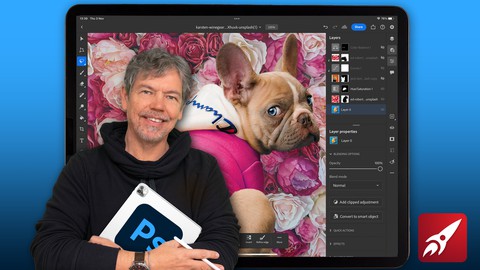
Beginner to Expert: Photoshop on the iPad (2023)
4.8 (108 Reviews)
- Provider: Udemy
- Time: 4.6h
$59.99
 Reviews

By Vadim Bondar on 7/1/2025
Great course for beginners. Easy and fun, yet detailed. It's almost the same as the older course, but it's got a new lesson about cutting out with magnetic lasso and layer mask. It's also got a new workshop on drawing a webpage. You can download videos. On the downside, in the older course, you got resource files for the workshop. P.S. Here is the link to the finished page on Web Archive: https://web.archive.org/web/20150315141313/http://www.webcoursesshowcase.com/2014/index.html
By ali irfan on 6/26/2019
First of all, i will be very thankful to Udemy group who organized such a plate form for learners... sir you have great way of teaching thank you again :) I am really thankful to Udemy academy for such a great lecture..it was my first experience that i like photoshop.. before it i have practiced it with help of other videos but i left it because i feel boring... but sir the method of your teaching and doing fun is great :p i like it more
By Yvette L. on 7/13/2018
If you are totally new to Photoshop CC you need this course. The instructor did a great job of explaining the user interface. He stressed the importance of learning shortcut keys to work faster. I was very impressed with this course. It's a great free course and now I plan to buy more of Carl Heaton's Photoshop courses! I highly recommend this course for newbies.
By Mudassar Waheed on 5/8/2018
It is a good course with lot of details and explanations and I have learned alot but one this is missing. It should also include how to design graphics(images) which instructor have used in template design example.
By Alexandre Deplancke on 1/5/2018
My only negative point is about the subtitles: as French citizen, I was first focus on the subtitles which is not often really precise and clear. And it is very difficult to read the subtitles and look what do the teacher and try to do it on your own Photoshop at the same time. So, it is better to not read the subtitles and focus to the voice. The teacher speak slowly but sometimes the articulation could be better. This is the first time that I use Photoshop, and it was not very easy for the first 2 videos, but after that I get the rythm of the course and can try the exercise at the same time of the teacher (with making some pause on the video of course). I think this course is very helpful for beginners like me. By the way, I enjoy to do the course, because the videos are not too long (20 minutes is the maximum, after that time, it's difficult to stay focus). Thanks a lot for the creator(s) of this excellent course.
By Marina Marlagkoutsou on 10/27/2017
Does exactly what it says. The instructor seems experienced and friendly, plus makes everything so easy (hint, they are)! You will find this informative if you're a beginner, and a nice reminder if you're just getting back into it again after some time. Theres really nothing bad i found about this course, it's for beginners, and it's good at it.
By Maria Zsanett Nagy on 4/24/2017
Hi, my name is Zsanett and I have just decided recently that I would like to change my studies and continue some kind of more creative way of life, where I need to use not only my mind and logic but creative new thinking and the technology as well. That is why I decided to go through different websites and I accidentally bumped into this one where I could improve my skills and learn the basics for free or buy courses as well. I will definitely practice all the parts of photoshop that I have seen here. Thank you for your great job and you guys are especially talented in describing detailed information of programs. After one day I am halfway of this course related to photoshop for web designers ( or graphic design ) and I have never taught that this field is getting my attention this much. I would like to give more time to learn and improve my skills and amazing program! I had 3 mistakes that I need to improve in the future: once when we need to create the "submit button", when we needed to insert the original pictures from our resources using "place embedded" and unfortunately I haven't figure it out why my fonts looks like much more bigger than you are using in the video if I set the same pixel.
By Kshitij Bhatt on 12/11/2016
Nice easy first time user tutorials , definitely recommended if you are using photoshop for very first time and aren't familiar with tools and stuff and it is free which makes it the best tutorial series available for photoshop beginners. It helps to understand designing part of the photoshop web development. Now i am willing to learn about slicing and utilizing the design in an actual working website.
By Adam White on 7/22/2016
Thank you dearly Carl, it was a great way delivered in a positive tone to learn the fundamentals of knocking up your first website design! Delivered with clarity and plenty of very useful tips, also learning about how to make the most of a fair few tools. Thank you, and well done, I'll look at more if your courses if you have more :-) Adam
By D.M. on 7/5/2016
Good information updated to include Photoshop CC, good exercise screens. The instructor suggests taking time to practice the lessons but in the beginning lessons he slips over details that are "a given" to him but not to a beginner. So I had to rewind and rewatch more closely, (e.g. on which portion of a layer text he exactly places the cursor for the action to work correctly). Good webpage construction exercise at the end.
 Quality Score
No CourseDuck member has rated this course yet. Taken it? Give each part a thumbs up or down.
Overall Score : 96 / 100

- Video Duration:
 2.1h
2.1h - Price: Free
- Provider: Udemy
- Updated:
 December 2015
 - Level:
 Beginner
 - Language:
 English
 - Certificate:
 No
No
Udemy Coupon Price Tracker
