
 Web Development
 Python
 SQL
SQL JavaScript
 Data Science
 Artificial Intelligence
 IT & Software
 IT Certifications
 Hacking
 Arduino
 AWS
AWS 3D Modeling
 Graphic Design
 Photoshop
 Drawing
 Digital Painting
 UX Design
 Business
 Data Analysis
 Communication Skills
 Project Management
 Leadership & Management
 E-Commerce
 Digital Marketing
 Social Media Marketing
 Marketing
 SEO
SEO Google Analytics
 Branding
 Office Productivity
 Excel
Excel Finance & Accounting
 Bitcoin
 Video Editing & Animation
 Photography
 Adobe Premier Pro
 Adobe Lightroom
 Personal Development
 Health & Fitness
 Music
Music Guitar
 Teaching & Academics
 Language Learning
 Engineering
 Lifestyle
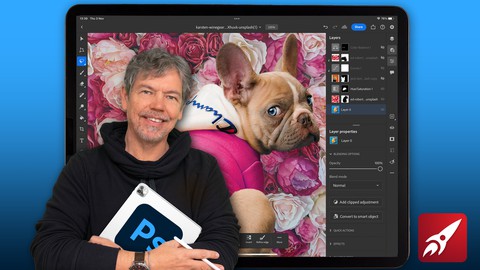
Beginner to Expert: Photoshop on the iPad (Udemy.com)
Make your images come to life and master Photoshop on the iPad with bite-size tutorials and projects.
Created by: Tim Wilson
Last updated October 2023
 What you will learn
- How to make your images look their best using Exposure, Color Balance and other tone & color controls
- How to retouch images to enhance them such improving skin, and cleaning up tears, dirt and imperfections in photos.
- Create multi-image collages using cut-outs including how to cut out hair / fur.
- Understand non-destructive editing techniques using layers and masks
- Gain an excellent understanding of all the main editing tools
 Course Description
Learn to Edit and Retouch Your Images and Make them come to Life in This Comprehensive Photoshop on the iPad Course.
Hi - I'm Tim and I'm an Adobe Certified Instructor and Adobe Certified Expert and designer working in and around London.
This course is an introduction to Adobe Photoshop on the iPad with tutorials and step-by-step projects, starting right from the beginning for complete beginners. You do not have to have any Photoshop experience at all, including Photoshop on the Desktop complete this Photoshop on the iPad course. You also do not need Photoshop on the Desktop - everything will be done on the iPad.
Together we will look at a specific set of tools and techniques. Then I will give you some projects to complete to reinforce your knowledge.
All the content can be adapted for both print or web.
You will learn the basics of Photoshop for the iPad and solidify your knowledge by creating multi-image compositions, retouching old and new images, color-correcting images, working with non-destructive adjustment layers as well as selections.
This course is for anyone new to Photoshop on the iPad, whether you have used Photoshop on the Desktop or not or if you have Photoshop knowledge and want to translate your skills onto the iPad version. All you need is an iPad with an Apple Pencil and copy of Adobe Photoshop for the iPad.
During the videos there will also be key phrases that appear to help you remember tools, shortcuts and techniques.
At the end of this course you will have good understanding of the basics of Photoshop on the iPad and will be able to create simple yet eye-catching and exciting images.
All the exercise files come from the Royalty Free websites Unsplash and pixabay.
Music by Bensound - License code: KC9UHOTLCUFNPEXS

 Udemy Discount
The discount is applied through our link. Open the course from here and Udemy's current promotional price is applied at checkout on most courses, no code to type.
Some courses are excluded from Udemy's promotions. If the price does not drop, clear your browser cookies and use the button again.
Instructor Details

- 4.8 Rating
 108 Reviews
Tim Wilson
Tim divides his time between training, and undertaking design and photography projects. He has trained a range of companies including BBC, Disney, Aardman, Sky, Nissan, Ford, British Airways, Virgin, Barclays, KPMG, NHS, the Times and Adobe amongst many others.
Tim spent many years as a lecturer for Graphic Design and Photography Honour Degree students at universities. He loves sharing his passion for design and this is reflected by the enthusiasm from his students who rebook his courses to continue their professional development.
 More courses by Tim Wilson

Adobe Illustrator - Beginner to Pro Level With New AI (2026)
4.8 (1,368 Reviews)
 Provider: Udemy
 Time: 13.7h
$89.99
Affinity: The Complete Design Course – Beginner to Pro (2026)
4.8 (466 Reviews)
- Provider: Udemy
- Time: 23.8h
$19.99
Affinity Publisher - The Essentials for Beginners V1 & V2 (2022)
4.5 (441 Reviews)
- Provider: Udemy
- Time: 5.3h
$69.99
Affinity Designer Desktop V2 - From Beginner to Pro Level (2023)
4.6 (434 Reviews)
- Provider: Udemy
- Time: 11.3h
$84.99

Beginner to Wow - Affinity Photo Version 2 (2022)
4.9 (420 Reviews)
- Provider: Udemy
- Time: 4.8h
$69.99
More Photoshop courses


Adobe Photoshop CC: For Complete Beginner (Sinhala Medium) (2026)
4.9 (110 Reviews)
- Provider: Udemy
- Time: 8.4h
$59.99

Adobe Photoshop CC – Essentials Training Course (2025)
4.8 (36,753 Reviews)
- Provider: Udemy
- Time: 11.6h
$189.99


47 Graphic Design Projects for Photoshop Beginners (2025)
4.8 (466 Reviews)
- Provider: Udemy
- Time: 7.9h
$99.99

Photoshop Efficiency - Techniques For Consistent Marketing (2025)
4.8 (144 Reviews)
- Provider: Udemy
- Time: 1.4h
$49.99
 Reviews

By Marcus McEwen on 11/29/2025
I liked the logical and clear explanation of how the tools work. In addition, I like the practical applications that he demonstrated. It’s the only Photoshop for iPad course I’ve finished so that’ll tell you everything you need to know.
By Andrew Somerville on 11/9/2025
Fantastic overview of all the functionality of PS. Watched on my laptop while copying all the exercises on my iPad. Bit fast at times requiring a bit of rewinding and rewatching, and I think I have a later version of PS so a bit of fumbling around trying to locate where the options were now but managed to keep up. Lecturer was professional and explained everything in detail. Will be certainly looking out for his other courses in future.
By Sonia Spirling on 4/6/2025
Loved this course and his style. Went through each feature one by one and we eventually learned all aspects of what photoshop can do. Project based so it was hands on learning which is more sticky.
By Yuval Frenkel on 12/5/2024
I felt like the course is very nice and easy to watch, but it was missing some information in my opinion
By Berkay Şen on 3/29/2024
I am at the first section yet and I haven’t seen the whole course but my first impression is very good about it. The teacher explains everything you need in a short, easy to understand videos with a very calm voice . The course includes almost a hundred videos. I chose this course because I am using an iPad. But it might be useful even desktop users. I can recommend this course to everyone who wants to learn Adobe Photoshop. But if you’re working particularly on desktop, you can look at the other course options beside this one as well.
By Gideon Mbanugo on 3/23/2024
The lecturer has a reassuring smile which makes taking his lessons very easy and somewhat enjoyable. The lessons are arranged in good order, and presented without wasting time and space. The course is worth every penny and most importantly, it is easy to follow.
By Mrs Louise Palfreyman on 3/1/2024
I’m brand new to photoshop and only have it on my iPad. I was looking for something that assumes no previous knowledge and guides you step by step. This is perfect. I’ve looked at other courses before and they’ve just confused me, or moved around the software without being able to see what’s actually happening. As well as the straightforward, thorough and logical explanations, Tim’s gentle pace on calming voice make it a pleasurable relaxing way to learn. - thanks Tim! I’ll be buying your illustrator course next :)
By Regina Wilson on 9/17/2023
Still current with my iPad Photoshop today (Sep 2023). Very clear and easy to understand instructions. It's a course I'll definitely come back to and reference.
By Jesse Strohecker on 2/14/2023
Although the each episode seem a bit short, they are filled with “get right to the point” lessons which gives me the sense that Im picking things up quicker. And I am. Can’t wait to see what the rest of the episodes are like.
By Maho0009@hotmail.com on 11/17/2022
This is a very good course for beginners and medium level students. Teacher explains different topics clearly and in an appropriate pace - at least as far as I am concerned. I have studied couple of other courses with the same teacher and they all have been on a high pedagogical level.
 Quality Score
No CourseDuck member has rated this course yet. Taken it? Give each part a thumbs up or down.
Overall Score : 96 / 100
- Video Duration:
 4.6h
4.6h - Price: $59.99
- Provider: Udemy
- Updated:
 October 2023
 - Level:
 All Levels
 - Language:
 English
 - Certificate:
 Yes
Yes
30-day money-back guarantee on most paid courses
Udemy Coupon Price Tracker
