
 Web Development
 Data Science
 Python
 SQL
SQL JavaScript
 Artificial Intelligence
 IT & Software
 IT Certifications
 Hacking
 AWS
AWS Arduino
 DevOps
 3D Modeling
 Graphic Design
 Photoshop
 Drawing
 Digital Painting
 UX Design
 Business
 Data Analysis
 Communication Skills
 Project Management
 Leadership & Management
 Human Resources
 Digital Marketing
 Social Media Marketing
 Marketing
 SEO
SEO Google Analytics
 Branding
 Excel
Excel Office Productivity
 SAP
SAP PowerPoint
 Microsoft Access
 SharePoint
 Finance & Accounting
 Trading & Investing
 Accounting
 Bitcoin
 Personal Finance
 Video Editing & Animation
 Photography
 Adobe Premier Pro
 Adobe Lightroom
 Personal Development
 Productivity
 Career Development
 Life Coaching
 Health & Fitness
 Meditation & Mindfulness
 Yoga
Yoga Music
Music Music Production
 Guitar
 Piano
Piano Singing
 Language Learning
 Teaching & Academics
 Engineering
 Math
Math Lifestyle
Adobe Premiere Pro 2026: Guide to Professional Video Editing (Udemy.com)
Adobe Premiere Pro Uncovered: Learn to Edit, Animate, and Refine Videos for Professional Results
Created by: Programming Hub
Last updated May 2026
 What you will learn
- Master the Adobe Premiere Pro interface, customize it, and start a project from scratch
- Learn advanced editing techniques like cuts, keyframe manipulation, and audio-video syncing
- Create captivating video effects and add depth to your videos with various styles
- Adjust audio levels, remove background noise, and add sound effects for professional audio
- Manipulate video speed, create freeze frames, and understand frame rates for dynamic editing
How it compares
Against the other 293 rated Udemy courses in Video Editing & Animation on CourseDuck:
- Rating4.4 out of 5higher than 40% of them
- Reviews166#155 of 294 by number of reviews
- Length6.9 hourslonger than 79% of them
- Last updatedMay 2026more recently than 87% of them
 Course Description
Welcome to "Adobe Premiere Pro 2026: Guide to Professional Video Editing". This definitive course is designed to take you from a novice to a pro in the world of video editing. Whether you're a beginner or an experienced editor, this comprehensive guide covers every aspect of Adobe Premiere Pro.
Course Overview:
Getting Started: Understand the use cases of Premiere Pro, what to expect from the course, and how to navigate through the lessons. Explore the different versions of Premiere Pro and learn how to start a project from scratch.
Workspace Customization: Dive into the Premiere Pro workspace, learning how to customize it to suit your workflow. We'll also compare Premiere Pro with After Effects.
Media Management: Learn how to import and organize media in Premiere Pro. Understand sequences, video resolution, aspect ratio, and timeline management.
Editing Techniques: Master the art of adding clips to the timeline and various editing tools like razor cuts, ripple edits, slips, and more. Learn how to sync audio and video with just a click, and manipulate keyframes and video properties like scale, position, and opacity.
Cuts and Transitions: Understand different types of cuts - straight, J-cut, L-cut. Learn how to add and customize video and audio transitions.
Video Style & Effects:
Create captivating effects like zoom sequences, blending modes, video masks, split screen effects, and the famous Ken Burns effect.
Learn how to add emotion to your videos, adjust audio levels, and remove background noise.
Audio Management:
Discover how to use the Essential Sound Panel, create audio presets, and add sound effects to enhance your videos.
Learn how to adjust music levels with talking audio and use the track mixer to adjust and add effects.
Graphics and Design:
Learn to create titles and graphics using the Essential Graphics Panel.
Understand the concepts of Responsive Design - Position and Time.
Color Correction & Grading:
Fix white balance, exposure, saturation, and more with the Lumetri Color Basics Tab.
Learn to match colors between shots and edit specific colors in your video.
Add a vignette effect for a cinematic feel.
Video Speed & Frame Rates:
Learn to speed up, slow down, and reverse your videos.
Create a freeze frame and remove green screen backgrounds.
Exporting Your Work:
Learn how to easily export your videos using the Quick Export Button.
Gain in-depth knowledge on exporting for any screen or device.
Join us on this journey to master Adobe Premiere Pro and unlock your full potential in the world of video editing!

 Udemy Discount
The discount is applied through our link. Open the course from here and Udemy's current promotional price is applied at checkout on most courses, no code to type.
Some courses are excluded from Udemy's promotions. If the price does not drop, clear your browser cookies and use the button again.
Instructor Details

- 4.4 Rating
 166 Reviews
Programming Hub
Programming Hub is now on Udemy. Welcome to Programming Hub, a group of passionate programmers hosting an impressive collection of over 40+ applications on both the PlayStore and the App Store. We serve as a vibrant learning catalyst for over 40 million+ global students, providing resources that stretch beyond the classroom and into the world.
At Programming Hub, we take pride in our unwavering dedication to excellence, a testament to which is our consistently high ratings above 4.7 stars. Our platform is more than just programming, it's a hotbed of learning opportunities and resourceful insights that spans across various fields. All our courses follow a customised version of Kolb's learning framework and are known for our practical, bite sized approach to learning.
Why students love us: Active since 2012, Programming hub has created practical yet easy to follow courses. While we started with Programming and are very much in love with Programming, now we have ventured beyond and now have courses in Analytics, Marketing, AI, ML, Design, Leadership as well.
Content depth and breadth: Each of our course comes with thought through pedagogy and practical illustrations. We have added usable resources, code snippets as well as attachments which are relevant to that course wherever needed. Every course has relevant projects from that domain or exper
 More courses by Programming Hub
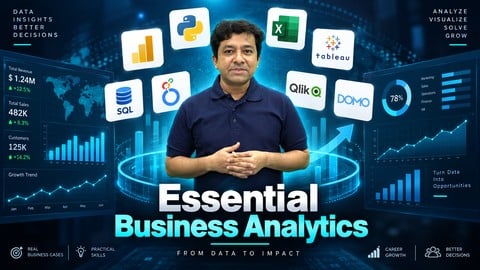
Business Analytics 2026: Data Analysis to Business Insights
4.5 (7,692 Reviews)
 Provider: Udemy
 Time: 1h
$24.99
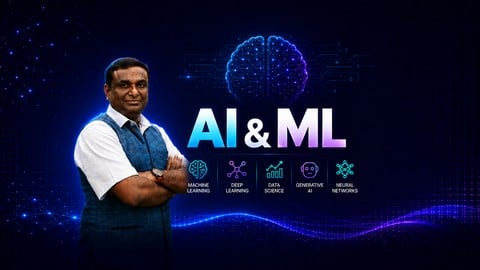
AI & Machine Learning Course 2026: Beginner to Advanced
4.4 (2,222 Reviews)
- Provider: Udemy
- Time: 6.9h
$64.99
Adobe Photoshop: Complete Beginners Course (2026)
4.1 (199 Reviews)
- Provider: Udemy
- Time: 9.5h
$19.99
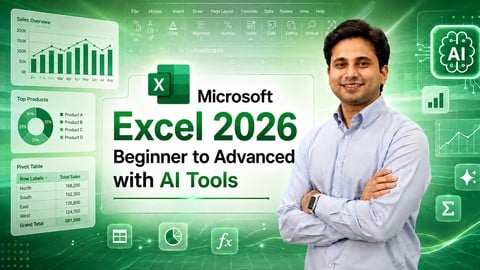
Microsoft Excel 2026: Beginner to Advanced with AI Tools
4.6 (107 Reviews)
- Provider: Udemy
- Time: 8.7h
$10.99

Master Flutter and Dart: Build iOS & Android Apps (2026)
4.3 (107 Reviews)
- Provider: Udemy
- Time: 17.9h
$64.99
Learn Linux: Mastering Installation to Scripting (2026)
4.4 (80 Reviews)
- Provider: Udemy
- Time: 6.2h
$59.99
More Video Editing & Animation courses

Learn to Storyboard for Film or Animation (2024)
4.8 (2,727 Reviews)
- Provider: Udemy
- Time: 2.2h
$12.99


Fire Starter Sessions Video Workshop with Danielle LaPorte (2017)
4.8 (1,205 Reviews)
- Provider: Udemy
- Time: 3.7h
$11.99

The Ultimate Color Grading Bootcamp in DaVinci Resolve (2026)
4.8 (947 Reviews)
- Provider: Udemy
- Time: 8.7h
$19.99

The Complete Talking Head Video Production Masterclass (2026)
4.8 (319 Reviews)
- Provider: Udemy
- Time: 17.6h
$59.99

The Complete iMovie Course - from Beginner to Advanced 2026!
4.7 (2,021 Reviews)
- Provider: Udemy
- Time: 11.1h
$10.99
 Reviews

By Satya Emani on 12/17/2025
For a lay person, this course is a good place to start Premiere Pro training. Clearly as the course progressed it was evident that both instructors are just trainers without any professional video editing experience. They need to understand video fundamentals and understand how to explain them clearly. Too much of time spent on trivial topics. Most examples (samples) were terrible and not suitable to convey clarity in a topic's details.
By Fikireab Markos on 6/18/2025
It is so helpful for absolute beginner like me, but I couldn't find the project file so that I give you guys 4
By Anmol . on 3/1/2025
The course is easy to understand. If you want to cover basics in Premier pro
By Dev on 11/10/2024
I was new to Premiere Pro, and this course gave me the confidence to start editing like a professional. The instructor explains everything step by step, and the lessons are well-paced. The hands-on projects, especially the color correction exercises, were super helpful in getting a practical understanding. I now feel comfortable using Premiere Pro to edit my YouTube videos. A must-take for all beginners!
By Yash Jain on 11/9/2024
This course is exactly what I needed to take my video editing skills to the next level. The instructor explains everything clearly, from workspace customization to advanced effects like color grading. The hands-on exercises were engaging, and I learned a lot about video style and effects, which has made my videos look much more professional. I now feel ready to take on professional editing projects. Highly recommended!
By Hanika Jain on 11/9/2024
I had been using premiere pro for a while but felt like i wasn't using it to its full potential. This course changed that . The instructor covers everything from the basics to advanced techniques, like video masks and speed adjustments. The lessons are easy to follow, and the hands on projects were very engaging. i now feel like i have a much deeper understanding of the software and can produce professional-quality videos, Highly recommended!
By Samyak Jain on 11/9/2024
I’m new to video editing, and this course made Premiere Pro so accessible. The lessons are structured logically, building from basic editing techniques to advanced effects. The instructor explains each concept clearly, making it easy to follow along. The sections on color correction and audio management were particularly helpful. I now feel confident creating and editing my own professional-quality videos. This course is perfect for beginners!
By Milan jain on 11/8/2024
I had some experience with video editing, but this course took my skills to the next level. The sections on color grading and graphic design were incredibly insightful. The practical tips for using the Lumetri Color panel have made a huge difference in my projects. It’s the best course for anyone wanting to polish their Premiere Pro skills!
By Mehek Choubey on 11/8/2024
This Premiere Pro course is perfect for anyone wanting to start their journey in video editing. The instructor explains everything clearly, from workspace customization to advanced editing techniques. The lessons on audio management were particularly helpful, and I now feel confident in my ability to create professional-quality videos.Highly recommended!
By Adebayo sodiq on 7/8/2024
It is very good especially for a newbie like me
 Quality Score
No CourseDuck member has rated this course yet. Taken it? Give each part a thumbs up or down.
Overall Score : 88 / 100
- Video Duration:
 6.9h
6.9h - Price: $64.99
- Provider: Udemy
- Updated:
 May 2026
 - Level:
 Beginner
 - Language:
 English
 - Certificate:
 Yes
Yes
30-day money-back guarantee on most paid courses
Udemy Coupon Price Tracker
