
 Web Development
 Data Science
 Python
 SQL
SQL JavaScript
 Artificial Intelligence
 IT & Software
 IT Certifications
 Hacking
 AWS
AWS Arduino
 DevOps
 3D Modeling
 Graphic Design
 Photoshop
 Drawing
 Digital Painting
 UX Design
 Business
 Data Analysis
 Communication Skills
 Project Management
 Leadership & Management
 Human Resources
 Digital Marketing
 Social Media Marketing
 Marketing
 SEO
SEO Google Analytics
 Branding
 Excel
Excel Office Productivity
 SAP
SAP PowerPoint
 Microsoft Access
 SharePoint
 Finance & Accounting
 Trading & Investing
 Accounting
 Bitcoin
 Personal Finance
 Video Editing & Animation
 Photography
 Adobe Premier Pro
 Adobe Lightroom
 Personal Development
 Productivity
 Career Development
 Life Coaching
 Health & Fitness
 Meditation & Mindfulness
 Yoga
Yoga Music
Music Music Production
 Guitar
 Piano
Piano Singing
 Language Learning
 Teaching & Academics
 Engineering
 Math
Math Lifestyle
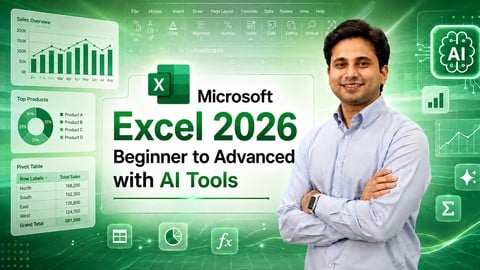
Microsoft Excel 2026: Beginner to Advanced with AI Tools (Udemy.com)
Learn Excel Formulas, PivotTables, Dashboards, VBA, Data Analysis & Microsoft Copilot with Practical Projects
Created by: Programming Hub
Last updated August 2026
 What you will learn
- Create and manage professional, well-organized Excel spreadsheets from scratch
- Master essential Excel functions like SUM, VLOOKUP, IF, INDEX/MATCH, XLOOKUP, SWITCH
- Analyze large datasets with PivotTables, PowerQuery, and PowerPivot to gain insights efficiently
- Build dynamic, interactive dashboards for business reporting and data visualization
- Automate repetitive tasks with Excel VBA and Macros to save time and boost productivity
- Use Conditional Formatting, Data Validation, and Power Functions to enhance data accuracy
- Master Excel Shortcuts and Productivity Hacks to work faster and more efficiently
- Filter, Sort, and Clean Data with advanced Excel tools like TEXTSPLIT, UNIQUE, and FILTER
- Create stunning charts and graphs to visualize trends and present data effectively
- Import and Export Data from different sources, including Access, Text Files, and Databases
How it compares
Against the other 459 rated Udemy courses in Office Productivity on CourseDuck:
- Rating4.6 out of 5higher than 67% of them
- Reviews107#408 of 460 by number of reviews
- Length8.7 hourslonger than 76% of them
- Last updatedAugust 2026more recently than 87% of them
 Course Description
Want to get better at Microsoft Excel without getting lost in complicated menus, formulas, or technical explanations?
This course is designed to make Excel feel simple, practical, and actually useful.
Whether you're opening Excel for the first time or already use it at work, you'll learn how to go from everyday spreadsheet tasks to advanced formulas, PivotTables, dashboards, automation, data analysis, VBA, and AI-powered tools like Microsoft Copilot.
You'll start with the basics—workbooks, worksheets, formatting, navigation, cell references, and organizing data. From there, you'll gradually move into the tools that make Excel truly powerful.
You'll learn how to use Excel formulas and functions to solve problems faster, clean and manage large datasets, highlight important information with conditional formatting, and keep your data accurate with validation tools.
Then things get even more interesting.
You'll discover how to turn rows of raw data into useful insights using PivotTables, PivotCharts, charts, graphs, and business analytics techniques. You'll learn how to spot trends, create clear reports, and present your findings in a way that's easy for anyone to understand.
What You'll Learn
Use Microsoft Excel from beginner to advanced
Work confidently with worksheets, workbooks, and large datasets
Create useful Excel formulas and functions
Clean, sort, filter, format, and organize data
Analyze data using PivotTables and PivotCharts
Create professional charts and visual reports
Build interactive Excel dashboards
Use Excel for business analytics and reporting
Automate repetitive tasks with Macros and VBA
Understand VBA code, errors, and debugging
Explore Microsoft Copilot and AI tools in Excel
Use AI to help with formulas, summaries, insights, and data analysis
You'll also learn how automation can save you from repeating the same Excel tasks again and again. With Macros and VBA, you'll be able to speed up workflows and make your spreadsheets work smarter.
And because Excel is changing too, you'll explore how AI and Microsoft Copilot can assist with analyzing data, generating formulas, finding patterns, organizing information, and completing everyday tasks faster.
To bring everything together, you'll build an interactive Excel dashboard project using PivotTables, slicers, charts, and dynamic visualizations.
This isn't about memorizing every button in Excel.
It's about knowing which tool to use, when to use it, and how to turn data into something useful.
Whether you're a student, job seeker, working professional, data analyst, business owner, or simply someone who wants to stop struggling with spreadsheets, you'll find practical skills here that you can use right away.
By the end of the course, you'll be ready to use Microsoft Excel for data analysis, dashboards, reporting, automation, business tasks, and AI-assisted workflows with much more confidence.

 Udemy Discount
The discount is applied through our link. Open the course from here and Udemy's current promotional price is applied at checkout on most courses, no code to type.
Some courses are excluded from Udemy's promotions. If the price does not drop, clear your browser cookies and use the button again.
Instructor Details

- 4.6 Rating
 107 Reviews
Programming Hub
Programming Hub is now on Udemy. Welcome to Programming Hub, a group of passionate programmers hosting an impressive collection of over 40+ applications on both the PlayStore and the App Store. We serve as a vibrant learning catalyst for over 40 million+ global students, providing resources that stretch beyond the classroom and into the world.
At Programming Hub, we take pride in our unwavering dedication to excellence, a testament to which is our consistently high ratings above 4.7 stars. Our platform is more than just programming, it's a hotbed of learning opportunities and resourceful insights that spans across various fields. All our courses follow a customised version of Kolb's learning framework and are known for our practical, bite sized approach to learning.
Why students love us: Active since 2012, Programming hub has created practical yet easy to follow courses. While we started with Programming and are very much in love with Programming, now we have ventured beyond and now have courses in Analytics, Marketing, AI, ML, Design, Leadership as well.
Content depth and breadth: Each of our course comes with thought through pedagogy and practical illustrations. We have added usable resources, code snippets as well as attachments which are relevant to that course wherever needed. Every course has relevant projects from that domain or exper
 More courses by Programming Hub
Business Analytics 2026: Data Analysis to Business Insights
4.5 (7,692 Reviews)
 Provider: Udemy
 Time: 1h
$24.99

AI & Machine Learning Course 2026: Beginner to Advanced
4.4 (2,222 Reviews)
- Provider: Udemy
- Time: 6.9h
$64.99

Adobe Photoshop: Complete Beginners Course (2026)
4.1 (199 Reviews)
- Provider: Udemy
- Time: 9.5h
$19.99

Adobe Premiere Pro 2026: Guide to Professional Video Editing
4.4 (166 Reviews)
- Provider: Udemy
- Time: 6.9h
$64.99

Master Flutter and Dart: Build iOS & Android Apps (2026)
4.3 (107 Reviews)
- Provider: Udemy
- Time: 17.9h
$64.99

Learn Linux: Mastering Installation to Scripting (2026)
4.4 (80 Reviews)
- Provider: Udemy
- Time: 6.2h
$59.99
More Office Productivity courses

AI-Powered Social Media Management: From Beginner to Pro (2025)
5.0 (211 Reviews)
- Provider: Udemy
- Time: 1.1h
$19.99

Microsoft Excel + AI: Go From Data Analysis to Visualization (2026)
4.9 (276 Reviews)
- Provider: Udemy
- Time: 3.8h
$10.99


Complete Introduction to Google Sheets Pivot Tables (2026)
4.8 (3,570 Reviews)
- Provider: Udemy
- Time: 2.9h
$64.99


Microsoft Excel - Managing Personal Finances with Excel (2024)
4.8 (810 Reviews)
- Provider: Udemy
- Time: 3h
$19.99
 Reviews

By Manikya Mansingh on 2/14/2026
I was looking for a course where I can master excel. So far so good. Also I have some doubts, I hope it can be cleared by someone
By Shah Ali Muhammad bin Haji Yusof on 11/30/2025
It teaches from its base which make it easy to understand. Need to read before learn is basic teaching method people didnt use.
By Hardik Sinh on 10/21/2025
very very usefull no need to learn after this course i am doing my mba
By Raji Elizabeth Omayoza on 9/9/2025
It was well explained and detailed. Thank you and well done Please where can I download the learning materials
By Rishith S on 9/5/2025
Really well explained with practical knowledge.
By Vinay Kumar on 3/31/2025
Teaching is not so interested and not showing any shortcuts
By Arico hartanta on 2/20/2025
in the first is so hard to understand but in the end is going fun
By Revathy Bahuleyan on 1/28/2025
The information's shared were clear and precise
By Ben Tenison on 7/21/2024
Data validation techniques in this course are pure gold. No more inaccurate entries!
By Anant Jain on 7/17/2024
Learning about conditional formatting and data validation has made my data management tasks so much easier and error-free.
 Quality Score
No CourseDuck member has rated this course yet. Taken it? Give each part a thumbs up or down.
Overall Score : 92 / 100
- Video Duration:
 8.7h
8.7h - Price: $10.99
- Provider: Udemy
- Updated:
 August 2026
 - Level:
 All Levels
 - Language:
 English
 - Certificate:
 Yes
Yes
30-day money-back guarantee on most paid courses
Udemy Coupon Price Tracker
