
 Web Development
 Python
 SQL
SQL JavaScript
 Data Science
 Artificial Intelligence
 IT & Software
 IT Certifications
 Hacking
 Arduino
 AWS
AWS 3D Modeling
 Graphic Design
 Photoshop
 Drawing
 Digital Painting
 UX Design
 Business
 Data Analysis
 Communication Skills
 Project Management
 Leadership & Management
 E-Commerce
 Digital Marketing
 Social Media Marketing
 Marketing
 SEO
SEO Google Analytics
 Branding
 Office Productivity
 Excel
Excel Finance & Accounting
 Bitcoin
 Video Editing & Animation
 Photography
 Adobe Premier Pro
 Adobe Lightroom
 Personal Development
 Health & Fitness
 Music
Music Guitar
 Teaching & Academics
 Language Learning
 Engineering
 Lifestyle
Adobe Premiere Pro Full Course - 2026 - 10 Hours of Lessons (Udemy.com)
Go From Beginner to Pro
Created by: Jeff Napolitano
Last updated January 2026
 What you will learn
- Discover the basics of Premiere Pro starting from scratch to high-end video editing.
- Become fluent with the layout and know the basics of editing on your first lesson.
- Create titles and learn how to animate them with motion and cropping effects.
- Key out green screen footage and learn how to deal with bad lighting.
- Practice and copy YouTube effects like blur transitions, sound effects and matte layers.
- Learn technical skills like organizing files, creating proxies, and colorizing your timeline to make your editing faster.
- Work real life examples used on TV, Movies, Sports and YouTube.
- Work with audio and see what is happening with TV show opening sequences and create your own.
- Make lav mics sound like boom mics with equalizer tools and sound repair.
- Learn special FX that are easy to apply to your own videos.
- Write on the screen using Photoshop and out of the box techniques.
 Course Description
Welcome to Adobe Premiere Pro - Beginner to Pro 2026!
This is a new course and I am confident this will give you a thorough demonstration into seeing how Premiere Pro works, all the way to advanced lessons that will get you thinking about how to become a unique and creative video editor. I'm also available for questions to make sure you advance your skills.
Start with the Basics to Know Adobe Premiere Pro and Creative Cloud
In these first set of lessons, I give you everything you need to know to edit. If you can take a few minutes to watch these lessons, it will ensure that you have the fundamentals you need to start editing. Once you have those, you can move on to the fun stuff!
This Course Gives You Everything You Need to Start Your Video Editing Career
From downloading the Adobe Premiere Pro App, to using real footage you can cut, this complete editing course offers all of the tools you need so you can walk away at the end of it with the basics, but outside-the-box creativity so you can have the tools you need when a video editing challenge presents itself.
Understand the General Layout of Premiere Pro
In this lesson you will see the layout of Premiere and how it changes when it is populated with footage, and what to do next.
See a Simple Way to Import Footage into Premiere
In this lesson you will be able to practice with the footage provided and drag it into the project bin to see how it changes in Premiere.
Start Cutting Footage
In this lesson you will be able to practice cutting the footage provided using the razor blade tool and the rollover end-cut tool.
Rotate iPhone Footage
Switching iPhone footage so it crosses over to the regular 16x9 aspect ratio may not turn out just right until you flip it over or scale it back. This lesson looks at converting it to play on YouTube.
Import a Music Track into Premiere
In this lesson you will be able to practice cutting the footage provided using the razor blade tool and the rollover end-cut tool.
Animate a Lower Thirds Intro Title
Download the Premiere Pro template and change out your name inside it to replicate the project and learn from tinkering and retyping over the name to make it your own and learn at the same time.
Make Voiceovers and Mics Sound Pro with EQ
This lesson take mediocre sound from a lav mic with pops and add an equalizer effect and tame audio levels and raise the volume.
Start Cutting Away to a 2nd Track of B-Roll Footage
Back to days of shooting without sound, physically cutting and splicing 2nd film-rolls, B roll is now a non-linear B Track.
Adjust the Timing of Clips for Speed and Slow Motion
Sometimes you need it to play just a tad bit faster, or maybe you need that slowed down version of an amazing replay. This lesson tackles the basics.
Transition From One Video to the Next with Page Turns and Dissolve Effects
In this lesson you will be able to use pre-programmed transitions that are already embedded into Premiere Pro. Nothing flashy, just simple yet effective.
Bring Photos to Life By Using Motion and Scaling to Zoom in or Out
In this lesson you will be able to practice with photos by using them to move in or out with keyframes, adjusting speed while it happens.
Spin Your Name on a 3D Axis in the Premiere Pro Template Provided
In this lesson you will be able to add a Basic 3D filter in Premiere that allows you to spin letters on an axis to animate a title. Then change out your name in the Pr project template and use it for yourself.
Understand Audio Tracks and How They Work in a Reality TV Show
This lesson doesn't use Premiere, instead it points out what is actually happening when you are watching a show.
Use Essential Graphic Templates to Make a YouTube Opener
Easily program what Premiere gives you to design the color scheme you need.
Using the Essential Graphics Panel for Modifiable Transitions
In this lesson you will be able to use the essential graphics panel templates in Premiere and change the settings to meet your needs.
Exporting Your Footage and what Bitrates Mean
In this lesson you will be able to add learn what Bitrates do and what the settings should be so you don't lose all of your quality.
Change Premiere Preferences for the Look and Performance you Want
Change the performance and the colors and the look and feel to make it meet the needs of your eyes and performance levels to match your hardware.
Skew 3D Titles in a "Saturday Night Live" Cover
Skew titles and make them 3D and even behind a subject just like SNL.
Add Basic Color Correction Effects
In this lesson you get the rundown of the color correction tools.
Cinematic Looks with Letterboxing and Color Changes
Not only can you adda letterbox to the top layer, this allows you to scale the image underneath so it doesn't get completely cropped out. Then change the look with Lumitri color.
Clone Without a Green Screen
Using a split screen cropping effect and a still camera set up you will be able to duplicate yourself without a green screen.
MTV Style Flash Cuts
In this lesson you will be able to use jump style cuts coupled with a quick glare of bright white for a music and fashion type of flash.
Key Out Bad Lighting in Green Screens with More Filters
In this lesson you will be able to examine the good and bad of uneven lighting in green screens.
Audio Cutting Out "Ums" and "Uhs" in Traditional Media Interviews
Unlike YouTube where you just cut every space between talking and allow for jumpcuts, traditional TV still needs a bit more skill to cover those jumpcuts. This shows you how.
Layering a Basic Netflix Style Opener
In this lesson you will be able to layer a windmill, a field, and running kids for a wild west type of Netflix Town with opening credits.
Generate Captions and Make Transcripts
In a few simple steps generate all of the audio track into an entire transcript. Then urn that into YouTube style text captions on the screen one word at a time.
Turn Documents into a Crime Scene Documentary
Highlight words with marker sound FX and yellow highlights that scrape across the screen.
The Big Reveal

 Udemy Discount
The discount is applied through our link. Open the course from here and Udemy's current promotional price is applied at checkout on most courses, no code to type.
Some courses are excluded from Udemy's promotions. If the price does not drop, clear your browser cookies and use the button again.
Instructor Details
- 4.2 Rating
 38 Reviews
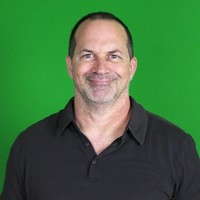
Jeff Napolitano
I've been editing videos for several universities, YouTubers, and businesses. I've learned so many things about Premiere Pro and video editing. While I teach, I also learn from video editors I work with who share their ways of editing. I've realized that there are many ways to edit!
There is the tech side, all about the buttons and windows in the program, and then there is the end result on the screen. I've learned that you have to decide what is important to you, but your audience will only care in the end what they're watching on the screen, whatever screen that may be may also dictate the type of editing required. Knowing your audience is a must to be successful. They usually only care about what they want to see, and even though you can edit, that may not matter to them.
I graduated with a degree in film, teaching credential, and Master's in education. My passion with Premiere has enabled me to teach this program to elementary, middle school, high school students and beyond!
Hopefully, this Adobe Premiere Pro course can deliver the skills you need to become the professional video editor you want to be.
 More courses by Jeff Napolitano
Adobe Premiere Pro for Beginners The Crash Course Fast Pass (2025)
4.1 (425 Reviews)
 Provider: Udemy
 Time: 2h
Free
More Video Editing & Animation courses

Learn to Storyboard for Film or Animation (2024)
4.8 (2,727 Reviews)
- Provider: Udemy
- Time: 2.2h
$12.99


Fire Starter Sessions Video Workshop with Danielle LaPorte (2017)
4.8 (1,205 Reviews)
- Provider: Udemy
- Time: 3.7h
$11.99

The Ultimate Color Grading Bootcamp in DaVinci Resolve (2026)
4.8 (947 Reviews)
- Provider: Udemy
- Time: 8.7h
$19.99

The Complete Talking Head Video Production Masterclass (2026)
4.8 (319 Reviews)
- Provider: Udemy
- Time: 17.6h
$59.99

The Complete iMovie Course - from Beginner to Advanced 2026!
4.7 (2,021 Reviews)
- Provider: Udemy
- Time: 11.1h
$10.99
 Reviews

By Jan S Taylor on 8/26/2026
Great to start with an overview - works for a first timer as well as for just a quick refresher if you've been away from the program for several months. Love the personality, too!
By Walter Barnie on 8/17/2026
i have no idea what he's talking about. Things are introduced without basic concepts. Very poor
By Peter Bartholomew on 11/12/2025
There is a lesson with no audio as well as duplicated lessons. It also doesn't seem to follow any logical flow. It's kind of jumping all over the place from topic to topic. I question whether the creator bothered to check his content before uploading the course. I had taken a Premiere course from another platform, so was able to follow along. But I would not recommend this to anyone trying to learn it for the first time.
By Luis Garcia on 5/4/2025
This guy is flying thru the lessons. Not meant for someone trying to understand the interface.
By Kenneth Schultz on 3/5/2025
Instructor went too fast
By Kangeshan Manickavasagar on 1/2/2025
I am very new to PR. would be nice teach bit slower...thx
By Adam Sprehe on 7/25/2023
Really enjoying the course so far. I am eager to learn more.
By Balwinder Singh on 7/4/2026
 Quality Score
No CourseDuck member has rated this course yet. Taken it? Give each part a thumbs up or down.
Overall Score : 84 / 100
- Video Duration:
 10.1h
10.1h - Price: $44.99
- Provider: Udemy
- Updated:
 January 2026
 - Level:
 All Levels
 - Language:
 English
 - Certificate:
 Yes
Yes
30-day money-back guarantee on most paid courses
Udemy Coupon Price Tracker
