
 Web Development
 Data Science
 Python
 SQL
SQL JavaScript
 Artificial Intelligence
 IT & Software
 IT Certifications
 Hacking
 AWS
AWS Arduino
 DevOps
 3D Modeling
 Graphic Design
 Photoshop
 Drawing
 Digital Painting
 UX Design
 Business
 Data Analysis
 Communication Skills
 Project Management
 Leadership & Management
 Human Resources
 Digital Marketing
 Social Media Marketing
 Marketing
 SEO
SEO Google Analytics
 Branding
 Excel
Excel Office Productivity
 SAP
SAP PowerPoint
 Microsoft Access
 SharePoint
 Finance & Accounting
 Trading & Investing
 Accounting
 Bitcoin
 Personal Finance
 Video Editing & Animation
 Photography
 Adobe Premier Pro
 Adobe Lightroom
 Personal Development
 Productivity
 Career Development
 Life Coaching
 Health & Fitness
 Meditation & Mindfulness
 Yoga
Yoga Music
Music Music Production
 Guitar
 Piano
Piano Singing
 Language Learning
 Teaching & Academics
 Engineering
 Math
Math Lifestyle
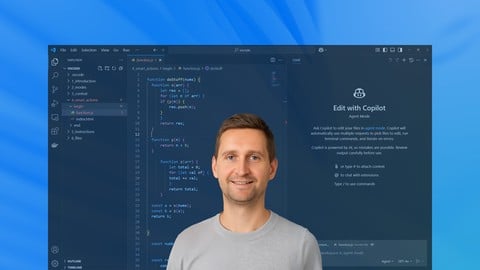
AI programming with Github Copilot in VS Code for beginners (Udemy.com)
Programming in Visual Studio Code and Copilot. With practical exercises, pdf by chapter and cheat sheet
Created by: Van Looveren Stef
Last updated May 2025
 What you will learn
- Understand GitHub Copilot for VSCode fundamentals
- Do your first code completions with AI
- Learn Ask, Edit and Agent mode in VSCode copilot
- Leverage Smart Actions to improve code quality
- Integrate Copilot into real-world development workflows
- Create your own to-do list app by providing detailed instructions
How it compares
Against the other 1,182 rated Udemy courses in IT & Software on CourseDuck:
- Rating4.6 out of 5higher than 67% of them
- Reviews68#1,063 of 1,183 by number of reviews
- Length0.9 hoursshorter than 97% of them
- Last updatedMay 2025earlier than 50% of them
 Course Description
This course is designed to help beginners get started with AI-assisted programming using GitHub Copilot in Visual Studio Code. Whether you're just getting into coding or looking for ways to speed up your development workflow, this course will show you how to effectively use GitHub Copilot to write, understand, and improve code across various tasks.
You’ll learn how to set up GitHub Copilot in VS Code, navigate its suggestions, and use it as a supportive tool without becoming overly reliant on it. Through practical examples and guided exercises, we’ll explore how Copilot handles different languages and common programming problems. The focus is not just on what Copilot can do, but also on where its limitations lie, so you stay in control of your code.
Every chapter includes real code examples, a downloadable PDF for quick reference, and a cheat sheet to reinforce key concepts. This course avoids unnecessary fluff and keeps things hands-on and practical, making it ideal for those who want a clear, structured path to understanding Copilot.
Perfect course for absolute beginners or non-pogrammers eager to explore the possibilities. But also experienced people will benefit from it.
By the end of this course, you’ll be able to integrate Copilot into your daily workflow with confidence, boost your coding efficiency, and build a solid foundation for further development with AI tools.

 Udemy Discount
The discount is applied through our link. Open the course from here and Udemy's current promotional price is applied at checkout on most courses, no code to type.
Some courses are excluded from Udemy's promotions. If the price does not drop, clear your browser cookies and use the button again.
Instructor Details

- 4.6 Rating
 68 Reviews
Van Looveren Stef
Hi, I'm Stef. A full-stack software developer living near Antwerp, Belgium.
For the last 15 years, I've built software for government and enterprises.
On my blog, I share code snippets for 40k visitors a month. I am also a code author on Leanpub, check out my books there.
It struck me that there are so few good learning paths for some technologies out there. With my courses, I try to fill the gap.
Since its breakthrough in 2023 I'm also very interested in generative art, like Midjourney.
With this blog I hope to share back some of my code/work with the community. Cheers and enjoy!
I gave it my best and I hope you will enjoy it!
 More IT & Software courses

D3.js Data Visualization Fundamentals - Hands On (2026)
4.9 (3,917 Reviews)
 Provider: Udemy
 Time: 4.6h
$49.99

Hands-On Training: Streaming Data with Apache Kafka on Azure (2025)
4.9 (103 Reviews)
- Provider: Udemy
- Time: 3.7h
$10.99


Oracle Grid Infrastructure and RAC using Oracle Database 19c (2026)
4.8 (2,499 Reviews)
- Provider: Udemy
- Time: 8.7h
$19.99

PowerShell Scripting & Automation: The Complete Hands-On (2026)
4.8 (1,750 Reviews)
- Provider: Udemy
- Time: 9.6h
$11.99

AWS EC2 Crash Course + Load Balancing with Demos and PDFs (2025)
4.8 (866 Reviews)
- Provider: Udemy
- Time: 3.7h
$19.99
 Reviews

By Mark Orlando on 9/14/2026
Great course and the instructor spoke clearly. The shortness of the course was greatly appreciated and I was able to complete the course in an hour. It definitely sparks my interest in GitHub Copilot.
By James Lee on 8/25/2026
I really enjoyed this course on GitHub Copilot and VS Code. It was very informative and provided a great hands-on learning experience. As someone who is working on creating and developing my own app, I found the lessons practical and relevant to what I want to accomplish. I now feel more comfortable using VS Code and better understand how GitHub Copilot can assist with coding, troubleshooting, and improving my development workflow. This course exceeded my expectations and gave me knowledge that I can immediately apply to my app development projects.
By Therese Parish on 8/22/2026
Very helpful to get started using Copilot.
By Carlos Negroni on 7/18/2026
I need to create an interactive web page using data in a json file then this course is a good start.
By Marco Tinari on 6/16/2026
Otimo corso per iniziare ad usare copilot con visual studio code
By Rudresh Veerappaji on 2/14/2026
Excellent course and a wonderful instructor who has clearly put a lot of efforts into building a concise and well-structured course on how to use Copilot with VS Code. The course includes various practical examples and covers several features of Copilot like the Agent Mode, Context options, smart actions, custom instructions, etc. I used this course to help build 2 of my own projects and turn them into live applications real quick, from the learnings of this course. Copilot is real good and seems to make very few mistakes (can quickly restore checkpoint to go one or two steps back if any issues, and try again) even through a long series of feature additions and code changes. In summary, it is a very effective and practical course, I would highly recommend it to anyone interested in learning VS Code with Copilot and try building applications of your own. I hope the instructor keeps adding more useful tips and tricks for VS code with copilot, and more examples into this course over time, this is a gem of a course, thanks!
By Gaurav Chhaunker on 2/7/2026
Great course for beginners and updates are needed and LIVE server details are needed in begining.
By Marijan Novak on 10/29/2025
Great itroduction to Github Copilot in VS Code!
By Filip Malenka on 7/11/2025
Exactly what I needed to jump-start using VS Code with Copilot as a complete newbie. Thanks alot for this comprehensive tutorial!
By Jeremy Matthews on 7/2/2025
This was a good match for me. I was advised to learn about AI in relation to coding and had heard about the AI capabilities in VS Code. This is a very short course compared to others that I have taken on Udemy, but it did give me what I wanted: a basic idea of how AI is integrated into VS Code and how it can review, fix, and generate code. Seems like computer programming might just be writing instructions for what Copilot should generate and then tweaking the code to make sure it's working correctly and doing what it should do.
 Quality Score
No CourseDuck member has rated this course yet. Taken it? Give each part a thumbs up or down.
Overall Score : 92 / 100
- Video Duration:
 54 mins
 - Price: $10.99
- Provider: Udemy
- Updated:
 May 2025
 - Level:
 Beginner
 - Language:
 English
 - Certificate:
 Yes
Yes
30-day money-back guarantee on most paid courses
Udemy Coupon Price Tracker
