
 Web Development
 Python
 SQL
SQL JavaScript
 Data Science
 Artificial Intelligence
 IT & Software
 IT Certifications
 Hacking
 Arduino
 AWS
AWS 3D Modeling
 Graphic Design
 Photoshop
 Drawing
 Digital Painting
 UX Design
 Business
 Data Analysis
 Communication Skills
 Project Management
 Leadership & Management
 E-Commerce
 Digital Marketing
 Social Media Marketing
 Marketing
 SEO
SEO Google Analytics
 Branding
 Office Productivity
 Excel
Excel Finance & Accounting
 Bitcoin
 Video Editing & Animation
 Photography
 Adobe Premier Pro
 Adobe Lightroom
 Personal Development
 Health & Fitness
 Music
Music Guitar
 Teaching & Academics
 Language Learning
 Engineering
 Lifestyle
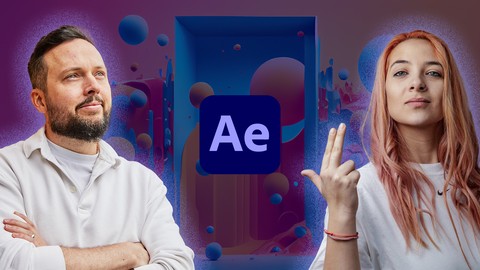
Animating Logos with After Effects (Udemy.com)
Master Motion Design and Animation techniques while working on fun creative projects!
Created by: Martin Perhiniak
Last updated July 2024
 What you will learn
- Getting confident in using After Effects for motion design and animation
- Creating eye-catching logo animations
- Produce portfolio-ready animations that you can use to market yourself
- Character and mascot animation techniques
- Kinetic typography animation workflow
- Essential motion graphics techniques
- How to come up with ideas for a logo animation project
- How to use Adobe Illustrator and Adobe After Effects in a seamless professional motion design workflow
- How to work with Keyframes, Shapes and Transitions
 Course Description
Are you a Graphic Designer planning to get into Motion Design and Animation? Logo animations are the perfect way to start your Adobe After Effects journey.
This course is for anyone looking to improve their After Effects skills and learn how to create beautiful logo animations that they can sell to their clients. A good custom logo animation is priced between $1,000 and $9,000.
We teamed up with Ina Gavazova to make this course, who is an experienced Motion Design and Animation expert working for clients such as Nissan, Yale and Unicef. Her passion and energy for animation and motion graphics is infectious, join her if you want to have a great time while learning!
You will be guided through all the essential motion design and animation techniques in Adobe After Effects including Keyframes, Shapes and Transitions while working on exciting real-life logo animation projects:
Mascot/Character animation - a whimsical llama head with a cute little bell on her neck.
Kinetic typography animation - a dynamic text reveal full of character and energy.
Morphing icons animation - a modern minimalist animation showcasing many of the 12 principles of animation.
So why should you take this course? Here are a few reasons in the words of our students:
"I'm a graphic designer, and I've been telling myself I'm too busy to learn but motion design has always been really exciting to me and something I wanted to get into. After Effects can seem complicated at times and it can frustrate me when I look up tutorials and they're hard to follow, but you guys are excellent teachers!" Stephen
"In my previous job, I did learn a bit of After Effects but then ended up rarely using it so I forgot almost everything. Now that I am looking for a new job I want to be more marketable, round out my skills, add more value and just make really cool stuff. This course came at the perfect time!" Jeremy
"I've been looking for so long for a course like this. I've tried a few others but they always just glossed over how to do actually do things. In this course, Ina really goes into detail, explains everything and encourages you to experiment with everything." Susan
It's your turn to get started in Motion Design and master Adobe After Effects! Enroll to this course now, you won't regret it!
Have fun learning!

 Udemy Discount
The discount is applied through our link. Open the course from here and Udemy's current promotional price is applied at checkout on most courses, no code to type.
Some courses are excluded from Udemy's promotions. If the price does not drop, clear your browser cookies and use the button again.
Instructor Details

- 4.7 Rating
 23 Reviews
Martin Perhiniak
Martin is a graphic designer and an Adobe Certified Instructor. He was a presenter at Adobe MAX the ultimate creative in 2018 and was recently voted one of the top 10 Adobe instructors in the world. Over 100,000 students are studying from his online courses from over 200 countries.
As a designer and illustrator he worked for companies like Pixar, BBC, Mattel and as an instructor taught teams at Google, Ben&Jerry's, House of Lords and Oxford University Press.
 More courses by Martin Perhiniak
Graphic Design Theory - Psychology of Design (2024)
4.4 (1,467 Reviews)
 Provider: Udemy
 Time: 1.7h
$64.99
Graphic Design Theory - Color & Contrast (2022)
4.5 (1,198 Reviews)
- Provider: Udemy
- Time: 1.4h
$69.99
More Graphic Design courses

Adobe InDesign - From Basics to Professional Level Designs (2024)
4.9 (320 Reviews)
- Provider: Udemy
- Time: 11.4h
$84.99

Shop Drawing & Details-Autodesk Revit 2025- for BIM Modelers
4.9 (300 Reviews)
- Provider: Udemy
- Time: 30.9h
$10.99

The Adobe Illustrator CC Mastery Course: Basics to Pro + AI (2026)
4.9 (268 Reviews)
- Provider: Udemy
- Time: 30.8h
$19.99


Graphic Design Masterclass: Design 40+ Projects in Photoshop (2025)
4.8 (668 Reviews)
- Provider: Udemy
- Time: 16.5h
$109.99

Affinity Publisher for Beginners | Updated for Version 2 (2022)
4.8 (539 Reviews)
- Provider: Udemy
- Time: 5.2h
$84.99
 Reviews

By Steven Samuel Maeda on 12/11/2025
i can't wait to learn this course
By Nasraldeen on 4/28/2025
WOW Amazing techniques 100&100 The most beautiful course I enjoyed with you. You deserve thanks and appreciation.
By Sameer Verma on 4/4/2025
easy to undestand and very precise and strong guidence
By Milan Martaus on 3/23/2025
It is, let's say, Advanced beginner course, exactly what I needed, to see the process of creating real projects. The techniques used are basically simple, but effective. The author is likeable, gets straight to the point and doesn't unnecessarily talk about obvious things :) Some courses last twice as long as they should. I am looking at you, Louay Zambarakji :) I am satisfied with this course and I want more from this author!
By Ricardo Akira Yoshida on 3/18/2025
Es muy clara y precisa..
By Avinash Dakshinamurthy on 2/27/2025
Loved the course, quick, detailed and to the point!
By Luka Vidak on 2/20/2025
Really great and thourough course!
 Quality Score
No CourseDuck member has rated this course yet. Taken it? Give each part a thumbs up or down.
Overall Score : 94 / 100
- Video Duration:
 4.4h
4.4h - Price: $19.99
- Provider: Udemy
- Updated:
 July 2024
 - Level:
 Beginner
 - Language:
 English
 - Certificate:
 Yes
Yes
30-day money-back guarantee on most paid courses
Udemy Coupon Price Tracker
