
 Web Development
 Data Science
 Python
 SQL
SQL JavaScript
 Artificial Intelligence
 IT & Software
 IT Certifications
 Hacking
 AWS
AWS Arduino
 DevOps
 3D Modeling
 Graphic Design
 Photoshop
 Drawing
 Digital Painting
 UX Design
 Business
 Data Analysis
 Communication Skills
 Project Management
 Leadership & Management
 Human Resources
 Digital Marketing
 Social Media Marketing
 Marketing
 SEO
SEO Google Analytics
 Branding
 Excel
Excel Office Productivity
 SAP
SAP PowerPoint
 Microsoft Access
 SharePoint
 Finance & Accounting
 Trading & Investing
 Accounting
 Bitcoin
 Personal Finance
 Video Editing & Animation
 Photography
 Adobe Premier Pro
 Adobe Lightroom
 Personal Development
 Productivity
 Career Development
 Life Coaching
 Health & Fitness
 Meditation & Mindfulness
 Yoga
Yoga Music
Music Music Production
 Guitar
 Piano
Piano Singing
 Language Learning
 Teaching & Academics
 Engineering
 Math
Math Lifestyle
AutoCAD VBA Programming - Beginner course (Udemy.com)
This course gives you a solid understanding of AutoCAD VBA concepts and fundamentals to develop your own applications.
Created by: Arnold Higuit
Last updated July 2025
 What you will learn
- You will be able to develop VBA Applications and create Graphical User Interface (GUI) that interacts with the Users and AutoCAD.
- You will be able to draw different AutoCAD Objects using VBA using Forms and User Controls.
- You will be able to manipulate AutoCAD Objects and automate repetitive tasks.
- You will learn the VB/VBA Syntax and should be able to use it with other Microsoft Office Applications (e.g. Excel, Word)
How it compares
Against the other 355 rated Udemy courses in Excel on CourseDuck:
- Rating4.5 out of 5higher than 39% of them
- Reviews265#273 of 356 by number of reviews
- Length3.7 hoursshorter than 68% of them
- Last updatedJuly 2025more recently than 65% of them
 Course Description
We will cover the User Forms and Controls and explore AutoCADDatabase DictionaryConditions and Decision Structures will also be covered extensively.
We will be writing actual applications using different VBADrawing techniques.
You will also understand how to debug and handle errors in your program.
By the end of the course, you should be able to develop your own small to medium complexity applications.
Who this course is for:
All AutoCAD users from beginner to advanced who wanted to extend their knowledge beyond AutoCAD and be more productive.
This is also for AutoLISP programmers who wanted to learn a different way of manipulating AutoCAD objects.

 Udemy Discount
The discount is applied through our link. Open the course from here and Udemy's current promotional price is applied at checkout on most courses, no code to type.
Some courses are excluded from Udemy's promotions. If the price does not drop, clear your browser cookies and use the button again.
Instructor Details

- 4.5 Rating
 265 Reviews
Arnold Higuit
A Sr. Software Developer and a Microsoft Certified Solutions Developer (MCSD) and Microsoft Certified Applications Developer (MCAD)with extensive knowledge on different technology in different industries.
I have worked on several companiesranging from Architectural, Engineering & Construction, Utilities, Marketing, Telecommunications, and now in Financial Corporation.
I have been exposed to many different Technologies and Frameworks and Programming Languages. Developing applications using C#, Java, AutoLISP, VB/VBA, GIS and CAD Applications. I also worked on many different Enterprise Databases (e.g. SQL Server, Oracle, Sybase).
 More courses by Arnold Higuit

Practical AutoLISP Programming - Beginner to Advanced (2025)
4.3 (677 Reviews)
 Provider: Udemy
 Time: 7.9h
$69.99

AutoCAD Programming Using C#.NET - Beginner Course (2026)
4.5 (435 Reviews)
- Provider: Udemy
- Time: 17.8h
$10.99

Learn AutoCAD Programming using VB.NET - Hands On! (2020)
4.3 (145 Reviews)
- Provider: Udemy
- Time: 12.1h
$54.99
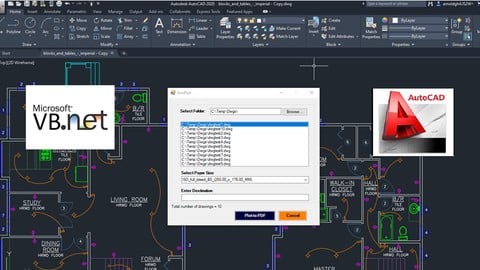
Develop AutoCAD Plugins using VB.NET with Windows Forms (2021)
4.6 (37 Reviews)
- Provider: Udemy
- Time: 9.8h
$49.99
More Excel courses

Microsoft Excel Data Analysis - Learn How The Experts Use It (2026)
5.0 (5,696 Reviews)
- Provider: Udemy
- Time: 3h
$39.99


Microsoft Excel: Advanced Dashboard Design (Project-Based!) (2026)
4.9 (4,868 Reviews)
- Provider: Udemy
- Time: 6.4h
$99.99


Master NEW Excel Functions in Office 365 & Office 2021+
4.8 (5,262 Reviews)
- Provider: Udemy
- Time: 7.1h
$15.99

Microsoft Excel Certification Exam Prep: MO-201 Excel Expert (2026)
4.8 (3,239 Reviews)
- Provider: Udemy
- Time: 8.6h
$119.99
 Reviews

By Rompally Rahul on 11/17/2020
It is a great learning course, but it would be much better if you could explain more about the programming terminology and how to use them accordingly. Also, I was expecting from this course if possible to program or coding to export the drawings made in AutoCAD to other structural software like STAAD or ETABS, in short, VBA could as an interface between two softwares. Also, the audio in the sessions could be better. But I thank you for the wonderful, very informative sessions.
By Fritz Piscalar on 8/27/2020
Der Kurs war sehr gut geeignet.
Der Dozent erklrt AutoCAD-VBA ohne Ballast.
Die ntige Hintergrundinformation kann man sich aus dem Objektkatalog und aus dem Buch "VBA for AutoCAD 2002 from Jeffrey E. Clark" besorgen.
Oder aus dem Web.
By Samir on 8/9/2020
Pace is good. Need some more idea of when to use "=" for setting values and when to use "Set" in syntax. Otherwise it's cool. Need some help with Selection and Manipulation commands in AutoCAD VBA. Can you please help me with the related course? Thanks.
By Brian Montgomery on 8/7/2020
Easy to understand, and is walking through everything thoroughly, but not monotonously. Helpful information built into the examples.
By Janis tarver on 7/25/2020
Very informative
By Jaymin Jhala on 6/18/2020
Personally I know VBA, but wanted to learn AutoCAD more commands. Instead of general example like count of 1 to 4, or in condition like other general programming example, I was looking for more AutoCAD based examples.
By Tania Leonardi on 6/8/2020
hopefully, i just need to understand the basics for my Dialux Evo . Hoping that it wont be too advanced for what i need
By Gabriel De Oliveira Costa on 6/5/2020
Ainda em fase de aprendizado mas as expectativas so muitas!
By Amrut Balekundri on 5/22/2020
It is very good course for beginners. Sir, please add more examples for modifying AutoCAD entities like polylines, surfaces 3D objects etc.
By Salvador Seplveda Lpez on 5/21/2020
Si
By Abanoub Yousif Nasif on 5/19/2020
it was a very helpful course thank you
By Rafael de Almeida Francisco on 5/9/2020
Thank you Arnold Higuit, for several programming courses for Autocad. Thank you for sharing your experience, and effort in preparing all this vast material.
After my searches your content is one of the best in this field. Congratulations for becoming a reference in the teaching of programming related to Autocad.
I encourage you to continue preparing new courses maybe others like VBA for Excel.
Thanks again!
 Quality Score
No CourseDuck member has rated this course yet. Taken it? Give each part a thumbs up or down.
Overall Score : 90 / 100

- Video Duration:
 3.7h
3.7h - Price: $44.99
- Provider: Udemy
- Updated:
 July 2025
 - Level:
 Beginner
 - Language:
 English
 - Certificate:
 Yes
Yes
30-day money-back guarantee on most paid courses
Udemy Coupon Price Tracker
