
 Web Development
 Data Science
 Python
 SQL
SQL JavaScript
 Artificial Intelligence
 IT & Software
 IT Certifications
 Hacking
 AWS
AWS Arduino
 DevOps
 3D Modeling
 Graphic Design
 Photoshop
 Drawing
 Digital Painting
 UX Design
 Business
 Data Analysis
 Communication Skills
 Project Management
 Leadership & Management
 Human Resources
 Digital Marketing
 Social Media Marketing
 Marketing
 SEO
SEO Google Analytics
 Branding
 Excel
Excel Office Productivity
 SAP
SAP PowerPoint
 Microsoft Access
 SharePoint
 Finance & Accounting
 Trading & Investing
 Accounting
 Bitcoin
 Personal Finance
 Video Editing & Animation
 Photography
 Adobe Premier Pro
 Adobe Lightroom
 Personal Development
 Productivity
 Career Development
 Life Coaching
 Health & Fitness
 Meditation & Mindfulness
 Yoga
Yoga Music
Music Music Production
 Guitar
 Piano
Piano Singing
 Language Learning
 Teaching & Academics
 Engineering
 Math
Math Lifestyle
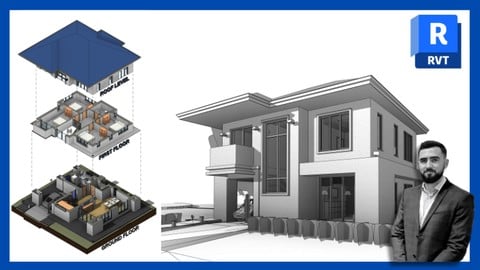
Autodesk Revit - Beginner to Advanced level (Udemy.com)
Includes 11 projects, 3 quizzes & a Final Exam. For all versions of Revit
Created by: Steve Clancy
Last updated September 2026
 What you will learn
- Proficiency in Autodesk Revit
- 11 different projects! Now with Imperial Notes!
- Building Information Modeling BIM expertise
- 1 final exam with 40 questions, 3 quizzes with 68 questions, 37 downloadable files.
- Documentation and Construction Documentation
- This course is available to download for offline use.
- Project Collaboration and Coordination
- When you complete this course you will have the skills and knowledge to take a project from start to finish and become a confident Revit user.
- Advanced Modeling and Visualization Techniques
- 2024, 2025, 2026 & 2027 Updates added!
How it compares
Against the other 413 rated Udemy courses in Graphic Design on CourseDuck:
- Rating4.7 out of 5higher than 81% of them
- Reviews3,887#13 of 414 by number of reviews
- Length22.1 hourslonger than 89% of them
- Last updatedSeptember 2026more recently than 99% of them
 Course Description
Autodesk Revit – For the Beginner user, bringing them right up to an advanced level!
Here are five professional outcomes or skills that you can expect to gain from this course:
1. Proficiency in Autodesk Revit: You will develop a strong understanding of the software's interface, tools, and functionalities, enabling you to efficiently navigate and utilize Revit for various architectural, engineering, and construction projects.
2. Building Information Modeling (BIM) expertise: The course will equip you with comprehensive knowledge of BIM principles and practices using Autodesk Revit. You will learn how to create and manage intelligent 3D models, incorporating architectural, structural, and MEP (mechanical, electrical, and plumbing) systems.
3. Project Collaboration and Coordination: You will learn how to collaborate effectively with other professionals involved in a project. You will gain insights into sharing and linking Revit models, coordinating design changes, and managing conflicts through effective communication and collaboration workflows.
4. Advanced Modeling and Visualization Techniques: The course will cover advanced modeling techniques, including creating parametric families, using advanced geometry tools, and implementing advanced visualization methods such as rendering, walkthroughs, and flyovers. You will learn how to enhance your design presentations and create visually compelling representations of your projects.
5. Documentation and Construction Documentation: The course emphasizes the importance of accurate and comprehensive documentation in the design and construction process. You will learn how to generate construction drawings, schedules, and other essential documentation directly from the Revit model, streamlining the documentation process and ensuring consistency and accuracy throughout the project lifecycle.
These outcomes and skills will enable you to confidently apply your knowledge of Autodesk Revit across various industries, enhancing your professional capabilities and career prospects.
Course content
First, I will guide you through the installation process, ensuring you have installed the correct library and region template. I will be using the UK Metric library and templates but don’t worry if you want to use another. All the processes will be the same and if I use a component from the UK library that isn’t available in your library, I will always suggest one for you.
As with BIM, you work solely on one single project, so I have constructed this course in the same way.
If you do not have previous experience with Revit or any CAD-based software, don’t worry. I will start off from the beginning building you up to be more than capable of creating your own Revit models.
The course will start off by giving a brief introduction to the fundamentals of a building, what BIM is, and then moving onto the basics of Revit; from the terminology that Revit uses to the tools and interface.
We will then begin to build on our projects, introducing a new tool and feature as we progress.
Adding in the datum elements, such as the levels and grids.
Structural components, such as the Structural and Architectural columns
Major and Minor Components like the; walls, windows, doors, floors, stairs, ceilings, curtain walls, and roofs.
We will then take it to the next level and learn how to create 2D details, how to tag the components, create schedules & legends, material takeoff sheets, create custom materials, and annotation styles, and create render images and video walkthroughs.
Projects that we will create:
- Single-storey house,
- Two-storey house,
- Structural frame,
- Conceptual mass,
- Table & Door families,
- Door, wall, and floor tags,
- Worksharing model,
- Design option layouts,
- Phasing project,
- Linked projects,
- Topography site layout,
Then, we will set up our sheets and send them to print.
As a recap, I have added 3 quizzes with 68 questions to test your knowledge. This won’t affect your final certificate but will refresh what you have just learned.
Once you complete the course, why not test out your new skills by taking the final exam, consisting of 40 questions!
Finally, I continually update this course to keep it up to date with the new releases as well as add new videos.
I look forward to seeing you in class!

 Udemy Discount
The discount is applied through our link. Open the course from here and Udemy's current promotional price is applied at checkout on most courses, no code to type.
Some courses are excluded from Udemy's promotions. If the price does not drop, clear your browser cookies and use the button again.
Instructor Details

- 4.7 Rating
 3,887 Reviews
Steve Clancy
Autodesk Certified Revit User
Autodesk Certified Revit Professional
Autodesk Certified AutoCAD User
Autodesk Certified AutoCAD Professional
Autodesk Certified Instructor
Steve Clancy has a Bachelor of Science in Architectural Technology and 10 years of practical experience working for an award-winning residential development company in London as well as his own company. He undertook all project-related design and management tasks requiring him to design, draw and coordinate multiple high-rise residential buildings from the beginning of every project, no matter what the scale or scope of the project was.
All design tasks were developed using AutoCAD and Revit, which Steve has been using for 15 years. He has been certified by Autodesk as a Professional under the ACP and he is also a certified trainer under the ATP. Steve has extensive experience as a trainer teaching small and large groups both in situ, in a classroom, and online digitally. He has been retained to train primarily in the UK but has had opportunities to teach in several European countries.
 More courses by Steve Clancy

Autodesk Revit - Beginner to Intermediate level (2026)
4.5 (11,173 Reviews)
 Provider: Udemy
 Time: 8h
$14.99
Autodesk AutoCAD - Beginner to Advanced level (2026)
4.6 (3,467 Reviews)
- Provider: Udemy
- Time: 18.8h
$12.99
More Graphic Design courses

Adobe InDesign - From Basics to Professional Level Designs (2024)
4.9 (320 Reviews)
- Provider: Udemy
- Time: 11.4h
$84.99

Shop Drawing & Details-Autodesk Revit 2025- for BIM Modelers
4.9 (300 Reviews)
- Provider: Udemy
- Time: 30.9h
$10.99

The Adobe Illustrator CC Mastery Course: Basics to Pro + AI (2026)
4.9 (268 Reviews)
- Provider: Udemy
- Time: 30.8h
$19.99


Software Architecture & System Design Practical Case Studies (2026)
4.8 (2,584 Reviews)
- Provider: Udemy
- Time: 4h
$15.99

Graphic Design Masterclass: Design 40+ Projects in Photoshop (2025)
4.8 (668 Reviews)
- Provider: Udemy
- Time: 16.5h
$109.99
 Reviews

By Faisal Alamri on 9/25/2026
I found the lecture very enjoyable and helpful, it helped me learn the basics of Revit program and some of the commands I will be using them. There is still a lot to learn, and I am very excited. thanks for your clear explanation.
By Paris D on 9/21/2026
The first thing I've noticed is how outdated the Revit material is and how difficult it could be to use without some prior knowledge of the former. So those who wish to learn from scratch are stuck looking elsewhere for answers. Example being, Revit 2021 is in no way similar to the 2026 version in terms of the installation process. Now, luckily, the older versions are still provided, but that's assuming businesses are fine with the outdated version. The material, on the other hand, is very informative and well thought out.
By Diana Shartouni on 8/10/2026
I have done several Revit courses before. By far is the best course, the instructor uses easy learning steps, very clear language and good English accent, and he gives useful tools for Architects to use during work procedures. I highly recommend it for Architects.
By John Jacob on 7/22/2026
This is definitely a VERY comprehensive course. The instructor goes into the course material in a lot of detail. As such - when following along with the videos, I had to pause and re-start several times to catch up and make sure that I am following the steps correctly. (That last sentence is an observation and not a complaint.) I would definitely recommend this course to someone who wants to get an in-depth knowledge on Revit.
By Aaron Groshong on 7/14/2026
The technical side the course is great I'm learning a lot on how to set the problem I have being a person with low vision it's hard to get things set up and then I have to wait till IT computer guy from the Oregon Commission for the Blind shows up so we can get everything resolved but other besides that of course it's good It's helping me out
By Sathwik Medicherla on 6/18/2026
For me particularly I don't like things getting dragged. for example, if something is needed to be taught, I don't like if that thing is over explained and have taken much time than needed. the instructor however is very particular and doesn't waste much energy on things that aren't used/useful for that particular instance. I liked the way of explanation till now, hoping this would continue till the end of course. overall, a worthy course for complete beginners who wants more with less time and effort.
By Vincent on 5/29/2026
amazing course . easy yet detailed. the audio is clear but I downloaded the course but i was not able to watch it offline. it said unable something and told me to run on my desktop. apart from that amazing amazing course. the purchase was totally worth it
By Dr Faisal Ghani on 4/1/2026
A great course for absolute beginners. Instructor is very clear and methodical. Steps can be a little quickly executed for a first timer so I was pausing videos every now and then, but a very minor issue. Recommended if you are just starting out with Revit and want to get on top of it quickly.
By Mohamed Megahed on 3/21/2026
Highly recommended! This course by S15 Studio took me from a complete beginner to an advanced Revit user. The systematic, step-by-step guidance was excellent, and I really appreciated the hands-on practice opportunities provided for every single topic. A truly five-star experience!
By Joseph Odey on 2/23/2026
Very detailed course and well delivered. Only minor drawback was - pace was extremely fast for a beginner level and it has been quite painful to follow through and repeat steps multiple times with 20 min videos taking upwards of an hour to complete. Please try to pace videos more efficiently for courses marketed as being for beginners.
 Quality Score
No CourseDuck member has rated this course yet. Taken it? Give each part a thumbs up or down.
Overall Score : 94 / 100
- Video Duration:
 22.1h
22.1h - Price: $10.99
- Provider: Udemy
- Updated:
 September 2026
 - Level:
 All Levels
 - Language:
 English
 - Certificate:
 Yes
Yes
30-day money-back guarantee on most paid courses
Udemy Coupon Price Tracker
