
 Web Development
 Data Science
 Python
 SQL
SQL JavaScript
 Artificial Intelligence
 IT & Software
 IT Certifications
 Hacking
 AWS
AWS Arduino
 DevOps
 3D Modeling
 Graphic Design
 Photoshop
 Drawing
 Digital Painting
 UX Design
 Business
 Data Analysis
 Communication Skills
 Project Management
 Leadership & Management
 Human Resources
 Digital Marketing
 Social Media Marketing
 Marketing
 SEO
SEO Google Analytics
 Branding
 Excel
Excel Office Productivity
 SAP
SAP PowerPoint
 Microsoft Access
 SharePoint
 Finance & Accounting
 Trading & Investing
 Accounting
 Bitcoin
 Personal Finance
 Video Editing & Animation
 Photography
 Adobe Premier Pro
 Adobe Lightroom
 Personal Development
 Productivity
 Career Development
 Life Coaching
 Health & Fitness
 Meditation & Mindfulness
 Yoga
Yoga Music
Music Music Production
 Guitar
 Piano
Piano Singing
 Language Learning
 Teaching & Academics
 Engineering
 Math
Math Lifestyle
Autodesk Revit - Beginner to Intermediate level (Udemy.com)
Includes 1 main project, 15 quizzes & a Final Exam. 2024 Revit version right back to 2018.
Created by: Steve Clancy
Last updated March 2026
Our take
Based on the ratings of 11,173 students, a sample of their written reviews and the syllabus, as the course stood in March 2026. No course pays to be reviewed.
Steve Clancy's Revit course walks through one building project from an empty file to printed sheets. It runs about 8 hours across 109 lectures and 35 short sections, starting with installation and templates, then walls, levels and grids, columns, doors, roofs, curtain walls, 2D details, schedules, renders and sheets. It is pitched at architects, engineers, designers and contractors, and it assumes no CAD background. The examples use the UK metric library, though the description says other regions work the same way. Revit needs Windows, so Mac users have extra setup.
Reviewers keep coming back to the pace. Words like slow, clear and easy to follow show up often, and two reviewers who already use ArchiCAD said Clancy explained Revit well. The short videos help too. The complaints cluster at the start. One reviewer struggled to insert the template and said it moved too fast, and another felt too much time went on libraries their company had already set up. Two people on Revit 2027 said menus are not where the videos show them. One wanted a project to follow along with, even though the description promises one.
The numbers are solid: 4.5 stars from 11,173 ratings and 51,341 students. Only about 200 of those ratings are one or two stars. The course was last updated in March 2026, but interface changes in newer Revit versions still trip some people up. Treat it as a friendly first pass on the basics, with quizzes and a 40 question exam to check what stuck. It is a good pick for a first look at Revit, and a weaker one for advanced modeling.
Pros
- Short, slow-paced videos that beginners and ArchiCAD switchers call easy to follow
- One building project covers walls, roofs, curtain walls, schedules, renders and sheets
- Quizzes after most sections plus a 40 question final exam to check progress
- Course notes and files included, with imperial notes added for non-UK users
Cons
- The template and library setup at the start is rushed for some, and it affects everything after
- Built on an older interface, so Revit 2027 users say menus and tools are in different places
- Examples use the UK metric library, and Revit needs Windows, so Mac users must set up Boot Camp
Really good and at a slow pace that I can enjoy as a beginner
Truly beginner-friendly, no CAD needed, but you should be comfortable with a PC and have Revit 2018 or newer on Windows.
 What you will learn
- When you complete this course you will have the skills and knowledge to take a project from start to finish using the tools and library provided by Autodesk.
- First I will take you through the download and install process to ensure the software has been correctly installed.
- Now with 15 added quizzes, at the end of every section.
- After completing the course, I have created a 40 question exam, testing you on both skill and knowledge
- Now with Imperial notes to follow along!
- This course is available to download for offline use.
Course content
35 sections · 109 lectures · 8 hours of video 16 quizzes, 1 practice test, 6 articles
- 1Getting started 3 free previews11 lectures · 41 min
- 2Touring the Interface 4 free previews9 lectures · 28 min
- 3Quiz1 quiz
- 4Introduction to Walls 1 free preview4 lectures · 25 min
- 5Quiz1 quiz
- 6Basic Tools 1 free preview3 lectures · 18 min
- 7Quiz1 quiz
- 8Datum Elements3 lectures · 20 min
- 9Quiz1 quiz
- 10Major Components 2 free previews7 lectures · 35 min
- 11Quiz1 quiz
- 12Minor Components 2 free previews7 lectures · 29 min
- 13Quiz1 quiz
- 14Creating the next level 2 free previews4 lectures · 19 min
- 15Quiz1 quiz
- 16Vertical Circulation 1 free preview5 lectures · 26 min
- 17Quiz1 quiz
- 18Roof Component 2 free previews5 lectures · 27 min
- 19Quiz1 quiz
- 20Curtain Walls 2 free previews5 lectures · 29 min
- 21Quiz1 quiz
- 22Reflected Ceiling Plan 1 free preview5 lectures · 18 min
- 23Quiz1 quiz
- 24Creating a 2D Detail (Callout) 2 free previews7 lectures · 25 min
- 25Quiz1 quiz
- 26Dimensions 1 free preview4 lectures · 8 min
- 27Quiz1 quiz
- 28Tags, Schedules & Legends 2 free previews11 lectures · 59 min
- 29Quiz1 quiz
- 30Visualisations 3 free previews7 lectures · 42 min
- 31Quiz1 quiz
- 32Create Sheets & Print 1 free preview7 lectures · 31 min
- 33Conclusion1 lecture · 2 min
- 34Final Exam2 lectures · 1 quiz
- 35AutoCAD course2 lectures
Who it is for
The instructor says it suits
- Architects, Engineers, Designers and Contractors
- This course has been designed for beginners to intermediate level
- Past users looking to refresh their skills
- Want to improve your drawing skills, BIM knowledge, find out tips & tricks from an industry professional
- We go into great detail in the listed features
- Great preparation for the Autodesk Certified User exam (ACU)
What you need before you start
- Students should have a good working knowledge of how to use a PC
- Previous experience on a CAD program is not essential but will benefit the student
- Minimum Revit version installed 2018, latest version advised, 30-day trial available from Autodesk
- Revit is not supported on MAC, you will have to Bootcamp your MAC and install Windows to run Revit
- Course notes and files will be provided
- A second screen is recommended to view the videos while using Revit on the other
- The first section will guide you through the download and install process
How it compares
Against the other 545 rated Udemy courses in 3D Modeling on CourseDuck:
- Rating4.5 out of 5higher than 37% of them
- Reviews11,173#4 of 546 by number of reviews
- Length8 hourslonger than 57% of them
- Last updatedMarch 2026more recently than 88% of them
 Course Description
Autodesk Revit – For the Beginner user, bringing them right up to an intermediate level!
Course Content
First, I will guide you through the installation process, ensuring you have installed the correct library and region template. I will be using the UK Metric library and templates but don’t worry if you want to use another. All the processes will be the same and if I use a component from the UK library that isn’t available in your library, I will always suggest one for you.
As with BIM, you work solely on one single project, so I have constructed this course in the same way.
If you do not have previous experience with Revit or any CAD-based software, don’t worry. I will start off from the beginning building you up to be more than capable of creating your own Revit models.
The course will start off by giving a brief introduction to the fundamentals of a building, what BIM is, and then moving onto the basics of Revit; from the terminology that Revit uses to the tools and interface.
We will then begin to build on our project, introducing a new tool and feature as we progress.
Adding in the datum elements, such as the levels and grids.
Structural components, such as the Structural and Architectural columns
Major and Minor Components like the; walls, windows, doors, floors, stairs, ceilings, curtain walls, and roofs.
We will then take it to the next level and learn how to create 2D details, how to tag the components, create schedules & legends, creating render images and video walkthroughs.
Finally, we will set up our sheets and send it to print.
Alongside the videos, I have supplied you with course notes to follow along with as well as some files to work with.
As a recap, I have added a quiz to every section. This won’t affect your final certificate but will refresh what you have just learned.
Once you complete the course, why not test out your new skills by taking the final exam, consisting of 40 questions!
Finally, I continually update this course to keep it up to date with the new releases as well as add new videos.
I look forward to seeing you in class!

 Udemy Discount
The discount is applied through our link. Open the course from here and Udemy's current promotional price is applied at checkout on most courses, no code to type.
Some courses are excluded from Udemy's promotions. If the price does not drop, clear your browser cookies and use the button again.
Instructor Details

- 4.5 Rating
 11,173 Reviews
Steve Clancy
Autodesk Certified Revit User
Autodesk Certified Revit Professional
Autodesk Certified AutoCAD User
Autodesk Certified AutoCAD Professional
Autodesk Certified Instructor
Steve Clancy has a Bachelor of Science in Architectural Technology and 10 years of practical experience working for an award-winning residential development company in London as well as his own company. He undertook all project-related design and management tasks requiring him to design, draw and coordinate multiple high-rise residential buildings from the beginning of every project, no matter what the scale or scope of the project was.
All design tasks were developed using AutoCAD and Revit, which Steve has been using for 15 years. He has been certified by Autodesk as a Professional under the ACP and he is also a certified trainer under the ATP. Steve has extensive experience as a trainer teaching small and large groups both in situ, in a classroom, and online digitally. He has been retained to train primarily in the UK but has had opportunities to teach in several European countries.
 More courses by Steve Clancy
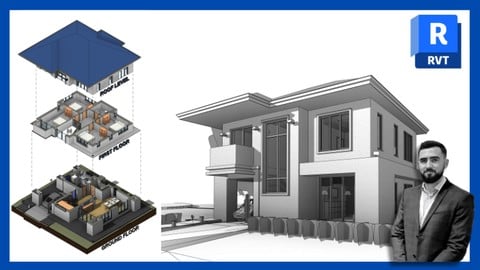
Autodesk Revit - Beginner to Advanced level (2026)
4.7 (3,887 Reviews)
 Provider: Udemy
 Time: 22.1h
$10.99
Autodesk AutoCAD - Beginner to Advanced level (2026)
4.6 (3,467 Reviews)
- Provider: Udemy
- Time: 18.8h
$12.99
More 3D Modeling courses

3D Printing with " Ultimaker CURA Slicer- Start to finish" (2025)
4.9 (192 Reviews)
- Provider: Udemy
- Time: 1h
$34.99

Girl and the Dog Creation in Zbrush for Intermediate Level (2020)
4.9 (173 Reviews)
- Provider: Udemy
- Time: 48.8h
$59.99



Blender Character Creator for Video Games (2026)
4.8 (9,160 Reviews)
- Provider: Udemy
- Time: 34.3h
$159.99

Master SOLIDWORKS 3D CAD using real-world examples (2022)
4.8 (2,451 Reviews)
- Provider: Udemy
- Time: 18.9h
$69.99
 Reviews

By Anyaogu Victor on 7/31/2026
This Revit course is Well organized and explained. I’m new to Revit though I’m very proficient with ArchiCAD so I had always thought that Revit was going to be hard to learn. But I’m glad with the way the teacher structured the course_its so amazing. I haven’t finished all the videos because of too many architectural jobs and too many activities but I will discipline myself and do my best to finish the course this August. Thank you.
By James Moss on 6/17/2026
I am a Project Manager/Chartered Surveyor. Mainly small projects in London + NYC. Excellent overview and detailing for the work I do when working with other professionals. Very handy for advising clients. First rate teaching. Perfect for my level - although an element of pricing mechanisms would also have been helpful, at least as an introduction. Also I was using Revit 2027 - the course is based on a much earlier version so navigation was challenging at times! AI came to the rescue!
By Aurore Cassagnes on 5/17/2026
I'm used to using Archicad and I wanted to learn Revit. It was explained really well. I recommend it to anyone who wants to learn Revit.
By Ece Köseoğlu on 5/1/2026
I really like the idea of 4-5 min videos in order to understand the interface, it illustrates everything in an easy and understandable way
By Scott Donnelly on 2/20/2026
How do we know if we are looking at a UK wall or a UK door?
By Kishan on 2/15/2026
Steve Clancy I got a Revision while using and Joined this Session Every Tools that was Explained. User Interface , Components,Doors,Ceiling,Floor,Callout,Sheet Editing is More Than staying in the Course
By Brian Oltrogge on 1/9/2026
Course was well organized. As someone that has taught software at the university level, I appreciated the multiple ways the instructor presented different approaches to the same problem. I will look for additional courses from this instructor.
By Inderjeet Singh Manchinda on 12/31/2025
I am having fun so far. a few places my model doesnt match the same as the instrcutor especially the stairs from ground to first floor but I am figuring it out as I go along.
By Jon Haas on 12/10/2025
it was pretty fast paced for a beginner and covered a lot of topics. might be better to do less topics with more focus on key topics such as drawing and modelling basic profiles.
By Prithviraj Heggannavar on 10/29/2025
This course is a great way to kick-start learning the Revit. The lessons are clear and easy to follow, and I now feel much more confident and handy using the tools. Any doubts I had were addressed very quickly, which made the learning experience even better. Overall, a very helpful and well-structured course. Thank you!
By Anonymous on 11/14/2020
It is very well oraganized, going step by step without the feeling of the delay.
By Von Christopher Medina on 11/14/2020
this lecture is very detailed which really helpful especially to beginners like me
 Quality Score
No CourseDuck member has rated this course yet. Taken it? Give each part a thumbs up or down.
Overall Score : 90 / 100

- Video Duration:
 8h
8h - Price: $14.99
- Provider: Udemy
- Updated:
 March 2026
 - Level:
 Beginner
 - Language:
 English
 - Certificate:
 Yes
Yes - Lectures:109 in 35 sections
- Practice:16 quizzes, 1 practice test
- Students:51,300
- Subtitles:2 languages
- Udemy badge:Bestseller
30-day money-back guarantee on most paid courses
Udemy Coupon Price Tracker
