
 Web Development
 Python
 SQL
SQL JavaScript
 Data Science
 Artificial Intelligence
 IT & Software
 IT Certifications
 Hacking
 Arduino
 AWS
AWS 3D Modeling
 Graphic Design
 Photoshop
 Drawing
 Digital Painting
 UX Design
 Business
 Data Analysis
 Communication Skills
 Project Management
 Leadership & Management
 E-Commerce
 Digital Marketing
 Social Media Marketing
 Marketing
 SEO
SEO Google Analytics
 Branding
 Office Productivity
 Excel
Excel Finance & Accounting
 Bitcoin
 Video Editing & Animation
 Photography
 Adobe Premier Pro
 Adobe Lightroom
 Personal Development
 Health & Fitness
 Music
Music Guitar
 Teaching & Academics
 Language Learning
 Engineering
 Lifestyle
3D Printing with " Ultimaker CURA Slicer- Start to finish" (Udemy.com)
CURA, Slicing Software, 3D Printing , Ultimaker CURA , Additive Manufacturing, G-code, Digital Manufacturing
Created by: Naman kumar Gandhi
Last updated January 2025
 What you will learn
- To slice and prepare a 3D model for 3D printing.
- Prepare a .STL file for 3D printing and save it as a Cura project and .GCODE.
- Investigate and understand different slicing settings and how they affect the print time and finished quality.
- 3D print a sliced model.
- Lower start-up time by improving performance of loading profile metadata.
- Working of 3D Printing From STL to G- code making
- Support Structure, Print Speed and Various Quality settings for slicing
 Course Description
Cura 3D is the friendly face of slicing software, so much so that many users don’t even realize what it’s doing. Just load the model, select the quality, and hit print. It’s as easy as traditional 2D printing.
Essentially that’s all Cura is — print software — a way to get a digital file from your computer to the 3D printer in a format that the 3D printing hardware understands.
The program is not only free for you to download, it is also open source. It is the gold standard of 3D slicers worldwide. If you compare Cura to other 3D slicing software, it all seems very simple, with limited options and adjustments. But Cura’s more complex settings are there if you need them; it’s just been designed very neatly and user-friendly.
Cura is maintained by 3D printer manufacturer Ultimaker and – as we know from their hardware – they’re perfectionists. Hidden (but not too deeply) in the software are almost all those settings and options that you can find in the majority of other slicing software. So if you are one of those people who like to tinker with the 3D printer settings, you can.
For those that just want to print, change a few quality and speed options, then in Cura it’s all carefully laid out and ready to go.
This Cura software tutorial is aimed at anyone just starting out with 3D printing. We’re only going to assume that you’ve switched on the printer and loaded the filament. From that point on we’re here to help guide you in the ways of Cura 3D and getting started with 3D printing.

 Udemy Discount
The discount is applied through our link. Open the course from here and Udemy's current promotional price is applied at checkout on most courses, no code to type.
Some courses are excluded from Udemy's promotions. If the price does not drop, clear your browser cookies and use the button again.
Instructor Details

- 4.9 Rating
 192 Reviews
Naman kumar Gandhi
Hi! Naman Gandhi here. I am full time trainer, YouTubers and Founders of Naman gandhi school of excellence with a passion for helping others live out what they love doing most.
I have helped over 16,000 students through our online and offline courses and millions more through our YouTube tutorials and consulting services. I am Mechanical Engineer having a Masters in Production and Manufacturing, Having a patent and several research papers, Expert in Additive Manufacturing, Material Engineering, Operation Research, theory of Machines, Modeling Software's. Worked on Several mechanical Engineering projects. Recently i am working as a assistant professor at Indore Institute of Science & Technology from last 5 year.
I have done so many projects on non destructive testings, Additive Manufacturing and Automobile.
I have taken so many workshops and FDPs on wide topics of Mechanical Engineering.
 More courses by Naman kumar Gandhi
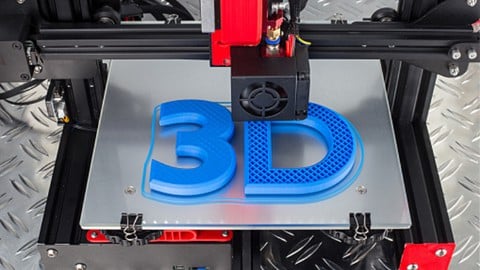
3D Printing Start to Finish with Tinkercad & CURA (2026)
4.7 (1,261 Reviews)
 Provider: Udemy
 Time: 5.3h
$74.99
TinkerCAD for 3D Models and Printing Zero to Hero in hours (2024)
4.7 (436 Reviews)
- Provider: Udemy
- Time: 1.6h
$49.99
More 3D Modeling courses

Girl and the Dog Creation in Zbrush for Intermediate Level (2020)
4.9 (173 Reviews)
- Provider: Udemy
- Time: 48.8h
$59.99



Blender Character Creator for Video Games (2026)
4.8 (9,160 Reviews)
- Provider: Udemy
- Time: 34.3h
$159.99

Master SOLIDWORKS 3D CAD using real-world examples (2022)
4.8 (2,451 Reviews)
- Provider: Udemy
- Time: 18.9h
$69.99

Spine PRO: A Complete 2D Character Animation Guide (2021)
4.8 (1,861 Reviews)
- Provider: Udemy
- Time: 4.1h
$10.99
 Reviews

By Tamim Iqbal on 2/9/2026
This course helped me understand the complete 3D printing process clearly. The lessons are well-organized and explain both theory and practical use of Ultimaker CURA. It is a great starting point for students and hobbyists who want hands-on knowledge.
By Nigel Barksfield on 2/7/2026
I highly recommend this course to beginners and intermediate learners. It provides in-depth knowledge of Ultimaker CURA while keeping the lessons easy to understand. The “start to finish” approach truly delivers what the title promises.
By Reri Jennie Bagbi on 2/7/2026
This course is perfect for those who want a complete understanding of 3D printing workflows. It explains common mistakes and how to avoid them using CURA slicer settings. The practical examples make learning more effective and enjoyable.
By Ali Hassan Mallah on 2/7/2026
A very well-explained and practical course on 3D printing. The detailed coverage of slicing, material selection, and printer setup makes it extremely useful. This course helped me improve my print quality and overall understanding of 3D printing.
By Negra Marrom Marrom on 2/7/2026
A very informative and well-designed course for 3D printing enthusiasts. It covers everything from importing models to final printing with real-world tips. The focus on CURA slicer settings really helps in improving print quality and reducing common errors.
By SawNyi Nyihtwe on 2/7/2026
I really enjoyed how this course breaks down complex 3D printing topics into simple and easy steps. The explanation of CURA settings, slicing techniques, and print optimization is very practical. After completing this course, I feel much more confident using a 3D printer.
By Alexzander occam on 11/12/2025
The course gave me a deep insight into how CURA settings affect print quality. The instructor explained how to avoid common printing issues — which saved me time and filament!
By Lee Charles on 11/8/2025
This course gave me a complete understanding of the CURA slicer! The instructor explained each setting clearly, from supports to infill patterns. I finally feel confident preparing my 3D prints properly.
By Tamanna Tabassum on 11/7/2025
I’ve been using CURA for a while, but this course showed me tricks I never knew existed. The slicing demonstrations were practical, and I loved how the instructor shared real-world printing tips.
By Felix Contreras on 2/12/2022
I must say that I am new to any of this so this is my first class of any kind in 30 years and being new not knowing what to expect i rapidly was overwhelmed. Initially I was upset but after I put some actual time into the lectures. It is a process with time and life but I understand now after going thru some lof the lectures at a different pace. I am finding out the I understand a little more after going back thru some key areas. Ill keep in touch if I run into any problems. thank you Felix C
 Quality Score
No CourseDuck member has rated this course yet. Taken it? Give each part a thumbs up or down.
Overall Score : 98 / 100

- Video Duration:
 1h
1h - Price: $34.99
- Provider: Udemy
- Updated:
 January 2025
 - Level:
 All Levels
 - Language:
 English
 - Certificate:
 Yes
Yes
30-day money-back guarantee on most paid courses
Udemy Coupon Price Tracker
