
 Web Development
 Data Science
 Python
 SQL
SQL JavaScript
 Artificial Intelligence
 IT & Software
 IT Certifications
 Hacking
 AWS
AWS Arduino
 DevOps
 3D Modeling
 Graphic Design
 Photoshop
 Drawing
 Digital Painting
 UX Design
 Business
 Data Analysis
 Communication Skills
 Project Management
 Leadership & Management
 Human Resources
 Digital Marketing
 Social Media Marketing
 Marketing
 SEO
SEO Google Analytics
 Branding
 Excel
Excel Office Productivity
 SAP
SAP PowerPoint
 Microsoft Access
 SharePoint
 Finance & Accounting
 Trading & Investing
 Accounting
 Bitcoin
 Personal Finance
 Video Editing & Animation
 Photography
 Adobe Premier Pro
 Adobe Lightroom
 Personal Development
 Productivity
 Career Development
 Life Coaching
 Health & Fitness
 Meditation & Mindfulness
 Yoga
Yoga Music
Music Music Production
 Guitar
 Piano
Piano Singing
 Language Learning
 Teaching & Academics
 Engineering
 Math
Math Lifestyle
Beginner to Intermediate level in 10h - Autodesk Revit (Udemy.com)
Learn Revit like a pro in only 10 h
Created by: Lelde Savoni
Last updated February 2025
 What you will learn
- Master Revit Basics: Learn foundational Revit skills for project management.
- Format Drawings: Prepare Revit drawings for printing or PDF, DWG export.
- Conduct Solar Study: Perform and analyze solar studies in Revit.
- Create Presentation Drawings: Produce engaging 3D sections and presentation drawings.
How it compares
Against the other 1,182 rated Udemy courses in IT & Software on CourseDuck:
- Rating4.5 out of 5higher than 45% of them
- Reviews248#769 of 1,183 by number of reviews
- Length10.7 hourslonger than 72% of them
- Last updatedFebruary 2025earlier than 55% of them
 Course Description
Imagine stepping into the world of architecture and engineering with Revit, a powerful tool. This course will guide you from the basics to advanced techniques, all while designing a beautiful single-family house.
The Journey Begins: Introduction
We start with the essentials. Learn how to install Revit and explore its interface. Picture yourself opening Revit for the first time, discovering its menus and panels, feeling the excitement of the possibilities ahead.
Building the Foundation: Main Elements in Revit
Next, dive into the main modeling elements. Imagine placing walls, floors, roofs, ceilings, doors, windows, and more. You'll gain confidence to tackle any project, big or small.
Crafting the Blueprint: Project Documentation
As our house takes shape, focus on documenting the project. Create precise 2D drawings and schedules detailing every aspect of your design. Learn to provide accurate material quantities and information to clients and contractors.
Bringing Designs to Life: Visualization
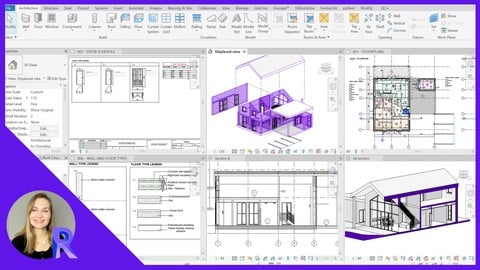
With the structure and documentation in place, bring your design to life. Showcase your work with stunning visualizations—solar studies, 3D sections, and displaced views. Improve your ability to communicate your vision.
The Final Touch: Create Sheets and Print
Conclude with the finishing touches. Create professional sheets, custom title blocks, and export your drawings in PDF and DWG format. Picture holding the final printed plans, a tangible result of your hard work and creativity.
Along the Way
Throughout the course, you'll:
- Place Basic Elements: From walls to trees, every element finds its place in your design.
- Create Detailed Drawings: Bring plans, elevations, and sections to life with detailed annotations.
- Schedule Elements: Ensure every material and component is accounted for, providing essential information to stakeholders.
- Enhance Communication: Use advanced visualization tools to present your designs clearly.
- Finalize Drawings: Prepare your designs for presentation and construction with professional-grade sheets and exports.
By the end of this journey, you'll have designed a complete house and gained the skills to use Revit successfully in any project. This course is more than a series of lessons—it's a story of creation, from the first click to the final print.

 Udemy Discount
The discount is applied through our link. Open the course from here and Udemy's current promotional price is applied at checkout on most courses, no code to type.
Some courses are excluded from Udemy's promotions. If the price does not drop, clear your browser cookies and use the button again.
Instructor Details

- 4.5 Rating
 248 Reviews
Lelde Savoni
Hello, I'm Lelde, an Architect and Interior Designer with a decade of experience. Over the past decade, I've honed my skills with Autodesk software and discovered numerous tips and tricks that I'd love to share with you. Revit has significantly streamlined my workflow, giving me an edge over many other professionals. I'm here to help you achieve the same!
 More courses by Lelde Savoni
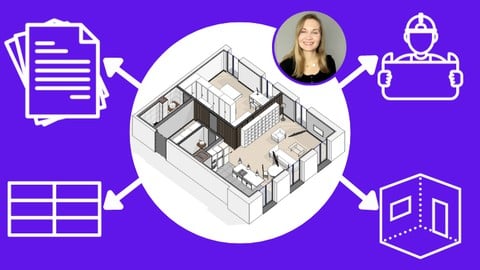
Real-Life Approach: Revit INTERIOR Modeling & Documentation (2026)
4.7 (158 Reviews)
 Provider: Udemy
 Time: 6.8h
$19.99
More IT & Software courses

D3.js Data Visualization Fundamentals - Hands On (2026)
4.9 (3,917 Reviews)
- Provider: Udemy
- Time: 4.6h
$49.99

Hands-On Training: Streaming Data with Apache Kafka on Azure (2025)
4.9 (103 Reviews)
- Provider: Udemy
- Time: 3.7h
$10.99


Oracle Grid Infrastructure and RAC using Oracle Database 19c (2026)
4.8 (2,499 Reviews)
- Provider: Udemy
- Time: 8.7h
$19.99

PowerShell Scripting & Automation: The Complete Hands-On (2026)
4.8 (1,750 Reviews)
- Provider: Udemy
- Time: 9.6h
$11.99

AWS EC2 Crash Course + Load Balancing with Demos and PDFs (2025)
4.8 (866 Reviews)
- Provider: Udemy
- Time: 3.7h
$19.99
 Reviews

By Ryan Olsen on 7/31/2026
So far very to the point and I was able to use imperial units as opposed to being forced to download specific templates. -Update- Still very clear but I am using Revit 2027, so most of the interface is the same but there are some nuances. I am still easily able to follow along but if you are using the newer versions, I recommend using Autodesk assistant to just pinpoint where certain commands are.
By süleyman Öztürk on 5/17/2026
I started learning Revit recently and spent a lot of time trying to find the right course. Most courses only teach the commands. However, with this course, you learn both what the commands are and when to use them, which makes the learning process so much easier. The instructor has a special talent for teaching. Having bought multiple courses before, I can confidently say that this one delivers exactly what you need.
By Byron Duvalier Ramos on 12/26/2025
This course was amazing and exceeded my expectations. The lessons were clear, well-structured, and easy to follow. The instructor explained concepts clearly and provided practical examples that truly added value. Highly recommended for anyone who wants to improve their skills efficiently and professionally.
By Layali Awwad on 11/19/2025
Very easy to follow. If you started to learn Revit I think this is a very good start to it. Gives you a wholesome idea of the capabilities of the software and the lecturer makes sure that everything is clear. Very easy to follow instructions also for any question she'll be there for you with a quick answer! It's obvious that she's knowledgeable with the software and has great expertise.. thank you
By Anonymized User on 4/4/2025
Too Fast and hard to understand the instructor
By Udemy User on 3/27/2025
A course for those who do not give up trying to love Revit. The material is presented in an accessible and logical manner. And the practical tips and details help to quickly assimilate the program. Lelde anticipates the difficulties that may arise for the student, so she explains them in advance, which is especially valuable in mastering this "non-intuitive" tool. I highly recommend Lelde Savoni's courses for creative individuals who want to master the technical drawing routine without unnecessary stress. Julia Sossak, interior architect
By Tharindu Jayawardane on 10/31/2024
Thank you, Lelde, for creating this course. It helped me move from the basic to the intermediate level with Revit and understand the basics in less than 10 hours, which is fantastic! I will suggest this to my colleagues who want to continue with Revit skills.
By Shanna Springfield on 8/16/2024
Very good information, however the sequencing/flow of sessions seem to be unorganized. Since it states, "for beginners", it would have been helpful to start with the basics and intro of the Revit program, levels, families, placement and edit tools, what commands are 2D verses 3D, views and so one rather than jumping straight into more detailed information.
By Laiza on 7/11/2024
Thank you so much for making this course! As a complete beginner who knows nothing about Revit, this course helped me understand and learn the basics to advanced techniques that will definitely save me this coming semester haha! So, if you're a complete beginner too, you should check this out! I promise you, you won't regret it✨!
By Omid Mohammadi on 6/26/2024
This is the third Revit course that I have chosen with Lelde. As in the previous course as I expected, she explained all the necessary materials and techniques in the most sufficient way. after my two previous courses, I could improve my skills in my job and promote my position in my department. using the methods that Lelde had explained helped me a lot to speed up my work process and have a better quality Revit file. I always look for the new courses that she offers the professional community.
 Quality Score
No CourseDuck member has rated this course yet. Taken it? Give each part a thumbs up or down.
Overall Score : 90 / 100
- Video Duration:
 10.7h
10.7h - Price: $10.99
- Provider: Udemy
- Updated:
 February 2025
 - Level:
 Beginner
 - Language:
 English
 - Certificate:
 Yes
Yes
30-day money-back guarantee on most paid courses
Udemy Coupon Price Tracker
