
 Web Development
 Data Science
 Python
 SQL
SQL JavaScript
 Artificial Intelligence
 IT & Software
 IT Certifications
 Hacking
 AWS
AWS Arduino
 DevOps
 3D Modeling
 Graphic Design
 Photoshop
 Drawing
 Digital Painting
 UX Design
 Business
 Data Analysis
 Communication Skills
 Project Management
 Leadership & Management
 Human Resources
 Digital Marketing
 Social Media Marketing
 Marketing
 SEO
SEO Google Analytics
 Branding
 Excel
Excel Office Productivity
 SAP
SAP PowerPoint
 Microsoft Access
 SharePoint
 Finance & Accounting
 Trading & Investing
 Accounting
 Bitcoin
 Personal Finance
 Video Editing & Animation
 Photography
 Adobe Premier Pro
 Adobe Lightroom
 Personal Development
 Productivity
 Career Development
 Life Coaching
 Health & Fitness
 Meditation & Mindfulness
 Yoga
Yoga Music
Music Music Production
 Guitar
 Piano
Piano Singing
 Language Learning
 Teaching & Academics
 Engineering
 Math
Math Lifestyle
Best Excel Course: Data Cleaning - For further Data Analysis (Udemy.com)
Learn Advanced Excel tricks on Data Cleaning Analytic - Go To, Date Correction, Replace using Wildcards, Text to Columns
Created by: Yoda Learning
Last updated June 2020
 What you will learn
- Learn Beginner to Advanced tricks on Go To Special, Sanitizing, Find & Replace, Text to Column and Text Formulas
- Get Downloadable Case Studies + Picture based eBook [mapped to the Lectures]
- Get Course Completion Certificate
- Learn from the Pro - a Professional Corporate Trainer (PwC, EY, RBS, Tata Group, XLRI etc.)
How it compares
Against the other 355 rated Udemy courses in Excel on CourseDuck:
- Rating4.5 out of 5higher than 39% of them
- Reviews2,848#88 of 356 by number of reviews
- Length1.6 hoursshorter than 88% of them
- Last updatedJune 2020earlier than 75% of them
 Course Description
Before you read what I have to say, see what my students are saying about my courses on Excel:
"I would like to tell you that I am very impressed with your courses so far - I particularly like the short videos that allow me to get to a topic quickly and then move on (your competitors mostly offer 20-30 min videos which is a bit much to keep one's attention span). The other gem in your training are the shortcuts, I found no other course with the same insights." by Peter Klugsberger, Australia, ex-McKinsey & Co., served various senior roles (CEO, COO) in various companies
“I thought you knew me - You solved the exact problem which I face at my office in your course” by Rajesh Dhoot, India, ex-Sr. Manager, Finance and Accounts, Ultratech Cements – An Aditya Birla Group Co.
-------------------------------------------------------------------------------------------------------------------
We get data from various sources like ERP, SAP and in different formats. In order to make it useful to analyse, we have to clean this and put them in a structured format. It's a pure time-consuming activity. In order to save time and effort on cleaning and put the structure in place, We need few important data cleaning techniques as mentioned below which are part of this course. Check the list of Topics being covered in this course on Data Cleaning in Excel:
- Go To (Special) with Errors
- Go To (Special) without Errors
- Go To (Special) with Ctrl + Enter
- Go To (Special) – Fill Intermittent Black Cells
- Go To (Special) –Visible Cells vs Shortcuts
- Text Formulas – Change Case using UPPER(), PROPER() & LOWER()
- Text Formulas – Remove Leading, Trailing & excess Intermittent spaces using TRIM()
- Text Formulas – Using LEN() & TRIM() together
- Text Formulas – T(), N() & VALUE()
- Text Formulas – REPT() for artificial Column Chart in a Cell
- Text Formulas – REPT() & LEN() for adding leading zero before incomplete Cheque Nos.
- Find & Replace – Using Wildcard character ( )
- Find & Replace – Neutralising Wildcard characters to remove them from data
- Find & Replace – Word vs. Excel
- Find & Replace – Cell Format
- Text to Columns – Basics (Delimited)
- Text to Columns – Basics (Fixed Width) + Hidden Trick
- Text to Columns – Cleaning up numbers w. trailing minus sign
- Text to Columns – Cleaning up numbers w. leading DrCr text
- Text to Columns – Correcting invalid Dates (DMY)
- Text to Columns – Correcting invalid Dates (YMD)
- Text Formulas – LEFT(), RIGHT() & SEARCH()
- Text Formulas – MID() & LEN()
We have 26 videos of duration 1.5 hrs. Through practical examples, they start from the foundation and take you to the Ninja level application.
-------------------------------------------------------------------------------------------------------------------
Your Question - Why should I take this mini-course on Excel?
Our Response - Because we cover the following -
- WHY should we use a certain formula or technique in a given situation
- What are the alternative approaches to solving the same problem
- Formulae and hidden tricks to truly make you a Master of Excel Data Cleaning Functions.
Example - Fill thousands of blank cells with desired value or text like 0 to do the calculation, using Go To (Special) formula Techniques.
------------------------------------------------------------------------------------------------------------------
Your Question – So will I learn Pivot table, Lookup & What-if Analysis?
Our Response – No. This course covers Basic to Intermediate level tips & tricks on Excel Data Cleaning like Go To Special, Find & Replace and more.
------------------------------------------------------------------------------------------------------------------
"The courses are really helpful whether in terms of saving time, improving your presentation skills or getting to learn new features. The videos give you the feeling of one to one attention. Moreover, their constant attachment by emailing new tricks is highly appreciating. #thankyouteamyoda" by Arundhati Raychaudhuri, Finance Professional, India
-------------------------------------------------------------------------------------------------------------------
Important information before you join:
- Once enrolled, you have unlimited, lifetime access to the course!
- You will have instant and free access to any updates I'll add to the course.
- I will give you my full support regarding any issues or suggestions related to the course.
- Guided practice - over worksheets included for immediate practice
- Access to all videos 24 x 7 - learn online from anywhere
- A 30-day money back guarantee (we want you to be 100% satisfied)
-----------------------------------------------------------------------------------------------------------------
If you have read this far, next action is JOINING this course. Invest 1.5 hrs. for a benefit of lifetime Ninja status on Excel Advanced Data Cleaning functions!

 Udemy Discount
The discount is applied through our link. Open the course from here and Udemy's current promotional price is applied at checkout on most courses, no code to type.
Some courses are excluded from Udemy's promotions. If the price does not drop, clear your browser cookies and use the button again.
Instructor Details

- 4.5 Rating
 2,848 Reviews
Yoda Learning
20,000 Classroom Students | 100,000+ Students Online
ex-KPMG, ex-J.P. Morgan | Chartered Accountant
Taught 12k+ participants across PwC, EY and Deloitte over last 10 years
I am a Chartered Accountant from India. I have worked with KPMG (Audit) and J.P. Morgan (Debt Capital Markets) and Futures First (Proprietary Trading Desk) before venturing into Corporate Training (first part-time and then full-time)
After a decade of corporate training and winning multiple accolades in Office Productivity and Financial Modelling, in 2015, I created a mission to help 1 million people by 2020. I started creating high-quality video courses and helped people online to become faster-smarter-better at work. A lot of my students at PwC, EY, Deloitte, Amazon, Uber, Tata Group, Rio Tinto use these video courses to excel at work.
If I’m going to succeed in my mission of helping 1 million professional in the next five years, I NEED YOU to succeed… I can’t reach my goal without helping you reach yours!
 More courses by Yoda Learning
Advanced Excel for HR Managers | Automation & Analytics (2022)
4.5 (2,883 Reviews)
 Provider: Udemy
 Time: 54 mins
$64.99
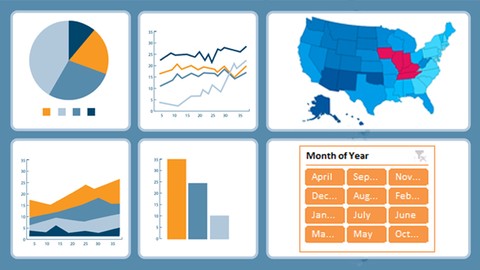
Microsoft Advanced Excel Dashboard : Zero To Hero (Complete) (2019)
4.3 (368 Reviews)
- Provider: Udemy
- Time: 4h
$49.99

Alteryx Bootcamp | 25 Tools with Before & After Examples (2022)
4.4 (143 Reviews)
- Provider: Udemy
- Time: 1.6h
$34.99

Microsoft Outlook 2016 - Top 50 Super Tricks within 2.5 Hrs
4.4 (82 Reviews)
- Provider: Udemy
- Time: 2.6h
$44.99
More Excel courses

Microsoft Excel Data Analysis - Learn How The Experts Use It (2026)
5.0 (5,696 Reviews)
- Provider: Udemy
- Time: 3h
$39.99


Microsoft Excel: Advanced Dashboard Design (Project-Based!) (2026)
4.9 (4,868 Reviews)
- Provider: Udemy
- Time: 6.4h
$99.99


Master NEW Excel Functions in Office 365 & Office 2021+
4.8 (5,262 Reviews)
- Provider: Udemy
- Time: 7.1h
$15.99

Microsoft Excel Certification Exam Prep: MO-201 Excel Expert (2026)
4.8 (3,239 Reviews)
- Provider: Udemy
- Time: 8.6h
$119.99
 Reviews

By Kenneth A Grazier on 10/27/2025
The sample data used is certainly great for the examples, but with some of the situations there are faster solutions (like with leading zeroes) and with some, you'll have a wider variety of data formats and types (not everyone will do leading zeroes for months and days).
By Richard Sollers on 10/23/2025
Great course with plenty of examples and resources to practice on your own instead of just watching. Created some spreadsheets to follow along and learn the important formulas and tricks and wrote notes to come back to in the future.
By Anonymized User on 2/12/2025
This course is an excellent resource for anyone looking to improve their Excel skills, especially in data cleaning. The content is well-structured, with clear explanations and practical examples that make complex concepts easy to understand. The instructor does a great job of demonstrating techniques that are essential for further data analysis. Highly recommended for beginners and professionals alike!
By Anonymized User on 12/20/2023
I think that the overall course was extremely helpful and useful information. I do wish that there were parts which explained how the excel converts to excel users on Macs because although they're similar, they're not identical. I found it challenging finding some of the elements mentioned in the video on my device since it was not a windows. Overall good class!
By Renee D. on 4/2/2023
This training course was excellent. I have learned so much from these videos. Worth it and more. I wanted to brush up on my data cleaning skills for my AIS university course and these videos are straight to the point nice and short but impactful.
By Mark Rabinowitz on 6/30/2022
I learned plenty of pro tips and new tricks here. The Go To box used to be "that thing I'd pull up by mistake when I meant to hit Ctrl-F," and it's great to discover how useful Go To can be. Fixing invalid date values and the Flash Fill feature wowed me, too. Thank you for putting this series of videos together!
By Tarina Roberts on 6/24/2022
I learned a lot about the functionality of formulas that I had never used before. This is a training course that I would want to keep as a tool. Having some of these videos on hand would be super helpful for when I am working with large amounts of Excel data. I will say that it was a bit fast paced for me. So, it took me longer to get through because I had to keep going back and re-watching the steps.
By James on 3/13/2022
I have taken other excel courses where they did talk about some of these features, but this course goes a bit deeper. The "GoTo Special" is one of those I had forgotten about and i am very glad it was covered with more detail! Lots of great tips and tricks to help make your Excel life much easier.
By Farrah Angela Vidaure on 11/22/2021
By far the best Excel Tricks class I've attended! The instructor has divided and arranged the different topics according to importance and use. The explanation and examples were all clear, understandable and useful. :) Thank you so much!
By Ye Man Aung on 12/16/2017
This course is very useful for data analytic . The data cleaning technique this couse is solved by problem in the real my project Like ERP to excel in clean and upload to DB. Additionaly every content is valuable and not taking your valuable time. That’s why I give 5 stars this course.
 Quality Score
No CourseDuck member has rated this course yet. Taken it? Give each part a thumbs up or down.
Overall Score : 90 / 100
- Video Duration:
 1.6h
1.6h - Price: $64.99
- Provider: Udemy
- Updated:
 June 2020
 - Level:
 All Levels
 - Language:
 English
 - Certificate:
 Yes
Yes
30-day money-back guarantee on most paid courses
Udemy Coupon Price Tracker
