
 Web Development
 Data Science
 Python
 SQL
SQL JavaScript
 Artificial Intelligence
 IT & Software
 IT Certifications
 Hacking
 AWS
AWS Arduino
 DevOps
 3D Modeling
 Graphic Design
 Photoshop
 Drawing
 Digital Painting
 UX Design
 Business
 Data Analysis
 Communication Skills
 Project Management
 Leadership & Management
 Human Resources
 Digital Marketing
 Social Media Marketing
 Marketing
 SEO
SEO Google Analytics
 Branding
 Excel
Excel Office Productivity
 SAP
SAP PowerPoint
 Microsoft Access
 SharePoint
 Finance & Accounting
 Trading & Investing
 Accounting
 Bitcoin
 Personal Finance
 Video Editing & Animation
 Photography
 Adobe Premier Pro
 Adobe Lightroom
 Personal Development
 Productivity
 Career Development
 Life Coaching
 Health & Fitness
 Meditation & Mindfulness
 Yoga
Yoga Music
Music Music Production
 Guitar
 Piano
Piano Singing
 Language Learning
 Teaching & Academics
 Engineering
 Math
Math Lifestyle
Microsoft Outlook 2016 - Top 50 Super Tricks within 2.5 Hrs (Udemy.com)
Outlook Pro-level tricks on Inbox management, Project automation, Prioritizing emails, Calendar and Task Management
Created by: Yoda Learning
Last updated February 2019
 What you will learn
- Learn Top 50 Tricks for Pro in Microsoft Outlook 2016
- Navigating across your workspace
- Enabling Conversation View (like Gmail)
- Prioritize your emails using Custom views
- Display Mailbox Quota in Status Bar
- Add Back and Forward buttons to toggle between windows accessed
- Using "Split" button to read lengthy emails
- Tracking Tasks via "Post-it" notes
- Color Format your emails based on Conditions
- Finding Contacts efficiently
- Export Contacts to an Excel file
- Saving a Contact from an email
- Forwarding emails to select people group
- Sending Emails - Shortcuts
- Read Receipt and Delivery Receipt settings
- Efficient email subject lines
- Using Thesaurus to rephrase existing words
- Setting Text Styles to save email formatting time
- Segmenting your email using Horizontal line
- Email Signature
- Using Tables in email
How it compares
Against the other 459 rated Udemy courses in Office Productivity on CourseDuck:
- Rating4.4 out of 5higher than 30% of them
- Reviews82#423 of 460 by number of reviews
- Length2.6 hoursshorter than 69% of them
- Last updatedFebruary 2019earlier than 89% of them
 Course Description
Before you read what I have to say, see what my students are saying about my courses:
"I would like to tell you that I am very impressed with your courses so far - I particularly like the short videos that allow me to get to a topic quickly and then move on (your competitors mostly offer 20-30 min videos which is a bit much to keep one's attention span). The other gem in your training are the shortcuts, I found no other course with the same insights." by Peter Klugsberger, Australia, ex-McKinsey & Co., served various senior roles (CEO, COO) in various companies
“Anyone who wants to exceed the expectations set by himself / Seniors / peers. It is very important to convey the Right ideas in a right format through a right medium. Guns don't kill as much as PowerPoint bullets. I made my mind to be a Subscriber of all of his courses after seeing his free videos which makes me think that I am actually in a real class and learning it by practicing it. ” by Biswajeet Pattnaik , M&A Specialist (Finance and Petrochemical industry), SABIC , Saudi Arabia.
"The courses are really helpful whether in terms of saving time, improving your presentation skills or getting to learn new features. The videos give you the feeling of one to one attention. Moreover, their constant attachment by emailing new tricks is highly appreciating. #thankyouteamyoda" by Arundhati Raychaudhuri, Finance Professional, India
------------------------------------------------------------------------------------------------------------------
Do you wish you could save time by managing your email more effectively?
Do you wish you could become more organized and keep better track of all your appointments and the things you need to do?
Would you like to manage your email, calendar, tasks and contacts more effectively?
If so, this is the course for you! The short videos will give you a visual overview and provide step by step instructions.
Here's What we got in store for you in this course:
- Workspace Navigation
- Contacts
- Email: Speed & Formatting Tricks
- Search Tools & Techniques
- Email related Tasks
- Calendar
We have 53 videos of duration 2.5 Hours. Through practical examples, You'll learn advanced application on Outlook for increasing productivity.
-------------------------------------------------------------------------------------------------------------------
Important information before you join:
- Once enrolled, you have unlimited, lifetime access to the course!
- You will have instant and free access to any updates I'll add to the course.
- I will give you my full support regarding any issues or suggestions related to the course.
- Guided practice worksheets included for immediate practice
- Access to all videos 24 x 7 - learn online from anywhere
- A 30-day money back guarantee (we want you to be 100% satisfied)
-----------------------------------------------------------------------------------------------------------------
If you have read this far, next action is JOINING this course. Invest 2.5 Hours for a benefit of lifetime through Microsoft Outlook 2016 - Top 15 Tricks for Pro

 Udemy Discount
The discount is applied through our link. Open the course from here and Udemy's current promotional price is applied at checkout on most courses, no code to type.
Some courses are excluded from Udemy's promotions. If the price does not drop, clear your browser cookies and use the button again.
Instructor Details

- 4.4 Rating
 82 Reviews
Yoda Learning
20,000 Classroom Students | 100,000+ Students Online
ex-KPMG, ex-J.P. Morgan | Chartered Accountant
Taught 12k+ participants across PwC, EY and Deloitte over last 10 years
I am a Chartered Accountant from India. I have worked with KPMG (Audit) and J.P. Morgan (Debt Capital Markets) and Futures First (Proprietary Trading Desk) before venturing into Corporate Training (first part-time and then full-time)
After a decade of corporate training and winning multiple accolades in Office Productivity and Financial Modelling, in 2015, I created a mission to help 1 million people by 2020. I started creating high-quality video courses and helped people online to become faster-smarter-better at work. A lot of my students at PwC, EY, Deloitte, Amazon, Uber, Tata Group, Rio Tinto use these video courses to excel at work.
If I’m going to succeed in my mission of helping 1 million professional in the next five years, I NEED YOU to succeed… I can’t reach my goal without helping you reach yours!
 More courses by Yoda Learning
Advanced Excel for HR Managers | Automation & Analytics (2022)
4.5 (2,883 Reviews)
 Provider: Udemy
 Time: 54 mins
$64.99
Best Excel Course: Data Cleaning - For further Data Analysis (2020)
4.5 (2,848 Reviews)
- Provider: Udemy
- Time: 1.6h
$64.99
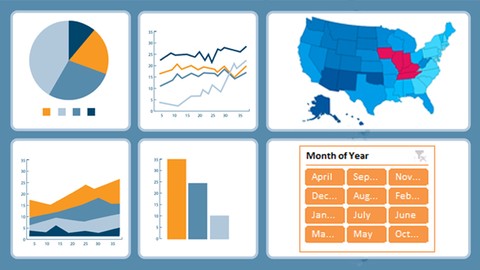
Microsoft Advanced Excel Dashboard : Zero To Hero (Complete) (2019)
4.3 (368 Reviews)
- Provider: Udemy
- Time: 4h
$49.99

Alteryx Bootcamp | 25 Tools with Before & After Examples (2022)
4.4 (143 Reviews)
- Provider: Udemy
- Time: 1.6h
$34.99
More Office Productivity courses

AI-Powered Social Media Management: From Beginner to Pro (2025)
5.0 (211 Reviews)
- Provider: Udemy
- Time: 1.1h
$19.99

Microsoft Excel + AI: Go From Data Analysis to Visualization (2026)
4.9 (276 Reviews)
- Provider: Udemy
- Time: 3.8h
$10.99


Complete Introduction to Google Sheets Pivot Tables (2026)
4.8 (3,570 Reviews)
- Provider: Udemy
- Time: 2.9h
$64.99


Microsoft Excel - Managing Personal Finances with Excel (2024)
4.8 (810 Reviews)
- Provider: Udemy
- Time: 3h
$19.99
 Reviews

By Angelic Hawkins on 1/21/2022
Wonderful training with a lot of great tips. Thank you so much for sharing your expertise!!
By Oscar Alfredo Castellanos Garcia on 8/17/2021
Excelente curso me esta sirviendo bastante y apenas llevo 3 lecciones y tengo 5 años usando Outlook
By L B on 6/25/2021
Very good. Short videos, that get to the point quickly - easy to follow. I would have liked to see more detail on the functionality of Calendar.
By Brendan Mullen on 1/29/2021
The instructor has an open approach, He keeps the Student engaged and the Information is relevant
By Marie-Lou Fredette on 5/2/2020
Good course; some really useful tricks. Not a big fan of the green screen. Was hoping for a bigger section on automating replies/filing using rules.
By Janet Ball on 4/18/2020
I found it very clear and very useful.
By Mohit Kumar on 11/15/2019
I am very happy and satisfied with the presentation. The short video duration helps to hit right on the target to understand easily and implement immediately in the workplace.
By Nadine Russell on 3/5/2019
I think the instructor is thorough and informative, I can apply what I'm learning to my daily routine. I enjoyed taking this course.
By Valarie Wiley on 4/29/2018
There should be reference material
By Bobby Stanfield on 8/24/2016
Instructor shows real enthusiasm in what he's teaching.
 Quality Score
No CourseDuck member has rated this course yet. Taken it? Give each part a thumbs up or down.
Overall Score : 88 / 100
- Video Duration:
 2.6h
2.6h - Price: $44.99
- Provider: Udemy
- Updated:
 February 2019
 - Level:
 Expert
 - Language:
 English
 - Certificate:
 Yes
Yes
30-day money-back guarantee on most paid courses
Udemy Coupon Price Tracker
