
 Web Development
 Data Science
 Python
 SQL
SQL JavaScript
 Artificial Intelligence
 IT & Software
 IT Certifications
 Hacking
 AWS
AWS Arduino
 DevOps
 3D Modeling
 Graphic Design
 Photoshop
 Drawing
 Digital Painting
 UX Design
 Business
 Data Analysis
 Communication Skills
 Project Management
 Leadership & Management
 Human Resources
 Digital Marketing
 Social Media Marketing
 Marketing
 SEO
SEO Google Analytics
 Branding
 Excel
Excel Office Productivity
 SAP
SAP PowerPoint
 Microsoft Access
 SharePoint
 Finance & Accounting
 Trading & Investing
 Accounting
 Bitcoin
 Personal Finance
 Video Editing & Animation
 Photography
 Adobe Premier Pro
 Adobe Lightroom
 Personal Development
 Productivity
 Career Development
 Life Coaching
 Health & Fitness
 Meditation & Mindfulness
 Yoga
Yoga Music
Music Music Production
 Guitar
 Piano
Piano Singing
 Language Learning
 Teaching & Academics
 Engineering
 Math
Math Lifestyle
Build Image Tracking Augmented Reality app in Unity & C# (Udemy.com)
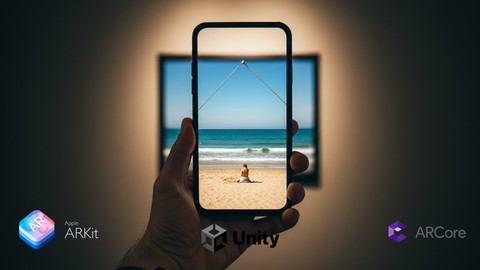
Learn Augmented Reality Image Tracking & Video Overlay in Unity — Build Real-World Mobile AR Apps with AR Foundation
Created by: Chukwuemeka John Okparaeke
Last updated January 2026
 What you will learn
- Build an image‑tracking AR app in Unity that recognizes and anchors digital content to real-world images.
- Set up AR Foundation for seamless cross-platform deployment on both Android and iOS devices.
- Set up Unity for image tracking and how to configure your Reference Image Library.
- Integrate the VideoPlayer component to overlay and play videos precisely on tracked images.
- Learn how to build Prefab for image targets, so as to add any virtual content to your image target
- Deploy and test your AR app on a mobile device, handling real-time tracking and video playback.
How it compares
Against the other 1,182 rated Udemy courses in IT & Software on CourseDuck:
- Rating4.4 out of 5higher than 30% of them
- Reviews74#1,050 of 1,183 by number of reviews
- Length2.2 hoursshorter than 81% of them
- Last updatedJanuary 2026more recently than 63% of them
 Course Description
Bring Images to Life with Augmented Reality — No Prior AR Experience Needed!
In this hands-on course, you will learn how to build a powerful Augmented Reality (AR) app using Unity and AR Foundation (ARCore and ARKit) that can detect real-world images and overlay videos directly on them. Whether you’re a beginner or have some Unity experience, this course will guide you step by step — from setting up your project to deploying a fully functional AR app on your mobile device.
What you’ll learn inside this course:
How to set up Unity with AR Foundation for cross-platform AR development (Android & iOS)
How to configure Image Tracking to recognize physical images using AR Foundation’s tracked image manager
How to overlay videos on recognized images with Unity’s VideoPlayer
How to deploy, test, and customize your app for different devices
This course is ideal for developers, designers, students, and hobbyists who want to create real-world AR experiences. You don’t need advanced programming knowledge—just a passion for creating interactive digital content.
By the end of this course, you’ll have a working AR app that you can customize for your own projects or even use commercially.
Join now and unlock the power of Augmented Reality with Unity!

 Udemy Discount
The discount is applied through our link. Open the course from here and Udemy's current promotional price is applied at checkout on most courses, no code to type.
Some courses are excluded from Udemy's promotions. If the price does not drop, clear your browser cookies and use the button again.
Instructor Details

- 4.4 Rating
 74 Reviews
Chukwuemeka John Okparaeke
Hi, my name is John. I am an augmented reality software developer. I started my AR journey in 2020. It has been an amazing journey and I have got to build wonderful experiences. Today, I want to give back what I have learned so far in the Augmented Reality courses I create, and I hope I am able to help a lot more people grow faster in the AR field. Happy Learning!
 More IT & Software courses

D3.js Data Visualization Fundamentals - Hands On (2026)
4.9 (3,917 Reviews)
 Provider: Udemy
 Time: 4.6h
$49.99

Hands-On Training: Streaming Data with Apache Kafka on Azure (2025)
4.9 (103 Reviews)
- Provider: Udemy
- Time: 3.7h
$10.99


Oracle Grid Infrastructure and RAC using Oracle Database 19c (2026)
4.8 (2,499 Reviews)
- Provider: Udemy
- Time: 8.7h
$19.99

PowerShell Scripting & Automation: The Complete Hands-On (2026)
4.8 (1,750 Reviews)
- Provider: Udemy
- Time: 9.6h
$11.99

AWS EC2 Crash Course + Load Balancing with Demos and PDFs (2025)
4.8 (866 Reviews)
- Provider: Udemy
- Time: 3.7h
$19.99
 Reviews

By Doug Moebs on 12/20/2025
This is absolutely ridiculous to charge for. Mic quality, teaching tempo, tons of issues. No it should be a paid course.
By SATRIA TORNADO on 9/24/2025
saya belum pernah mencoba unity tapi saya harus mencobanya lagi, samapai saya bisa, saat ini saya memahi workflow untuk ar, dan saya melihat nya di kusrsus ini,
By Leander Charbonneau on 8/28/2025
I gained not just theoretical knowledge but also practical skills that I can immediately apply. Highly recommended to anyone serious about learning and growing in this field
By Leander Charbonneau on 8/28/2025
Practical, Clear, and Immediately Useful" This course is exactly what I needed. It doesn’t waste time with fluff — every section gives you tools and concepts you can actually use.
By David Morgan on 8/24/2025
I was impressed by the instructor's ability to break down complex concepts into simple, easy-to-understand lessons. The course is well-organized, and the instructor's enthusiasm is contagious.
By Phil Joseph on 8/24/2025
I've learned more in this course than I thought possible. The instructor's guidance, the quality of the lessons, and the interactive exercises make it an engaging and effective learning experience
By Juliana Rocha on 8/24/2025
I was skeptical at first, but this course exceeded my expectations in every way. The instructor's expertise, teaching style, and enthusiasm make it a must-take for anyone interested in AR development.
By Ananya Anvi Singh on 8/23/2025
As a beginner in AR development, I was hesitant at first, but this course made me feel confident and eager to learn more. The instructor's guidance is top-notch.
By Holmen Foss William on 8/16/2025
Combining VideoPlayer with tracked images was something I’d never built before. Now I have an AR app that brings printed flyers to life with embedded videos. Super cool.
By Wien Svanhild on 8/16/2025
Now that I understand image tracking and video overlays in Unity, I can envision a whole range of AR projects—educational tools, interactive marketing, you name it. Fantastic starter course.
 Quality Score
No CourseDuck member has rated this course yet. Taken it? Give each part a thumbs up or down.
Overall Score : 88 / 100
- Video Duration:
 2.2h
2.2h - Price: $19.99
- Provider: Udemy
- Updated:
 January 2026
 - Level:
 All Levels
 - Language:
 English
 - Certificate:
 Yes
Yes
30-day money-back guarantee on most paid courses
Udemy Coupon Price Tracker
