
 Web Development
 Data Science
 Python
 SQL
SQL JavaScript
 Artificial Intelligence
 IT & Software
 IT Certifications
 Hacking
 AWS
AWS Arduino
 DevOps
 3D Modeling
 Graphic Design
 Photoshop
 Drawing
 Digital Painting
 UX Design
 Business
 Data Analysis
 Communication Skills
 Project Management
 Leadership & Management
 Human Resources
 Digital Marketing
 Social Media Marketing
 Marketing
 SEO
SEO Google Analytics
 Branding
 Excel
Excel Office Productivity
 SAP
SAP PowerPoint
 Microsoft Access
 SharePoint
 Finance & Accounting
 Trading & Investing
 Accounting
 Bitcoin
 Personal Finance
 Video Editing & Animation
 Photography
 Adobe Premier Pro
 Adobe Lightroom
 Personal Development
 Productivity
 Career Development
 Life Coaching
 Health & Fitness
 Meditation & Mindfulness
 Yoga
Yoga Music
Music Music Production
 Guitar
 Piano
Piano Singing
 Language Learning
 Teaching & Academics
 Engineering
 Math
Math Lifestyle
Cisco Collaboration Video Lab Course CUCM TMS Jabber CLCOR (Udemy.com)
Cisco Collaboration Implementing Video Network Devices Lab Course Telepresence DMPs Video Jabber VCS TMS CUCM CLTECH
Created by: Veyhurdam Dikmen
Last updated February 2026
 What you will learn
- -You will be have great exposure to CCNA Collaboration 210-065 CIVND Labs
- -You will get better at your job which involves Cisco Collaboration devices.
- -You will be able to analyze and troubleshoot problems with your Cisco Collaboration devices.
- -You will have great understanding for your daily profession.
- -You will start learning how to implement certain topics on Video Endpoints, Telepresence Systems, etc..
How it compares
Against the other 165 rated Udemy courses in Networking on CourseDuck:
- Rating4.2 out of 5higher than 11% of them
- Reviews63#158 of 166 by number of reviews
- Length2.5 hoursshorter than 84% of them
- Last updatedFebruary 2026more recently than 75% of them
 Course Description
In this course you will learn how to perform necessary configurations for CCNA Collaboration 210-065 CIVND exam topicsand important and useful subjects for your profession.
Lets go over each chapter and go on more detail about what to come in this course.
Lab 1 Creating an IP Phone on CUCMLab 2 Registering IP Phone to TFTPLab 3 Creating a Jabber Phone and Associating It With A UserLab 4 Configuring Cisco Jabber ClientLab 5 Configuring Video and Audio Options for Cisco Jabber ClientLab 6 Reporting A Problem For Cisco Jabber ClientLab 7 Configuring CUCM for DX650Lab 8 Placing A Call Using Jabber and Obrving Call StatisticsLab 9 Introduction to TC Software Based EndpointsLab 10 TC Software Based Endpoint Calibration Settings OverviewLab 11 Configuring EX90 on CUCMLab 12 Configuring EX90 to Register to CUCMLab 13 Placing A Call and Observing Call DetailsLab 14 Configuring EX-90 to Register to Cisco VCS as a H323 EndpointLab 15 Configuring EX-90 to Register to Cisco VCS as a SIP EndpointLab 16 Changing Default Call Protocol and Call Status on VCSLab 17 Adding Speed Dials to Endpoints on CUCMLab 18 Configuring Jabber Video to Register VCSLab 19 Placing Calls with Jabber Video and Controlling Bandwidth and Far-end Camera ToolLab 20 Configure and Verify Telepresence Multisite on EX90Lab 21 Conference Factory on Cisco VCS and Registration DetailsLab 22 Configure and Verify Telepresence Multiway on EX90Lab 23 Observe Conference Bridges and Device Pools on CUCMLab 24 Creating an Ad Hoc ConferenceLab 25 Provisioning EX 90 on Cisco TMSLab 26 Scheduling Automatically Connected Conferences Using Cisco TMSLab 27 Monitoring Using Cisco TMS Ticketing ServiceLab 28 Cisco TMS Report Tools to Query CDRs and Export in ExcelLab 29 Cisco TelePresence MCU Conference and Media StatisticsLab 30 Setting a Cisco TelePresence Management Suite Phonebook to an EndpointWho this course is for:
I designed this course for you, the one with some CCNA and CCNA Voice or Collaboration knowledge and a great deal of curiosity for the Collaboration world. You may also be the one who operates Collaboration devices daily but you want to know more to get better at your job in configuring, installing, operating and troubleshooting Cisco Collaboration devices.

 Udemy Discount
The discount is applied through our link. Open the course from here and Udemy's current promotional price is applied at checkout on most courses, no code to type.
Some courses are excluded from Udemy's promotions. If the price does not drop, clear your browser cookies and use the button again.
Instructor Details

- 4.2 Rating
 63 Reviews
Veyhurdam Dikmen
Veyhurdam Dikmen is an experienced Instructor/Engineer with Routing & Switching, Wireless, Voice and Security background. He is a double CCIE with an Electrical & Electronics Degree from METU. He also has CCNP Security, CCNP Wireless, CCNP RS, Palo Alto PCNSE, Citrix and Brocade certifications.He is the first one to achieve CCIEWireless in his country.
 More courses by Veyhurdam Dikmen

Cisco CUCM Training ( Install Configure Maintain ) CLCOR SIP (2026)
4.4 (1,223 Reviews)
 Provider: Udemy
 Time: 5.8h
$11.99
Cisco WLC Training ( Install , Configure , Maintain ) ENWLSI (2026)
4.0 (1,046 Reviews)
- Provider: Udemy
- Time: 7.1h
$11.99
New! Cisco CCNA 200-301 Wireless Theory & Lab With WLC CWNA (2026)
4.7 (261 Reviews)
- Provider: Udemy
- Time: 4.4h
$54.99
Cisco Collaboration Lab Course For CUCM CLCOR SIP CLTECH IMP (2026)
4.5 (228 Reviews)
- Provider: Udemy
- Time: 5h
$49.99
Cisco CCNP Enterprise ENWLSD 300-425 Course ENWLSD (2026)
4.2 (189 Reviews)
- Provider: Udemy
- Time: 4.8h
$79.99

Designing Wireless Enterprise Networks Training ENWLSD (2026)
4.2 (85 Reviews)
- Provider: Udemy
- Time: 4.6h
$64.99
More Networking courses
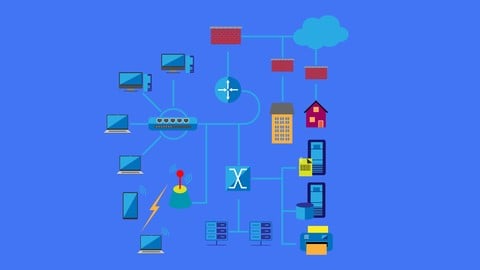
The Ultimate Cisco CCNA Packet Tracer Project (2024)
5.0 (210 Reviews)
- Provider: Udemy
- Time: 3.2h
$89.99
CCNA OSPF troubleshooting: Cisco CCNA and ICND2 exam prep (2020)
4.9 (424 Reviews)
- Provider: Udemy
- Time: 2h
Free

The World of Computer Networking. Your CCNA starts here (2026)
4.8 (1,993 Reviews)
- Provider: Udemy
- Time: 15.7h
$84.99

OSPF for the Real World - From Zero to Hero (2023)
4.8 (1,173 Reviews)
- Provider: Udemy
- Time: 6.2h
$84.99


CCNA BGP configuration and troubleshooting: Cisco CCNA prep (2023)
4.8 (995 Reviews)
- Provider: Udemy
- Time: 54 mins
Free
 Reviews

By Vinod Padmanabhan Iyer on 11/21/2020
Nice and Easy Understanding
By Daniel elya on 11/18/2020
good course
By Steve Mazz on 11/16/2020
Poor explanations - if known this bad would not have purchased
By Parveen Kumar on 10/8/2020
Great, Good job
By Devaraju Kadam on 6/15/2020
It's a quick guide to go through the basics labs for CIVND.
By Vctor Carazo Grande on 4/22/2020
Los procesos estn bien explicados y detallados. La informacin es clara y precisa.
By Yogesh Dilip Patil on 2/10/2020
explanation about topic is not clear.
By Dwayne Weston on 2/4/2020
Took the test and these labs did not provide any more clarification.
By Scott Holland on 9/7/2019
I purchased the CIVND Practice exam as well. Many questions on the exam are not covered in this lab which is what i was expecting.
By William J Maytidu on 8/24/2019
So far, so good...
By Alexandre Nunes Calazans on 1/21/2019
The audio of this course is not good, I do not think good audio. The teacher does not speak very well.
 Quality Score
No CourseDuck member has rated this course yet. Taken it? Give each part a thumbs up or down.
Overall Score : 84 / 100

- Video Duration:
 2.5h
2.5h - Price: $39.99
- Provider: Udemy
- Updated:
 February 2026
 - Level:
 All Levels
 - Language:
 English
 - Certificate:
 Yes
Yes
30-day money-back guarantee on most paid courses
Udemy Coupon Price Tracker
