
 Web Development
 Data Science
 Python
 SQL
SQL JavaScript
 Artificial Intelligence
 IT & Software
 IT Certifications
 Hacking
 AWS
AWS Arduino
 DevOps
 3D Modeling
 Graphic Design
 Photoshop
 Drawing
 Digital Painting
 UX Design
 Business
 Data Analysis
 Communication Skills
 Project Management
 Leadership & Management
 Human Resources
 Digital Marketing
 Social Media Marketing
 Marketing
 SEO
SEO Google Analytics
 Branding
 Excel
Excel Office Productivity
 SAP
SAP PowerPoint
 Microsoft Access
 SharePoint
 Finance & Accounting
 Trading & Investing
 Accounting
 Bitcoin
 Personal Finance
 Video Editing & Animation
 Photography
 Adobe Premier Pro
 Adobe Lightroom
 Personal Development
 Productivity
 Career Development
 Life Coaching
 Health & Fitness
 Meditation & Mindfulness
 Yoga
Yoga Music
Music Music Production
 Guitar
 Piano
Piano Singing
 Language Learning
 Teaching & Academics
 Engineering
 Math
Math Lifestyle
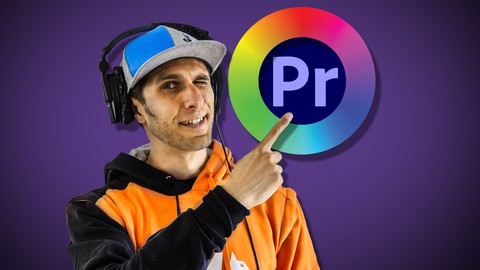
Color Correction & Grade | Adobe Premiere Pro 2020 (Udemy.com)
Learn how to color correct and color grade through the Lumetri of Adobe Premiere Pro 2020 for cinematic videos!
Created by: Mariano Gobbi
Last updated October 2020
 What you will learn
- What light temperature is
- How to change the tone and the white balance of your footage
- How to read the waveforms and the vectorscope
- How to match the footage taken on different cameras
- How to use adjustment layers
- How to add a vignette to your video
- How to add a final grade to your video through the LUTS
How it compares
Against the other 293 rated Udemy courses in Video Editing & Animation on CourseDuck:
- Rating4.4 out of 5higher than 40% of them
- Reviews20#289 of 294 by number of reviews
- Length1.7 hoursshorter than 79% of them
- Last updatedOctober 2020earlier than 72% of them
 Course Description
Whether you want to learn how to colour correct and grade videos for youtube and the latest social media platforms, or start your video editing career, or simply you want to revise your knowledge about this subject, this course of Adobe Premiere Pro 2020 is what you are looking for.
The course includes the video content, spread on 10 lectures. Everything you need to know to start colour correcting your footage with Premiere Pro is here.
This class is a section of my complete Adobe Premiere Pro Video Editing course that you can find on my profile page; you might want to check that too if you want to learn the whole video editing process.
WHAT YOU'LL LEARN:
You’ll learn what light temperature is, how to change the tone and the white balance of your footage by using the reference monitor, how to read the waveforms and the vectorscope, how to match 2 cameras, how to use adjustment layers, vignettes and to add a final grade through the LUTS.
IT WILL BE FUN!
We’ll work together on a complete project throughout the course (all material provided) by building a motocross promotional video.
At the end of the class you will also find a quiz and an exercise to complete on your own. But do not worry, you will also find an exercise review where I complete the same exercise so that you’ll be able to double check your work.
MY PROMISE TO YOU
Once you'll have completed the course, you'll be able to color correct and grade a video project on your own, from start to end, with professional standards! Join me now and let's start learning and practicing.
PS: This course was built on Adobe Premiere Pro 2020 of Creative Cloud, Version 14.0.0 and 14.3.0 on a Mac Computer and it is suitable for Windows users too.
For Windows users
If, when importing the material into Premiere Pro, you see some warning board about "._.DS.Store", just keep pressing "OK" and ignore all the files named "._.DS.Store", ".DS.Store" and also the video files starting with "._"
These are only files of reference not needed to follow the course normally.

 Udemy Discount
The discount is applied through our link. Open the course from here and Udemy's current promotional price is applied at checkout on most courses, no code to type.
Some courses are excluded from Udemy's promotions. If the price does not drop, clear your browser cookies and use the button again.
Instructor Details

- 4.4 Rating
 20 Reviews
Mariano Gobbi
I’m an award winning Content Creator working in the media field since 2005. I've been conceiving creative ideas, directing shoots and video-editing for varied international companies and organisations dedicated to entertainment, travel, music, animations, action sports and lifestyle for my whole career.
I have a background in advertising and graphic design and I gained my film making skills working for a decade for MTV and Sony Pictures, for which I edited and directed hundreds of promos, trailers for movies and all sort of television content.
I'm now a freelance content creator and I share tutorials and camera gear vlogs on my youtube channel too.
My confidence in the social media’s marketing, art direction, motion graphic design and photography is an aspect that enhances my skill set.
Thanks for reading.
Mariano
 More courses by Mariano Gobbi

Video Editing complete course | Adobe Premiere Pro CC 2021
4.8 (529 Reviews)
 Provider: Udemy
 Time: 14.4h
$22.99
More Video Editing & Animation courses

Learn to Storyboard for Film or Animation (2024)
4.8 (2,727 Reviews)
- Provider: Udemy
- Time: 2.2h
$12.99


Fire Starter Sessions Video Workshop with Danielle LaPorte (2017)
4.8 (1,205 Reviews)
- Provider: Udemy
- Time: 3.7h
$11.99

The Ultimate Color Grading Bootcamp in DaVinci Resolve (2026)
4.8 (947 Reviews)
- Provider: Udemy
- Time: 8.7h
$19.99

The Complete Talking Head Video Production Masterclass (2026)
4.8 (319 Reviews)
- Provider: Udemy
- Time: 17.6h
$59.99

The Complete iMovie Course - from Beginner to Advanced 2026!
4.7 (2,021 Reviews)
- Provider: Udemy
- Time: 11.1h
$10.99
 Reviews

By Gidi Sprintzin on 8/10/2021
Well, there is no teaching, only setting numbers, no explanations.... Disappointing...
By Artem Sutyagin on 2/28/2021
Really liked the materials, everything is explained clearly and in an engaging manner. Though it turns out to be a part of the full course by Mamo, so money-wise it would've been better, if I'd bought the full course right away. Thank you, Mamo, for the course!
By Jimmie Coleman on 2/16/2021
Really good instructor. He really breaks everything down to simple terms. I also like the ability to downlown the same files and work along with the instructor.
By Martino Gobbi on 1/8/2021
Another nice course about Premiere Pro. Through these tutorials I improved how to white balance my footage and match 2 cameras. Also learned how to use the vectorscope. I could never get my head around it. Really enjoyed the motocross material too. Simply explained masterclass
By Nick Jay on 12/1/2020
So far, it's amazing. I would say that he is moving just a tad fast, but it's easy to pause and catch up within a few seconds. Very well organized, and very well spoken.
By Cristina Pavesi on 11/30/2020
Pur avendo una buona esperienza di video editing non ho mai tentato la color correction, ammetto che mi spaventasse un pò l'idea di cimentarmi con qualcosa di così specifico e raffinato. Il corso mi ha dato in poche lezioni la consapevolezza di poter affrontare la color correction da sola. Le lezioni sono dettagliate e non si può sbagliare! Sono contenta di aver iniziato questo corso, il modo migliore per passare questo periodo di lockdown, facendo qualcosa che aiuterà la mia carriera.
By Andrea Locatelli on 11/26/2020
This is an amazing and informative course on color correction and grading. Definitely recommended to anyone that is willing to learn and apply new skills!
By Luca Magra on 11/26/2020
This my second course with Mariano and I simply love it! It’s well structured, well explained and easy to understand. I found the exercises part very useful and it gives to the course a very dynamic pace. I truly recommend it! Thank you Mariano very well done.
By Alexandra Naz on 11/25/2020
The course is enjoyable and professionally presented. Very happy with my choise and looking forward to learn a lot about colour correction and grading. Thanks!
By Simone Boveri on 11/24/2020
coinvolgente, alla portata di tutti ma allo stesso tempo impostato alla massima professionalità. come si vede nella prima parte del corso si dà molta importanza all'impostazione dell'interfaccia del programma in modo da creare ordine e semplificare ed ottimizzare il lavoro che si andrà a svolgere. lo consiglio.
 Quality Score
No CourseDuck member has rated this course yet. Taken it? Give each part a thumbs up or down.
Overall Score : 88 / 100
- Video Duration:
 1.7h
1.7h - Price: $22.99
- Provider: Udemy
- Updated:
 October 2020
 - Level:
 All Levels
 - Language:
 English
 - Certificate:
 Yes
Yes
30-day money-back guarantee on most paid courses
Udemy Coupon Price Tracker
