
 Web Development
 Data Science
 Python
 SQL
SQL JavaScript
 Artificial Intelligence
 IT & Software
 IT Certifications
 Hacking
 AWS
AWS Arduino
 DevOps
 3D Modeling
 Graphic Design
 Photoshop
 Drawing
 Digital Painting
 UX Design
 Business
 Data Analysis
 Communication Skills
 Project Management
 Leadership & Management
 Human Resources
 Digital Marketing
 Social Media Marketing
 Marketing
 SEO
SEO Google Analytics
 Branding
 Excel
Excel Office Productivity
 SAP
SAP PowerPoint
 Microsoft Access
 SharePoint
 Finance & Accounting
 Trading & Investing
 Accounting
 Bitcoin
 Personal Finance
 Video Editing & Animation
 Photography
 Adobe Premier Pro
 Adobe Lightroom
 Personal Development
 Productivity
 Career Development
 Life Coaching
 Health & Fitness
 Meditation & Mindfulness
 Yoga
Yoga Music
Music Music Production
 Guitar
 Piano
Piano Singing
 Language Learning
 Teaching & Academics
 Engineering
 Math
Math Lifestyle
Video Editing complete course | Adobe Premiere Pro CC 2021 (Udemy.com)
Learn video editing for youtube & social media with this complete 14 hours online course of Adobe Premiere Pro 2021
Created by: Mariano Gobbi
Last updated June 2023
 What you will learn
- You'll learn the full editing process and you'll be able to create a video from start to end for any kind of platform, as instagram, youtube and tik tok.
- You will get solid foundations of the Adobe Premiere software and its interface, and you'll be familiar with the main video editing terms and concepts.
- The tools and techniques to trim and adjust the video clips through varied and engaging material.
- You'll learn how to stabilise, scale, rotate, position, animate and change the speed of a clip.
- How to add music, sound effects and how to mix your audio.
- How to colour correct and colour grade your video with a polished and professional final look.
- How to create texts, animated graphics with the use of the keyframes and how to create graphic presets.
- How to add captions and subtitles.
- How to export your video in different aspect ratios and formats.
How it compares
Against the other 78 rated Udemy courses in Adobe Premier Pro on CourseDuck:
- Rating4.8 out of 5higher than 97% of them
- Reviews529#23 of 79 by number of reviews
- Length14.4 hourslonger than 85% of them
- Last updatedJune 2023more recently than 58% of them
 Course Description
* LAST UPDATE ON 1ST JUNE 2021 *
Whether you want to learn how to edit videos for youtube and the latest social media platforms, or start your video editing career, or simply you want to revise your knowledge of this amazing software, this ultimate and complete Video Editing Course for beginners built with and for Adobe Premiere Pro 2021 CC is what you are looking for.
The course includes more than 14 hours of video content, spread on 18 sections and 115 lectures. Everything you need to know to start with Premiere Pro and to start editing is here.
FEATURED REVIEW:
"This is the course I was waiting for: I am used to other videoediting systems (like Avid for example) and I have been trying to learn Adobe Premiere for years (last January I made another trial) but no course could nail the information in my head, until now! Mariano's course is excellent: it's easy to follow and covers all the necessary aspects of the videoediting, including the initial settings and the organisation of the workflow. It's fab that the material for the exercises is included too! Mariano is a very nice and likeable instructor with a good sense of humour, the lessons are well paced and easy to follow. I would recommend this course to any beginner as well as to professionals like me who find difficult to make the leap to Adobe Premiere." by Cristina Pavesi
WHAT YOU'LL LEARN:
You’ll learn the whole professional video editing process, including how to create and organise projects, how to edit, apply effects and transitions, how to mix your audio, to colour correct and colour grade the video, how to add captions and how to export your final product for the online platforms in different aspect ratios. And of course, we’ll cover the most useful keyboard shortcuts.
IT WILL BE FUN!
We’ll work together on a different project for each section, with different types of footage (all provided) including mini docs, interviews, travel vlogs and sports videos. This will give you the ability to learn different editing styles and to be flexible in your workflow.
At the end of each chapter you will also find a quiz and an exercise to complete on your own. But do not worry, you will also find an exercise review where I complete the same exercise so that you’ll be able to double check your work.
We'll wrap up the course with a final exercise that will revise all the skills learned.
MY PROMISE TO YOU
Once you'll have completed the course, you'll be able to create a video project on your own, from start to end, with professional standards! Enrol now and let's start learning and practicing.
PS: This course was built on Adobe Premiere Pro 2020 of Creative Cloud, Version 14.0.0 and 14.3.0 on a Mac Computer and it is suitable for Windows users too (some commands will be different, please NOTE).
Course UPDATED on 1ST JUNE 2021 with V.15.
For Windows users
If, when importing the material into Premiere Pro, you see some warning board about "._.DS.Store", just keep pressing "OK" and ignore all the files named "._.DS.Store", ".DS.Store" and also the video files starting with "._"
These are only files of reference not needed to follow the course normally.

 Udemy Discount
The discount is applied through our link. Open the course from here and Udemy's current promotional price is applied at checkout on most courses, no code to type.
Some courses are excluded from Udemy's promotions. If the price does not drop, clear your browser cookies and use the button again.
Instructor Details
- 4.8 Rating
 529 Reviews
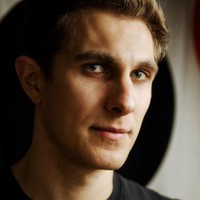
Mariano Gobbi
I’m an award winning Content Creator working in the media field since 2005. I've been conceiving creative ideas, directing shoots and video-editing for varied international companies and organisations dedicated to entertainment, travel, music, animations, action sports and lifestyle for my whole career.
I have a background in advertising and graphic design and I gained my film making skills working for a decade for MTV and Sony Pictures, for which I edited and directed hundreds of promos, trailers for movies and all sort of television content.
I'm now a freelance content creator and I share tutorials and camera gear vlogs on my youtube channel too.
My confidence in the social media’s marketing, art direction, motion graphic design and photography is an aspect that enhances my skill set.
Thanks for reading.
Mariano
 More courses by Mariano Gobbi
Color Correction & Grade | Adobe Premiere Pro 2020
4.4 (20 Reviews)
 Provider: Udemy
 Time: 1.7h
$22.99
More Adobe Premier Pro courses

The Complete Adobe Premiere Pro Video Editing Bootcamp (2025)
4.9 (7,316 Reviews)
- Provider: Udemy
- Time: 9.7h
$139.99

Adobe Premiere Pro CC – Essentials Training Course (2025)
4.7 (11,647 Reviews)
- Provider: Udemy
- Time: 15.8h
$129.99

Adobe Premiere Pro CC – Advanced Training Course (2025)
4.7 (1,922 Reviews)
- Provider: Udemy
- Time: 16.3h
$94.99

Adobe Premiere Pro Video Editing Course Beginner to Pro (2024)
4.7 (686 Reviews)
- Provider: Udemy
- Time: 9.1h
$54.99

Learn Video Editing with Premiere Pro CC for beginners (2015)
4.7 (476 Reviews)
- Provider: Udemy
- Time: 3.9h
$64.99
 Reviews

By Ahana Goyal on 5/27/2023
I understood a lot about video editing since this was my first ever course for video editing and in between if I had any questions I used to ask in the Q&A questions. The only thing which was like an issue was none of my question got answered. But then slowly and gradually I looked at the questions again then I realised that the progress from the day I wrote that question made me answer some of my own questions . But I will be happy if I get answer for them . I enjoyed the course .
By Jankovics Roland on 3/10/2022
The first course I took. I am very grateful to Mariano because she is a very good teacher. The pronunciation of English is very nice, so there were language problems just because I don't know English so well. Understandable, clean, fantastic. I really liked the structure of the course, it was clearly explained, and at the end of the lessons the tasks force you to practice and then check yourself. I loved the course and the man himself, i.e. Mariano :) Thank you Mariano, god bless, I hope to see you again!
By Ralpheal Louis on 9/30/2021
I've completed this course and it is an awesome course. You'll enjoy this course, the instructor is very engaging and the explanations were very clear. You'll have ample opportunity to practice what you've learn after each section. However, in my opinion, you'll need a second or a bigger monitor to properly complete the exercises (especially the few last exercises). Also, you'll need a slightly powerful computer (I was running a pentium I5 9th gen and 8 gb ram coupled with a 15 inch portable monitor). I was having technical issues, but with patience (lots of it actually due to computer lag/freeze) I was able to complete everything. Last but not least thank you Mamo and bravo for this amazing course!
By Aryan Agarwal on 7/16/2021
Teacher and his teaching skill were beyond the level, but in most of the lectures the screeen recording of the mamo air was covering the content of the lecture. Overall the course was excellent.
By Miguel Rivilla on 5/10/2021
It was a very good course very comprehensive and very detailed. I would like to comment on one thing, I was using the newest version of Premiere Pro and when it got to the Captions section, the Captions panel no longer exists in Premiere Pro. So for anyone looking for how to add captions you can do it through the Text Panel and it works basically the same way as the Captions. Thanks again Mariano loved it!
By Hk on 1/29/2021
Firstly,I’m not from english speaking country so sorry about poor writing. I think this course is one of best course to learn premier pro in Udemy. Here is the list of reason. • each sections of lecture has exercises which makes me understand deeply what I learned from lecture. •Each sections are well organized and easy to understand and fun to do exercise also. •When you finish all exercise everyone can create youtube video or any kind of video that you want without any doubt i actually started working on it. I strongly recommend if •You know nothing about premier pro and want to learn how to use it and create youtube video or anykind of video. •if you are not sure taking course or not because there so much free information of premier pro on youtube.( I also hesitate first) you definitely should take this course. much faster and you will get everything you need! Finally, Thank you so much for this course. I really enjoyed start to finish . I really expecting you to make advance course and if you do im 100% sure to take the couse !!!
By Tomi Sorasalmi on 1/28/2021
Makes learning editing with Adobe Premiere Pro very easy. The process is spit into just the right size so that you learn the most of it without getting bored. Marinaro also knows the stuff very well and the editing exercises are quite versatile and fun to edit. Before this course I was able to do some basic editing but I was lacking skills to do what I really wanted to do with the videos. Now I feel I can do very professional looking videos! I would recommend this to anyone wanting to learn to edit videos with Adobe Premiere Pro.
By Stephen Michael on 1/4/2021
I really enjoyed this course. Although I've used Premiere Pro in the past, this course really helped me understand all the pieces I was missing and struggling with. I would highly recommend it to anyone who is using Premiere Pro. Some of the sections are large and it would be nice if there were a few smaller exercises rather than one big one that has so many elements to do. But none of this is overwhelming. I can't wait for the Advanced course.
By Enrico Calvanese on 12/25/2020
Mamo is an amazing instructor. His course is clear, moves you step by step, and his exercises are very helpful to consolidate the learning in the lectures. You not only learn how to use Adobe Premiere Pro, but also all the insiders tips Mamo has on how to keep your project organized, what shortcuts to use, what effects are appropriate for different video types. I highly recommend his class!
By Siddharth on 12/1/2020
May be it was the best match for me. edited after 2 years : I take my words back. When I gave review that "May be it was the best match for me." I just had learned Pr from this course .When my friends were learning from Youtube I understood that video editing in Pr is not that easy but it was you who made it much easy for beginners like me to understand and use the software. This is a great couse and in some months only i am going to start a Youtube channel because now i am very good at editing. Thanks for teaching me this beautiful skill which will be with me forever :)
 Quality Score
No CourseDuck member has rated this course yet. Taken it? Give each part a thumbs up or down.
Overall Score : 96 / 100

- Video Duration:
 14.4h
14.4h - Price: $22.99
- Provider: Udemy
- Updated:
 June 2023
 - Level:
 All Levels
 - Language:
 English
 - Certificate:
 Yes
Yes
30-day money-back guarantee on most paid courses
Udemy Coupon Price Tracker
