
 Web Development
 Data Science
 Python
 SQL
SQL JavaScript
 Artificial Intelligence
 IT & Software
 IT Certifications
 Hacking
 AWS
AWS Arduino
 DevOps
 3D Modeling
 Graphic Design
 Photoshop
 Drawing
 Digital Painting
 UX Design
 Business
 Data Analysis
 Communication Skills
 Project Management
 Leadership & Management
 Human Resources
 Digital Marketing
 Social Media Marketing
 Marketing
 SEO
SEO Google Analytics
 Branding
 Excel
Excel Office Productivity
 SAP
SAP PowerPoint
 Microsoft Access
 SharePoint
 Finance & Accounting
 Trading & Investing
 Accounting
 Bitcoin
 Personal Finance
 Video Editing & Animation
 Photography
 Adobe Premier Pro
 Adobe Lightroom
 Personal Development
 Productivity
 Career Development
 Life Coaching
 Health & Fitness
 Meditation & Mindfulness
 Yoga
Yoga Music
Music Music Production
 Guitar
 Piano
Piano Singing
 Language Learning
 Teaching & Academics
 Engineering
 Math
Math Lifestyle
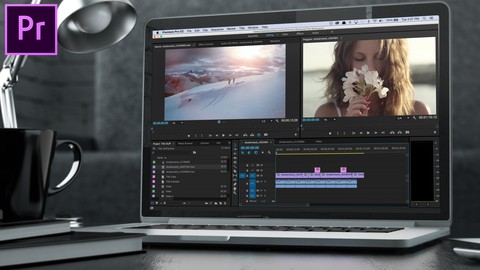
Adobe Premiere Pro CC – Advanced Training Course (Udemy.com)
This course is aimed at people who already know the fundamentals of Adobe Premiere Pro and want to advance their skills.
Created by: Daniel Walter Scott
Last updated January 2025
 What you will learn
- Learn the best productivity hacks & little known features to increase your editing speed.
- Color management, color grading, color replacement & skin tone correction.
- Get your computer running at warp speed by using proxies, scratch disk & cache management.
- Create high quality professional motion graphics & data driven infographics.
- You will learn file and footage techniques which will enable you to work with multiple editors.
- Master Multi-camera editing.
- Learn stunning techniques to help clean up your audio by removing noise, hiss & echo.
- Manipulate & extend your music in Premiere Pro & also in Adobe Audition.
- Learn about markers, subtitles and amazing plugins.
- You will learn all the best tricks and settings which will enable you to get the most from your rendering in Premiere Pro and also in Adobe Media Encoder.
How it compares
Against the other 78 rated Udemy courses in Adobe Premier Pro on CourseDuck:
- Rating4.7 out of 5higher than 84% of them
- Reviews1,922#6 of 79 by number of reviews
- Length16.3 hourslonger than 91% of them
- Last updatedJanuary 2025more recently than 73% of them
 Course Description
Hi there, my name is Daniel Walter Scott & I’m an award winning Adobe Certified Instructor. Welcome to the Adobe Premiere Pro Advanced Course.
This course is aimed at people who already know the fundamentals of Adobe Premiere Pro or who have completed my Adobe Premiere Pro Essentials course. If you have developed your own way of doing things but you realise there are so many tools, updates & time saving techniques that you haven't had time to explore then this course is definitely for you.
We look at the best productivity hacks & little known features to super speed your timeline editing.
We explore color management, color grading, color replacement & skin tone correction.
You will master all the new Lumetri color methods and harness the power of scopes.
You will learn new ways to successfully create traditional & new style transitions.
You will quickly become a master at fixing shaky handheld and drone footage.
There won’t be anything you can’t mask or blur.
We will get your computer running at warp speed using Proxies, Scratch Disk & Cache management.
You’ll master high frame rate footage to enable you to produce spectacular slow motion video.
You will create high quality professional motion graphics & data driven infographics.
You’ll learn all about Premiere Pro’s responsive time and design tools so you can make graphics & animation once that can be used across multiple future productions.
You will learn file and footage techniques which will enable you to work with multiple editors.
Multi-camera editing will be a breeze.
You will learn stunning techniques to help clean up your audio by removing noise, hiss & echo.
Learn how to manipulate & extend your music in Premiere Pro & also in Adobe Audition.
You’ll learn which tools & techniques are best for removing the monotony of repurposing the same footage across multiple sizes for social media.
Learn about markers, subtitles and amazing plugins,
You will learn all the best tricks and settings which will enable you to get the most from your rendering in Premiere Pro and also in Adobe Media Encoder.
We cover all these topics and more in this course.
Take a look at the contents and read reviews from other students and you’ll see this is the course that will get you from adequate - to EXCELLENT in Adobe Premiere Pro.
Here's some feedback from a student that completed my Adobe Premiere Pro Essentials course:
To me, Dan is the best instructor online. I do not know him personally, but after taking 4 of his courses, I truly believe his professionalism, expertise, and personality makes him enjoyable. I have learned so much from him from UX/UI Design, Photoshop, and now Premiere Pro. He is amazing, I highly recommend him to everyone of all levels! ★★★★★ - Soni
In this course we use real world, practical projects and use exercise files which you can download and then work alongside me.
If you can’t remember the last time you sat down & went through the features & updates in Adobe Premiere Pro, let this course be your all-in-one professional development & upgrade.
You owe it to yourself - sign up and get ready to become an Adobe Premiere Pro Super Hero.

 Udemy Discount
The discount is applied through our link. Open the course from here and Udemy's current promotional price is applied at checkout on most courses, no code to type.
Some courses are excluded from Udemy's promotions. If the price does not drop, clear your browser cookies and use the button again.
Instructor Details

- 4.7 Rating
 1,922 Reviews
Daniel Walter Scott
Sharing is who I am, and teaching is where I am at my best, because I've been on both sides of that equation, and getting to deliver useful training is my meaningful way to be a part of the creative community.
I've spent a long time watching others learn, and teach, to refine how I work with you to be efficient, useful and, most importantly, memorable. I want you to carry what I've shown you into a bright future.
I have a wife (a lovely Irish girl) and kids. I have lived and worked in many places (as Kiwis tend to do) – but most of my 14+ years of creating and teaching has had one overriding theme: bringing others along for the ride as we all try to change the world with our stories, our labours of love and our art.
I'm a certified Adobe instructor (ACI) in Ireland. I'm also an Adobe Certified Expert (ACE) and have completed the Adobe Certified Associate training (ACA). And I don't just do Adobe. Remember, media is a very broad term – digital blew out the borders, so we are all constantly learning.
I've been teaching for 14+ years. I come from being a media designer and content creator – so I understand exactly where you're at now. I've been there. I love this stuff. Print, digital publishing, web and video. I can see how it all connects. And I can see how we can share those connections.
 More courses by Daniel Walter Scott


User Experience Design Essentials - Adobe XD UI UX Design (2025)
4.7 (46,830 Reviews)
 Provider: Udemy
 Time: 9.7h
$189.99

Adobe Photoshop CC – Essentials Training Course (2025)
4.8 (36,753 Reviews)
- Provider: Udemy
- Time: 11.6h
$189.99

Adobe InDesign CC - Essentials Training Course (2026)
4.7 (19,611 Reviews)
- Provider: Udemy
- Time: 11.9h
$149.99

UX Design & User Experience Design Course - Theory Only (2025)
4.3 (11,988 Reviews)
- Provider: Udemy
- Time: 2.5h
$109.99

Adobe Premiere Pro CC – Essentials Training Course (2025)
4.7 (11,647 Reviews)
- Provider: Udemy
- Time: 15.8h
$129.99
More Adobe Premier Pro courses

The Complete Adobe Premiere Pro Video Editing Bootcamp (2025)
4.9 (7,316 Reviews)
- Provider: Udemy
- Time: 9.7h
$139.99

Video Editing complete course | Adobe Premiere Pro CC 2021
4.8 (529 Reviews)
- Provider: Udemy
- Time: 14.4h
$22.99
Adobe Premiere Pro CC – Essentials Training Course (2025)
4.7 (11,647 Reviews)
- Provider: Udemy
- Time: 15.8h
$129.99

Adobe Premiere Pro Video Editing Course Beginner to Pro (2024)
4.7 (686 Reviews)
- Provider: Udemy
- Time: 9.1h
$54.99

Learn Video Editing with Premiere Pro CC for beginners (2015)
4.7 (476 Reviews)
- Provider: Udemy
- Time: 3.9h
$64.99
 Reviews

By jayrajsinh jadeja on 8/17/2026
Much needed, Since i've learned the premier by myself, i was having a lot of problem related to the advanced features, so this is one of the great cource to solve any querstoin realted premier pro, there are youtube videos but i was not able to structure all that in my mind like wherre to start and which thing to learn after which, so that's great once ifyo're considering cource.
By Sandra Rodegher on 4/29/2026
I'm only in section 5 of 30, but it's shaping up to be a great course. If you've taken Daniel's classes before and are as surprised by some of the "meh" reviews as I was, it might help to know that Udemy prompts you to rate the course while he's still laying the foundation for an efficient workflow. It's not the most exciting part of premiere, but he teaches it well. I'm excited to get to the editing, but I also know I'll be returning to those early videos when my computer is bogged down and refusing to render :) Update: currently in section 15. Can confirm that it continues to get better and better!
By Gregory McPherson on 4/17/2026
Not bad, I am usually bored during the beginning chapters, especially where premiere is concerned because most of it is stuff I already know but I did learn a few things during this section so it was very good for me
By Shivam singh on 7/23/2025
Hey! Dan Thank you for making this course. I have learned many things that I was not aware of. Keep doing it. P.S. Please review my assignments. As I have submitted all of them, I look forward to some feedback.
By Zeeshan Hafeez on 4/17/2025
My overall experience with the course was very good. The content was well-structured and covered advanced topics in a clear and practical way. The assignments were particularly helpful they allowed me to apply what I learned and really solidify my understanding of more complex editing techniques. I also appreciated the pace of the course and how it built upon the essentials without feeling overwhelming. The real-world examples and professional tips shared throughout were a nice touch and made the lessons feel relevant to actual projects.
By XC Design on 7/25/2024
I recently completed the Premiere Pro course and couldn't be more impressed! The course structure was incredibly well-organized, breaking down complex editing techniques into manageable, easy-to-follow modules. Each lesson was packed with practical tips and real-world applications that made learning both engaging and effective. The instructor’s teaching style was exceptional—clear, concise, and incredibly knowledgeable. They provided numerous examples and hands-on exercises that not only reinforced the material but also allowed me to apply what I learned immediately. The included project files were a huge bonus, giving me the opportunity to practice with professional-quality assets. Overall, this course exceeded my expectations and has significantly improved my video editing skills. Whether you’re a beginner looking to get started or someone with experience wanting to refine your craft, I highly recommend this course. It’s a fantastic investment in your creative toolkit!
By Matthew Collins on 7/12/2024
I've been familiar with the adobe suite for years, but going through the beginners and advanced courses to recap things has been wonderful. Dan taught me lots of things I never knew, reminded me of things I've forgotten and did a wonderful job of giving us assignments (along with the necessary materials) and provided digestible information in a way that actually sticks. Couldn't recommend enough. Thanks Dan, and I'll see you in your After Effects courses!
By Ali Cumat on 9/11/2022
Seriously words can't express my feelings easily one of the best courses out there in udemy I really enjoyed this course and gained a lot of confidence by the end yet again easy to follow instructions, class files supplied so that you can work alongside and lessons relevant to the working world Dan is my favorite instructor on Udemy did a fantastic job breaking down a tons of stuff , he could not have done better. Definitely Recommended Thanks Dan :) See You In Another Class...
By Mithilesh Manivalluvan on 6/16/2022
The good thing about getting this course on udemy is I can come back and click my notes and go the exact same clip and revise when I edit my own videos. Thanks a bunch dan. My editing improved a lot. However I felt the basic course had more projects and was more challenging and fun. Nevertheless I enjoyed both. I also learn a lot along with this course from free youtube tutorials as well. This course and the youtube tutorials just accelerated my progress! thanks
By Paul Sedrak on 10/5/2021
Done both the essential & Advanced course. I use to do premiere a lot but many life times ago, so its the perfect way to get back into the flow, learn a bunch more stuff, and now I feel like Im way better than i have ever been with all these advanced techniques and tricks. Love ya work. Im tires so won't do the other courses yet, its time to make video, but if I need to retouch more of my adobe knowledge I know where to go
 Quality Score
No CourseDuck member has rated this course yet. Taken it? Give each part a thumbs up or down.
Overall Score : 94 / 100

- Video Duration:
 16.3h
16.3h - Price: $94.99
- Provider: Udemy
- Updated:
 January 2025
 - Level:
 Intermediate
 - Language:
 English
 - Certificate:
 Yes
Yes
30-day money-back guarantee on most paid courses
Udemy Coupon Price Tracker
