
 Web Development
 Data Science
 Python
 SQL
SQL JavaScript
 Artificial Intelligence
 IT & Software
 IT Certifications
 Hacking
 AWS
AWS Arduino
 DevOps
 3D Modeling
 Graphic Design
 Photoshop
 Drawing
 Digital Painting
 UX Design
 Business
 Data Analysis
 Communication Skills
 Project Management
 Leadership & Management
 Human Resources
 Digital Marketing
 Social Media Marketing
 Marketing
 SEO
SEO Google Analytics
 Branding
 Excel
Excel Office Productivity
 SAP
SAP PowerPoint
 Microsoft Access
 SharePoint
 Finance & Accounting
 Trading & Investing
 Accounting
 Bitcoin
 Personal Finance
 Video Editing & Animation
 Photography
 Adobe Premier Pro
 Adobe Lightroom
 Personal Development
 Productivity
 Career Development
 Life Coaching
 Health & Fitness
 Meditation & Mindfulness
 Yoga
Yoga Music
Music Music Production
 Guitar
 Piano
Piano Singing
 Language Learning
 Teaching & Academics
 Engineering
 Math
Math Lifestyle
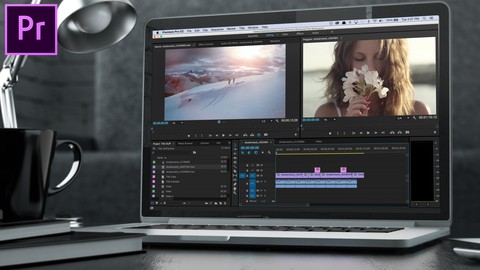
Adobe Premiere Pro Video Editing Course Beginner to Pro (Udemy.com)
The whole course lasts for about 8 hours, I can promise very exciting journey to the world of video editing
Created by: Peter Romanov
Last updated December 2024
 What you will learn
- Video Editing in Adobe Premiere Pro. You will master the full functionality of Adobe Premiere Pro and will be able to edit videos in all popular formats.
- Work with Color Correction and Sound Design. You will learn how to work with color correction, as well as use sound design to achieve higher quality.
- Increase the Speed of Work. You will learn how to optimize your work in post-production, which will help you complete more projects in less time.
- Apply stylistic effects. You will learn how to create and apply visual effects to make a video stylish.
- Adapt video content for social networks. You will learn how to edit videos for Instagram, Tik Tok, Facebook, and YouTube. Study the trends and specifics.
- Be in demand on the market. You will be able to become a popular editor and will be able to work remotely with clients around the world.
How it compares
Against the other 78 rated Udemy courses in Adobe Premier Pro on CourseDuck:
- Rating4.7 out of 5higher than 84% of them
- Reviews686#18 of 79 by number of reviews
- Length9.1 hourslonger than 79% of them
- Last updatedDecember 2024more recently than 70% of them
 Course Description
The Adobe Premier Pro 2024 is known as the most popular tool for video editing.
It is used by YouTube bloggers and editors of big movies. With Adobe Premier Pro CC you will learn how to work with dynamic editing, color correction, effects and sound design. Moreover, you will gain important post-production skills, study current trends in video industry and specific formats of well-known websites with video content, such as YouTube, Instagram, TikTok, etc.
We have collected a lot of useful information so that you can master this profession from scratch and be able to create cool videos for yourself or for the great public. The course consists of more than 80 lessons, total duration is more than 8 hours.
You can get a wide range of possibilities: editing video, video effects, color correction, video stabilization, creating titles, proxy, exporting material, keying, multi-camera, synchronization working with audio effects, transitions and much more. The wide functionality of the Adobe Premier Pro program will become possible with knowing extensive interface, which requires serious study.
Purchase our Online Course in order to expand your opportunities. Take the chance to become a part of a Video Production or work for Agencies and Media companies.
Our video editing online course on Adobe Premiere Pro are very simple and really useful. We are sure that during the course you will gain new skills and practice them.
Almost every diligent and creative person has the opportunity to start making money on movie editing. It can become both a good part-time remote job and the main source of income. It all depends on your desire and abilities.
Also, our projects were included in the shortlists of the Cannes Lions and received many awards from domestic festivals.

 Udemy Discount
The discount is applied through our link. Open the course from here and Udemy's current promotional price is applied at checkout on most courses, no code to type.
Some courses are excluded from Udemy's promotions. If the price does not drop, clear your browser cookies and use the button again.
Instructor Details

- 4.7 Rating
 686 Reviews
Peter Romanov
My name is Peter Romanov, I am a film and TV producer. I represent the online school by AIM VFX, where I'll be your tutor and help you become a professional video editor from scratch.
I catch fire with an idea of passing on my 10-year experience to you and teaching you everything that I can do. Together with my team, I've shot more than 100 commercials and corporate films for major brands and government agencies, I have contracts with domestic and foreign specialists in the video industry and I've also visited many corners of our planet, which helped me organize filming of any complexity around the world.
Also, our projects were included in the shortlists of the Cannes Lions and received many awards from domestic festivals.
 More courses by Peter Romanov
Adobe Lightroom CC Photo Editing Class Beginner to Pro (2024)
4.4 (430 Reviews)
 Provider: Udemy
 Time: 5.9h
$74.99
Adobe Photoshop CC Graphic Design Class Beginner to Pro (2024)
4.6 (352 Reviews)
- Provider: Udemy
- Time: 15.7h
$64.99
Adobe InDesign CC Graphic Design Class Beginner to Pro (2024)
4.7 (198 Reviews)
- Provider: Udemy
- Time: 3.6h
$69.99
Adobe Illustrator Graphic Design Class Beginner to Pro (2024)
4.7 (151 Reviews)
- Provider: Udemy
- Time: 4h
$59.99
More Adobe Premier Pro courses

The Complete Adobe Premiere Pro Video Editing Bootcamp (2025)
4.9 (7,316 Reviews)
- Provider: Udemy
- Time: 9.7h
$139.99

Video Editing complete course | Adobe Premiere Pro CC 2021
4.8 (529 Reviews)
- Provider: Udemy
- Time: 14.4h
$22.99

Adobe Premiere Pro CC – Essentials Training Course (2025)
4.7 (11,647 Reviews)
- Provider: Udemy
- Time: 15.8h
$129.99

Adobe Premiere Pro CC – Advanced Training Course (2025)
4.7 (1,922 Reviews)
- Provider: Udemy
- Time: 16.3h
$94.99

Learn Video Editing with Premiere Pro CC for beginners (2015)
4.7 (476 Reviews)
- Provider: Udemy
- Time: 3.9h
$64.99
 Reviews

By Logan Winslow on 5/17/2025
This video is comprehensive and well-structured guide for aspiring editors. It covers essential tools, effects, and workflow tips, making it ideal for beginners. The step-by-step approach helps build confidence and skill quickly. A great starting point for anyone serious about video editing.
By Andrew Bradley on 4/10/2025
This course was exactly what I needed to get started with video editing. I had never used Premiere Pro before, but the instructor explained everything clearly and made it easy to follow. The lessons are well-structured, and I loved that we worked on actual projects along the way. By the end, I felt confident editing videos from start to finish. Highly recommend it for beginners looking to build real skills.
By Ken Rizzo on 3/15/2025
Its kind of difficult to understand with his accent. I have the captions turned on, but theyre not 100% accurate to what hes saying.
By Nouman Ali on 9/12/2024
The Adobe Premiere Pro 2024 Video Editing Course provides a comprehensive guide, perfect for beginners and those looking to advance their skills. The lessons are clear and well-structured, making complex editing techniques easy to grasp. By the end, learners can confidently edit professional-quality videos.
By Max Burfield on 8/29/2024
An extremely insightful course that I have now completed, I came in as a less experienced editor and finished a much more seasoned editor. Massively reccomemd!
By Wesley S. Madden on 7/26/2023
I enjoyed being in and learning from this course! The instructor's expertise and teaching style was top notch, making it easy to understand complex concepts. The hands-on approach to the course allowed me to apply the latest tools and techniques, which greatly improved my photo processing skills. I highly recommend this course to anyone who wants to excel in the world of Photoshop!
By James smith on 6/25/2023
The Adobe Premiere Pro 2022 Video Editing Course Beginner to Pro is an exceptional resource for aspiring video editors. It offers a comprehensive learning experience, equipping beginners with the skills and knowledge needed to become proficient in Premiere Pro and take their editing abilities to a professional level.
By Unic46038 on 8/2/2022
Adobe Premiere Pro is an essential part of daily work for my business. I needed a reasonably cost-effective software that's user-friendly, constantly updated, and powerful enough to produce videos quickly. Premiere Pro does exactly what I need. Premiere Pro offers many options for accomplishing your editing goals. I recommend it For All Users.
By Сергей Хачиян on 10/19/2021
Great job, Peter! I liked the idea of learning the most important functions in just 8 hours. As far as I am a Final Cut Pro advanced user it was really easy to understand the course but also to learn the differences between software. Especially beneficial I found the bonus section and open resources links, that's a perfect easy start disclaimer for beginner users!
By Mark Ivanov on 10/7/2021
I was already a user of Adobe Premiere and wanted to improve my skills as I learned everything from the Internet. So this course was a great solution, because I have got the fundamentals that I needed. I was able to immerse myself in the creative aspects of the work and take my skills to the next level.
 Quality Score
No CourseDuck member has rated this course yet. Taken it? Give each part a thumbs up or down.
Overall Score : 94 / 100

- Video Duration:
 9.1h
9.1h - Price: $54.99
- Provider: Udemy
- Updated:
 December 2024
 - Level:
 All Levels
 - Language:
 English
 - Certificate:
 Yes
Yes
30-day money-back guarantee on most paid courses
Udemy Coupon Price Tracker
