
 Web Development
 Data Science
 Python
 SQL
SQL JavaScript
 Artificial Intelligence
 IT & Software
 IT Certifications
 Hacking
 AWS
AWS Arduino
 DevOps
 3D Modeling
 Graphic Design
 Photoshop
 Drawing
 Digital Painting
 UX Design
 Business
 Data Analysis
 Communication Skills
 Project Management
 Leadership & Management
 Human Resources
 Digital Marketing
 Social Media Marketing
 Marketing
 SEO
SEO Google Analytics
 Branding
 Excel
Excel Office Productivity
 SAP
SAP PowerPoint
 Microsoft Access
 SharePoint
 Finance & Accounting
 Trading & Investing
 Accounting
 Bitcoin
 Personal Finance
 Video Editing & Animation
 Photography
 Adobe Premier Pro
 Adobe Lightroom
 Personal Development
 Productivity
 Career Development
 Life Coaching
 Health & Fitness
 Meditation & Mindfulness
 Yoga
Yoga Music
Music Music Production
 Guitar
 Piano
Piano Singing
 Language Learning
 Teaching & Academics
 Engineering
 Math
Math Lifestyle
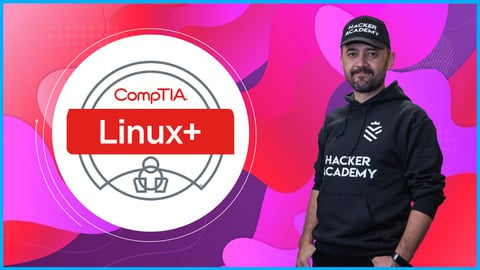
Comptia Linux+ Certification | CompTIA Linux XK0-005 Lab (Udemy.com)
CompTIA Linux XK0-005 exam prep lab to get Comptia Linux+ Certification and differentiate yourself with Linux+ in IT
Created by: Muharrem AYDIN
Last updated September 2026
 What you will learn
- CompTIA Linux+ validates the competencies required of an early career system administrator supporting Linux systems.
- A CompTIA Linux+ certification proves you possess a professional level understanding of Linux systems.
- CompTIA Linux+ is the only job-focused Linux certification covering the latest foundational skills demanded by hiring managers.
- The CompTIA Linux+ exam evaluates the skills of early level professionals working with Linux systems.
- Linux is one of the most commonly used operating systems for running corporate and organizational networks.
- Content of Comptia Linux+
- Download and Install Linux
- Working with Linux on Windows Operating Systems
- Introduction to Linux
- Linux Desktop Environments
- Filesystem Hierarchy Standard (FHS)
- Basic Boot Process
- Kernel Panic
- Device Types in /dev
- Basic Package Compilation From Source
- Storage Concepts
How it compares
Against the other 848 rated Udemy courses in IT Certifications on CourseDuck:
- Rating4.5 out of 5higher than 43% of them
- Reviews51#790 of 849 by number of reviews
- Length10.8 hourslonger than 60% of them
- Last updatedSeptember 2026more recently than 87% of them
 Course Description
Hello there,
Welcome to “Comptia Linux+ Certification | CompTIA Linux XK0-005 Lab” Course
CompTIA Linux XK0-005 exam prep lab to get Comptia Linux+ Certification and differentiate yourself with Linux+ in IT
It is used extensively, from small businesses to large companies, so there is a continuous need for professionals with working knowledge of Linux. A CompTIA Linux+ certification proves you possess a professional level understanding of Linux systems.
CompTIA Linux+ validates the competencies required of an early career system administrator supporting Linux systems. Certification proves that you have basic IT level proficiency with Linux systems. The exam covers a broad scope of Linux elements, including device management, automation, and troubleshooting.
CompTIA Linux+ validates the skills administrators need to secure the enterprise, power the cloud and keep systems running. The new certification ensures that IT professionals, software developers, cybersecurity engineers and penetration testers have these necessary skills to support today’s tech systems.
CompTIA Linux+ is the only job-focused Linux certification covering the latest foundational skills demanded by hiring managers. Unlike other certifications, the new exam includes performance-based and multiple-choice questions to identify the employees who can do the job. The exam covers tasks associated with all major distributions of Linux, setting the foundation for advanced vendor/distro-specific knowledge. Comptia Linux, Linux+, Comptia Linux+, Linux, xk0-005, Comptia Linux+ Certification, Comptia Linux XK0-005, Comptia Linux XK0-004, linux, comptia linux +, comptia, linux administration, IT professionals, IT certification
Those planning an IT career, wanting to advance their IT career or self-development with Linux systems administration should take this Linux+ certification preparation courses to pass the CompTia Linux+ (XK0-005) certification exam. This course is designed for IT professionals whose area of responsibility is the administration of servers and other devices running the Linux operating system. In this tutorial, the management of the Linux operating system is explained in detail. It can be very helpful for students to complete A+, Network+ and Security+ before starting this course. However, this is not a requirement.
CompTIA Linux+ is an intermediate-level IT certification that provides IT professionals with knowledge of Linux. It validates the skills an early-career Linux systems administrator needs. It is ideal for those who want to step into a Linux administrator role without extensive experience or prior certification.
The CompTIA Linux+ exam evaluates the skills of early level professionals working with Linux systems. Certification proves that you have basic IT level proficiency with Linux systems. The exam covers a broad scope of Linux elements, including device management, automation, and troubleshooting. Udemy offers a range of Linux+ training to help you get ready for certification.
Linux is one of the most commonly used operating systems for running corporate and organizational networks. As such, there is a steady need for administrators in organizations everywhere with working knowledge of maintaining Linux based networks.
Linux has proven itself in the business world for many years, especially in server management. Linux will continue to do so as we transition to the Cloud with the advancing technology. This courseware is based on incorporating systems administration requirements into your existing experience to provide the knowledge and skills needed to configure, manage, operate, analyze and troubleshoot a Linux environment using security best practices, scripting and automation computing models. Linux's operationality and ability to respond quickly to problems has led to a greater need for information technology (IT) professionals who can manage servers running some type of Linux kernel and related GNU tools making a Linux distribution. Being able to respond to local, remote, cloud, security and network problems without any Graphical User Interface (GUI) will make Linux always popular
In this course you will learn;
· Content of Comptia Linux+
· Download and Install Linux
· Working with Linux on Windows Operating Systems
· Introduction to Linux
· Linux Desktop Environments
· Filesystem Hierarchy Standard (FHS)
· Basic Boot Process
· Kernel Panic
· Device Types in /dev
· Basic Package Compilation From Source
· Storage Concepts
· Listing Hardware Information
· File Editing
· File Compression, Archiving and Backup
· File Metadata
· Soft and Hard Links
· Copying Files Between Systems
· File and Directory Operations
· Disk Partitioning
· Mounting Local and Remote devices
· Filesystem Management
· Monitoring Storage Space and Disk Usage
· Logical Volume Manager (LVM)
· Inspecting RAID implementations
· Storage Area Network (SAN) / Network-Attached Storage (NAS)
· Storage Hardware
· System Services
· Scheduling Services
· Process Management
· Interface Management
· Name Resolution
· Network monitoring
· Remote Networking Tools
· Package Management
· Sandboxed Applications
· System Updates
· Updating Configuration Files
· Configure Kernel Options
· Configure Common System Services
· Managing Public Key Infrastructure (PKI) Certificates
· Certificate Use Cases
· Authentication
· Linux Hardening
· Account Creation and Deletion
· Account Management
· Firewall Use Cases
· Common Firewall Technologies
· Key Firewall Features
· SSH
· Executing Commands as Another User
· File Permissions
· Security-enhanced Linux (SELinux)
· AppArmor
· Command-line Utilities
· Shell Script Elements
· Common Script Utilities
· Environment Variables
· Relative and Absolute Paths
· Container Management
· Container Image Operations
· Version Control
· File Formats
· Utilities
· Continuous Integration / Continuous deployment (CI/CD)
· Advanced Git Topics
· Kubernetes Benefits and Application Use Cases
· Single-node, Multi-container Use Cases
· Container Persistent Storage
· Container Networks
· Service Mesh
· Bootstrapping
· Container Registries
· High Latency
· Input/output Operations Per Second (IOPS) Scenarios
· Capacity Issues
· Filesystem Issues
· I/O Scheduler
· Device Issues

 Udemy Discount
The discount is applied through our link. Open the course from here and Udemy's current promotional price is applied at checkout on most courses, no code to type.
Some courses are excluded from Udemy's promotions. If the price does not drop, clear your browser cookies and use the button again.
Instructor Details

- 4.5 Rating
 51 Reviews
Muharrem AYDIN
After 20+ years of software engineering experience with titles of software developer, product manager, and integration architect, I have been working in cyber security domain for last 15 years. I am not only a cyber security expert but also the head and kick-starter of a cyber security consultancy unit.
In security field, I have performed dozens of penetration tests for institutes from different sectors: finance, military, state agencies, and telcos.
I have been consulting different companies in security field which includes global banks such as ING Bank, HSBC, CitiBank and more.
In addition, I am an adjunct instructor in a university and teaching cyber security for years.
I involved in technical areas and has taken responsibilities in:
Penetration tests (Pentests) and security audits
Cyber security training & consultancy
Source code analysis & secure software development
Cyber security incident response
Information security management system (ISMS) consultancy
Open source cyber security systems, such as OpenVAS, OSSEC, OSSIM, Snort, Suricata, mod security
I'm creating my courses by using my know-how and 10 years of experience. As a result, our first course "Hacking Web Applications and Penetration Testing: Fast Start!" has gained "Best Seller" reputation in its category.
I have risen a lot of cyber security experts from scratch, and you are the next.
 More courses by Muharrem AYDIN

The Complete Social Engineering, Phishing, OSINT & Malware (2026)
4.4 (7,692 Reviews)
 Provider: Udemy
 Time: 3.3h
$74.99

Hacking Web Applications & Penetration Testing: Web Hacking (2026)
4.4 (2,701 Reviews)
- Provider: Udemy
- Time: 4.3h
$84.99
Penetration Testing and Ethical Hacking Complete Hands-on (2026)
4.5 (2,286 Reviews)
- Provider: Udemy
- Time: 19.8h
$109.99
Ethical Hacking: Network Scan Nmap& Nessus| Network Security (2026)
4.4 (1,868 Reviews)
- Provider: Udemy
- Time: 4.2h
$109.99
Complete Web Application Hacking & Penetration Testing (2026)
4.2 (1,480 Reviews)
- Provider: Udemy
- Time: 9.6h
$109.99

Ethical Hacking: Network Security & Network Layer Attack (2026)
4.8 (1,107 Reviews)
- Provider: Udemy
- Time: 6.6h
$109.99
More IT Certifications courses

Master Splunk Enterprise Administration: Certification Prep (2024)
5.0 (154 Reviews)
- Provider: Udemy
- Time: 1.8h
$59.99

Cisco Troubleshooting Labs For CCNA, CCNP, and CCIE Students (2026)
4.9 (819 Reviews)
- Provider: Udemy
- Time: 6.8h
$10.99

CCNA Cyber Ops Tools: Sec Onion, Wireshark, and Kali Linux (2025)
4.9 (292 Reviews)
- Provider: Udemy
- Time: 4.5h
$10.99

ISTQB Certified Tester - Foundation Level latest Version (2025)
4.9 (224 Reviews)
- Provider: Udemy
- Time: 9.5h
$19.99

CompTIA Tech+ FC0-U71 Prep Hands-on training, Practice Exam (2026)
4.9 (132 Reviews)
- Provider: Udemy
- Time: 7.6h
$11.99

Cisco CCNA 200-301 – The Complete Guide to Getting Certified (2026)
4.8 (90,672 Reviews)
- Provider: Udemy
- Time: 42.7h
$19.99
 Reviews

By Robert Smith on 3/27/2026
Good content and good flow
By Timothy Hoffpauir on 10/8/2025
Disappointing. Feels like they used ChatGPT to generate a script based on Wikipedia articles, and an AI voice generator trying too hard to sound human. While it may have touched on all of the right subjects, nothing was explained or related to in a way that provided any sort of context. While it's possible that it could be a decent review for someone who already knows all of the information, I wouldn't try to use it to learn anything new.
By Mehmet Mert Gunduz on 7/6/2025
Extremely bad, don't buy. Explanations are simple, 50% of those questions in the exam section is copied from some websites. Don't buy this course, you won't be able to pass the Linux+ XK0-005 with this.
By Brecht Willems on 1/9/2024
Disappointing. This product was advertised as highly rated, but unfortunately, it did not meet expectations. The explanation was insufficient, and there were harldy any simulations. I wouldn't recommend it
By Vandelun Amokaha on 12/14/2023
The course covers every aspect of the CompTIA Linux+ objectives in an easy-to-follow manner. Good job!!
By Volkan Karabuga on 6/12/2023
I bought comptia and linux both in one and it is also certified and I am very satisfied. I liked it in terms of content, simple explanation and broad subject content, thank you.
By Anonymized User on 6/6/2023
Malisimo, todo diapositivas, sin cuidar audio, sin laboratorio.
By Heilene on 4/17/2026
By Mike showell on 1/24/2024
 Quality Score
No CourseDuck member has rated this course yet. Taken it? Give each part a thumbs up or down.
Overall Score : 90 / 100
- Video Duration:
 10.8h
10.8h - Price: $84.99
- Provider: Udemy
- Updated:
 September 2026
 - Level:
 All Levels
 - Language:
 English
 - Certificate:
 Yes
Yes
30-day money-back guarantee on most paid courses
Udemy Coupon Price Tracker
