
 Web Development
 Data Science
 Python
 SQL
SQL JavaScript
 Artificial Intelligence
 IT & Software
 IT Certifications
 Hacking
 AWS
AWS Arduino
 DevOps
 3D Modeling
 Graphic Design
 Photoshop
 Drawing
 Digital Painting
 UX Design
 Business
 Data Analysis
 Communication Skills
 Project Management
 Leadership & Management
 Human Resources
 Digital Marketing
 Social Media Marketing
 Marketing
 SEO
SEO Google Analytics
 Branding
 Excel
Excel Office Productivity
 SAP
SAP PowerPoint
 Microsoft Access
 SharePoint
 Finance & Accounting
 Trading & Investing
 Accounting
 Bitcoin
 Personal Finance
 Video Editing & Animation
 Photography
 Adobe Premier Pro
 Adobe Lightroom
 Personal Development
 Productivity
 Career Development
 Life Coaching
 Health & Fitness
 Meditation & Mindfulness
 Yoga
Yoga Music
Music Music Production
 Guitar
 Piano
Piano Singing
 Language Learning
 Teaching & Academics
 Engineering
 Math
Math Lifestyle
Concept Art Masterclass | Create Conceptual Art from Scratch (Udemy.com)
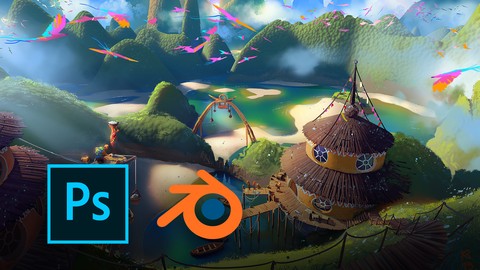
The Complete guide to creating fully fledged Conceptual Artworks from Scratch in 100% Realtime with no parts skipped!
Created by: Kemane Ba
Last updated November 2025
 What you will learn
- Creating a Full Conceptual Artwork from scratch
- 3D Modelling in Blender
- Advanced Painting Techniques in Photoshop
- Composition & Aesthetics of Color and Light
- Perspective & Rendering
How it compares
Against the other 175 rated Udemy courses in Digital Painting on CourseDuck:
- Rating4.6 out of 5higher than 54% of them
- Reviews370#56 of 176 by number of reviews
- Length8.7 hourslonger than 79% of them
- Last updatedNovember 2025more recently than 81% of them
 Course Description
Learn the ability of incorporating renderings in your workflow and take your creation process to the next level. This 8+ hour class will take you through all the steps from 100% start to finish on how become an efficient artist and create powerful conceptual artworks in no time.
You will learn the Basics of 3D modelling in an intuitive learning approach which not only keeps you motivated, but also gives you an actual in depth insight on how professionals work. Working with 3D-concepts is probably the most direct and the fastest way to take your portfolio to the next level. If you're genuinely interested to land your first job in the industry and gain the core knowledge of creating conceptual artworks then this is the perfect class for you!
Even if you’re more experienced this class offers new insights on how to tackle conceptual art with a fresh approach. Therefore this class is suitable for every skill level and can lead to new insights that are immediately applicable in your personal practice. We cover the essentials about how brushes work, how to apply them and how to work with them in the most efficient way. Entering digital art can be quite overwhelming, se we made sure that there is a clear learning path to understanding the tools and technique. After the foundation is set, we enter the world of digital-painting.
Enjoy the class at your own speed and get support along the way from experienced students who already successfully finished the concept art essentials. You can fully decide at what pace you want to learn. See you in the class!

 Udemy Discount
The discount is applied through our link. Open the course from here and Udemy's current promotional price is applied at checkout on most courses, no code to type.
Some courses are excluded from Udemy's promotions. If the price does not drop, clear your browser cookies and use the button again.
Instructor Details

- 4.6 Rating
 370 Reviews
Kemane Ba
After actively working in entertainment for over a decade, Kemane found a great passion for teaching art and an even greater passion for unteaching artistic blockages. The many years of sharing lectures and online classes led him to create Konduktum as a vision to empower and inspire fellow artists. He is now mainly focusing on coaching and mentoring to carry that experience to a broader audience.
 More courses by Kemane Ba
Photoshop Beginner Class | Digital Painting (2019)
4.3 (549 Reviews)
 Provider: Udemy
 Time: 36 mins
$39.99
Concept Art Essentials | Digital Painting From Scratch (2021)
4.5 (346 Reviews)
- Provider: Udemy
- Time: 4h
$59.99
Concept Art | Beginners Class - Start to Finish (2021)
4.6 (46 Reviews)
- Provider: Udemy
- Time: 1.7h
$54.99
More Digital Painting courses

Character Art School: Complete Coloring & Painting (2026)
4.8 (6,042 Reviews)
- Provider: Udemy
- Time: 19.5h
$34.99



Procreate Masterclass: Digital Drawing on the iPad (2023)
4.8 (1,744 Reviews)
- Provider: Udemy
- Time: 18.2h
$94.99


Digital painting with Krita 5.0 intermediate level (2022)
4.8 (271 Reviews)
- Provider: Udemy
- Time: 6.8h
$79.99
 Reviews

By Alyssa Wolff on 6/29/2026
This course was exactly what I wanted. I'm a 2D artist looking to explore 3D software and render beautiful scenes (and as this course shows you how to do, render a scene and then paint 2D details onto it!). This course even had a specific section to introduce new people to Blender, complete with sharing specific, valuable shortcuts. The instructor is clear and calm, knowledgeable, and informative. He doesn't just throw random shortcuts at you because he can, but only shares the most practical ones and why he uses them. I particularly appreciate how he shares files, both Blender and Photoshop, after he completes a step. If I get lost somewhere (i.e., Blender material shaders), I can then quickly reference his work and fix my materials. He also discussed storytelling and composition, particularly on how composition is more than just element positioning but also colors and even detail levels. I recommend this course for anyone wanting an in-depth dive into how Blender can enhance your visual concept art process.
By Scott Moses on 3/24/2023
This is a great course on concepting with blender and photoshop. Kemane has a great teaching style, mixing step-by-step instructions and workflow, with a sense of humor, and an excitement about the creative process. My only critique would be regarding the photoshop instruction - making the layer management - adjustment layers, colors - more clear on the steps he is taking (this was not always clear from the interface).
By Louise Haywood on 8/8/2022
No idea how to do this stuff with Mac - only does pc I wish I knew this before the course
By Leonor Elizabeth Arámburo Nieves on 7/1/2021
Es un buen curso, justamente esto era lo que estaba buscando cuando empecé a aprender Blender, pues me cuesta mucho trabajo entender la perspectiva en los paisajes naturales, me ayudo bastante a comprender mejor la perspectiva natural y fue un plus poder agregarle algunos elementos arquitectónicos.
By Omkar Laxman Powar on 12/26/2020
This Blender + Photoshop course is excellent for someone who wants to get in Concept Art. This course uses Blender to create not only basic terrain but also explains basics for the artist who are at intermediate level. This was my first experience using Photoshop for a concept art. This Course got you all covered with some brush that are provided. The 3D part was little bit known to me but I thank this course to introducing me to the world of photoshop and its uses in the concept art. I love this Course.
By Teodor Ivanov on 10/2/2020
The course was really useful and it definitely lived up to my expectations. Everything was explained quite thoroughly and it was acceptable and understandable even for an artist with not so long experience. I learned so many new techniques which will definitely come in handy for my future artworks. Thank you!
By Cornelia Jurka-Lang on 6/6/2020
Very cool course. Could follow step by step, when I had a question it was answered promptly. It took me much longer than 8.5 hours, of course. Probably a good tip is to follow the original concept idea pretty much exactly in Blender if you are a beginner or just download the asset after you've tried it yourself. Otherwise you might have to figure out how to paint on your own perspective because you don't have a direct preview of how it should look like. Likewise, it would have been an advantage to know already in Blender that the bridge on the left side must be as long as this. Had to squeeze my humans a bit on my shorter bridge :D But for the beginning I am positively surprised and I'm grumbling on a high level here. Btw I used Affinity Photo because it is almost 1:1 a Photoshop clone but only costs about 50 Euro (you can import Photoshop brushes). The only thing that is not possible with Affinity Photo is the Mixer Brush with which Kemane painted wood all the time. That was a bit more effort for me. You can recreate the effect with your own picture brush, but you can't pick new colors each time. Therefore I always had to adjust the colors afterwards. But it's probably a good exercise and I would have probably done it anyway. Thank you very much, Kemane! I appreciate the work.
By James Shay on 2/21/2020
This is exactly what I've always looked for! I've never been a great artist when it comes to drawing skills, but getting the major shapes and concepts done in Blender, and using Photoshop to touch up the finer details is such an amazing workaround and I feel confident in my artistic expression thanks to these tutorials.
By Katharina Keller on 1/1/2020
Incredible course, I learned a lot. You need quite some patience for this course and I have to say it is not suited for total beginners. But Kemane did an absolute fantastic job here, I'd give him more stars if I could. This course was very intense and a lot of fun. I'd recommend it to any artist who wants to get into concept art!
By Fiona Moran on 8/21/2019
I'm really enjoying seeing the possibilities of using blender and photoshop together for painterly results. This course is great if you are a concept artist, but you find it hard to make accurate concepts using unusual and interesting perspective. I'd like a similar course for using blender and PS for concept art interiors Kemane!
 Quality Score
No CourseDuck member has rated this course yet. Taken it? Give each part a thumbs up or down.
Overall Score : 92 / 100
- Video Duration:
 8.7h
8.7h - Price: $89.99
- Provider: Udemy
- Updated:
 November 2025
 - Level:
 All Levels
 - Language:
 English
 - Certificate:
 Yes
Yes
30-day money-back guarantee on most paid courses
Udemy Coupon Price Tracker
