
 Web Development
 Data Science
 Python
 SQL
SQL JavaScript
 Artificial Intelligence
 IT & Software
 IT Certifications
 Hacking
 AWS
AWS Arduino
 DevOps
 3D Modeling
 Graphic Design
 Photoshop
 Drawing
 Digital Painting
 UX Design
 Business
 Data Analysis
 Communication Skills
 Project Management
 Leadership & Management
 Human Resources
 Digital Marketing
 Social Media Marketing
 Marketing
 SEO
SEO Google Analytics
 Branding
 Excel
Excel Office Productivity
 SAP
SAP PowerPoint
 Microsoft Access
 SharePoint
 Finance & Accounting
 Trading & Investing
 Accounting
 Bitcoin
 Personal Finance
 Video Editing & Animation
 Photography
 Adobe Premier Pro
 Adobe Lightroom
 Personal Development
 Productivity
 Career Development
 Life Coaching
 Health & Fitness
 Meditation & Mindfulness
 Yoga
Yoga Music
Music Music Production
 Guitar
 Piano
Piano Singing
 Language Learning
 Teaching & Academics
 Engineering
 Math
Math Lifestyle
Course Creation, YouTube, Tutorials, Zoom, and More with OBS (Udemy.com)
Create Amazing Online Courses, Zoom Meeting Conferences, YouTube Content, and Video Tutorials with OBS Studio
Created by: Hugo Garza
Last updated February 2022
 What you will learn
- How to use OBS Studio (Open Broadcaster Software)
- Learn to create amazing online courses
- Connect OBS to Zoom or other video conference software
- Increase your personal, professional, and business opportunities
- Learn how to create a YouTube channel and upload your videos
- Design thumbnail, profile, and banner images using Photopea and Canva
- Create professional looking screen recordings and video conferences
How it compares
Against the other 503 rated Udemy courses in Teaching & Academics on CourseDuck:
- Rating4.4 out of 5higher than 27% of them
- Reviews61#461 of 504 by number of reviews
- Length3.6 hoursshorter than 51% of them
- Last updatedFebruary 2022earlier than 61% of them
 Course Description
This course will give you a unique, behind-the-scenes view, with the secret formula of the software that I use to create my own courses.
In this course, we will use OBS (Open Broadcaster Software) Studio to make amazing videos that you can use to create online courses, YouTube channels, video tutorials, and more.
You will also learn you can also dramatically increase the quality of your online teaching courses, as well as your work-from-home or other business video conferences by combining OBS Studio together with zoom or any other video communications software.
This course covers everything you need to set up OBS Studio with the best settings.
It will teach you how to:
Set up and improve your microphone settings, as well as removing any background noise
Add PowerPoint presentations, web browser views, and more into your videos
Use your smartphone as a webcam
Add a green screen effect and create amazing backgrounds
Make videos for different size devices including vertical smartphone format
Connect OBS to zoom and other video communications software for dramatically improving your conference quality
This course also covers simple and easy video editing techniques that you can use for polishing your videos after recording, as well as how to create a YouTube channel and design the thumbnails, profile, and banner images for your videos.

 Udemy Discount
The discount is applied through our link. Open the course from here and Udemy's current promotional price is applied at checkout on most courses, no code to type.
Some courses are excluded from Udemy's promotions. If the price does not drop, clear your browser cookies and use the button again.
Instructor Details

- 4.4 Rating
 61 Reviews
Hugo Garza
Hugo has over 10 years of self-taught language learning experience. He is passionate about language learning and it's considered his biggest hobby. Besides Spanish and English, he is also fluent in French, German, and Italian. He obtained his Masters's degree in Political Science at Shanghai Jiao Tong University in China. He shares his methods for learning a foreign language as well as his experience in various topics.
 More courses by Hugo Garza
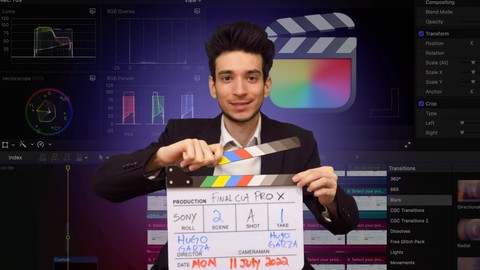
Mastering Video Editing with Final Cut Pro: Ultimate Course (2022)
4.6 (75 Reviews)
 Provider: Udemy
 Time: 5.5h
$44.99
More Teaching & Academics courses

GMAT Focus | Quantitative| Master Math Course | 2026 Updated
5.0 (854 Reviews)
- Provider: Udemy
- Time: 55.3h
$11.99

Speed Reading MACHINE 5.1: How To Read 307 Books In 2026
4.9 (1,386 Reviews)
- Provider: Udemy
- Time: 7.2h
$12.99
GRE Quantitative Prep | Master Math Course | 2026 Updated
4.9 (980 Reviews)
- Provider: Udemy
- Time: 59h
$10.99
IELTS Pro: Reading | Writing | Listening | Speaking (2026)
4.9 (799 Reviews)
- Provider: Udemy
- Time: 30.4h
$10.99
 Reviews

By Theresa Hooper on 7/18/2024
This course was really good as far as learning what can be done and which tools to use. I need to look a little further into putting it all together into what would be a final presentation - even if it's just a sample.
By Ruby Mitchell on 5/27/2024
The course instruction is outdated. The software does not correspond with the instruction. It is two years old. Right now I am frustrated since I am a new beginner using OBS. My goal is to learn live streaming.
By Obinna Achara on 9/27/2023
Well structured and plenty of useful information
By Deborah on 9/25/2023
Perfeito, Hugo é muito didático e direto ao ponto, acho que é sem dúvidas um dos cursos com mais qualidade que já fiz aqui na Udemy
By Vamsi Mohan Challa on 1/14/2023
Explanation of features of OBS is very effective and on point. Learnt a lot in such a short time. The way the speaker talks is very engaging as well.
By Reginald Harris on 12/28/2022
great course, step by step instructions very easy to follow clear and concise
By Alysa Bartha on 12/6/2022
This course is AWESOME! Well done! I know I will be using everything I have learned! Thank you Hugo!!
By John Quensen on 10/16/2022
A great introduction to using OBS. Now I am ready to start making my own videos!
By Mike Esparza on 10/16/2022
Hi Hugo, Thanks so much for this course. You covered a lot of ground but all of it was good. I have it available if I need it. Good content, great job explaining stuff. You are a good teacher. I highly recommend this course to anyone new to OBS. Keep up the great work !
By Aldo Ismael Sanchez Lopez on 8/22/2022
Muy bien. Aprendí lo necesario para empezar a usar OBS y un poco más.
 Quality Score
No CourseDuck member has rated this course yet. Taken it? Give each part a thumbs up or down.
Overall Score : 88 / 100
- Video Duration:
 3.6h
3.6h - Price: $10.99
- Provider: Udemy
- Updated:
 February 2022
 - Level:
 All Levels
 - Language:
 English
 - Certificate:
 Yes
Yes
30-day money-back guarantee on most paid courses
Udemy Coupon Price Tracker
