
 Web Development
 Data Science
 Python
 SQL
SQL JavaScript
 Artificial Intelligence
 IT & Software
 IT Certifications
 Hacking
 AWS
AWS Arduino
 DevOps
 3D Modeling
 Graphic Design
 Photoshop
 Drawing
 Digital Painting
 UX Design
 Business
 Data Analysis
 Communication Skills
 Project Management
 Leadership & Management
 Human Resources
 Digital Marketing
 Social Media Marketing
 Marketing
 SEO
SEO Google Analytics
 Branding
 Excel
Excel Office Productivity
 SAP
SAP PowerPoint
 Microsoft Access
 SharePoint
 Finance & Accounting
 Trading & Investing
 Accounting
 Bitcoin
 Personal Finance
 Video Editing & Animation
 Photography
 Adobe Premier Pro
 Adobe Lightroom
 Personal Development
 Productivity
 Career Development
 Life Coaching
 Health & Fitness
 Meditation & Mindfulness
 Yoga
Yoga Music
Music Music Production
 Guitar
 Piano
Piano Singing
 Language Learning
 Teaching & Academics
 Engineering
 Math
Math Lifestyle
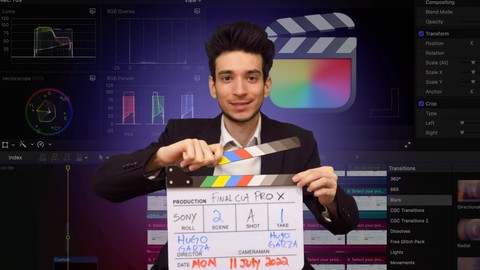
Mastering Video Editing with Final Cut Pro: Ultimate Course (Udemy.com)
The complete all-in-one course for learning how to edit videos using Final Cut Pro from beginner to very good at it
Created by: Hugo Garza
Last updated October 2022
 What you will learn
- Learn all the basics of video editing with Final Cut Pro
- Cut, Move & Crop videos
- Add B-roll videos, music, sounds, voice overs
- Add text, lower thirds, subtitles
- Color grade your videos
- How to create videos using a green screen
- Export high quality videos
- Improve your video editing skills
- Add transitions and effects
How it compares
Against the other 293 rated Udemy courses in Video Editing & Animation on CourseDuck:
- Rating4.6 out of 5higher than 74% of them
- Reviews75#216 of 294 by number of reviews
- Length5.5 hourslonger than 68% of them
- Last updatedOctober 2022earlier than 56% of them
 Course Description
If you don’t have Final Cut Pro, you can download a 90-day free trial of the software from Apple’s website.
This course is an all-in-one course that will teach you how to use Final Cut Pro to make amazing videos that you can put on YouTube, Facebook, TikTok, Instagram, or even use in your professional or personal life.
This course covers everything you need to use Final Cut Pro with the best settings.
You will learn many of the different functions of Final Cut Pro that will dramatically increase the quality of your videos.
This course will teach you:
· How to make cuts, move and crop your videos.
· What the best keyboard shortcuts are.
· How to add B-roll videos, pictures, music, sounds, and create a voice over.
· How to add video effects, transitions, lower thirds, titles, and subtitles.
· How to make videos using a green screen.
· How to use color grading to improve the quality of your videos.
· Many more functions and settings of Final Cut Pro.
This course is an excellent choice for anyone wishing to learn how to use Final Cut Pro to create videos and make them look more professional.
_________________________________________________________________________
I recommend that each time you create a new video, you try to make it better than the last one.
The best way to improve your video editing skills is by doing.
In the beginning, your videos might not be the best. But the more you create videos, the better they will become.
Don't focus on making just one perfect video, but focus on making many videos. This is the best way to improve your video editing skills.

 Udemy Discount
The discount is applied through our link. Open the course from here and Udemy's current promotional price is applied at checkout on most courses, no code to type.
Some courses are excluded from Udemy's promotions. If the price does not drop, clear your browser cookies and use the button again.
Instructor Details

- 4.6 Rating
 75 Reviews
Hugo Garza
Hugo has over 10 years of self-taught language learning experience. He is passionate about language learning and it's considered his biggest hobby. Besides Spanish and English, he is also fluent in French, German, and Italian. He obtained his Masters's degree in Political Science at Shanghai Jiao Tong University in China. He shares his methods for learning a foreign language as well as his experience in various topics.
 More courses by Hugo Garza
Course Creation, YouTube, Tutorials, Zoom, and More with OBS (2022)
4.4 (61 Reviews)
 Provider: Udemy
 Time: 3.6h
$10.99
More Video Editing & Animation courses

Learn to Storyboard for Film or Animation (2024)
4.8 (2,727 Reviews)
- Provider: Udemy
- Time: 2.2h
$12.99


Fire Starter Sessions Video Workshop with Danielle LaPorte (2017)
4.8 (1,205 Reviews)
- Provider: Udemy
- Time: 3.7h
$11.99

The Ultimate Color Grading Bootcamp in DaVinci Resolve (2026)
4.8 (947 Reviews)
- Provider: Udemy
- Time: 8.7h
$19.99

The Complete Talking Head Video Production Masterclass (2026)
4.8 (319 Reviews)
- Provider: Udemy
- Time: 17.6h
$59.99

The Complete iMovie Course - from Beginner to Advanced 2026!
4.7 (2,021 Reviews)
- Provider: Udemy
- Time: 11.1h
$10.99
 Reviews

By Chris Buschmeier on 11/30/2025
The content is good but the video quality is horrible. The video constantly stops and spins.
By Chas Wood on 4/12/2025
Hard to follow and hard to understand
By Katharine Rawdon on 8/23/2024
This course was an excellent match for me, in terms of covering the basics of Final Cut Pro—more than basics, but definitely enough to get started with creative editing. As a non-digital-native-age-person, sometimes the commands and clicks were too fast, but the rewind is very useful. Perhaps there is a way around that without slowing down the entire course? I took notes and tried nearly everything out on FCP as I went along, so the time needed to get through the course was quite a lot more than the running time of the course. But there's no other way. Thanks Hugo, I'm off to play with FCP—Cheers!
By Mara R on 10/12/2023
Easy to follow, clear explanations also for not English native speakers , I appreciate dividing the course in short videos so it's more engaging to follow. It's so important to practice after every lessons if you want to learn to use Final Cut!
By Choupinette on 9/8/2023
very good course !!!
By Betty J. Herron on 8/3/2023
so far the course is good
By Yopi p on 7/3/2023
Friendly for beginner. Clear explanation. Good.
By Marilyn Joy Moohr on 2/9/2023
I think it probably is. I would like it if it were a bit slower and i could see where he is clicking more easily.
By Aglina Lika on 1/7/2023
This is a really helpful course. In each video there is an application of the command that is introduced each time. This illustration helps you to better understand the commands of the app and how you can use them properly to create and improve your videos. It is really nice that the instructor mentions online sites that someone can use to download extra generators, titles and etc. I didn't know anything about the final cut pro and especially how to use it. Now, I can say that I am capable to edit my own videos.
By Ahmed Hussein Mohamed on 12/26/2022
This course is super hit , Well explained and full informative
 Quality Score
No CourseDuck member has rated this course yet. Taken it? Give each part a thumbs up or down.
Overall Score : 92 / 100
- Video Duration:
 5.5h
5.5h - Price: $44.99
- Provider: Udemy
- Updated:
 October 2022
 - Level:
 All Levels
 - Language:
 English
 - Certificate:
 Yes
Yes
30-day money-back guarantee on most paid courses
Udemy Coupon Price Tracker
